MC1401296 Microsoft Teams VDI: Retirement of WebRTC optimization and transition to new optimization (Windows endpoints)
Primary service: Teams
ChangePilot summary
- Microsoft is retiring the WebRTC-based Teams VDI optimization on Windows endpoints and replacing it with a new VDI optimization aligned to the native Teams desktop media engine.
- The change affects Windows-based VDI users on Azure Virtual Desktop, Windows 365, and Citrix CVAD/DaaS, including both published desktops and published apps.
- Admins should verify the new optimization is enabled, meet the documented prerequisites, and deploy the Citrix Teams VDI plugin where applicable.
- IT should monitor optimization status in Teams admin tools and update helpdesk guidance and internal documentation that still refers to WebRTC-based optimization.
- The new optimization adds improved performance and meeting capabilities, but if it cannot be established, Teams will eventually fall back to server-side rendering.
Latest update: Image URL Change
What it means for you
What admins need to do
Review the Teams VDI documentation and confirm your Windows VDI environments meet the minimum requirements for the new optimization. Verify that the new optimization is enabled in your tenant using the recommended PowerShell command, and for Citrix environments ensure the Teams VDI plugin is deployed to endpoints. Monitor adoption and optimization health in Teams Admin Center, CQD, or Power BI VDI reports, then brief helpdesk staff and update any runbooks or user-facing guidance that still references WebRTC-based optimization.
Impact on users
Users on supported Windows VDI environments will see Teams move to a new optimization path that should improve call setup, reliability, and meeting feature support. If the new optimization is in place, the experience should be better and more consistent. If it cannot be established, users may eventually see Teams fall back to server-side rendering instead of the older WebRTC optimization.
If you miss it
If IT does not prepare, users may encounter banners, unexpected behavior, or reduced optimization quality as Microsoft phases out WebRTC support. Over time, unsupported configurations could lose the optimized Teams experience and fall back to server-side rendering, which may reduce performance and meeting quality. For Citrix environments, failing to deploy the required plugin could prevent the new optimization from working properly and increase helpdesk tickets and troubleshooting effort.
- Admin controls available
- Yes
History
Recorded changes
No changes recorded since ChangePilot first saw this post.
Microsoft message
[What and Why:]
As previously communicated in MC1239928 (February 26, 2026), Microsoft is retiring the WebRTC-based media optimization for Teams on Windows VDI endpoints and replacing it with a new VDI optimization.
This update aligns Teams in VDI with the native desktop client media engine, improving performance, reliability, and feature parity while simplifying architecture by removing VDI environment dependencies. This transition enhances meeting experiences and supports faster innovation across Teams.
[Rollout Schedule:]
This retirement will occur in two phases. Date ranges below represent user notifications and key service milestones. The actual service changes occur on October 1, 2026 and April 1, 2027.
- Phase 1: End of Support
- July 10, 2026 – July 17, 2026: Users enrolled in Public Preview will begin seeing notification banners earlier than standard rollout.
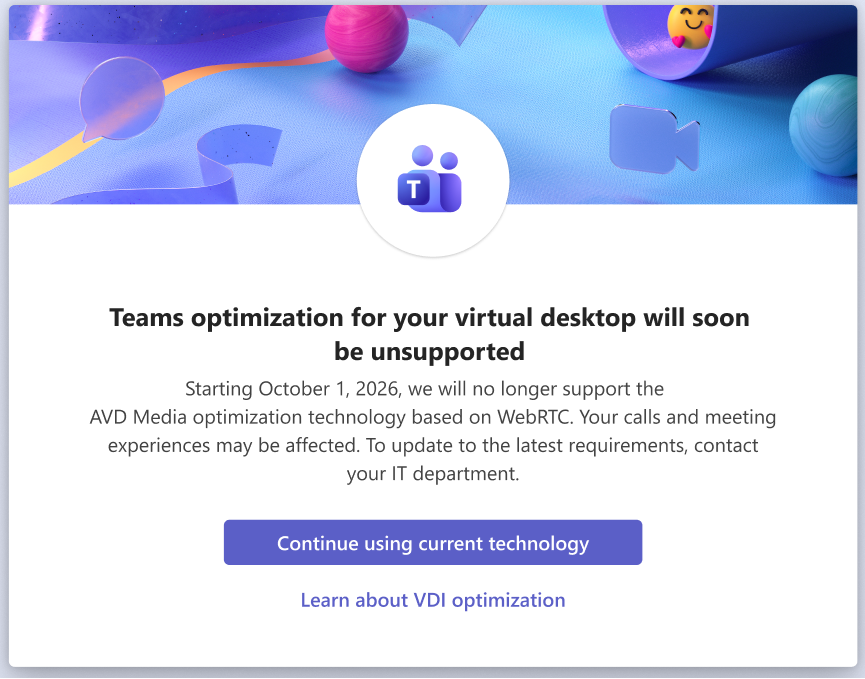
- August 1, 2026 – September 30, 2026: All users will see dismissible in-app banners informing them of the upcoming end of support.
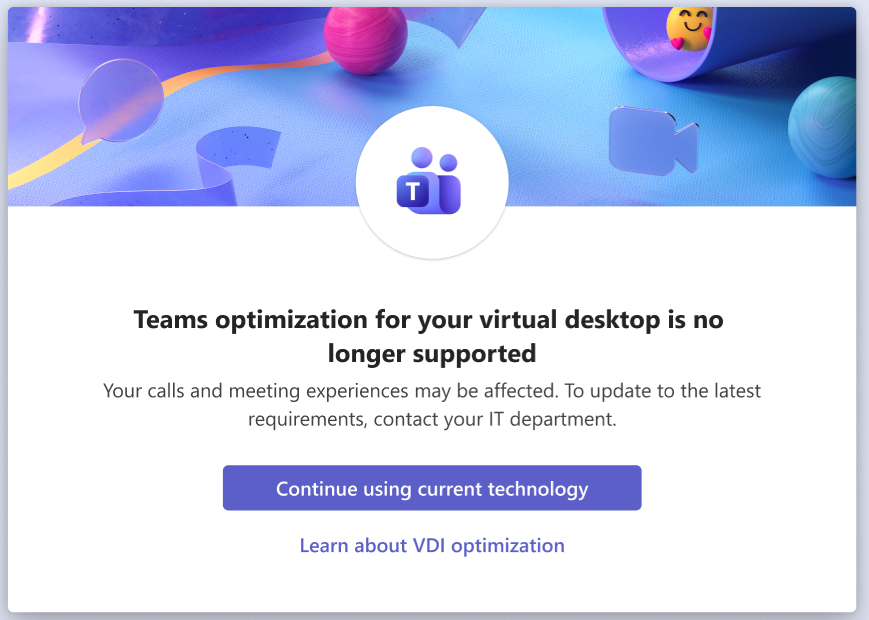
- October 1, 2026: The WebRTC-based optimization remains functional but is no longer supported on Windows endpoints. After this date, reminder banners may continue to appear when Teams launches.
Screenshot 1: Notification shown to users prior to the end of support for WebRTC-based optimization:
Screenshot 2: Notification shown to users after the end of support for WebRTC-based optimization:
- Phase 2: End of Availability
- February 1, 2027 – March 30, 2027: Users will see modal dialog messages indicating the upcoming retirement of WebRTC-based optimization.
- April 1, 2027: WebRTC-based optimization will stop working and the new VDI optimization will be enforced. If optimization cannot be established, Teams will fall back to server-side rendering.
[Impact on Your Organization:]
Who is affected:
- This change applies only to Windows-based endpoints connecting to Azure Virtual Desktop (AVD), Windows 365, and Citrix CVAD/DaaS. It applies to both published desktops and published apps.
- This change does not apply to macOS, Linux, mobile, HTML5, ChromeOS, or Omnissa Horizon environments (a separate communication will be provided for Horizon).
Platforms/Services:
- Azure Virtual Desktop
- Windows 365
- Citrix Virtual Apps and Desktops (CVAD/DaaS)
What will happen:
- The WebRTC-based optimization will be replaced by the new VDI optimization.
- The new optimization uses the same media engine as the native Teams desktop client.
- Users will benefit from improved performance, including faster call setup times and enhanced reliability.
- Third-party WebRTC components will no longer be required, simplifying servicing.
- Additional meeting capabilities will be available, including:
- Gallery view (3x3 and 7x7)
- 1080p video
- Hardware acceleration
- Custom background effects
- Noise suppression
- HID device support
- If the new optimization cannot be established, Teams will fall back to WebRTC optimization until April 1st, 2027, when it will use server-side rendering.
[Action Required / Recommendations:]
Immediate admin action is required for this transition. There are minimum requirements that need to be met:
- Review minimum requirements: Teams VDI documentation
- Confirm that the new VDI optimization is enabled in your environment (it is enabled by default) using this PowerShell command.
- For Citrix environments, ensure the Teams VDI plugin is deployed on endpoints
- Monitor usage and optimization status using:
- Teams Admin Center
- Call Quality Dashboard (CQD)
- Power BI VDI reports
- Notify helpdesk teams and users of the upcoming change
- Update internal documentation that references WebRTC-based optimization (for example, “Teams is AVD Media optimized” or “Teams is Citrix HDX Media optimized”).
[Compliance considerations:]
No compliance considerations identified, review as appropriate for your organization.
More information
Details
Platforms
- Windows
Services
- Azure
- Teams
- VDI
- Windows 365
Category
- Plan for change
Microsoft tags
- Retirement
Related changes
- MC1239928 Microsoft Teams VDI: Retirement of WebRTC optimization and transition to SlimCore-based optimization (Windows endpoints) Message Center · Teams · Admin Low