MC791114 Data Loss Prevention: Decoupling policy tips and email notifications for SharePoint and OneDrive
Primary service: Purview
ChangePilot summary
- Decoupling of user email notifications from policy tips in Microsoft Purview | Data Loss Prevention (DLP), allowing separate configuration of each.
- New configuration options for DLP rules: only user email notification, only policy tip, both, or neither.
- Configuration changes can be made using PowerShell with the new
-NotifyUserTypeparameter or through the updated DLP user interface. - No admin action required before the rollout, but awareness and understanding of the new feature are important.
- Administrators may want to update internal documentation and training materials to reflect the new DLP configuration options.
Latest update: Targeted Release start: late May 2026. Targeted Release end: early June 2026 (previously mid-April 2026). Standard start: mid-July 2026 (previously early June 2026). Standard end: late July 2026 (previously mid-June 2026).
History
Recorded changes
-
- Targeted Release start: late May 2026.
- Targeted Release end: early June 2026 (previously mid-April 2026).
- Standard start: mid-July 2026 (previously early June 2026).
- Standard end: late July 2026 (previously mid-June 2026).
- The rollout completion timeline for General Availability Worldwide has been updated from mid-June 2026 to late July 2026.
- The General Availability Worldwide rollout date changed from starting mid-May and completing late May 2026 to starting early June and completing mid-June 2026.
-
- The timeline for the Public Preview rollout has been changed from starting February 20, 2026, to mid-April 2026 and completing by late April 2026 instead of late February.
- The timeline for General Availability Worldwide rollout has been adjusted to begin mid-May 2026, completing in late May 2026 instead of March 2026.
-
- The timeline for the rollout has been updated, with Public Preview now beginning February 20, 2026, instead of late January 2026, and completion expected by late February 2026 instead of late July 2026.
- General Availability Worldwide will now begin in March 2026 instead of late March 2026 and finish within March itself, instead of late April 2026.
-
- The public preview rollout timeline has been pushed from starting in late June 2025 to late January 2026, and completion has moved from late July 2025 to late February 2026.
- The general availability worldwide rollout has shifted from starting in late December 2025 to late March 2025, and completion has changed from late January 2025 to late April 2026.
- The timeline for General Availability Worldwide has been updated from "late August 2025 to late September 2025" to "late December 2025 to late January 2025."
-
- - Public Preview is now scheduled to begin in late June 2025 and complete by late July 2025, previously from late January to late February 2025.
- - General Availability Worldwide is now scheduled to begin in late August 2025 and complete by late September 2025, previously from late March to late April 2025.
Microsoft message
Updated June 5, 2026: We have updated the timeline. Thank you for your patience.
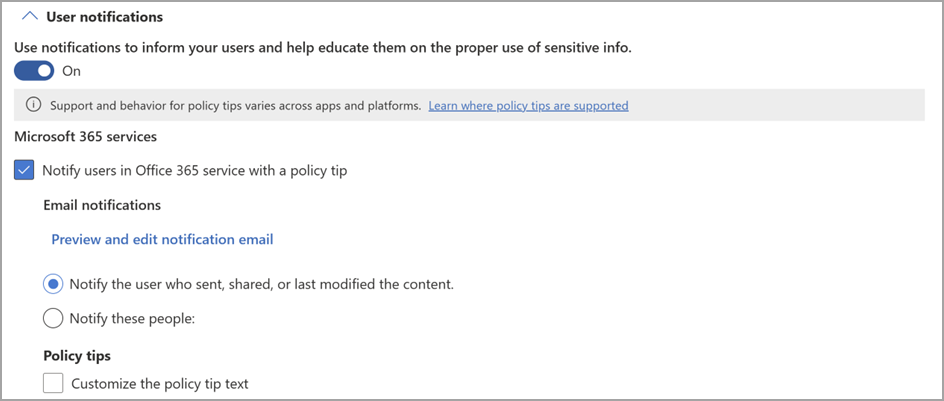
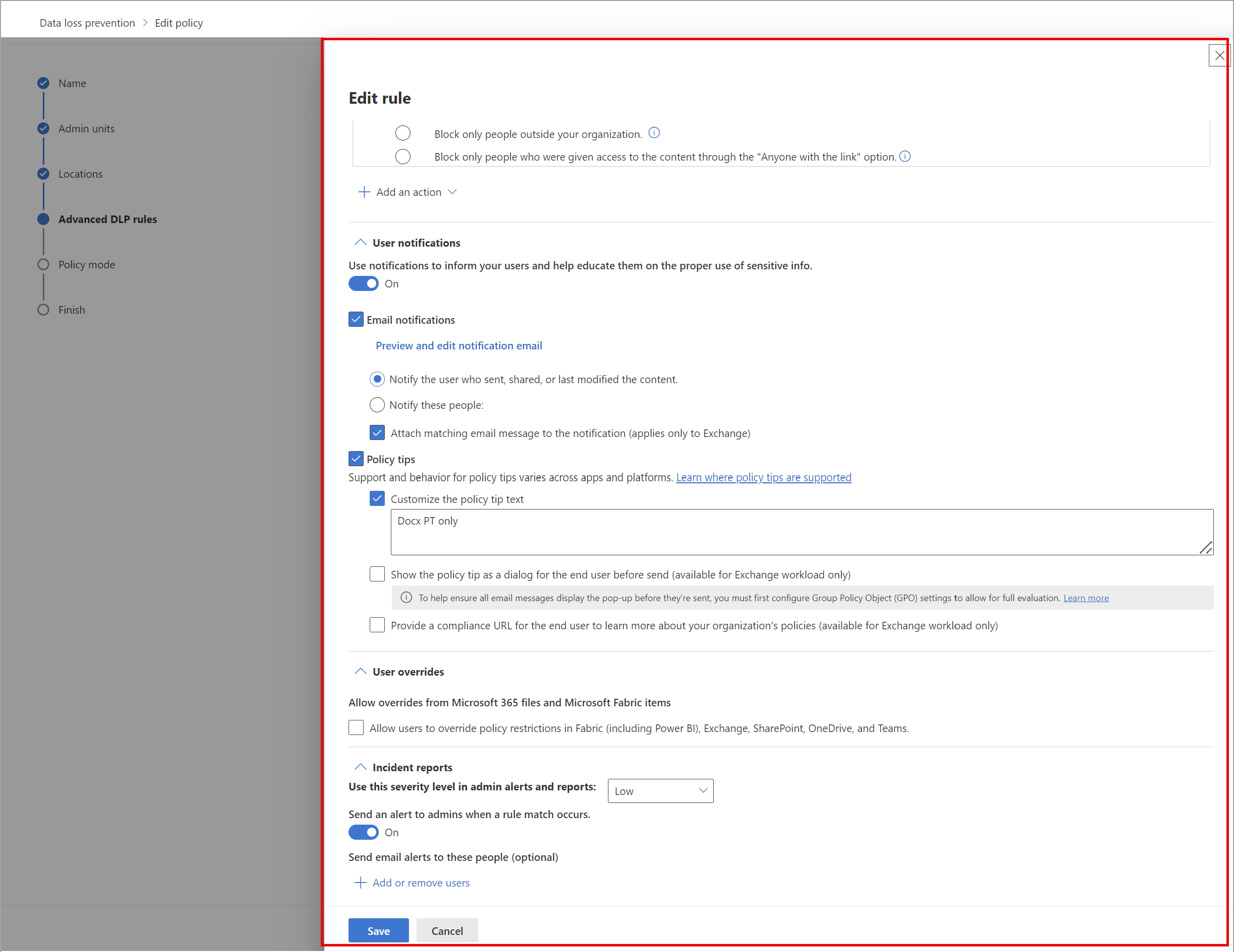
Coming soon to Microsoft Purview | Data Loss Prevention: When an admin wants to enable user email notifications, policy tips also need to be enabled and vice versa. After this rollout, notifications and policy tips will be decoupled, and admins can configure the following rules to enable:
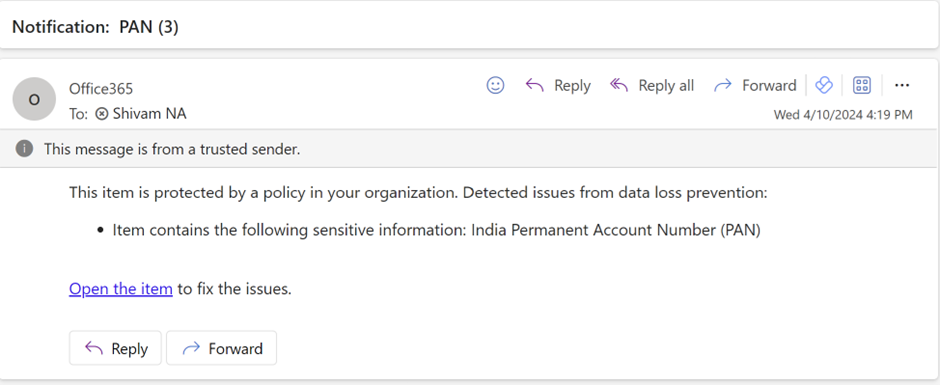
- Only a user email notification
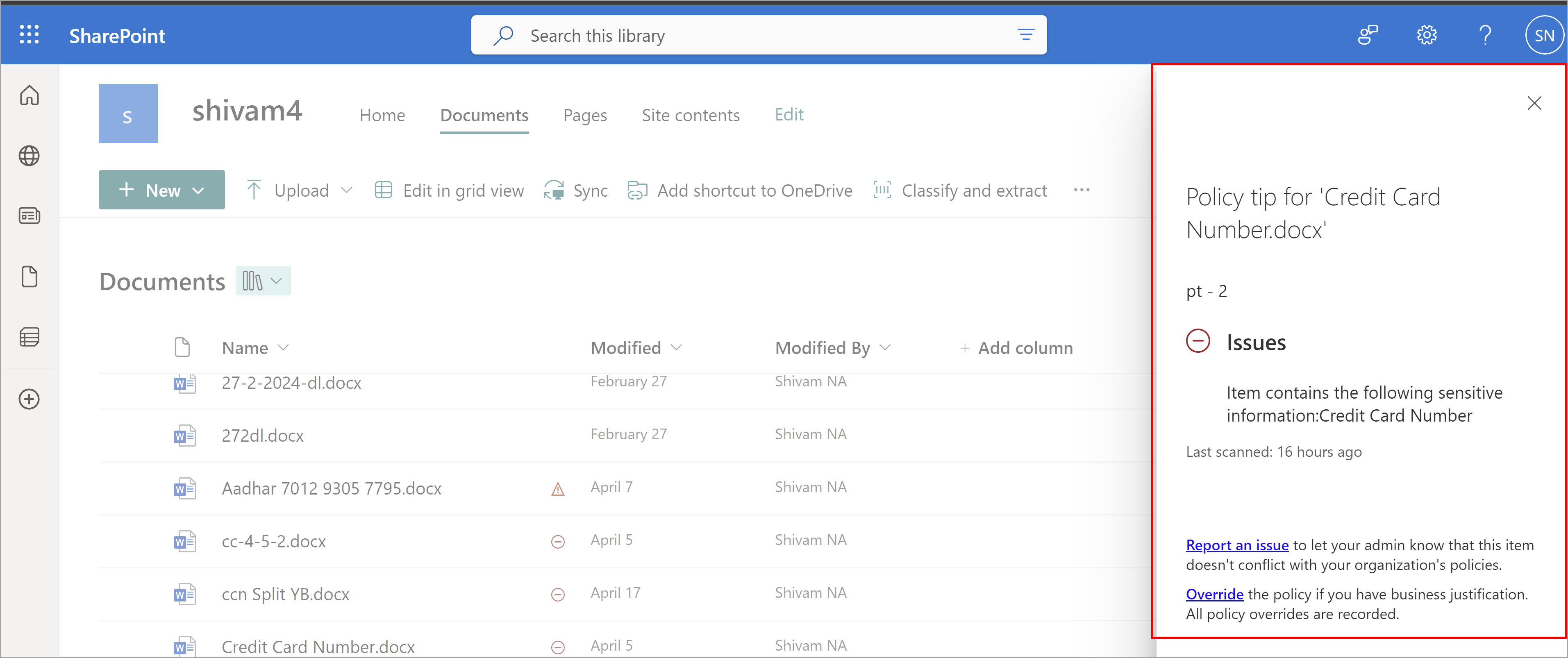
- Only a policy tip
- A user email notification and a policy tip
- No policy tips or user email notifications
After this rollout, policy tips and user email notifications will align with the behavior currently available with Microsoft Exchange.
This message is associated with Microsoft 365 Roadmap ID 394279.
[When this will happen:]
Public Preview: We will begin rolling out late May 2026 (previously mid-April) and expect to complete by early June 2026 (previously late April).
General Availability Worldwide: We will begin rolling out mid-July 2026 (previously early June) and expect to complete by late July 2026 (previously mid-June).
[How this will affect your organization:]
After rollout, to configure policy tips and user email notifications, you can use PowerShell or Purview | Data Loss Prevention.
In PowerShell
After rollout, use the new parameter called -NotifyUserType with the cmdlets New-DlpComplianceRule and Set-DlpComplianceRule.
Use New-DlpComplianceRule to create a new rule. Use Set-DlpComplianceRule to update an existing rule.
- Default value:
NotSet - To enable a policy tip:
PolicyTip - To enable a user email notification:
Email - To enable a user email notification and a policy tip:
Email,PolicyTip
Example 1: New-DlpComplianceRule -Name "PT rule" -Policy "Policy Name" -ContentContainsSensitiveInformation @{Name="India Unique Identification (Aadhaar) Number"} -NotifyUserType PolicyTip -NotifyUser SiteAdmin,LastModifier,Owner
Example 2: Set-DlpComplianceRule -Identity "Rule Name" -NotifyUserType Email
To check that the value is set correctly, check the following and check the parameter value for NotifyUserType:
Get-DlpComplianceRule -Identity "Rule Name" | fl
In Data Loss Prevention (DLP)
Before rollout:
After rollout:
DLP examples
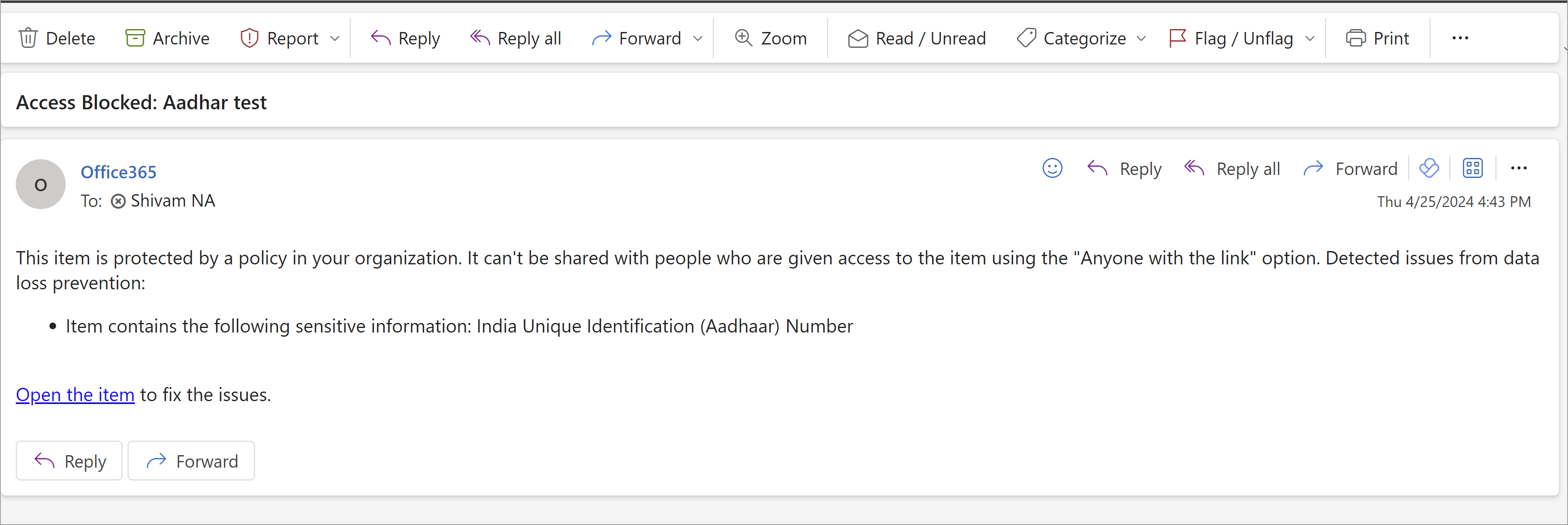
Rule 1: Configured to only trigger a user email notification:
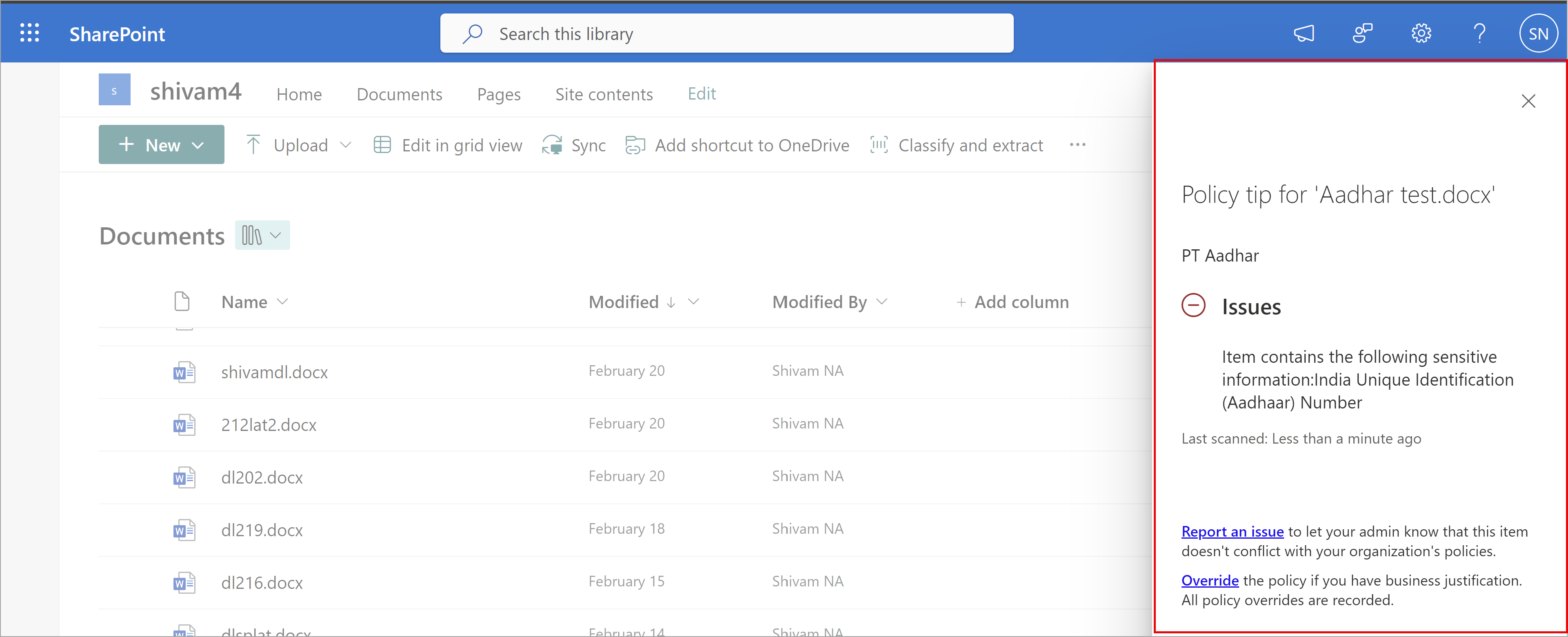
Rule 2: Configured to only trigger a policy tip:
Rule 3: Configured to trigger a user email notification and a policy tip:
[What you need to do to prepare:]
This rollout will happen automatically by the specified dates with no admin action required before the rollout. You may want to update any relevant documentation as appropriate.
More information
Details
Platforms
- Web
Services
- DLP
- Purview
Category
- Stay informed
Microsoft tags
- New Feature