MC789317 Microsoft 365: Archive feature for inactive sites on SharePoint
Primary service: SharePoint
ChangePilot summary
- New feature to archive inactive SharePoint sites, helping to manage storage costs.
- SharePoint and Global admins can archive sites via the SharePoint admin center or PowerShell.
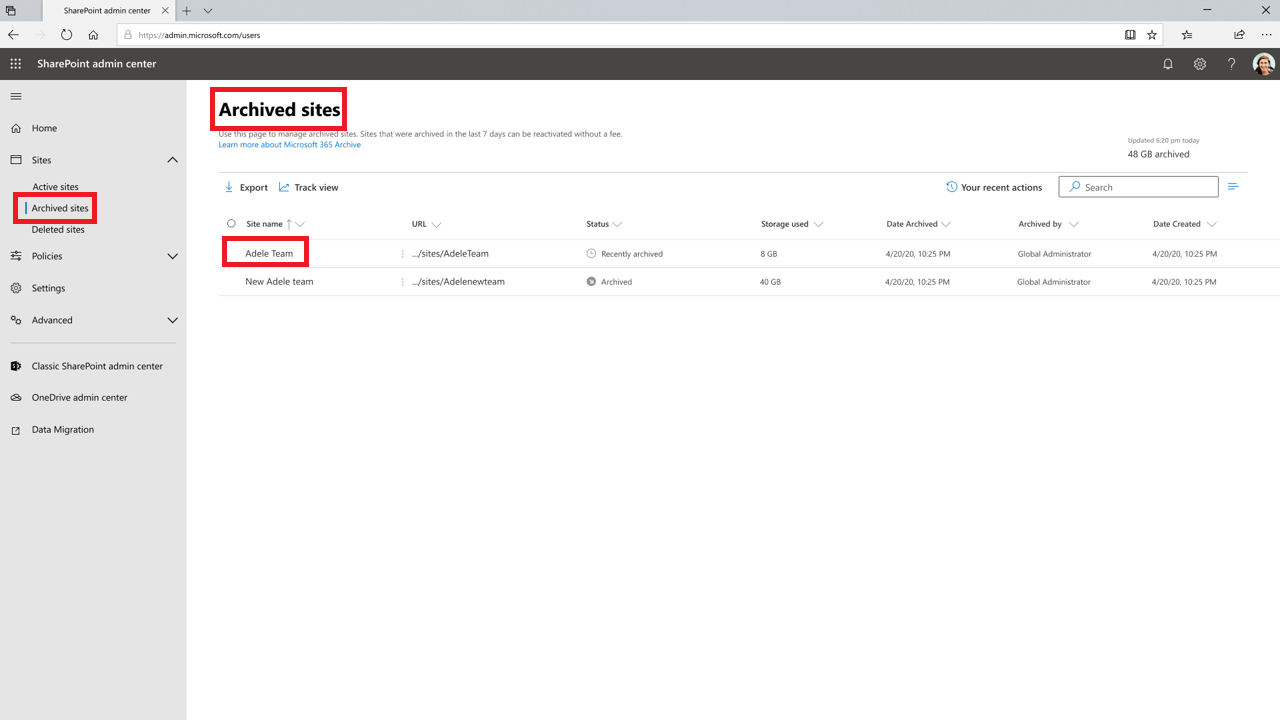
- Archived sites can be managed from a dedicated Archived sites page.
- Organizations should identify inactive sites suitable for archiving in preparation for the feature release.
- Additional resources and learning materials are available to help admins understand and prepare for the new archiving capability.
History
Recorded changes
No changes recorded since ChangePilot first saw this post.
Microsoft message
Coming Soon: Microsoft 365 will have a new feature to archive inactive sites on SharePoint. This archive feature will save on storage costs exceeding the quota limit.
This message is associated with Microsoft 365 Roadmap ID 171100
[When this will happen:]
General Availability (Worldwide): We will begin rolling out late April 2024 and expect to complete by mid-May 2024.
[How this will affect your organization:]
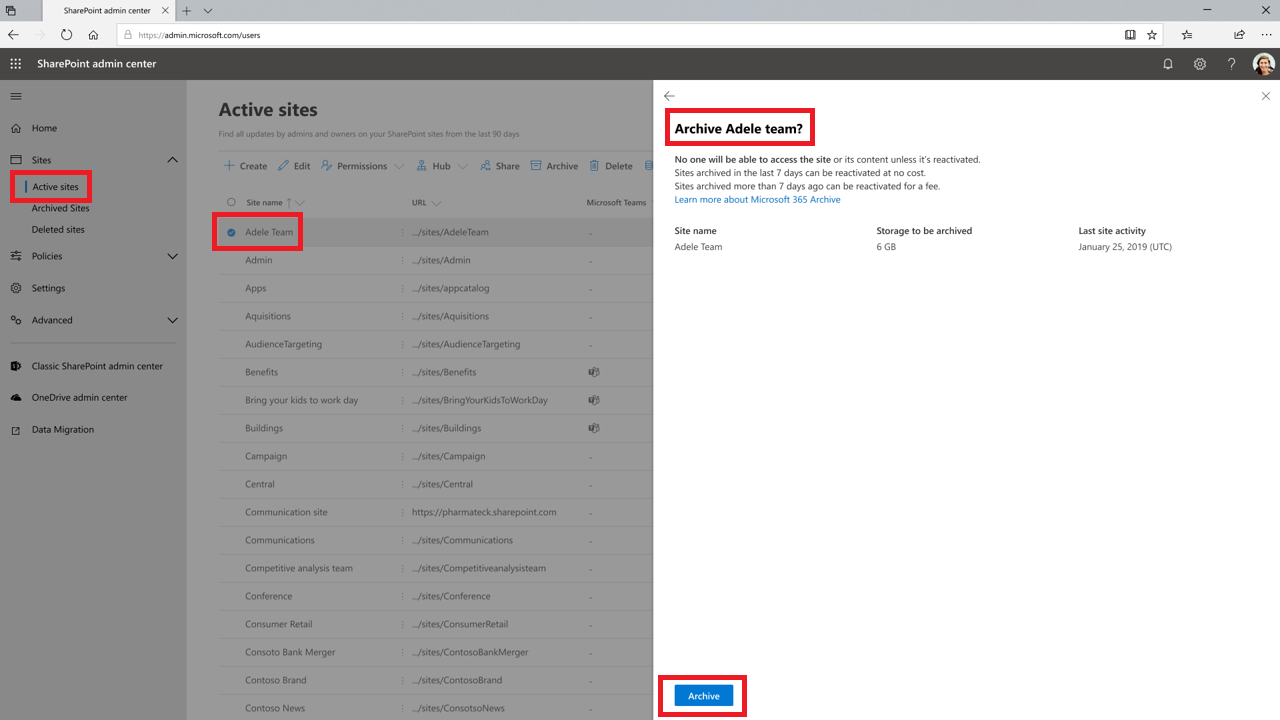
SharePoint and Global admins can archive inactive sites via the SharePoint admin center or PowerShell. Admins can select one or more sites in Active sites page and archive them using the command bar.
Archive sites from Active sites page:
Manage archived sites from Archived sites page:
[What you need to do to prepare:]
If you wish to use Archive, you can start by identifying inactive sites in your tenant that are suitable for archiving. Once the Archive feature is released, you will need to enable it through the Microsoft 365 admin center.
Additional Resources:
More information
- img-prod-cms-rt-microsoft-com.akamaized.net/cms/api/am/imageFileData/RW1kOfy
- img-prod-cms-rt-microsoft-com.akamaized.net/cms/api/am/imageFileData/RW1kVNi
- learn.microsoft.com/microsoft-365/archive/archive-overview?view=o365-worldwide
- www.microsoft.com/microsoft-365/roadmap?rtc=1%26filters=&searchterms=171100
Details
Platforms
- Web
Services
- SharePoint
Microsoft tags
- New Feature