MC786325 Microsoft Outlook and Microsoft Teams: Respond to meetings with Follow
Primary service: M365 Apps
ChangePilot summary
- A new "Follow" meeting response option is being introduced in Microsoft Outlook and Microsoft Teams for users who wish to stay informed about meetings they cannot attend.
- The "Follow" feature allows meeting attendees to mark their calendar as free while still retaining access to the meeting chat and post-meeting recaps.
- Meeting organizers will be reminded to record the meeting and take collaborative notes for "Follow" respondents, who will receive notifications when the recap is available.
- The "Follow" response will be available in the new Outlook for Windows and Outlook on the Web, but not in Outlook for Mac or Outlook Mobile at the time of the announcement.
- No admin action is required for the rollout, but organizations may want to notify users about the change and update training materials accordingly.
History
Recorded changes
No changes recorded since ChangePilot first saw this post.
Microsoft message
Updated August 30, 2024: We have updated the rollout timeline below. Thank you for your patience.
Coming soon in Microsoft Outlook and Microsoft Teams: We are introducing a new meeting response option called Follow that allows people invited to a meeting to let the organizer know they can't attend but would like to stay informed. Follow goes beyond the traditional Accept, Tentative, and Decline responses. Follow is for busy individuals with high meeting loads and conflicting meetings. Follow is the ideal meeting response option when you can't attend a meeting but still want to stay engaged and have access to post-meeting information in Teams. Meeting attendees can respond with Follow in the new Outlook for Windows and Outlook on the Web. Follow is not available on Outlook for Mac or Outlook Mobile at this time. Additional Follow features in Teams for meeting organizers are shown in the screenshots in this message.
This message is associated with Microsoft 365 Roadmap ID 154557.
[When this will happen:]
Targeted Release: We will begin rolling out late May 2024 and expect to complete by mid-June 2024 (previously late May).
General Availability: We will begin rolling out mid-June 2024 (previously early June) and expect to complete by late August 2024 (previously mid-September).
[How this will affect your organization:]
Meeting attendees can respond with Follow to any meeting invitation as long as the meeting has more than two attendees and where the organizer has requested a response.
Follow responses will:
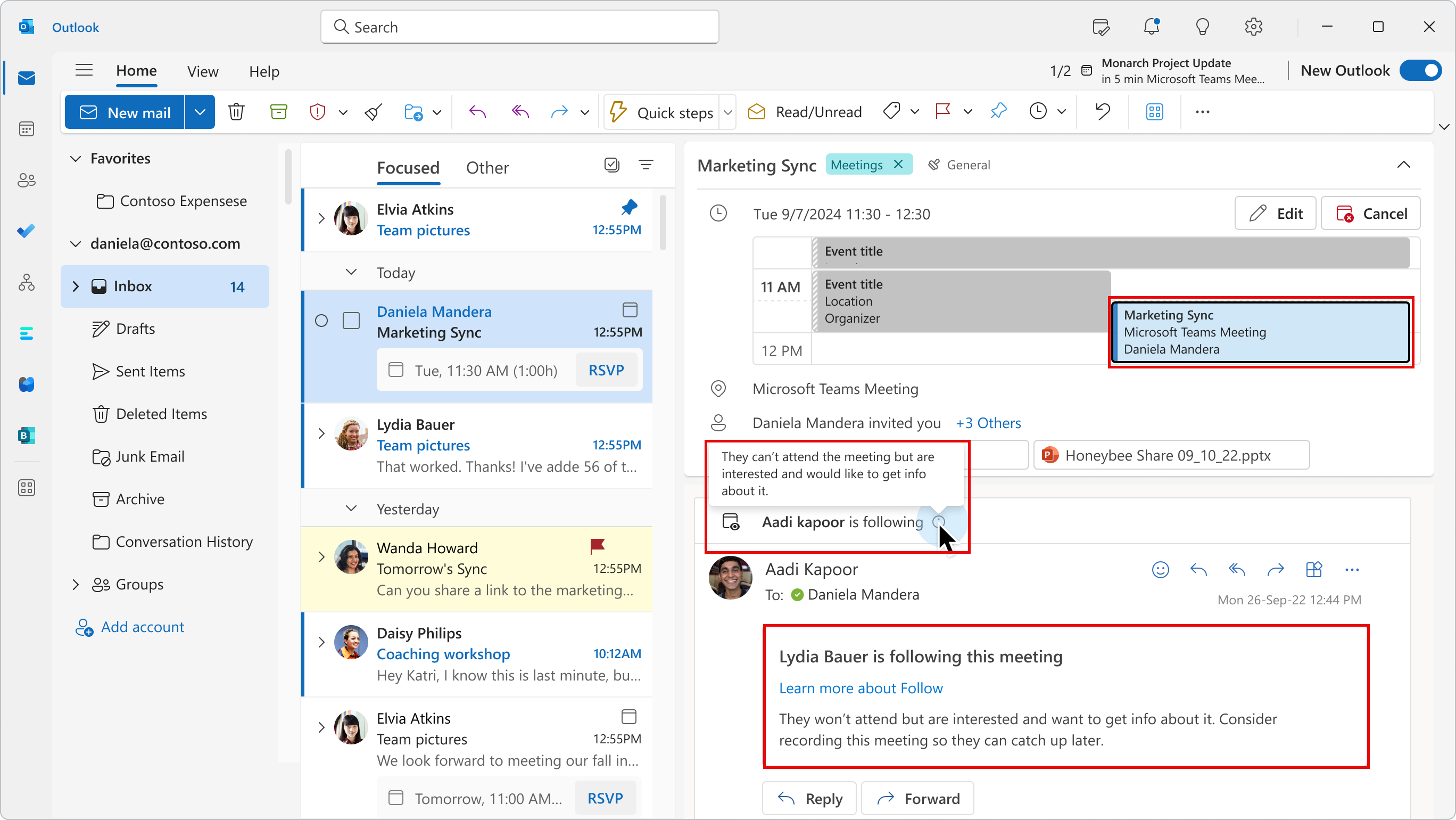
- Inform organizers: Follow will let the meeting organizer know you can't attend but want to stay engaged and have access to post-meeting information.
- Free up time: Follow will mark the meeting on your calendar as free so you can better prioritize your time. You will still retain access to the meeting and chat.
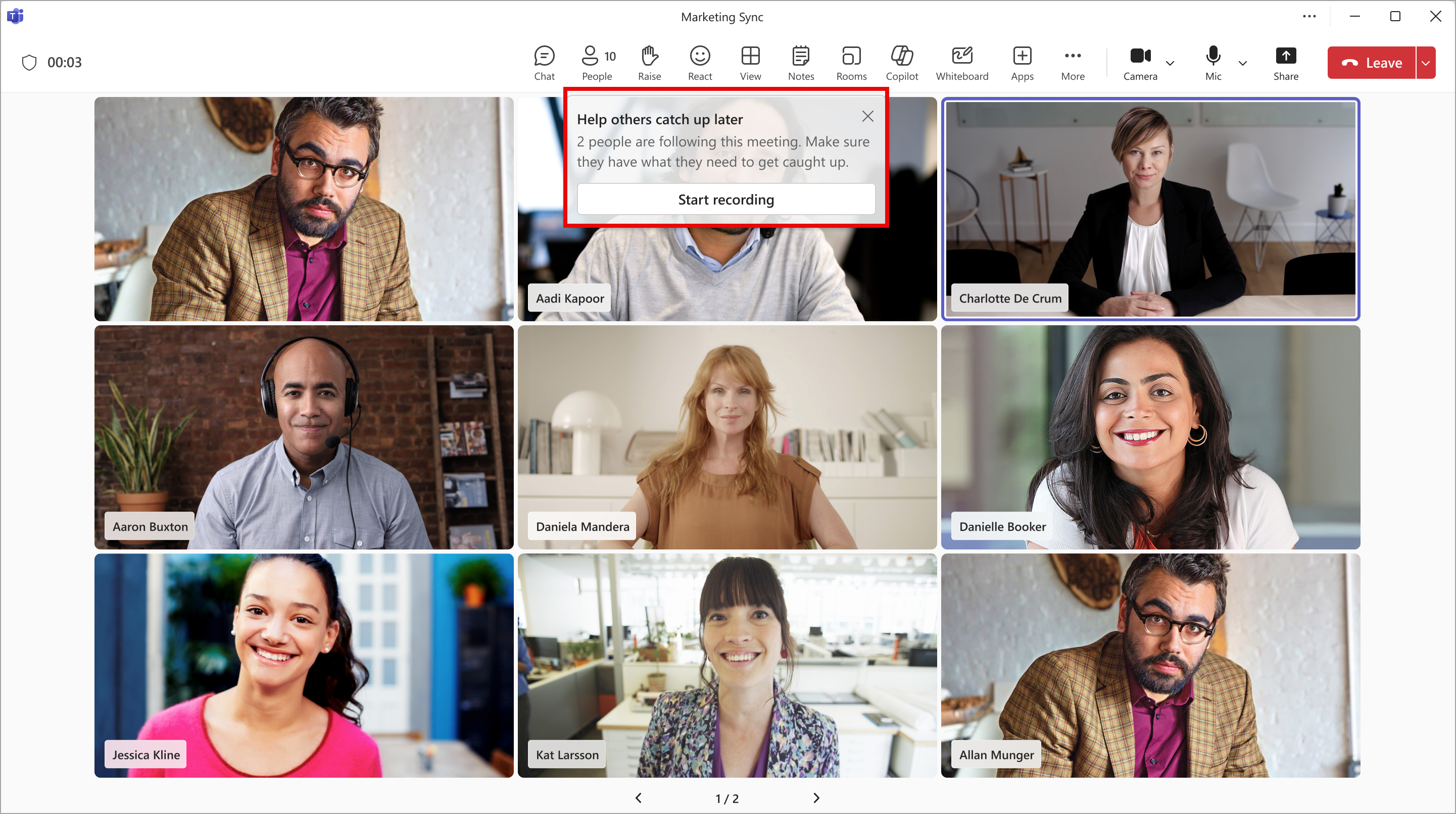
- Stay informed: Follow will remind meeting organizers to record and take collaborative notes during the meeting. You will receive a notification that the recap is available after the meeting (this feature will be available shortly after the GA rollout).
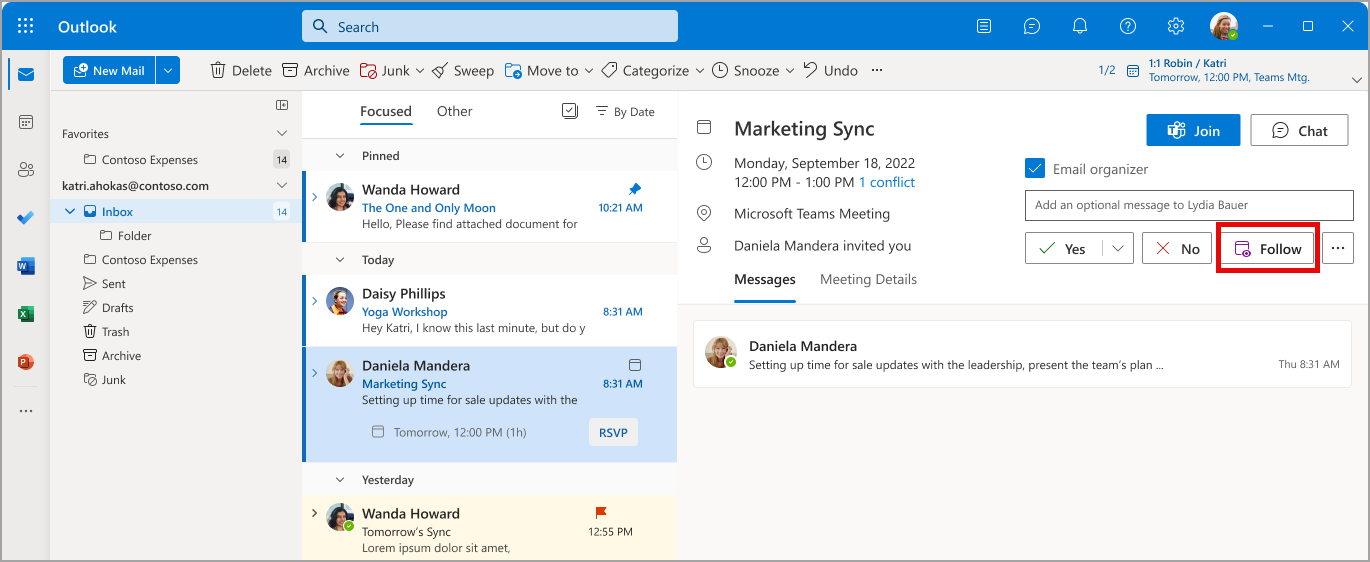
After rollout, invitation response options will be Yes, No, and Follow. Maybe will be accessible through the three-dot menu.
Meeting invitation email with new Follow option (Outlook for Windows and Outlook for web):
Meeting organizer's view of invitees who respond with Follow (Outlook for Windows and Outlook for web)
Reminder to the meeting organizer at the start of the meeting about people following the meeting (Outlook for Windows and Outlook for web):
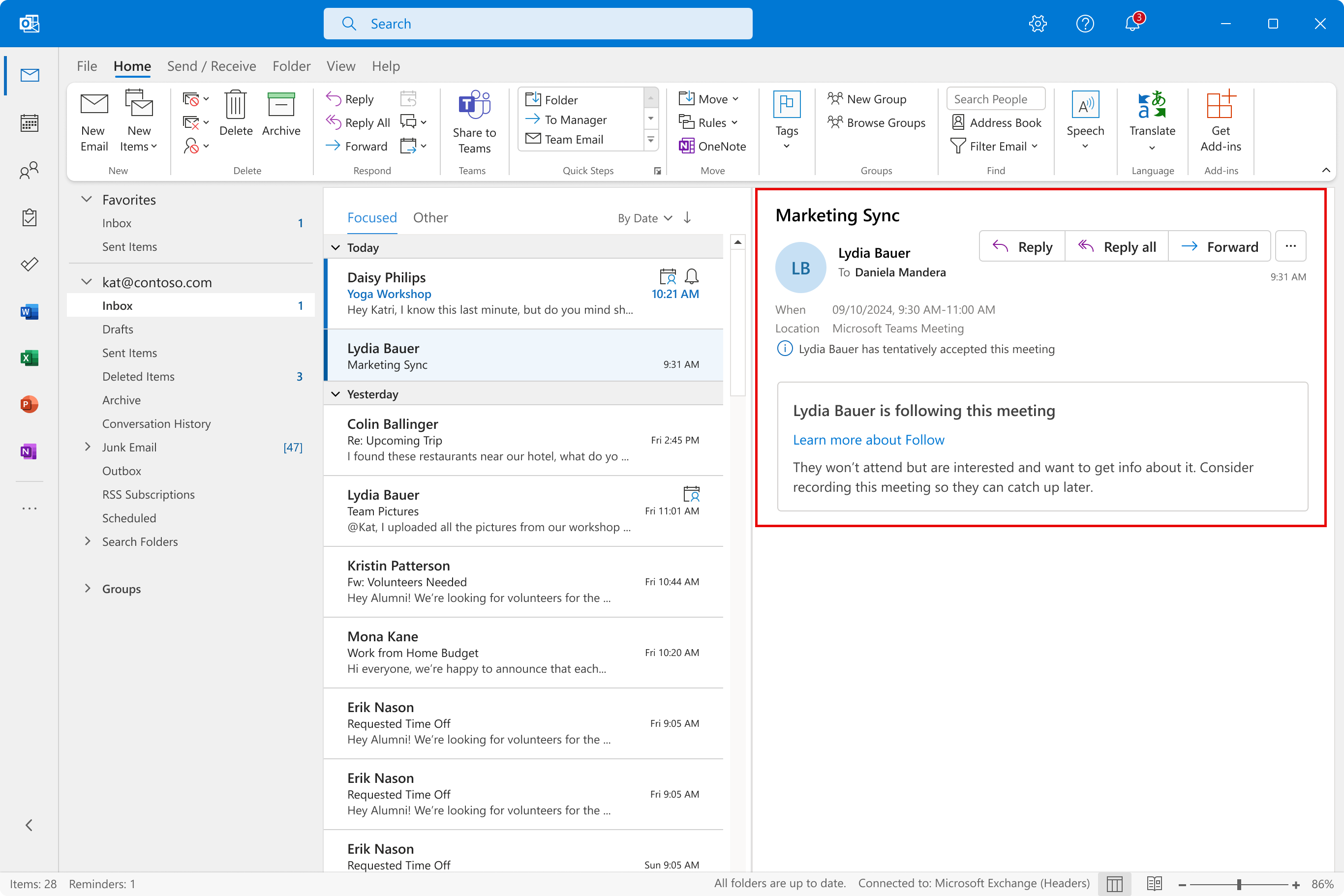
Note: After rollout, Follow responses are only available in new Outlook for Windows and Outlook on the web. If meeting organizers are using either of these Outlook versions, they will see Follow responses. However, if the meeting organizer is using classic Outlook for Windows, Outlook for Mac, or Outlook Mobile, the meeting organizer will see the response as Tentative, with a note that the invitee is following the meeting:
[What you need to do to prepare:]
This rollout will happen automatically by the specified date with no admin action required before the rollout. You may want to notify your users about this change and update any relevant documentation as appropriate.
Support for users: Follow a meeting in Outlook - Microsoft Support
More information
Details
Platforms
- Desktop
- Web
Services
- M365 Apps
Microsoft tags
- New Feature
- User Adoption