MC785024 Microsoft Teams: Introducing slash commands in the compose box
Primary service: Teams
ChangePilot summary
- New slash commands are being introduced in Microsoft Teams to streamline message composition, navigation, and task management.
- The feature will be available on Teams for Desktop, Teams for the Web, and Teams for Mac.
- Users can access a variety of commands by typing a forward slash (/) in the compose message box, such as adding code blocks, muting chats, and setting status.
- No administrative action is required for the rollout, but informing users and updating documentation is recommended.
- The change is categorized under 'StayInformed,' indicating an update that users should be aware of to utilize new features effectively.
History
Recorded changes
No changes recorded since ChangePilot first saw this post.
Microsoft message
Updated July 22, 2024: We have updated the rollout timeline below. Thank you for your patience.
Coming soon to Microsoft Teams: New slash commands in the compose message box. These shortcuts help in composing messages, navigating in Teams, and tackling frequent tasks. This rollout applies to Teams on Desktop, Teams for the Web, and Teams for Mac.
This message is associated with Microsoft 365 Roadmap ID 120469.
[When this will happen:]
Targeted Release: We will begin rolling out mid-May 2024 and expect to complete by late May 2024.
General Availability (Worldwide, GCC, GCCH, DoD): We will begin rolling out mid-June 2024 and expect to complete by late July 2024 (previously early July).
[How this will affect your organization:]
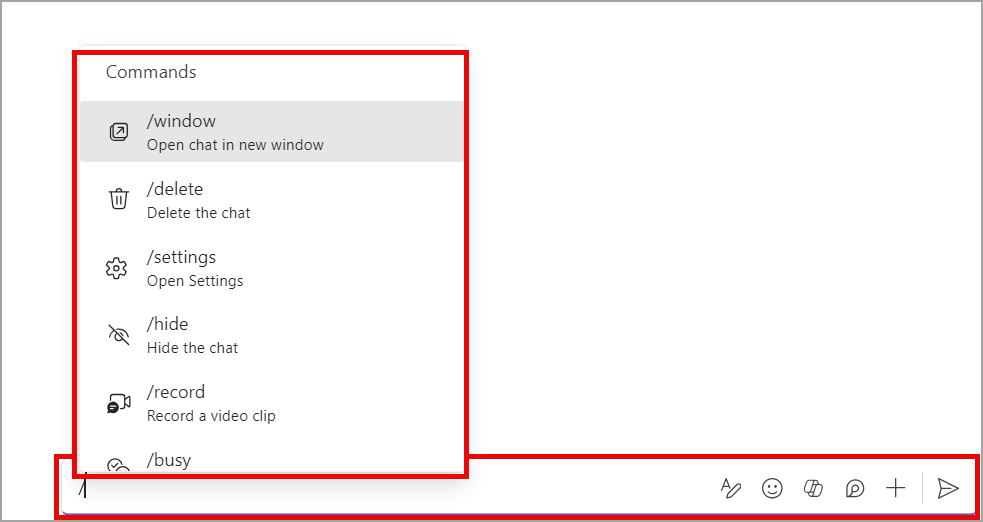
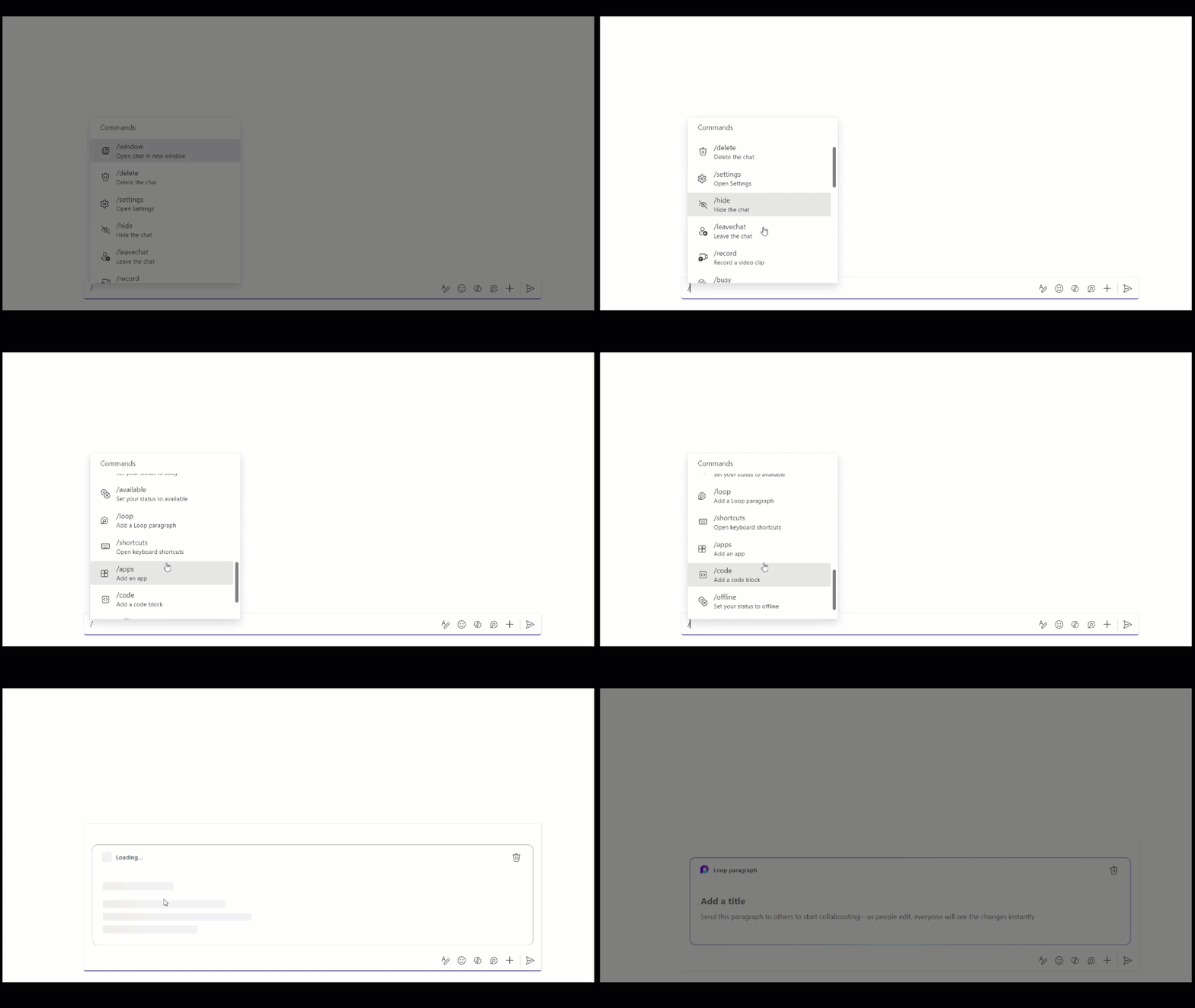
Slash commands in Teams expedite your work without memorization. To access the menu of slash commands, enter a forward slash in the compose box.
Here are just a few examples of what you can do:
- /code: Add a code block to your message
- /mute: Mute the chat you're in
- /loop: Incorporate a loop component into your message
- /settings: Navigate to settings
- /away: Set your presence to away
Slash commands in the Teams compose message box:
[What you need to do to prepare:]
This rollout will happen automatically by the specified date with no admin action required before the rollout. You may want to notify your users about this change and update any relevant documentation as appropriate.
More information
Details
Services
- Teams
Microsoft tags
- New Feature
- User Adoption