MC784156 Microsoft Viva Engage: New adoption community for Microsoft Copilot for Microsoft 365
Primary service: M365 Copilot
ChangePilot summary
- Microsoft Viva Engage will introduce a new community type specifically for the adoption of Microsoft Copilot within organizations.
- The community aims to connect employees, allowing them to share best practices, ask questions, and receive support from peers and IT admins.
- Features include home feed banners, one-click community creation, setup checklist, suggested content, and conversation starters.
- Network admins and corporate communicators can easily create and manage the Copilot adoption community through the Viva Engage admin center.
- No immediate action is required from admins before the rollout, but they should familiarize themselves with the new feature to support user adoption.
History
Recorded changes
No changes recorded since ChangePilot first saw this post.
Microsoft message
Updated July 23, 2024: We have updated the rollout timeline below. Thank you for your patience.
Coming soon to in Microsoft Viva Engage: Network admins and corporate communicators will be able to enable a new type of community specifically built to facilitate the rollout and adoption of Microsoft Copilot for Microsoft 365 in their organizations. This community can bring employees together in a community of practice where employees can ask questions, seek support from both their peers and IT admins, share best practices, and learn more from articles and quick tips on how best to use Copilot for Microsoft 365.
This message is associated with Microsoft 365 Roadmap ID 392100.
[When this will happen:]
General Availability (Worldwide): We will begin rolling out early July 2024 (previously late June) and expect to complete by late July 2024 (previously mid-July).
[How this will affect your organization:]
The templatized Copilot adoption community will save time for community managers when creating and setting up a community, driving community engagement, and managing a community.
Key features
- Home feed banners to bring awareness of this new community type to network admins and corporate communicators
- One-click community creation
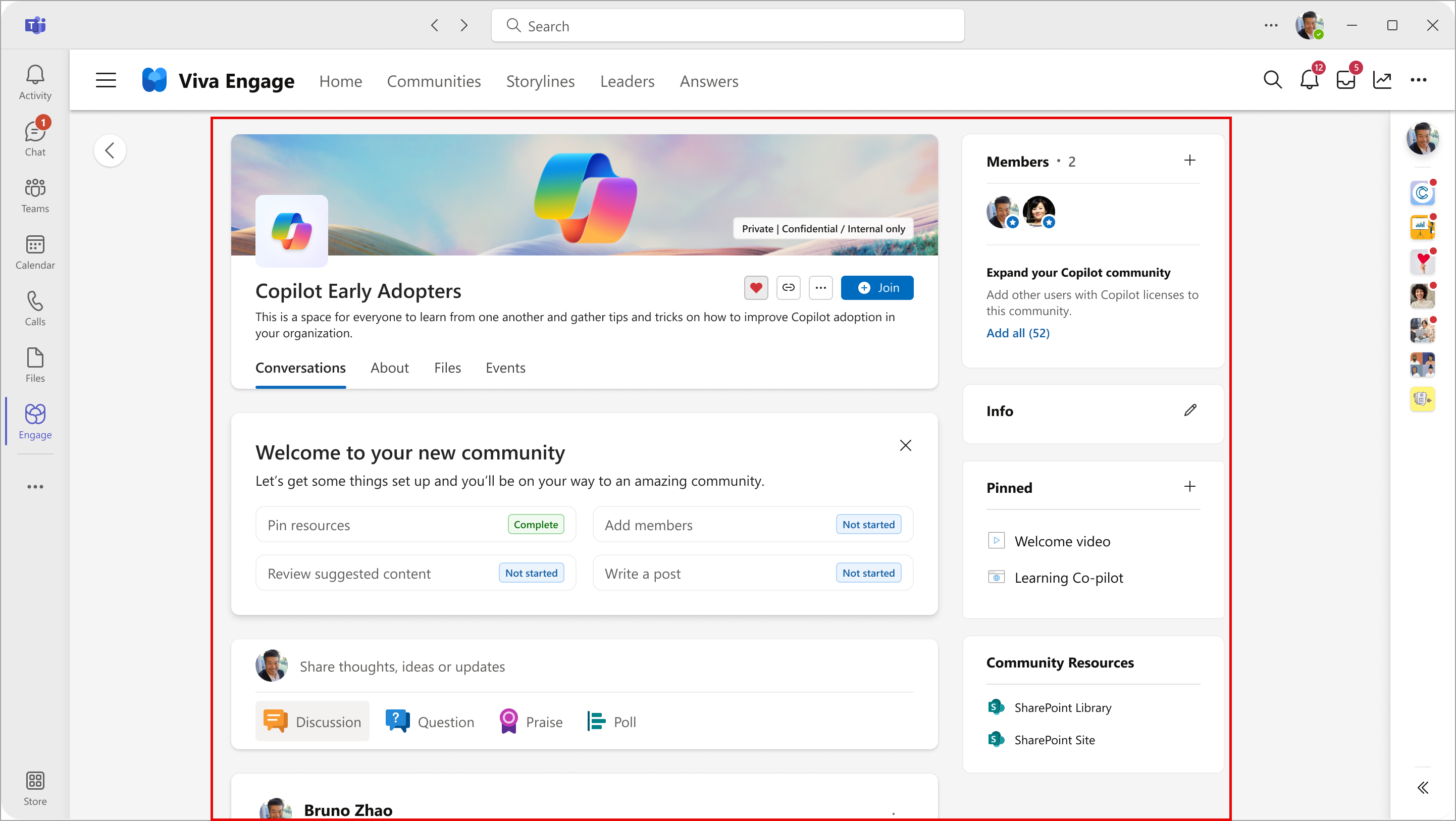
- Community setup checklist
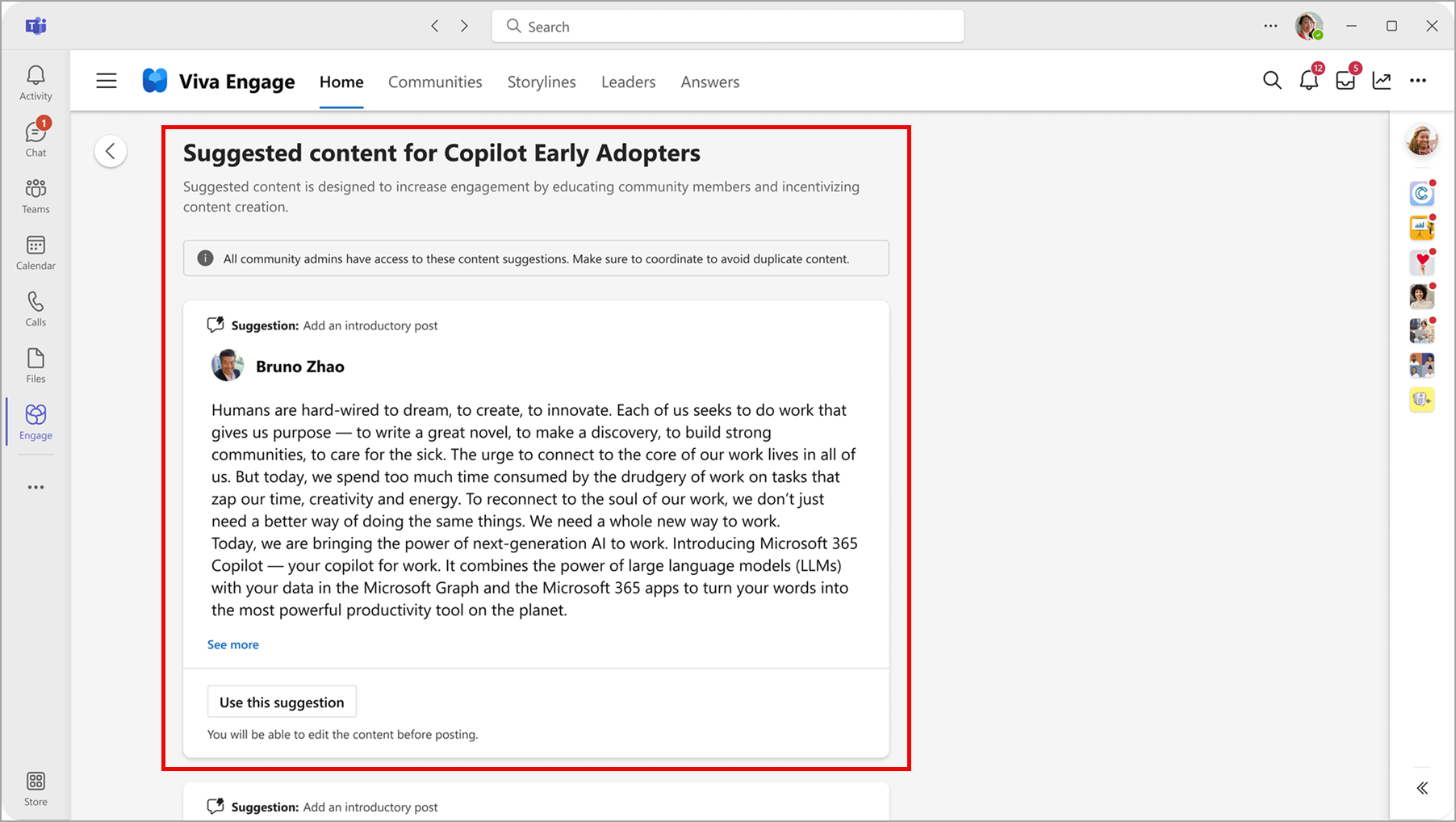
- Suggested content
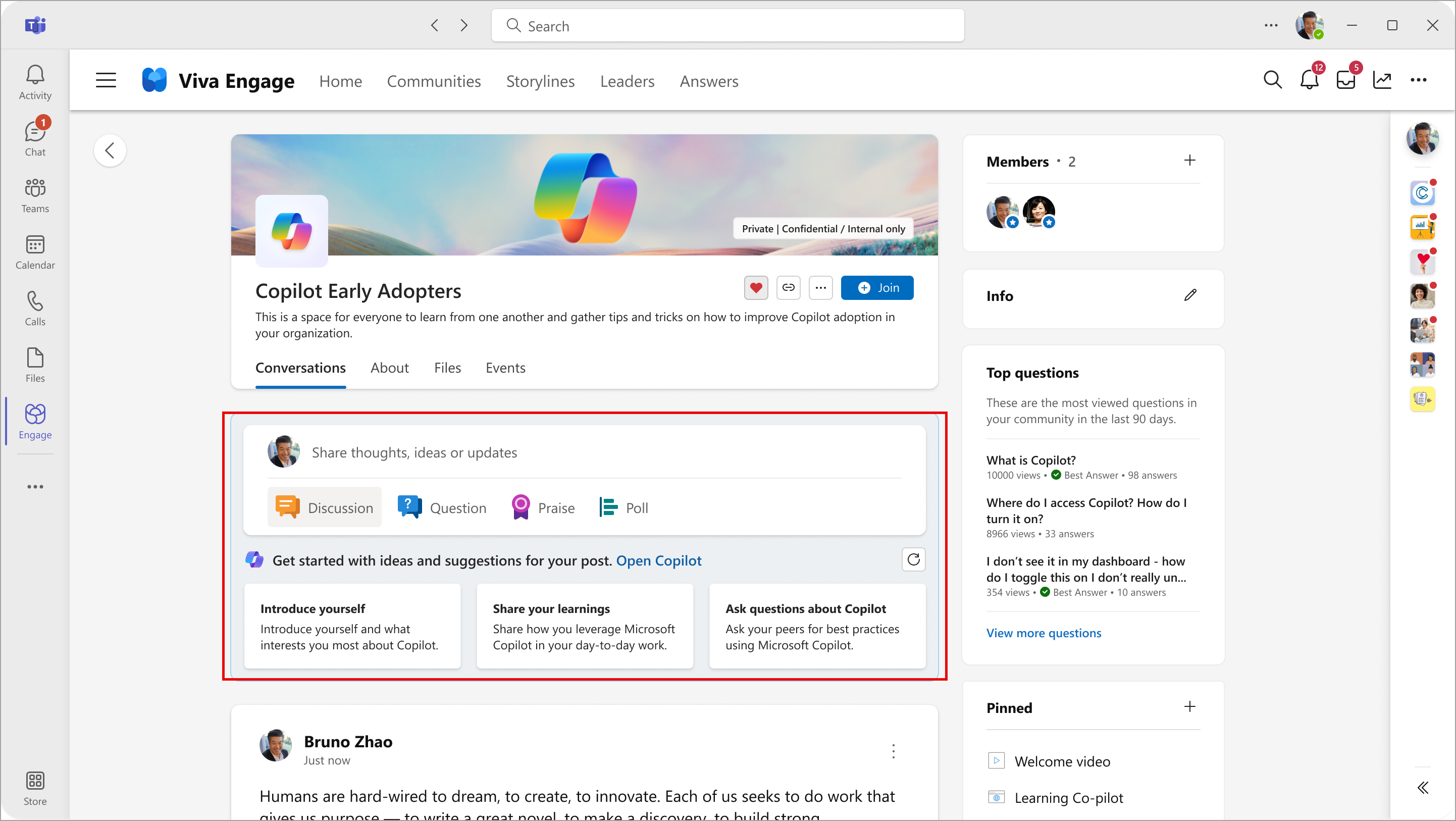
- Conversation starters
- Top questions
- Suggested members (based on an organization's Copilot for Microsoft 365 license assignment)
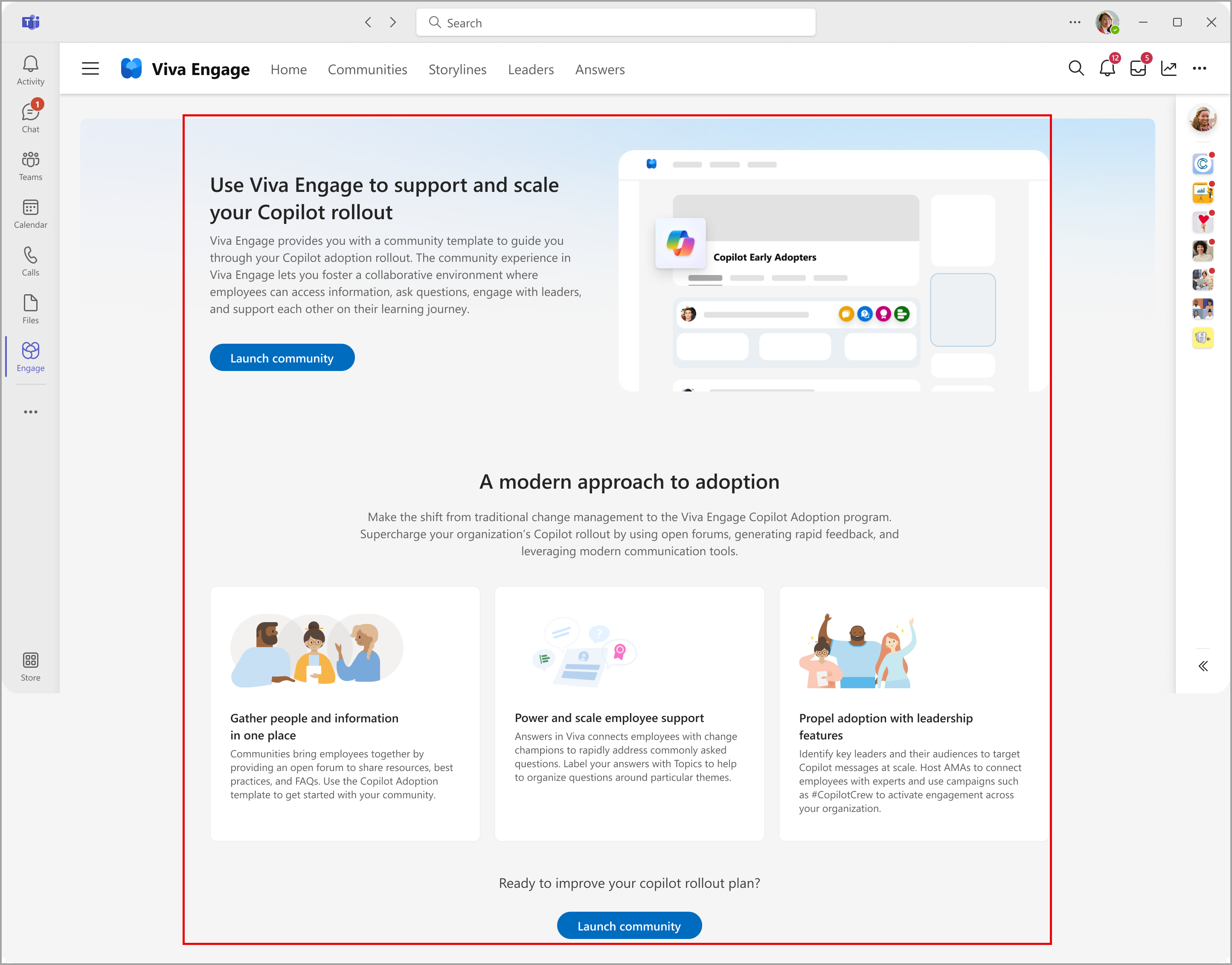
After rollout, network admins and corporate communicators in organizations with Copilot for Microsoft 365 licenses will see a box in their home feed and in the Viva Engage admin center announcing this new templatized community type. They can dismiss the banner in the home feed or select it to learn more. If they choose, they can create a Copilot for Microsoft 365 adoption community for their network in the Viva Engage admin center > Deploying Copilot in your network? box > Select Learn more to learn more about the community and create one.
Launch your Copilot adoption community:
Copilot adoption community page in Viva Engage with setup checklist and default images:
Suggested content for community managers to post in the new community:
Copilot features for community members: conversation starters and top questions to help get community members engaged:
[What you need to do to prepare:]
There is no required action for admins before the rollout. If your organization is working on rollout and adoption of Copilot for Microsoft 365, we recommend reading the support documentation to learn more about this new capability in Viva Engage and connecting with the Copilot for Microsoft 365 change managers in your organization to include this in your rollout and adoption change management plan.
Learn more
- New features in Viva Engage help you rollout and adopt Copilot - Microsoft Community Hub
- Microsoft 365 Copilot adoption community in Viva Engage | Microsoft Learn
More information
Details
Platforms
- Web
Services
- M365 Copilot
Microsoft tags
- New Feature
- User Adoption