MC783215 Microsoft OneDrive: Annotate PDFs with text boxes
Primary service: OneDrive
ChangePilot summary
- New feature allowing users to annotate and save PDF files with text boxes directly in Microsoft OneDrive and SharePoint.
- Users can access the annotation tools by opening a PDF in File Viewer and selecting "Edit."
- Annotation capabilities include adding text, changing text color, and adjusting font size.
- Changes are saved directly to the PDF in OneDrive or SharePoint after editing.
- No administrative action required; rollout will happen automatically.
History
Recorded changes
No changes recorded since ChangePilot first saw this post.
Microsoft message
Updated August 13, 2024: We have updated the rollout timeline below. Thank you for your patience.
This new Microsoft OneDrive feature allows you to annotate and save PDF files with text boxes when the files are stored in Microsoft OneDrive and Microsoft SharePoint.
This message is associated with Microsoft 365 Roadmap ID 387807
[When this will happen:]
General Availability (Worldwide, GCC, GCC High, DoD): We will begin rolling out late June 2024 (previously late May) and expect to complete by late August 2024 (previously late June).
[How this will affect your organization:]
Users can access the annotation feature by opening the PDF in File Viewer and selecting Edit. To add text, follow these steps:
- Open the desired PDF file in OneDrive.
- Click Edit to enter edit mode.
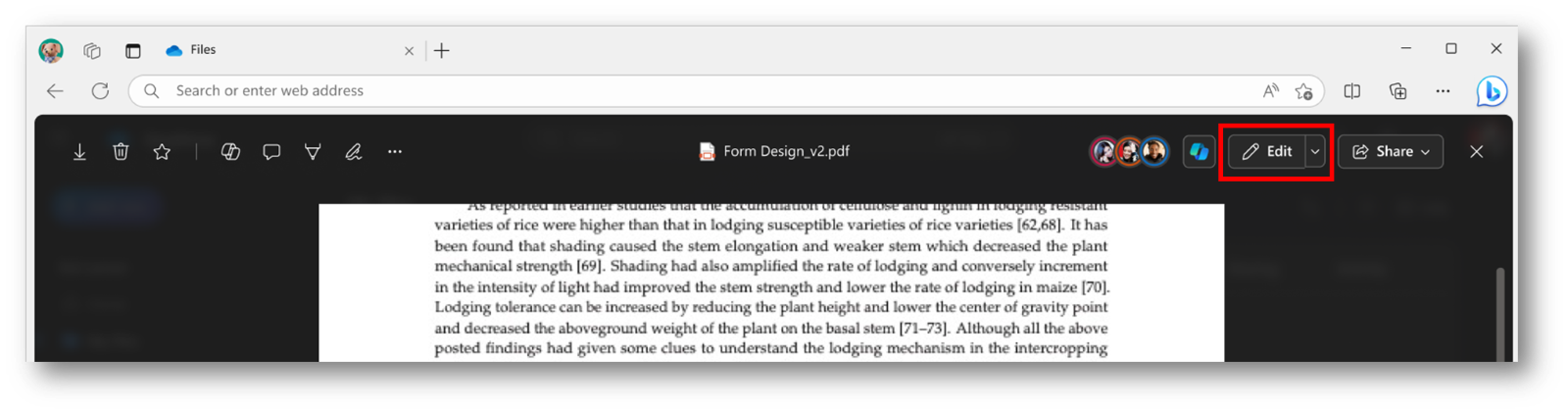
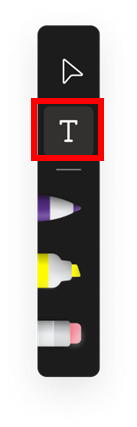
3. Use the Add Text command on the left side of the screen to insert text.
4. With the text box selected, you can change the color and adjust the font size using the menu above the text box.
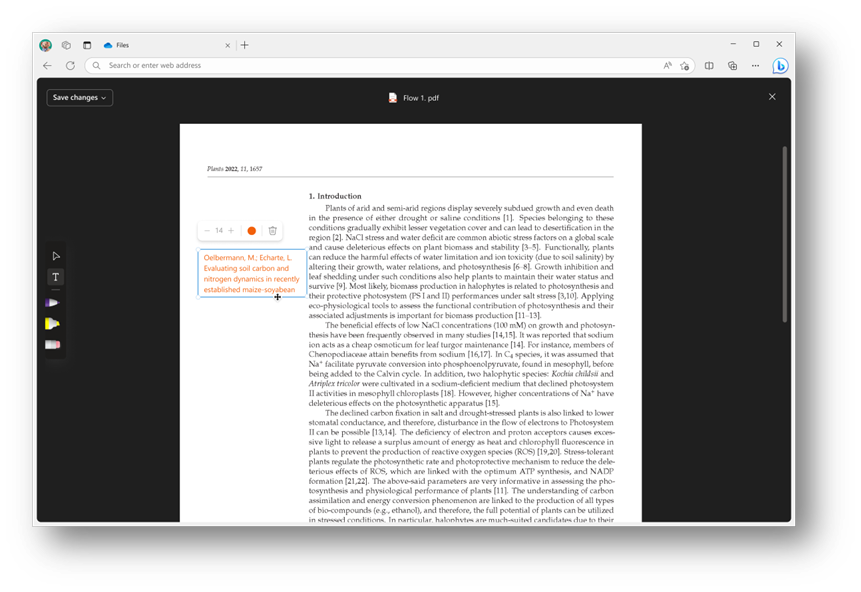
5. When finished, click Save changes in the top left corner to exit Edit mode and save your changes to the PDF.
[What you need to do to prepare:]
This rollout will happen automatically with no admin action required. You may want to notify your users about this change and update any relevant documentation as
More information
Details
Platforms
- Web
Services
- OneDrive
- SharePoint
Microsoft tags
- New Feature
- User Adoption