MC777847 Loop components in Microsoft OneNote
Primary service: M365
ChangePilot summary
- Loop components are being introduced to Microsoft OneNote, allowing for real-time collaboration within notebooks.
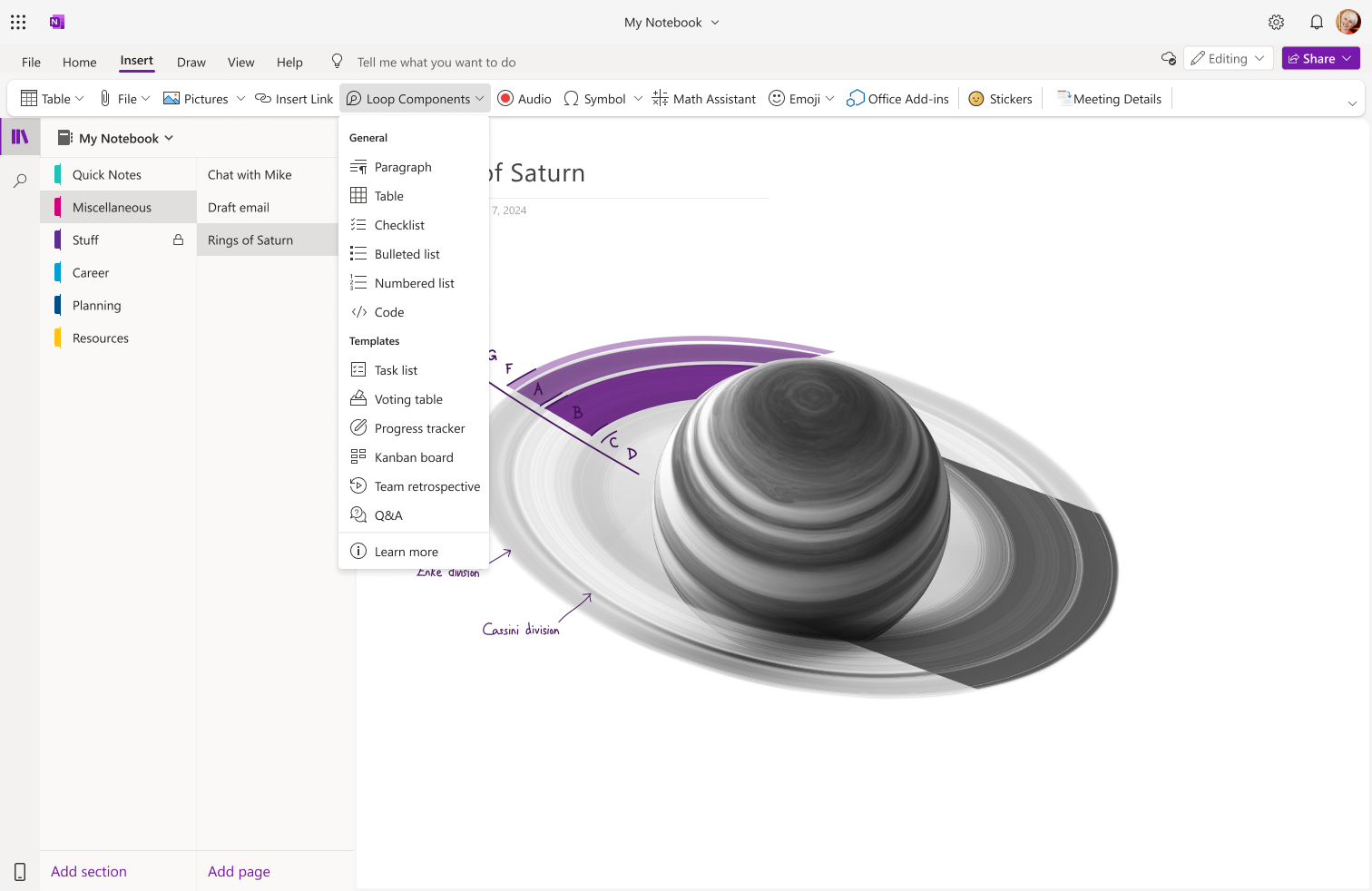
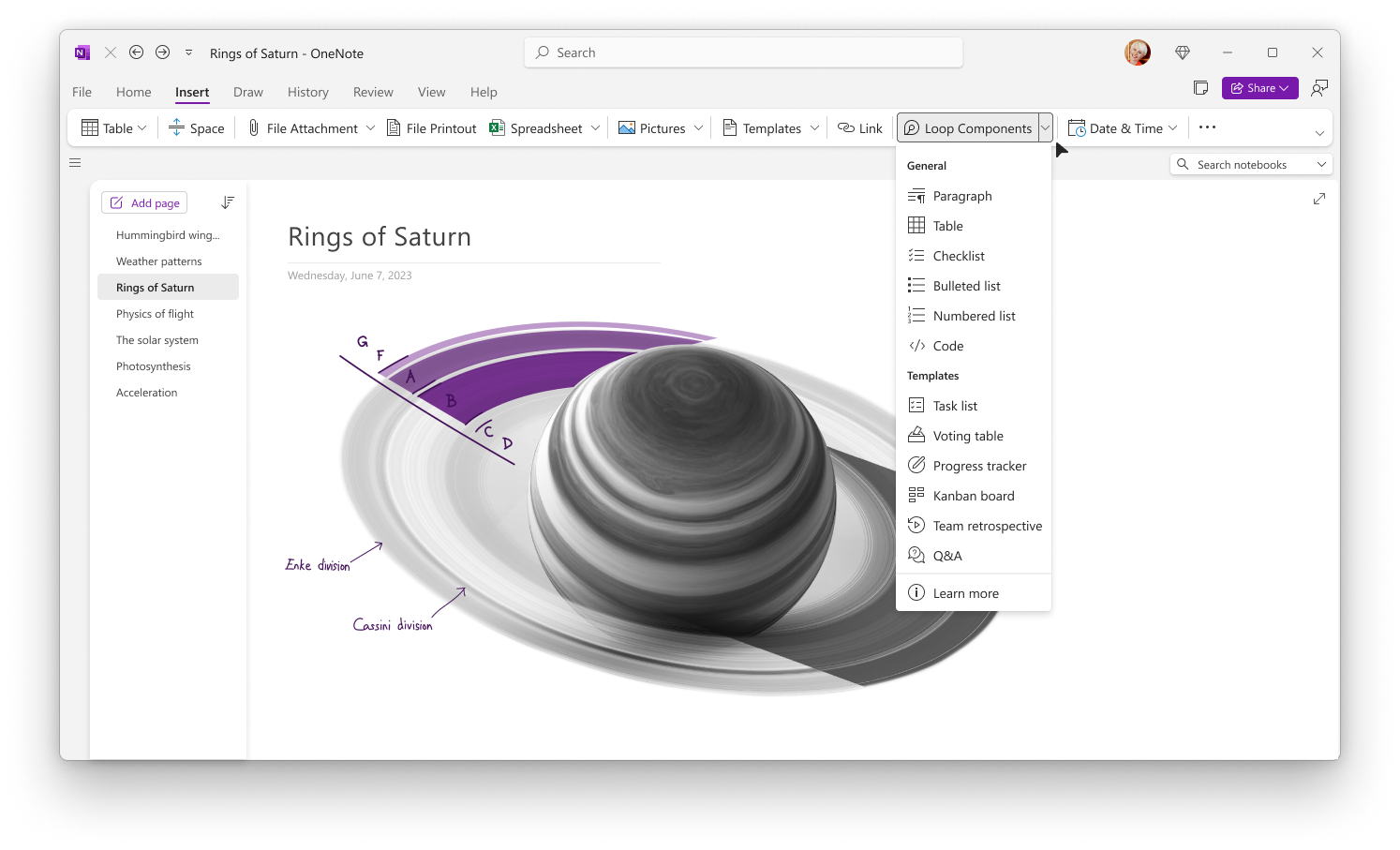
- Users can create or insert Loop components by navigating to
Insert > Loopin OneNote. - The feature enhances collaboration by integrating content from Microsoft Teams and Outlook into OneNote.
- Tenant admins can manage the availability of Loop components through cloud policies.
- No immediate admin action is required for the rollout, but preparation may include informing users and updating documentation.
History
Recorded changes
No changes recorded since ChangePilot first saw this post.
Microsoft message
Updated August 20, 2024: We have updated the rollout timeline below. Thank you for your patience.
You can create or insert Loop components into your Microsoft OneNote notebook.
This message is associated with Microsoft 365 Roadmap ID 379968
[When this will happen:]
General Availability (OneNote Web): We will begin rolling out early April 2024 and expect to complete by early May 2024.
General Availability (OneNote Desktop App): We will begin rolling out early June 2024 and expect to complete by mid-August 2024 (previously early August).
[How this will affect your organization:]
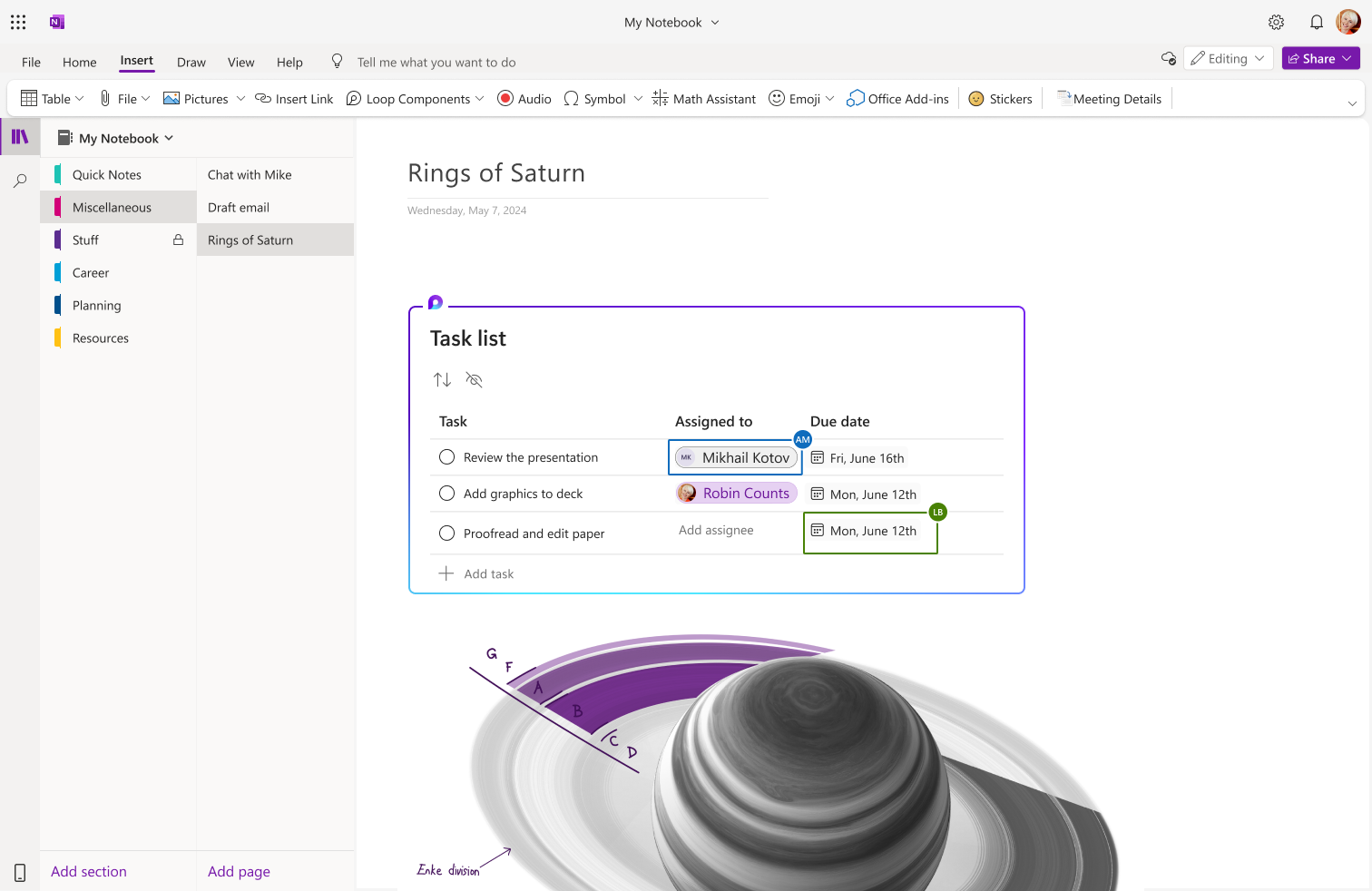
Navigate to Insert > Loop to create a new component or paste a link to an existing component to have it show up on your OneNote canvas.
OneNote Web:
OneNote Desktop:
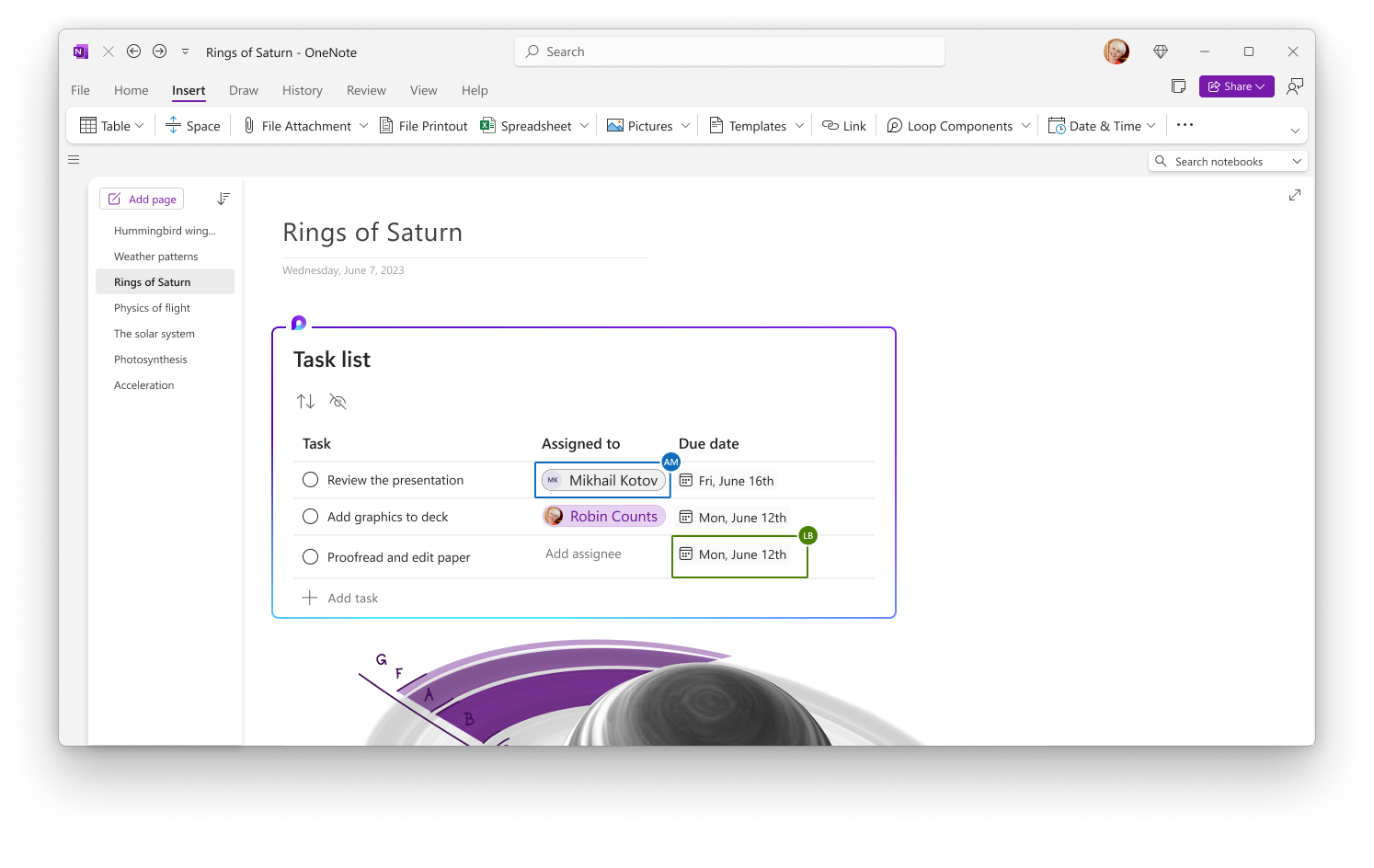
With Loop components in OneNote, users can:
- Enhance Collaboration: Bring unstructured, collaborative content from Loop components in Microsoft Teams and Microsoft Outlook into OneNote notebooks, fostering real-time collaboration and sharing.
- Improve Productivity: Quickly augment and recall collaborative notes within the familiar workflow of OneNote, enabling tasks to be completed more efficiently.
OneNote Web:
OneNote Desktop:
[What you need to do to prepare:]
Tenant admins can configure cloud polices to enable/disable Loop components across Microsoft 365 for their users. Learn more about this here: Manage Loop components in OneDrive and SharePoint | Microsoft Learn.
This rollout will happen automatically with no admin action required. You may want to notify your users about this change and update any relevant documentation as appropriate.
Additional information:
More information
- insider.microsoft365.com/blog/collaborate-using-loop-components-in-onenote
- learn.microsoft.com/microsoft-365/loop/loop-components-configuration?view=o365-worldwide
- support.microsoft.com/office/use-loop-components-in-onenote-ed8a43d9-f6fd-4ad6-bc9d-8841db4da459
- www.microsoft.com/microsoft-365/roadmap?filters=&searchterms=379968
Details
Platforms
- Desktop
- Web
Services
- M365
Microsoft tags
- New Feature
- User Adoption