MC776192 Microsoft Purview | New eDiscovery Hold reports
Primary service: M365
ChangePilot summary
- A new tenant-wide Hold report feature is being introduced in eDiscovery (Premium) within Microsoft Purview.
- The Hold report will provide information on all hold policies related to eDiscovery cases, listing all locations under a tenant's hold policies.
- Access to the Hold report requires a subscription that supports Purview eDiscovery (Premium) and is limited to users with eDiscovery Administrator and Manager permissions.
- eDiscovery Managers will only be able to view Hold reports for cases they are involved in.
- The Hold report will be accessible under the "Reports" tab in eDiscovery (Premium) and will include grouping and customization options for organizing eDiscovery holds.
History
Recorded changes
No changes recorded since ChangePilot first saw this post.
Microsoft message
Updated September 12, 2024: To ensure the best customer experience we have decided not to proceed with the rollout of this change at this time. We will communicate via Message center when we are ready to proceed. We apologize for any inconvenience this may have caused and thank you for your patience.
Coming soon: For Microsoft Purview, we will release a tenant-wide Hold report in eDiscovery (Premium).
This message is associated with Microsoft 365 Roadmap ID 93268 and Roadmap ID 93269.
[When this will happen:]
We will communicate via Message center when we are ready to proceed.
[How this will affect your organization:]
The Hold report in eDiscovery (Premium) will let users with eDiscovery Administrator and eDiscovery Manager permissions access a built-in report with information on all hold policies associated with eDiscovery cases in the Microsoft Purview compliance portal. This includes eDiscovery holds associated with eDiscovery (Standard) and eDiscovery (Premium) cases. The Hold report lists all locations that are part of a tenant's hold policies (whether enabled or disabled). The Hold report currently doesn't show custodian association for each data source but will show the location.
Your organization must have an organization subscription that supports Purview eDiscovery (Premium) to generate and access the Hold report. eDiscovery Managers can only view Hold reports related to the cases they are a member of.
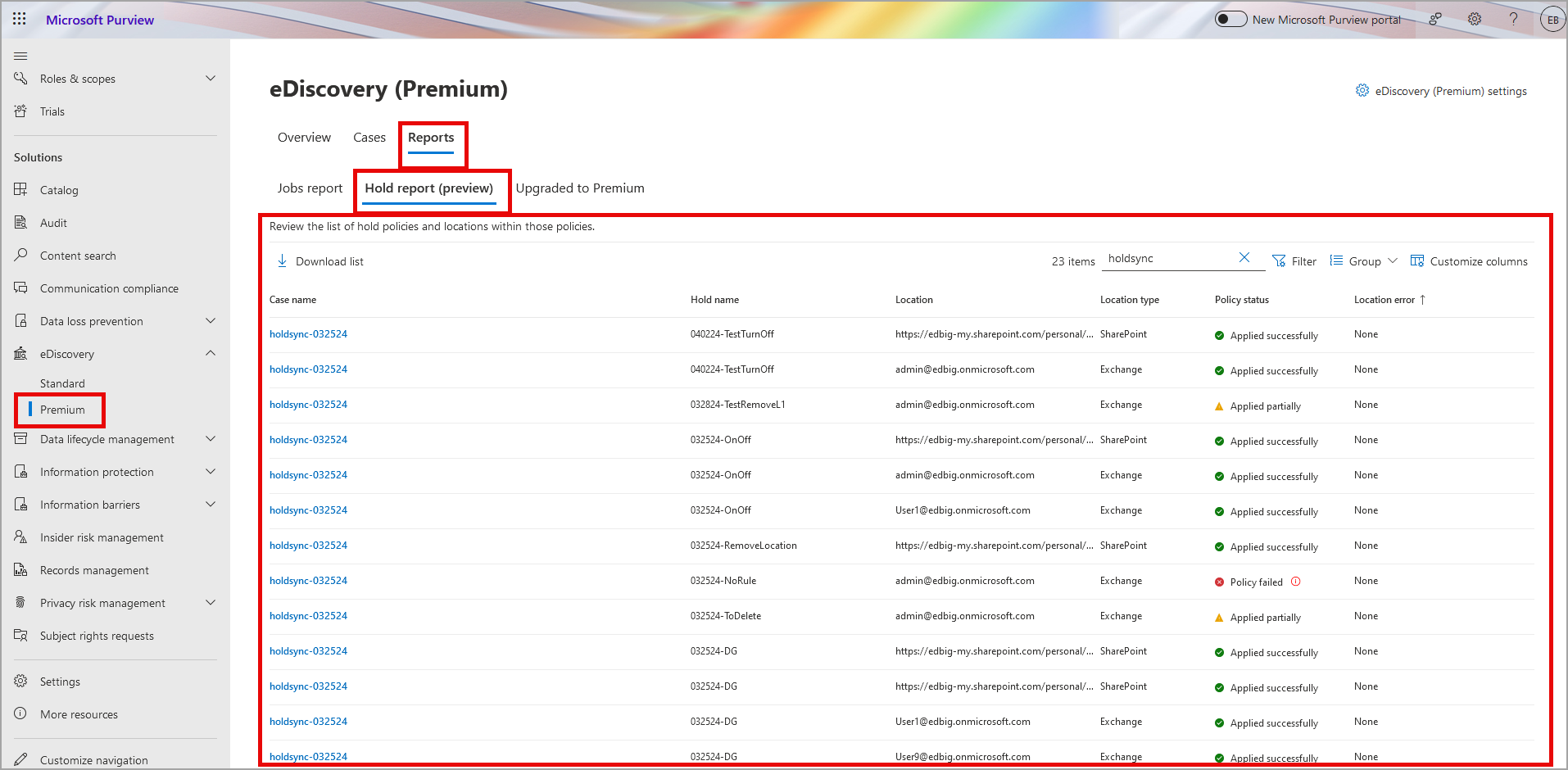
The Hold report will be available under the Reports tab in eDiscovery (Premium):
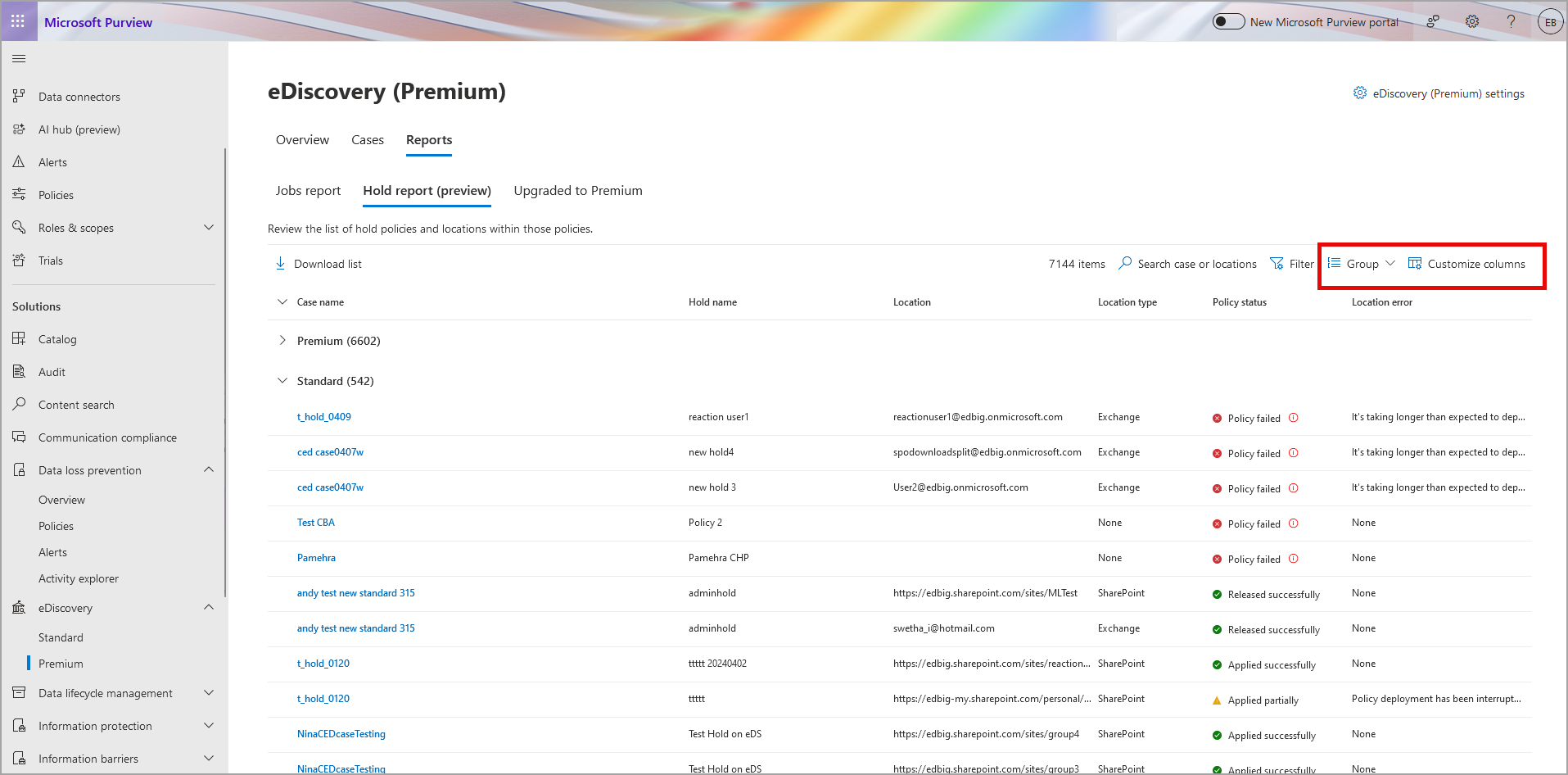
Use the Group option to group eDiscovery holds from eDiscovery (Standard) cases using group by Case Type. Use Customize options to select case type options and display Standard or Premium (case type column not shown here):
[What you need to do to prepare:]
- Assess if the rollout will change your organization’s eDiscovery workflow. If so, update internal documentation and provide training to all eDiscovery users in your organization.
Learn more
More information
Details
Platforms
- Web
Services
- M365
Microsoft tags
- New Feature