MC775345 Microsoft Teams Save meeting content with collaborative annotations as a Microsoft Whiteboard
Primary service: Teams
ChangePilot summary
- Collaborative annotations in Microsoft Teams meetings allow participants to draw, add notes, and highlight directly on shared content.
- Presenters can enable annotations and later save the annotated content as a Microsoft Whiteboard for continued collaboration.
- The feature will be available on Microsoft Teams desktop applications for Windows and Mac.
- A new "Save" button will appear in the Whiteboard toolbar to capture all meeting annotations in one file.
- No admin action is required for the rollout, but it's recommended to inform users and update documentation.
History
Recorded changes
No changes recorded since ChangePilot first saw this post.
Microsoft message
In Microsoft Teams, collaborative annotations enable meeting participants with the presenter role to enable annotations after sharing their screen. This allows everyone in the meeting to draw, add a note, react, highlight text, and more to share their thoughts right on the content, live with everyone else. Participants sharing their screen will have the ability to save content with collaborative annotations as a Microsoft Whiteboard, enabling all meeting participants to revisit this content and continue collaborating after the meeting.
This message is associated with Microsoft 365 Roadmap ID 109573
[When this will happen:]
General Availability (Worldwide, GCC, GCC High, DoD): We will begin rolling out in late May 2024 and expect to complete by late June 2024.
[How this will affect your organization:]
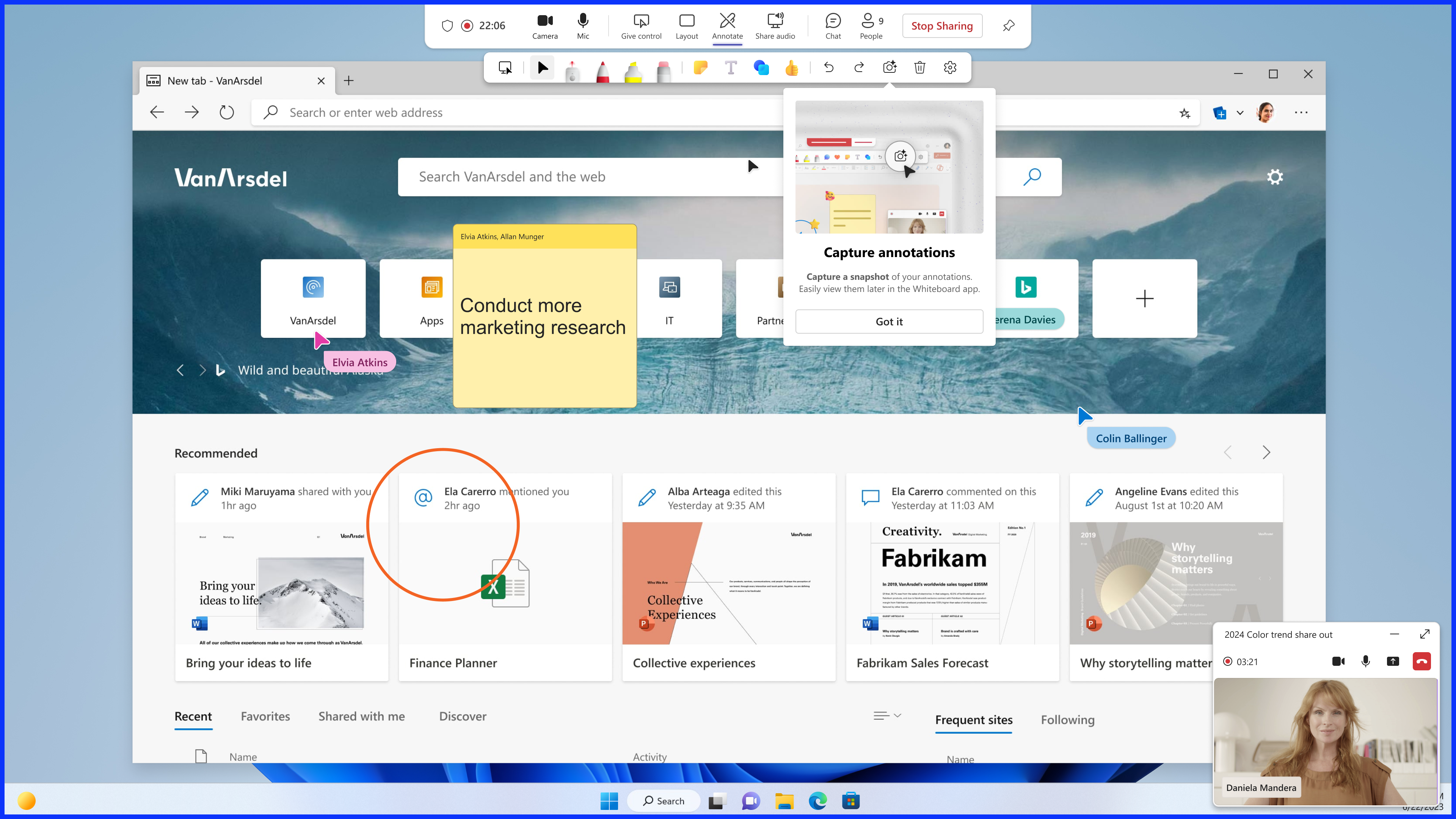
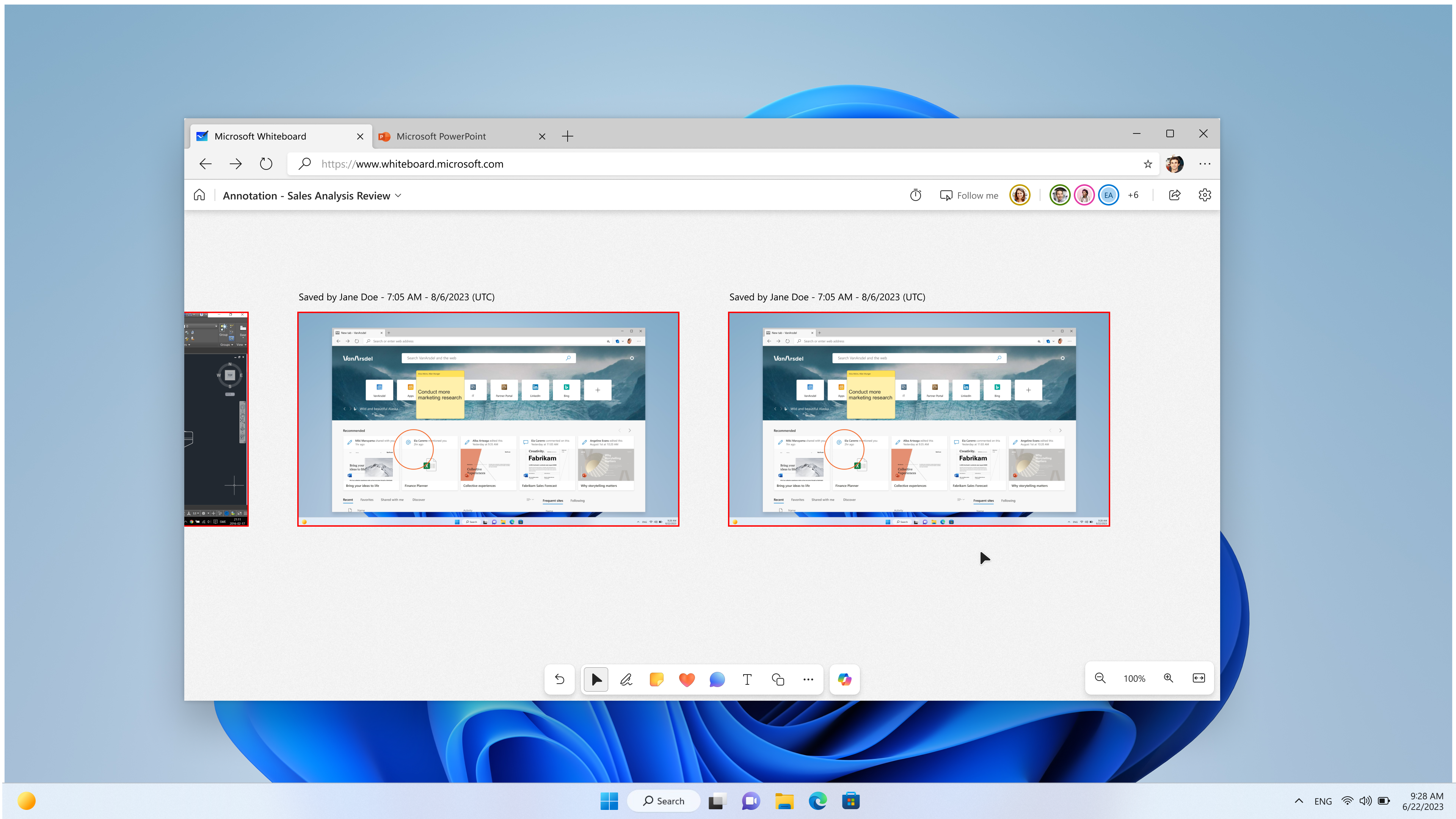
Saving meeting content with collaborative annotations as a Whiteboard is available on desktop (Microsoft Windows and Mac). When users who share their screen in Teams meetings and select Start annotation in the presenter toolbar, they will see a new Save button in the Whiteboard toolbar that will allow users to capture all annotations from the meeting in one Whiteboard file.
Capture your annotations and view them in the Whiteboard:
View all your saved snapshots from the meeting in a Whiteboard:
[What you need to do to prepare:]
This rollout will happen automatically by the specified dates with no admin action required before the rollout. You may want to notify your users about this change and update any relevant documentation as appropriate.
Learn more: Use annotation while sharing your screen in Microsoft Teams - Microsoft Support (We will update this comm before rollout with revised documentation)
Watch: How to use Collaborative Annotations in a Microsoft Teams meeting (2022)
More information
Details
Platforms
- Desktop
- Mac
Services
- Teams
Microsoft tags
- New Feature
- User Adoption