MC767479 Microsoft Edge management service: opt in to email notifications for extension requests
Primary service: M365
ChangePilot summary
- IT administrators can opt-in to receive email notifications from the Microsoft Edge Management Service (EMS) for extension installation requests.
- Notifications can be configured for daily, weekly, or monthly delivery based on the admin's preference.
- The feature is an update to the existing Microsoft Edge Management Service and does not affect end users.
- No action is required for IT admins who do not wish to receive these notifications.
- Admins who opt-in must configure the notification settings in the EMS under the "Extensions" tab.
History
Recorded changes
No changes recorded since ChangePilot first saw this post.
Microsoft message
Coming soon: IT admins will be able to receive notifications from The Microsoft Edge management service (EMS) for extension installation requests. This opt-in feature will deliver notifications via email with the option for daily, weekly, or monthly delivery.
This message is associated with Microsoft 365 Roadmap ID 382635.
[When this will happen:]
Public Preview: We began rolling out late March 2024 and expect to complete by late March 2024.
General Availability (Worldwide): We will begin rolling out mid-April 2024 and expect to complete by late April 2024.
This rollout is not tied to a specific Edge release version.
[How this will affect your organization:]
End users will not be affected by this update.
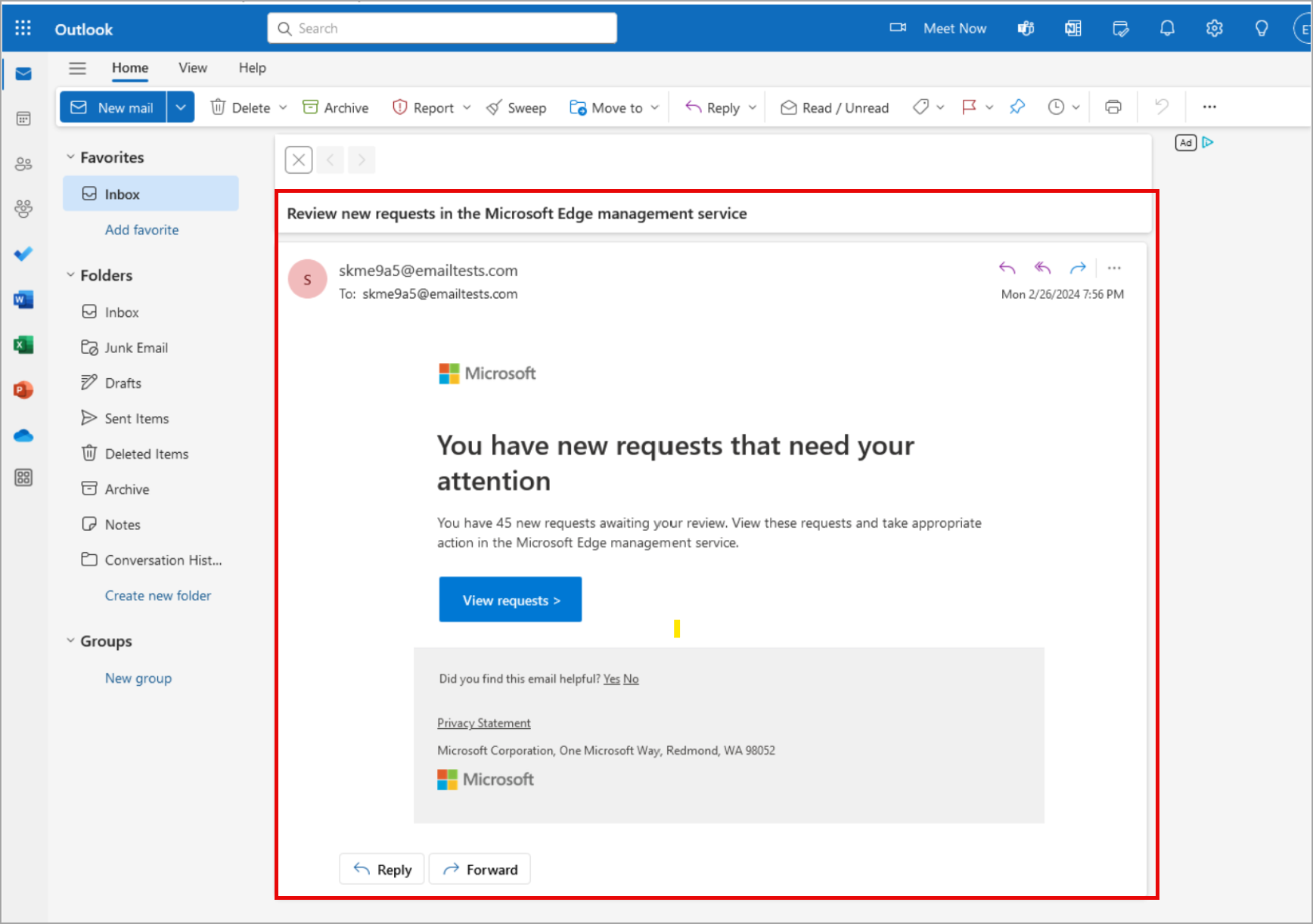
IT admins must opt in to receive the notification. If opted in, admins will receive email notifications when they have requests for extension installations.
Example notification email:
[What you need to do to prepare:]
For IT admins who do not want to opt in to receive these notifications, nothing is needed.
You may want to notify your admins about this change and update any relevant documentation as appropriate.
For IT admins wishing to opt-in to receive these notifications, the following steps need to be taken:
- In EMS, go to a configuration profile.
- On the Extensions tab, select Requests.
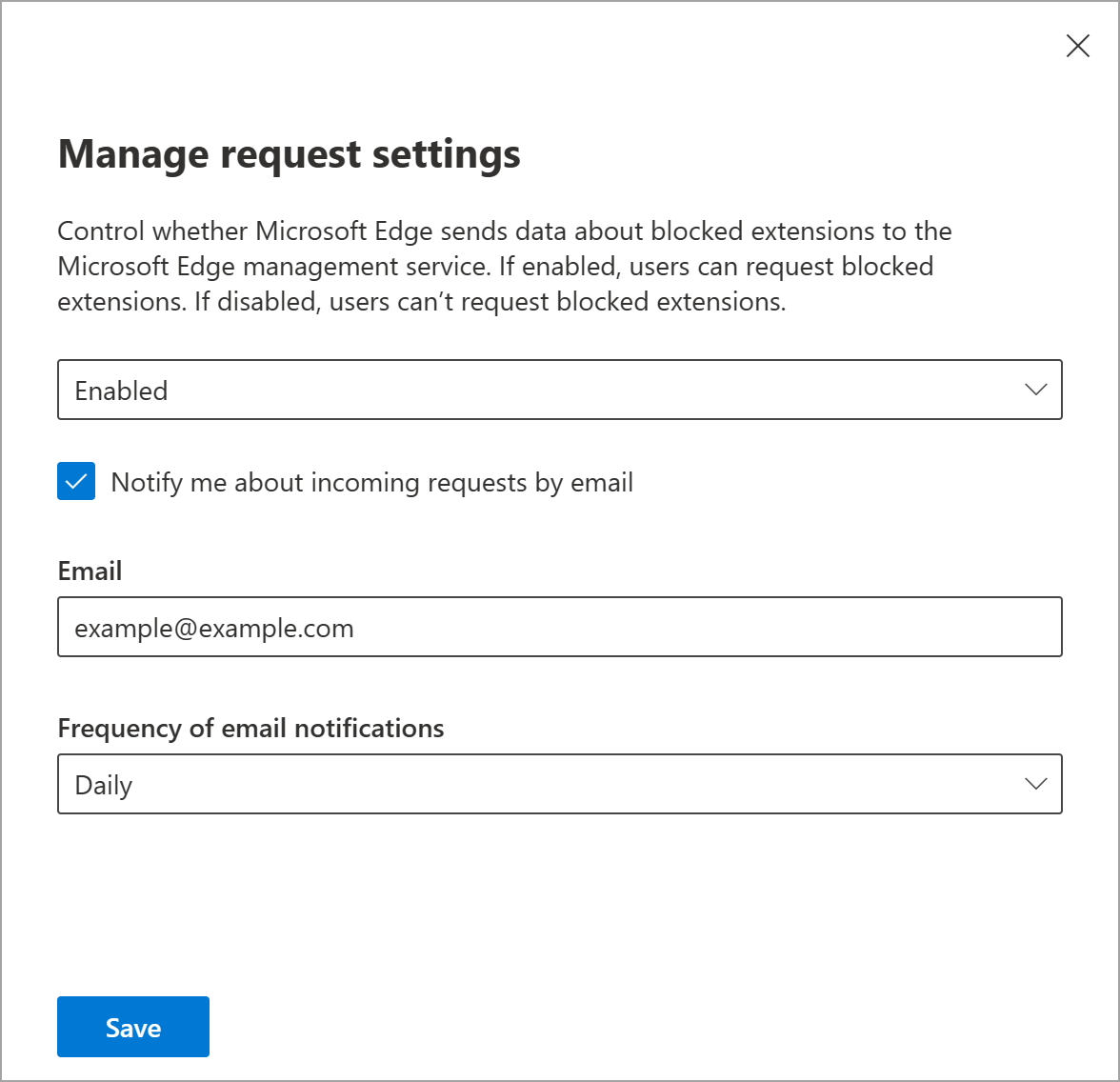
- Select Manage request settings and set the value to Enabled.
- Check the box for Notify me about incoming requests by email.
- Enter the email address where you would like to receive the notifications.
- Set the frequency for the email notifications (daily, weekly, or monthly).
- Select Save.
Learn more: Microsoft Edge management service | Microsoft Learn
More information
Details
Platforms
- Web
Services
- M365
Microsoft tags
- Feature Update