MC765804 Microsoft Defender for Office 365: Adding last used dates to Tenant Allow/Block Lists
Primary service: Exchange
ChangePilot summary
- A "last used date" will be added to the Tenant Allow/Block List entries in Microsoft Defender for Office 365 for URLs, files, domains, and email addresses.
- The feature provides insights into the usage patterns of the list entries, aiding in management and decision-making.
- The "last used date" will be updated in real-time and accessible via PowerShell cmdlets.
- Existing Tenant Allow/Block List entries will not be affected by this rollout.
- No administrative action is required prior to the automatic rollout of this feature.
History
Recorded changes
No changes recorded since ChangePilot first saw this post.
Microsoft message
Updated May 1, 2024: We have updated the rollout timeline below. Thank you for your patience.
Coming soon: In Microsoft Defender for Office 365, we are adding a last used date to the Tenant Allow/Block List entries for URLs, files, domains, and email addresses.
This message is associated with Microsoft 365 Roadmap ID 183908.
[When this will happen:]
General Availability (Worldwide): We will begin rolling out mid-April 2024 and expect to complete by early May 2024 (previously late April).
[How this will affect your organization:]
The last used date provides valuable insights into the usage patterns of entries, enabling you to make informed decisions about their necessity. When the list reaches its capacity, this data can help you safely remove non-essential entries.
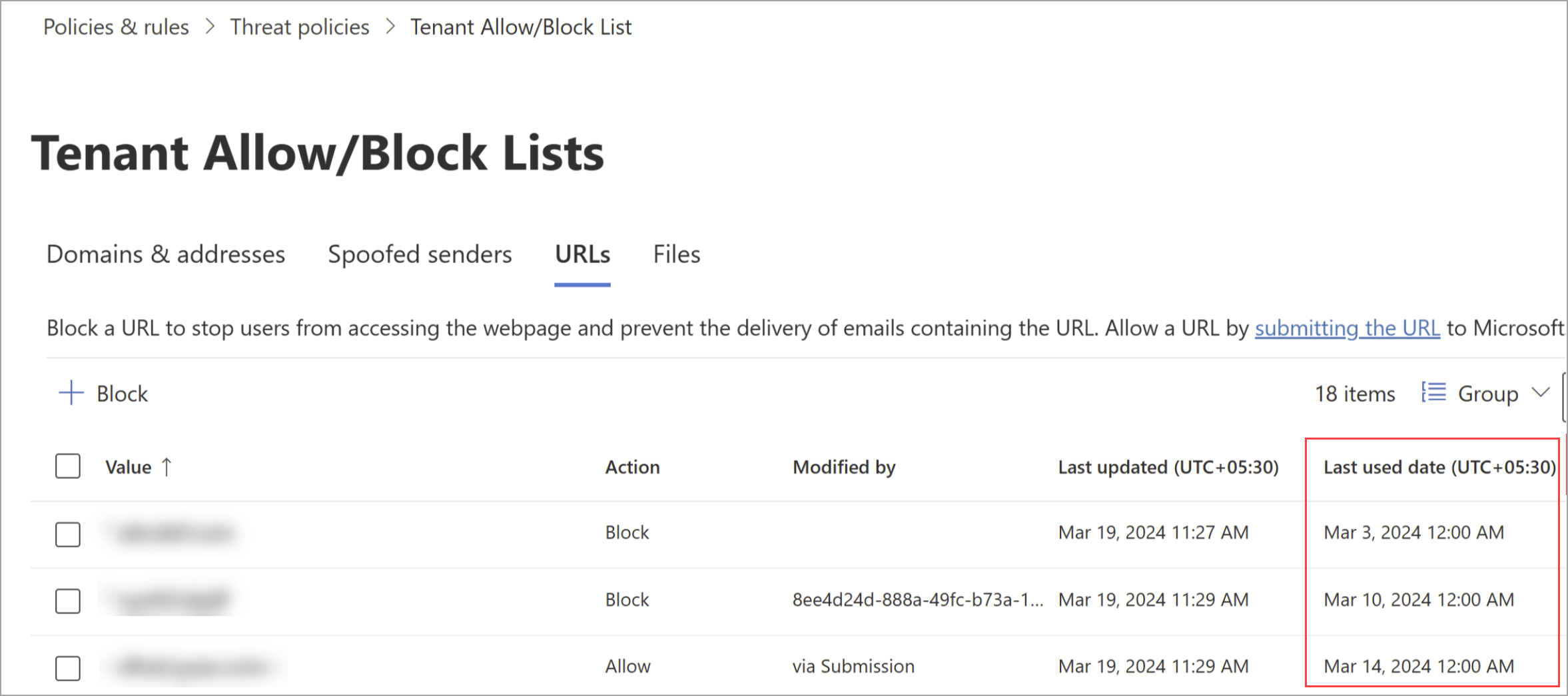
The last used date and timestamp will be updated in real time, for a forward-looking perspective to support data-driven decision-making. You can access the last used date with PowerShell cmdlets.
This rollout will not affect existing Tenant Allow/Block List entries.
[What you need to do to prepare:]
This rollout will happen automatically by the specified date with no admin action required before the rollout.
More information
Details
Platforms
- Web
Services
- Exchange
Microsoft tags
- New Feature