MC762509 Manage Distribution Groups URL update in Microsoft Outlook on the web points to the new Microsoft Exchange Admin Center
Primary service: Exchange
ChangePilot summary
- The link for managing distribution lists in Outlook on the web will be updated to redirect users to the new Exchange Admin Center (EAC).
- Users can access the updated distribution list management feature directly via the new EAC link provided.
- The current URL for managing distribution lists will remain functional until its planned deprecation in mid-2024.
- This change affects non-admin users who manage or join distribution groups through Outlook on the web, as well as IT administrators who will need to update documentation and communicate the change.
- No immediate action is required from admins for the rollout, but they should inform users and update internal resources as needed.
History
Recorded changes
No changes recorded since ChangePilot first saw this post.
Microsoft message
The link to manage distribution lists in Microsoft Outlook on the web will be updated to point to the new Exchange Admin Center (EAC). Users can access it directly via this link: https://admin.exchange.microsoft.com/?page=groups#/
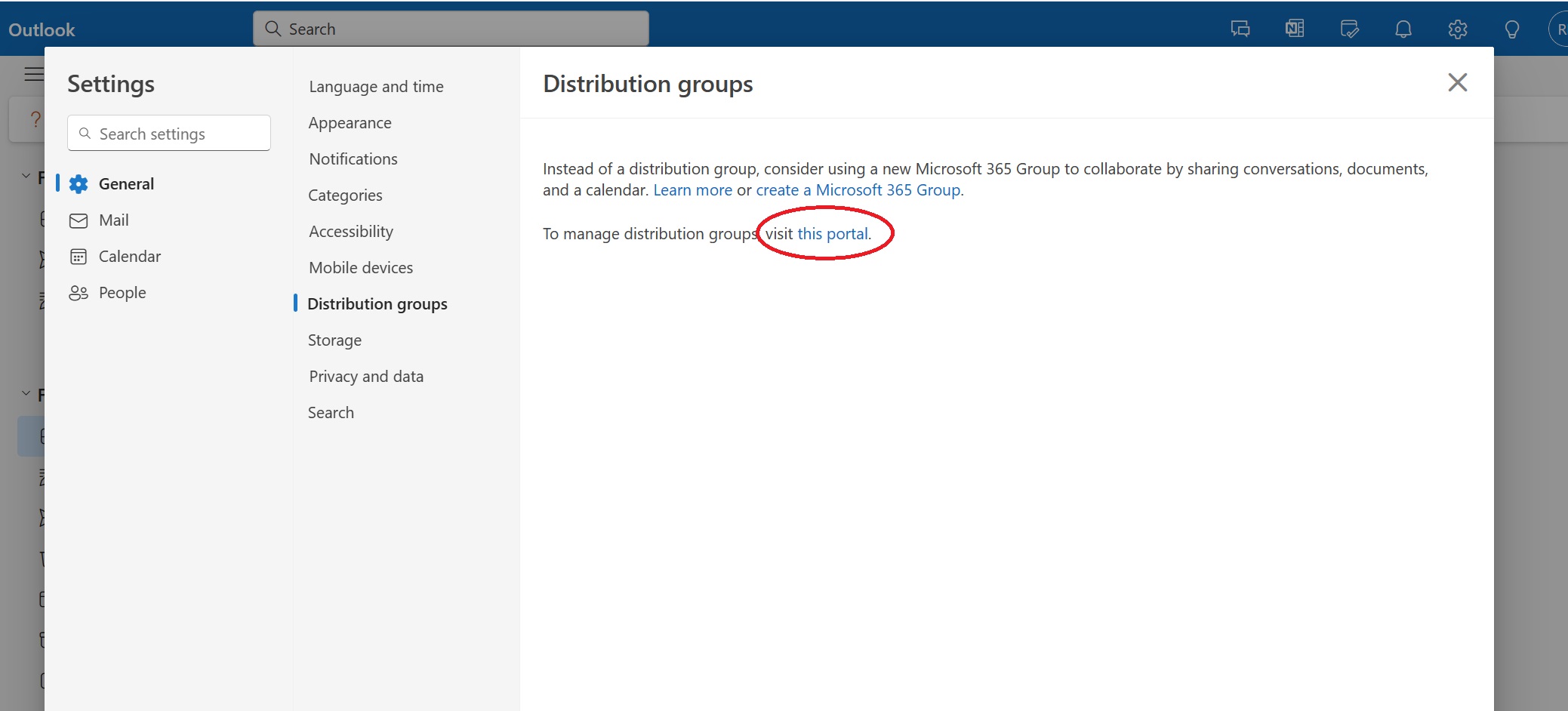
Please note that the old URL will continue to work in the interim: https://outlook.office.com/ecp/MyGroups/PersonalGroups.aspx. However, the old URL will be deprecated in mid-2024.
Admins can continue to manage their organization’s distribution groups directly in the Exchange Admin Center (Recipients > Groups > Distribution list).
[When this will happen:]
Worldwide: We will begin rolling out in early April 2024 and expect to complete in early May 2024.
[How this affects your organization:]
Non-admins who want to manage or join distribution groups through Outlook on the web (OWA > Settings > General > Distribution Groups) will be redirected to the new Exchange Admin Center.
This update only impacts users who interact with distribution groups through Outlook on the web. If your organization manages distribution groups through PowerShell cmdlets or an in-house portal, these changes will not affect you.
[What you can do to prepare:]
For more details on managing Distribution Groups please refer to this article: Distribution Groups.
This rollout will happen automatically with no admin action required. You may want to notify your users about this change and update any relevant documentation as appropriate.
More information
Details
Services
- Exchange
Microsoft tags
- Feature Update
- User Adoption
- Admin Action