MC762503 Microsoft Teams: New Meet now experience in group chats
Primary service: Teams
ChangePilot summary
- New "Meet now" feature in Microsoft Teams allows instant, ringless live discussions within group chats without scheduling a meeting.
- The "Meet now" chat integrates with the existing group chat to keep conversations in context and easily accessible.
- Feature will be available in Teams version 2.1 for desktop, web, and Teams Mobile on Android and iOS.
- No administrative action required for rollout; feature will be enabled automatically.
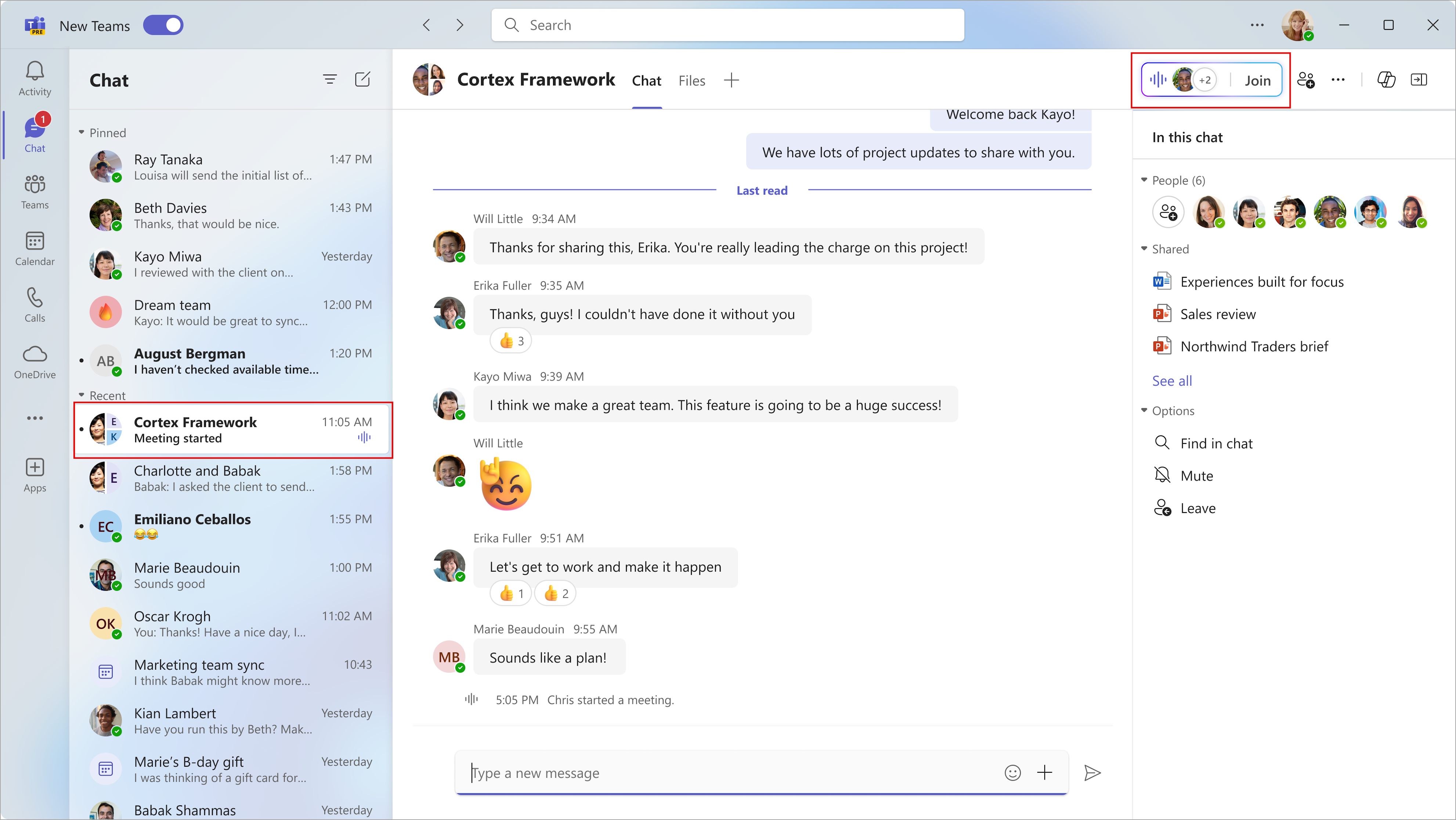
- Users can discover and join ongoing "Meet now" discussions from their chat list and within group chats.
History
Recorded changes
No changes recorded since ChangePilot first saw this post.
Microsoft message
Updated June 14, 2024: We have updated the rollout timeline below. Thank you for your patience.
Coming soon: The new Meet now experience in Microsoft Teams group chats will start an instant, ringless live discussion with your colleagues, without scheduling a meeting. The Meet now chat is the same as the group chat, to ensure that the content stays in context and to help users find information when they need it. This feature is available in Teams 2.1 (for desktop and the web) and Teams Mobile (Android and iOS).
This message is associated with Microsoft 365 Roadmap ID 128191.
[When this will happen:]
Targeted Release: We will begin rolling out early May 2024 and expect to complete by mid-May 2024.
General Availability (Worldwide): We will begin rolling out late May 2024 (previously mid-May) and expect to complete by late June 2024 (previously early June).
[How this will affect your organization:]
After rollout:
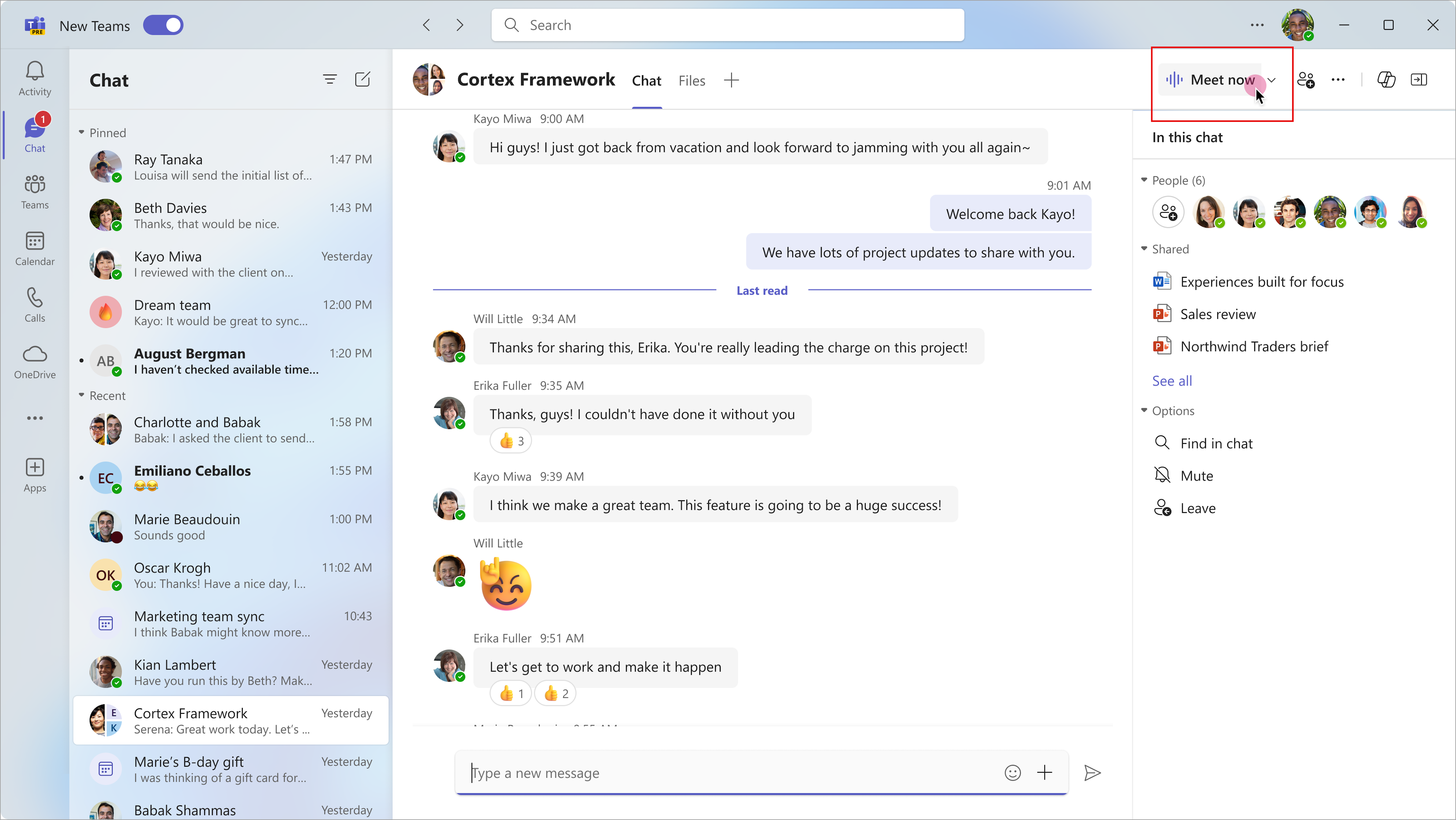
In a group chat, a user can select the new Meet now button to start an instant meeting:
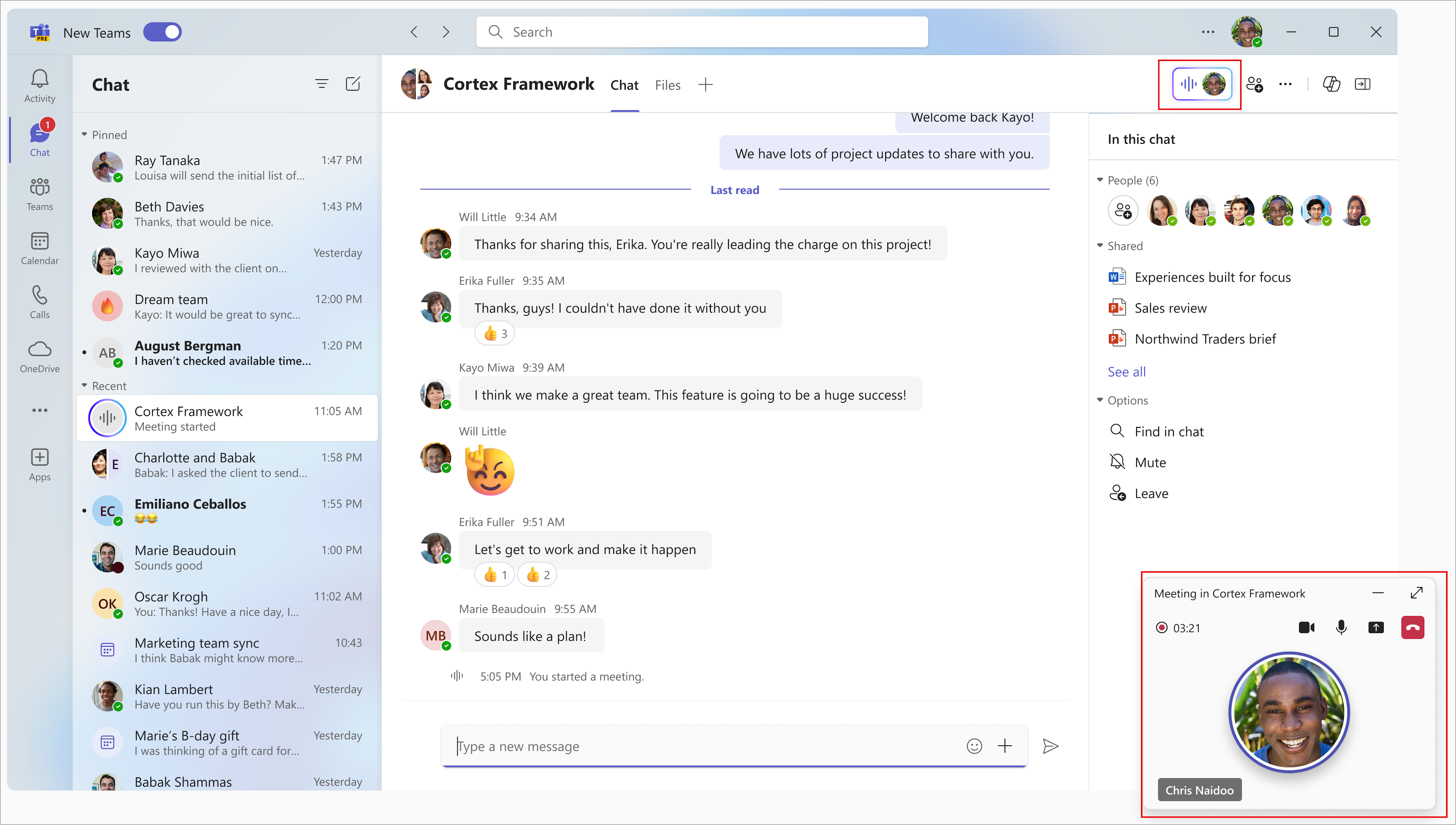
The meeting initiator's experience after selecting the Meet now button:
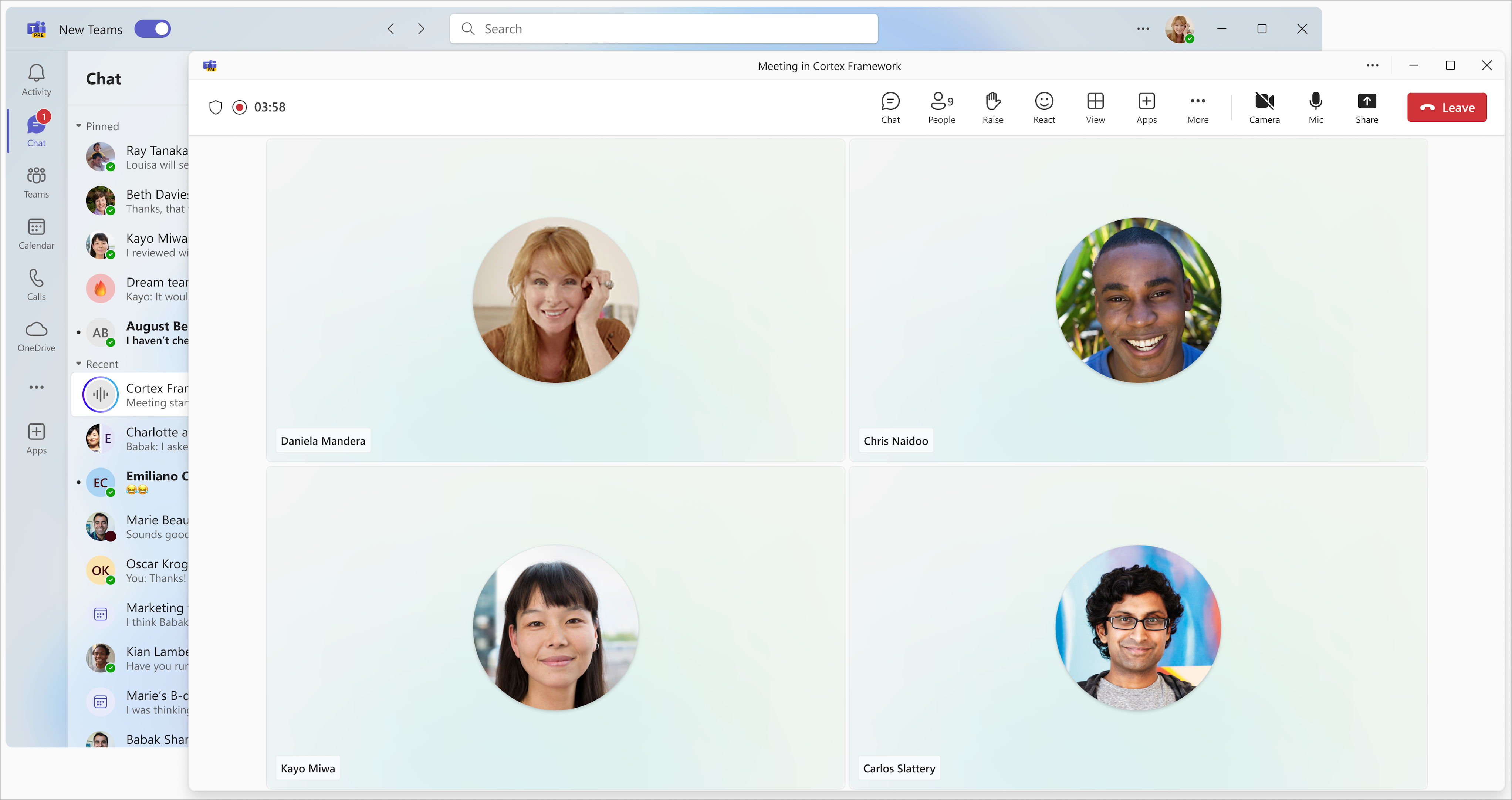
Meeting in progress, with the small meeting window expanded:
Users can discover and join ongoing Meet now discussions in group chat in their list of chats and in the top right corner of a group chat:
[What you need to do to prepare:]
This rollout will happen automatically by the specified date with no admin action required before the rollout. You may want to notify your users about this change and update any relevant documentation as appropriate. We will update this comm before rollout with revised documentation.
More information
- img-prod-cms-rt-microsoft-com.akamaized.net/cms/api/am/imageFileData/RW1jXRn?ver=0455
- img-prod-cms-rt-microsoft-com.akamaized.net/cms/api/am/imageFileData/RW1k0vO?ver=433f
- img-prod-cms-rt-microsoft-com.akamaized.net/cms/api/am/imageFileData/RW1k37K?ver=4cf8
- img-prod-cms-rt-microsoft-com.akamaized.net/cms/api/am/imageFileData/RW1k37L?ver=c0f9
- www.microsoft.com/microsoft-365/roadmap?filters=&searchterms=128191
Details
Platforms
- Desktop
Services
- Teams
Microsoft tags
- New Feature
- User Adoption