MC759459 Copilot in Microsoft Teams: Send popover message to users about Copilot
Primary service: M365 Copilot
ChangePilot summary
- Microsoft 365 is introducing Drive Copilot with organizational messages in Microsoft Teams to enhance user adoption of Copilot features.
- Administrators can configure templatized messages in the Microsoft 365 admin center to prompt users who haven't used Copilot for 30 days.
- Users will see a new popover message in Teams encouraging them to use Copilot features.
- The rollout requires no mandatory admin action but admins may configure messages and should inform users about the change.
- Admins with Global Admin and/or Organizational Message Writer roles will have access to configure these messages.
History
Recorded changes
No changes recorded since ChangePilot first saw this post.
Microsoft message
Microsoft 365 admin center: Drive Copilot for Microsoft 365 adoption with organizational messages in Microsoft Teams
To drive awareness and adoption of Microsoft Copilot for Microsoft 365, you can now reach users with organizational messages in Microsoft Teams.
[When this will happen:]
General Availability (Worldwide): We will begin rolling out in late March 2024 and expect to complete by mid-April 2024.
[How this will affect your organization:]
In the Microsoft 365 admin center's Copilot for Microsoft 365 Usage report, you will see a new action card where you can configure a templatized organizational message. After the organizational message is configured, users who have not used Copilot for Microsoft 365 in the last 30 days will see a popover message in Microsoft Teams recommending they use Copilot in Teams. Note that it may take up to 24 hours from the time the organizational message is configured until users start receiving the messages.
[What you need to do to prepare:]
This rollout will happen automatically with no admin action required. You may want to notify your users about this change and update any relevant documentation as appropriate. Admins with Global Admin and/or Organizational Message Writer roles will be able to configure the organizational messages inside the Microsoft 365 admin center usage report.
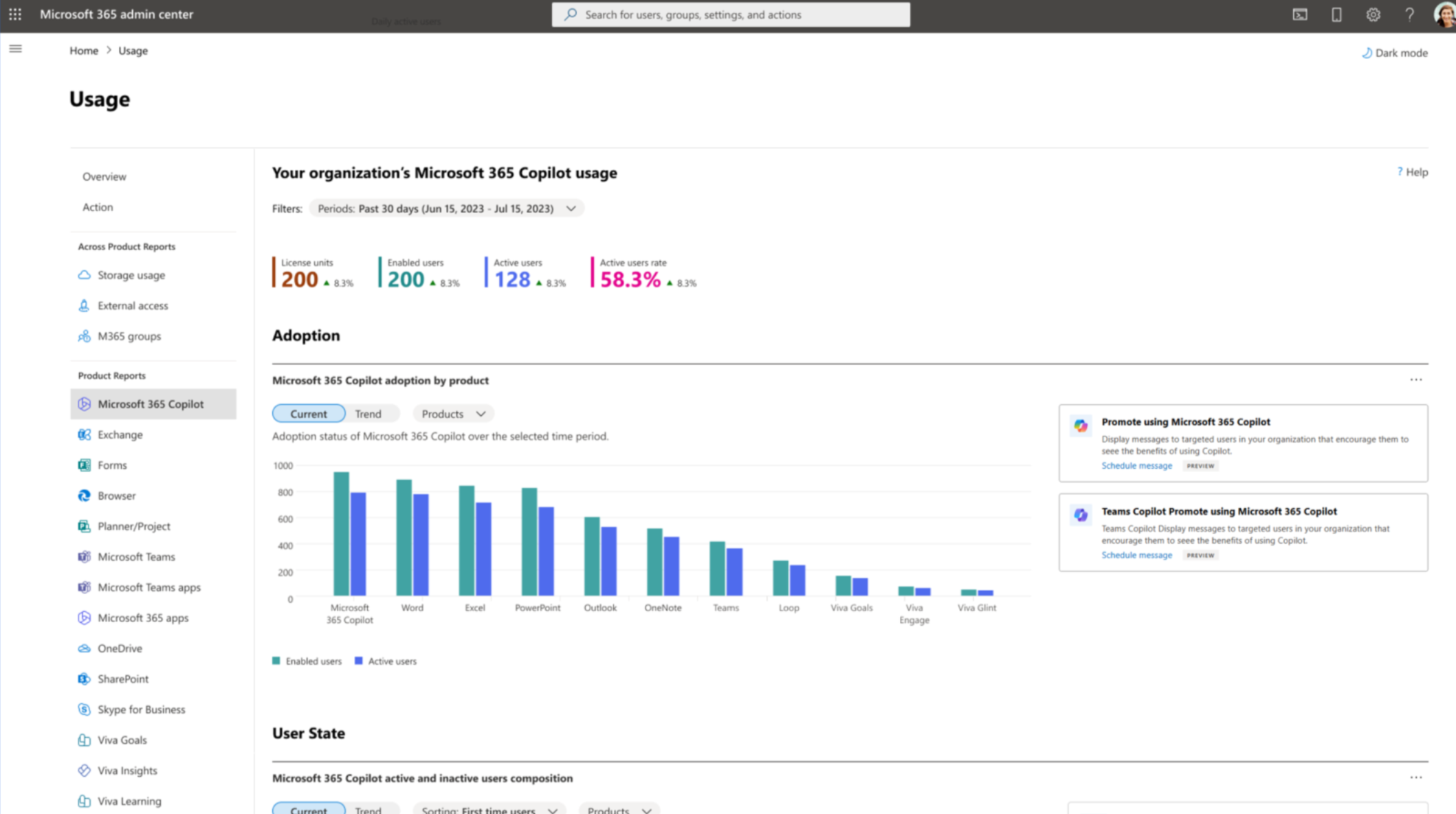
You can see the new action card in the Microsoft 365 admin center by navigating to Reports > Usage > Copilot for Microsoft 365.
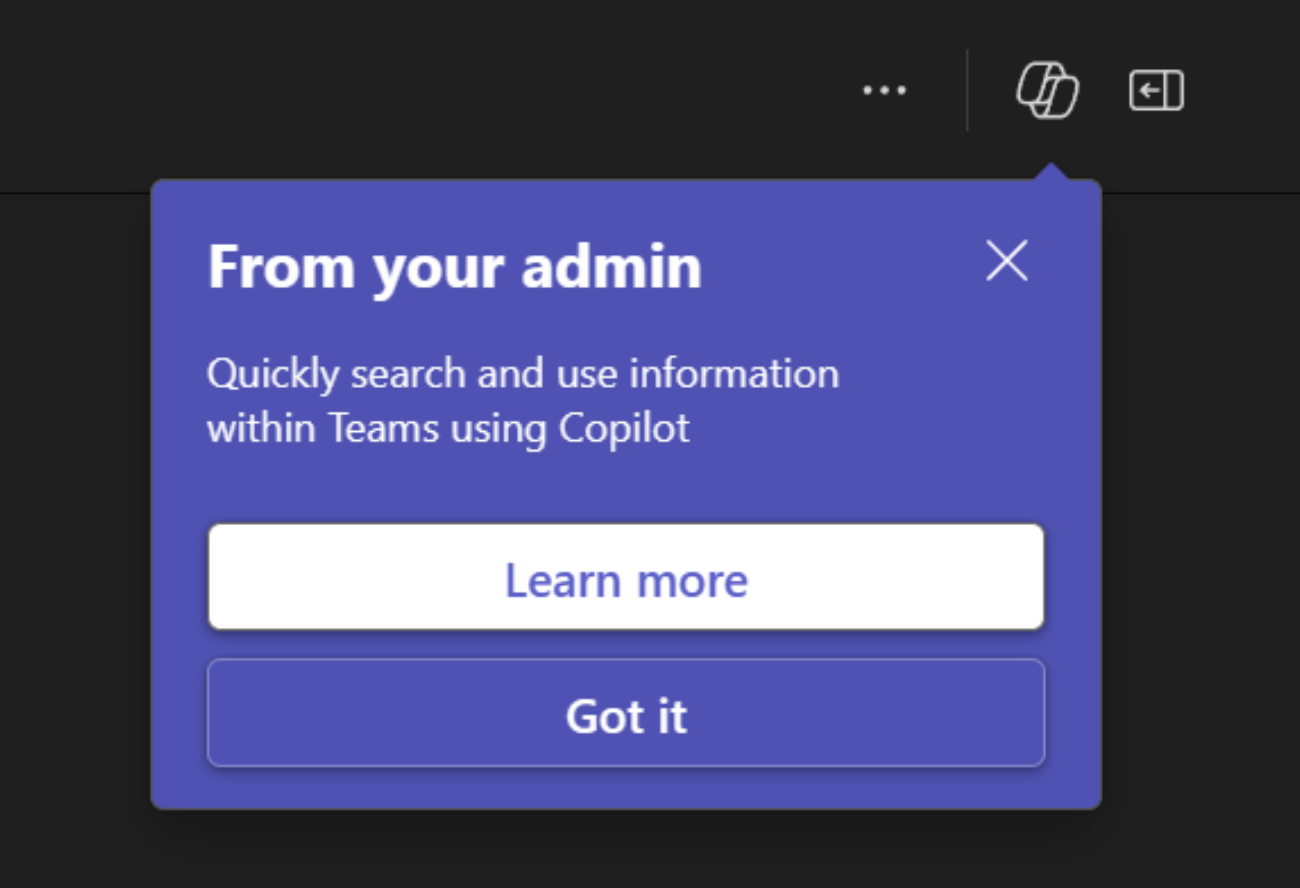
The users see Teams in-product Teaching Popovers in the new Teams recommending they use Copilot in Teams.
More information
Details
Services
- M365 Copilot
Microsoft tags
- New Feature
- User Adoption
- Admin Action