MC752516 Microsoft Teams: Meeting Chat shown by default in Gallery View with Teams Room
Primary service: Teams
ChangePilot summary
- Meeting Chat will be visible by default in Gallery view on Teams Rooms for Windows, enhancing chat visibility during meetings.
- IT admins can configure the default chat experience for rooms via Teams Admin Center or XML setting
<OpenMeetingChatByDefault>. - Users can show or hide the Meeting Chat in real-time using the touch console during meetings.
- The chat icon button will be relocated from the view switcher to the universal bar (uBar) for easier access.
- The existing setting
<ShowMeetingChat>can override<OpenMeetingChatByDefault>to hide the chat panel completely if desired.
History
Recorded changes
No changes recorded since ChangePilot first saw this post.
Microsoft message
Updated May 24, 2024: We have updated the rollout timeline below. Thank you for your patience.
Meeting Chat is shown by default in Teams Room on Windows in Gallery view, making it easier to see incoming chat messages on the front-of-room display. IT admins can configure the default chat experience for a room, and users can make in-meeting changes to show or hide the chat using the touch console.
This message is associated with Microsoft 365 Roadmap ID 332424.
[When this will happen:]
General Availability (Worldwide, GCC, GCC High): We will begin rolling out late April 2024 (previously mid-April) and expected to complete by late May 2024 (previously mid-May).
[How this will affect your organization:]
This update enables users to have visibility of a meeting chat on the right panel in Gallery view during a meeting. In addition to the layout change, the chat icon button to show/hide the chat panel is moved from the view switcher to the uBar.
Chat panel in Gallery view

Chat button on uBar
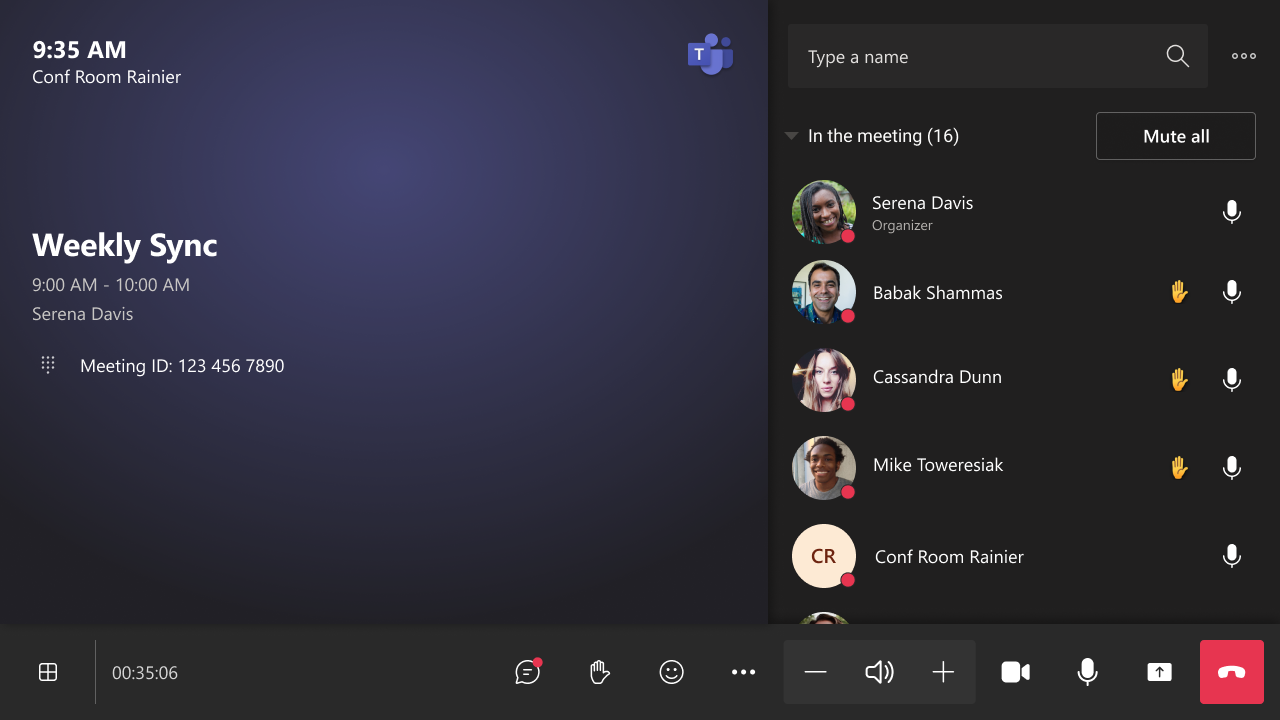
The default chat experience in Gallery view can be configured via Teams Admin Center or XML setting <OpenMeetingChatByDefault>. The default value is 'true.' Please note that the existing <ShowMeetingChat> setting hides the meeting chat completely from all in-meeting layouts as well as the chat button in-meeting. Therefore, <ShowMeetingChat> overrides <OpenMeetingChatByDefault>.
[What you need to do to prepare:]
There is no action needed to prepare for this change. You may want to notify your users about this change and update any relevant documentation as appropriate.
More information
Details
Platforms
- Teams and Surface Devices
Services
- Teams
Microsoft tags
- Feature Update
- User Adoption
- Admin Action