MC748381 OneDrive: Media node in OneDrive for web
Primary service: OneDrive
ChangePilot summary
- A new "Media" node is being added to the left navigation pane of OneDrive for web for commercial customers.
- The Media node will consolidate all photo and video content in a single view, sorted by creation date.
- Users will be able to perform standard actions on media files in the Media node, such as Share, Download, or Delete, with the same behavior as in the "My Files" node.
- No separate copies of media content will be created; the Media node will display existing files from the user's OneDrive.
- Administrators should inform users about the new feature and may need to update training materials and prepare help desk support.
History
Recorded changes
No changes recorded since ChangePilot first saw this post.
Microsoft message
Updated April 15, 2024: We have updated the rollout timeline below. Thank you for your patience.
We're adding a Media node to the left nav of Microsoft OneDrive for web that will allow commercial customers to easily find all the photo and video content stored in their OneDrive in a single view.
This message is associated with Microsoft 365 Roadmap ID 382105
[When this will happen:]
General Release (Worldwide, GCC, GCC High, DoD): We will begin rolling out mid-April 2024 (previously early April) and expect to complete by early May 2024 (previously late April).
General Release (USSec, USNat): We will begin rolling out early May 2024 (previously late April) and expect to complete by early June 2024 (previously mid-May).
[How this will affect your organization:]
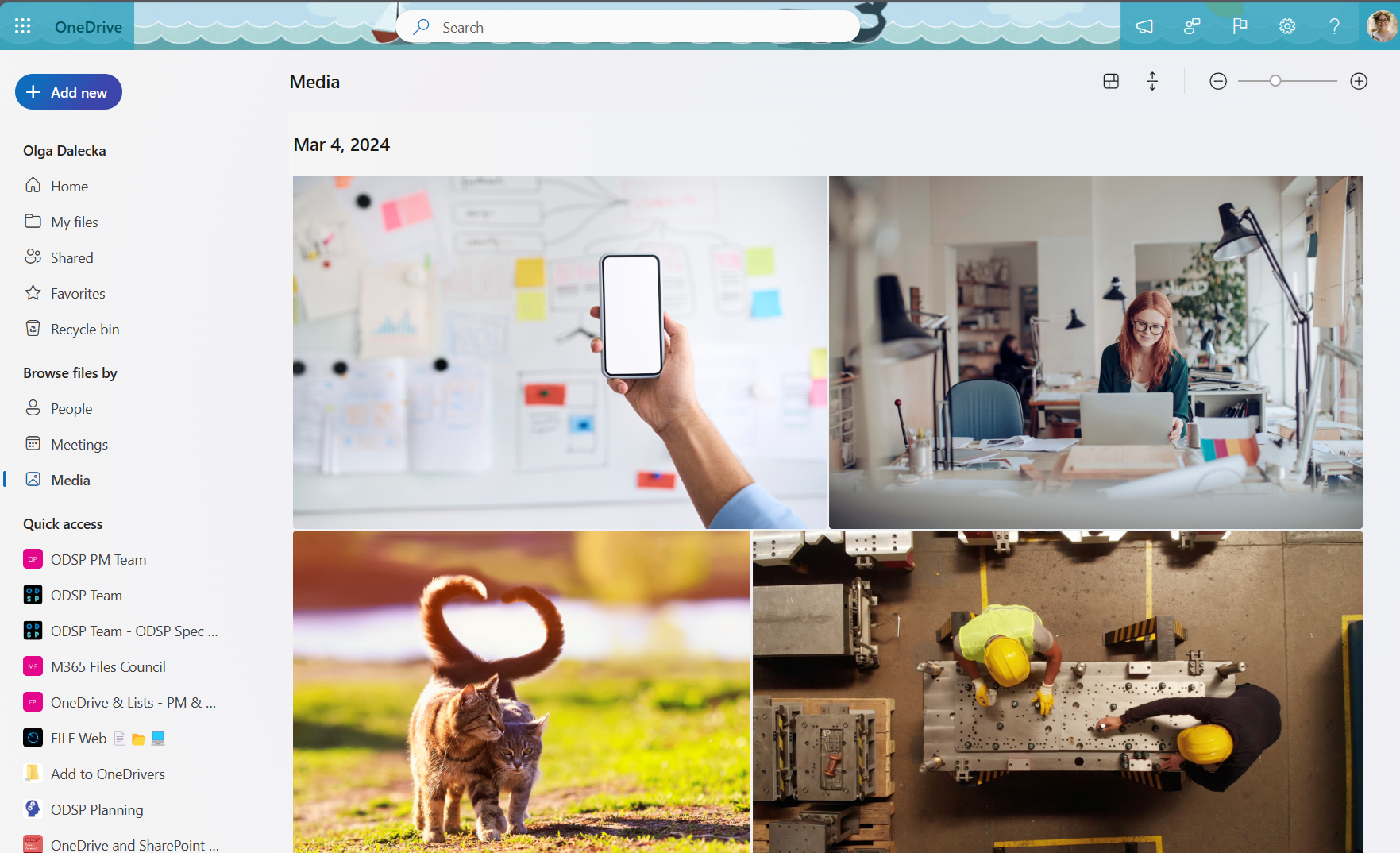
OneDrive for web end users will see a Media node available in the left nav of their OneDrive below the Meetings pivot.
When an end user navigates to the Media node, they will see a view of all the photo and video content stored within their OneDrive. This content will be sorted by the date the content was created. The files shown in this view are the same files stored in the user’s OneDrive and the Media node does not create separate copies of the content.
End users will be able to perform actions on the media content in this view such as Share, Download, or Delete. These actions will behave the same way in the Media node as they do in the My Files node.
[What you need to do to prepare:]
You might want to notify OneDrive end users, update your user training, and prepare your help desk.
More information
Details
Platforms
- Web
Services
- OneDrive
Microsoft tags
- New Feature
- User Adoption