MC748380 Microsoft Teams: Pre-pin meeting apps for users
Primary service: Teams
ChangePilot summary
- Microsoft Teams app setup policies are being enhanced to allow admins to pre-pin and pre-install meeting apps for users.
- Previously, pre-pinning and pre-installation were limited to personal apps and message extensions; this update extends the functionality to meeting apps.
- Admins can streamline the user experience by ensuring necessary meeting tools are readily accessible within Teams.
- The new feature does not affect existing policies or permissions and requires no immediate action from admins.
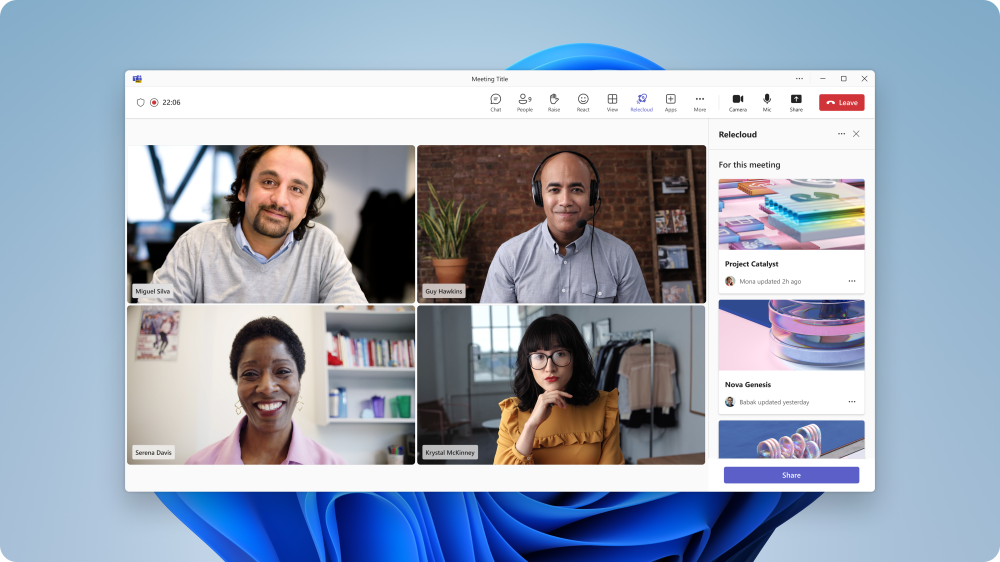
- Users will see the pre-pinned meeting apps in the meeting app flyout and the meetings tabs next to chat.
History
Recorded changes
No changes recorded since ChangePilot first saw this post.
Microsoft message
Updated July 10, 2024: We have updated the rollout timeline below. Thank you for your patience.
Microsoft Teams is now enhancing app setup policies, allowing admins to pre-pin and pre-install meeting apps for users. Earlier, the pre-pinning and pre-installation were limited to personal apps and message extensions. This update extends the functionality to meeting apps. Admins can set up policies to install and pin meeting apps to provide users quick and easy access to their necessary meeting tools within Microsoft Teams.
This message is associated with Microsoft 365 Roadmap ID 131169
[When this will happen:]
Worldwide: We will begin rolling out late June 2024 (previously mid-June) and expect to complete by mid-July 2024 (previously early July).
GCC, GCC High, DoD: We will begin rolling out late July 2024 (previously late June) and expect to complete by early August 2024 (previously late July).
[How this will affect your organization:]
This new feature enhances the customization of Microsoft Teams for users by highlighting the most important meeting apps for them. Admins can choose the meeting apps to pre- pin and pre-install, streamlining the user's experience, especially during meetings. The pinned apps will appear in the meeting app flyout and the meetings tabs next to chat.
[What you need to do to prepare:]
This feature update does not affect any existing policies or permissions. No specific actions are required. You can review the existing app setup policies and consider the meeting apps that could be beneficial to pre-pin and pre-install for your users.
You may want to notify your users about this change and update any relevant documentation as appropriate.
More information
Details
Platforms
- Android
- Desktop
- iOS
- Mac
Services
- Teams
Microsoft tags
- New Feature
- User Adoption
- Admin Action