MC748379 Microsoft Teams: Intelligent message translation in chats on desktop
Primary service: Teams
ChangePilot summary
- Microsoft Teams is introducing translation suggestions for messages received in a language different from the user's preferred language.
- Users can manually select to translate messages or set preferences to never translate certain languages.
- An option for automatic translation can be enabled to streamline the process for users.
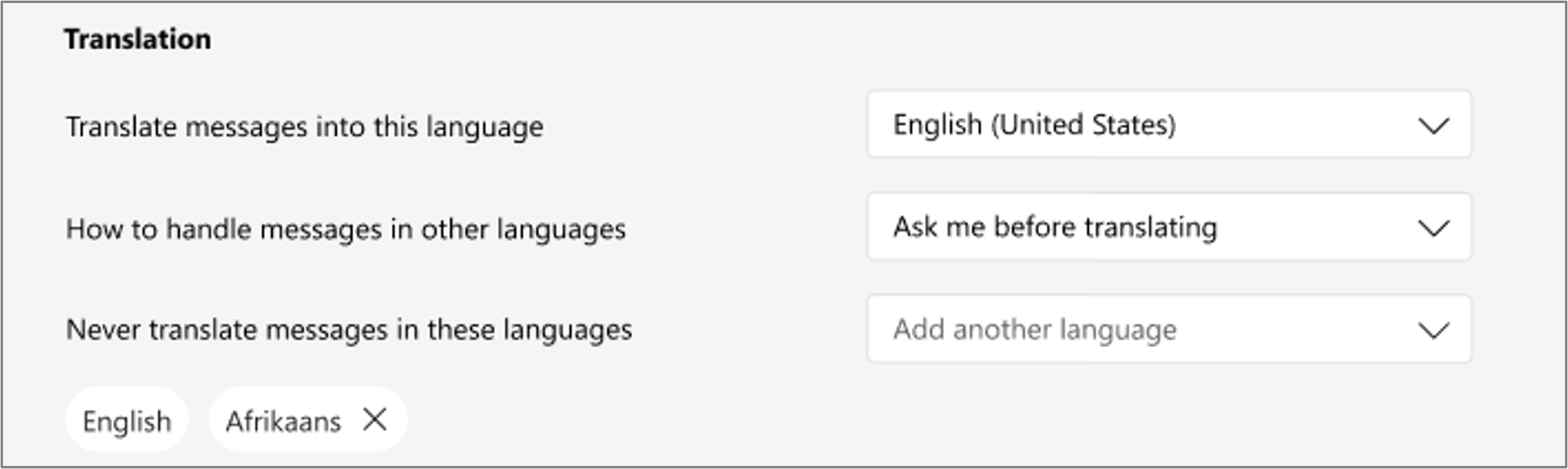
- Translation settings are accessible and adjustable through Settings > Appearance and accessibility > Translation in Teams.
- Organizations should inform users about the new feature and consider updating training materials accordingly.
History
Recorded changes
No changes recorded since ChangePilot first saw this post.
Microsoft message
Updated June 6, 2024: We have updated the rollout timeline below. Thank you for your patience.
In Microsoft Teams, when you get a message in a different language, you will see translation suggestions to help you understand the message. In settings, you can select which languages you do not want to translate and whether to translate messages automatically.
This message is associated with Microsoft 365 Roadmap ID 99841.
[When this will happen:]
Targeted Release: We will begin rolling out early April 2024 and expect to complete by late April 2024.
General Availability (Worldwide, GCC): We will begin rolling out early May 2024 and expect to complete by late June 2024 (previously late May).
[How this will affect your organization:]
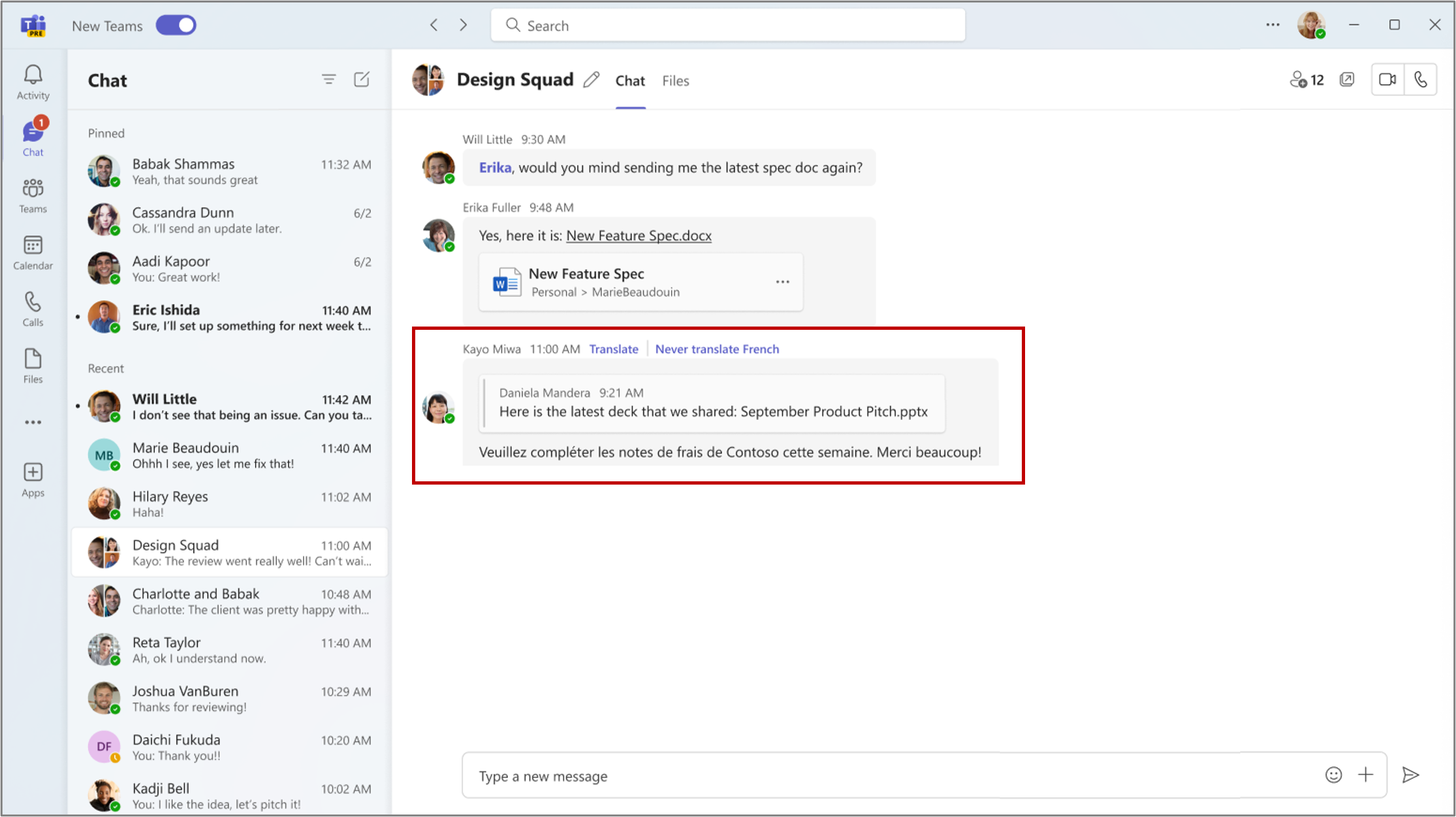
If you receive a Teams chat message in a language that you do not understand, you will see the option to translate the message into your preferred language (the language that you have set for Teams).
To enable this option:
- Select Translate to translate the message.
- Select Never translate (language) if you don’t want Teams to show the option to translate that language.
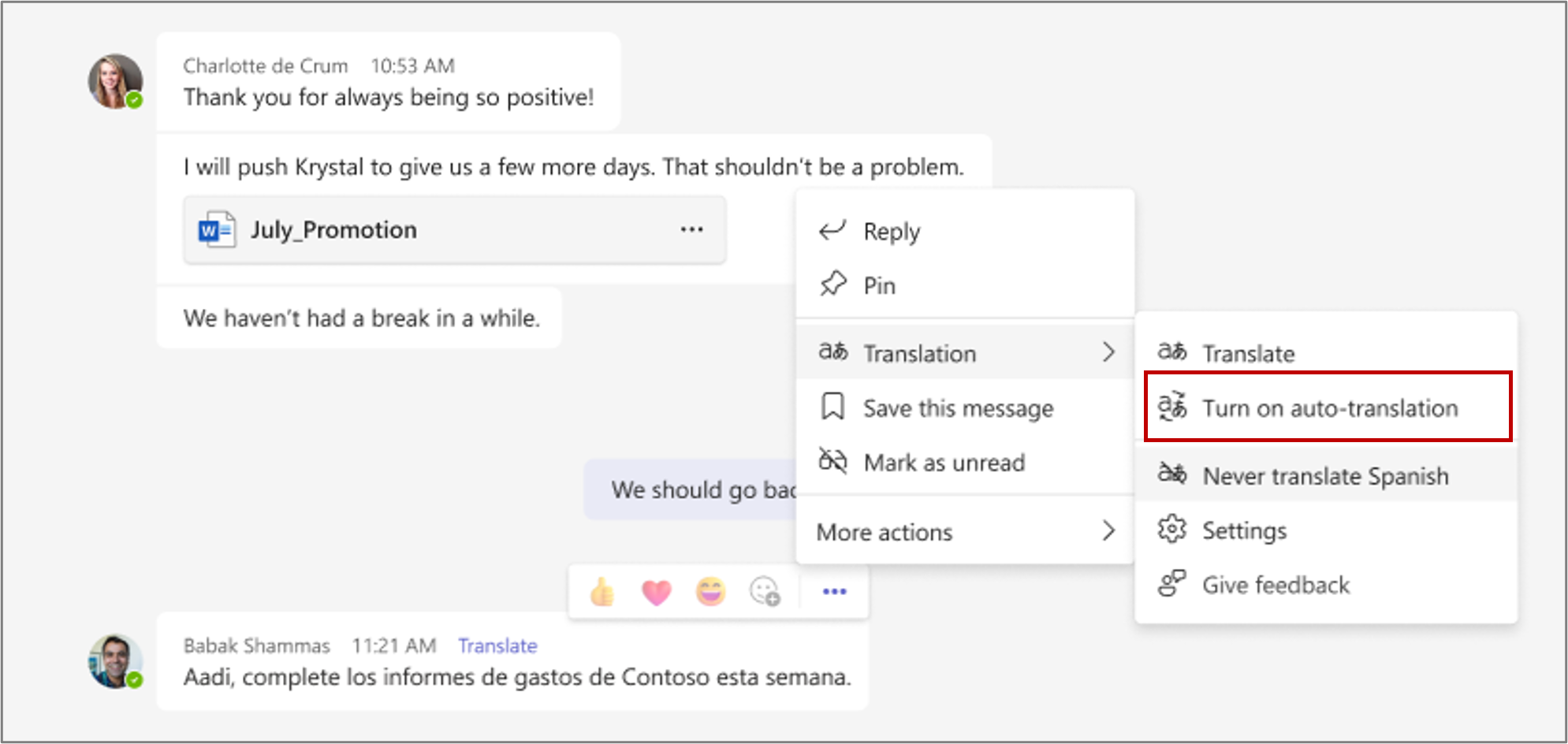
You can choose Turn on auto-translation to automatically translate messages to your preferred language.
You can access and update your translation settings through Settings > Appearance and accessibility > Translation.
[What you need to do to prepare:]
You may want to notify your users about this upcoming capability and update your training and documentation as appropriate.
More information
- img-prod-cms-rt-microsoft-com.akamaized.net/cms/api/am/imageFileData/RW1jNlU?ver=e2b9
- img-prod-cms-rt-microsoft-com.akamaized.net/cms/api/am/imageFileData/RW1jNlX?ver=2102
- img-prod-cms-rt-microsoft-com.akamaized.net/cms/api/am/imageFileData/RW1jSz4?ver=5e0b
- www.microsoft.com/microsoft-365/roadmap?filters=&searchterms=99841
Details
Platforms
- Desktop
Services
- Teams
Microsoft tags
- New Feature
- User Adoption
- Admin Action