MC746322 Microsoft Teams: Meeting details displayed on pre-join screen
Primary service: Teams
ChangePilot summary
- New feature added to Microsoft Teams pre-join screen for Windows and Mac users.
- Meeting details displayed include title, scheduled start/end times, and participant count.
- Update applies only to in-tenant participants; external guests will not see these details.
- No admin action required; the feature will be rolled out automatically.
- Users may benefit from communication about the change to understand the new pre-join information.
History
Recorded changes
No changes recorded since ChangePilot first saw this post.
Microsoft message
Updated July 22, 2024: We have updated the rollout timeline below. Thank you for your patience.
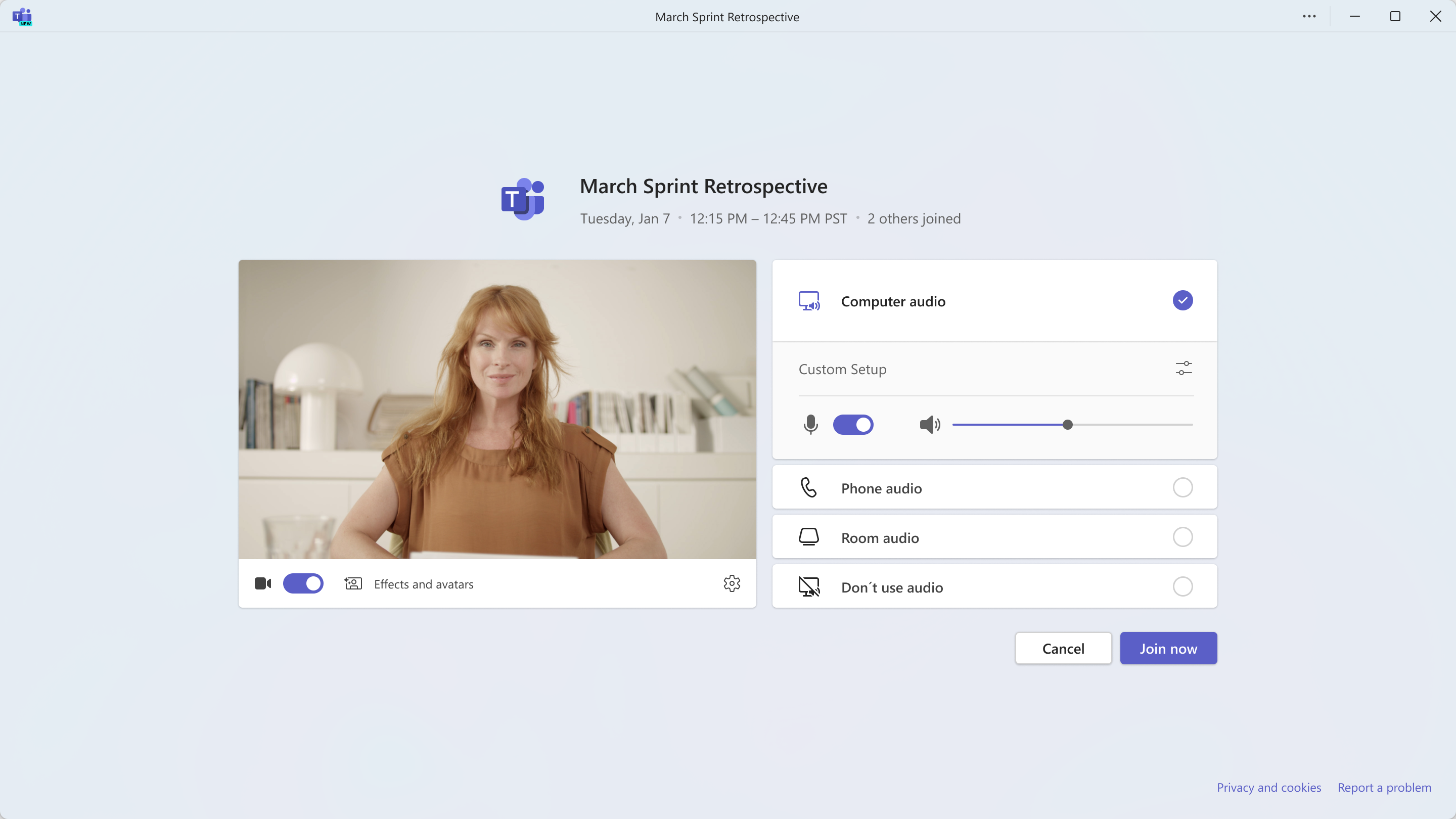
Available in Microsoft Teams for Windows and Mac for in-tenant participants, the meeting pre-join screen will now include meeting details like the meeting title, scheduled start time, scheduled end time, and number of participants who have joined the call.
Note: Meeting information will not be visible for recurring meetings at this time.
This message is associated with Microsoft 365 Roadmap ID 387789.
[When this will happen:]
Targeted Release: We will begin rolling out late April 2024 (previously early April) and expect to complete by early May 2024 (previously mid-April).
General Availability (Worldwide): We will begin rolling out early May 2024 (previously mid-April) and expect to complete by late July 2024 (previously early July).
[How this will affect your organization:]
With this rollout internal meeting users will be able to see meeting related information when they join a meeting, directly on the join screen. Note: External guests will not see these meeting details.
[What you need to do to prepare:]
This rollout will happen automatically by the specified date with no admin action required. You may want to notify your users about this change and update any relevant documentation as appropriate.
More information
Details
Platforms
- Desktop
- Mac
Services
- Teams
Microsoft tags
- New Feature
- User Adoption