MC744112 Microsoft Defender for Office 365: Password protected download for quarantined emails from Email Entity
Primary service: Defender XDR
ChangePilot summary
- Microsoft is introducing password-protected downloads for email messages from the Email Entity Summary Panel in Microsoft Defender for Office 365.
- This security feature was previously available only in the Quarantine experience.
- The functionality applies exclusively to messages located in the Quarantine folder.
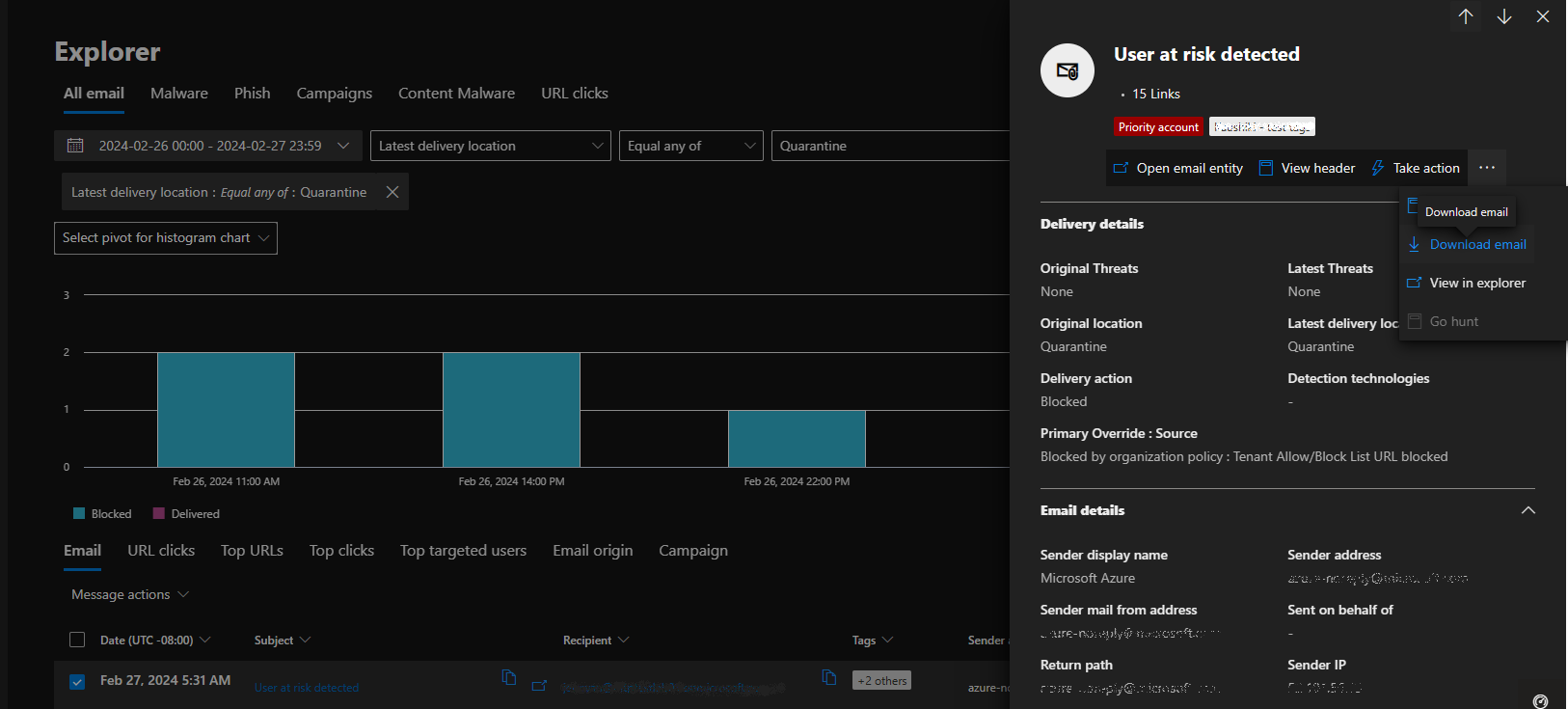
- Users can access this feature by navigating to Explorer, opening the Email Entity Summary Panel of a quarantined message, and selecting the "Download email" action.
- No administrative action is required for the rollout of this feature; it will be implemented automatically.
History
Recorded changes
No changes recorded since ChangePilot first saw this post.
Microsoft message
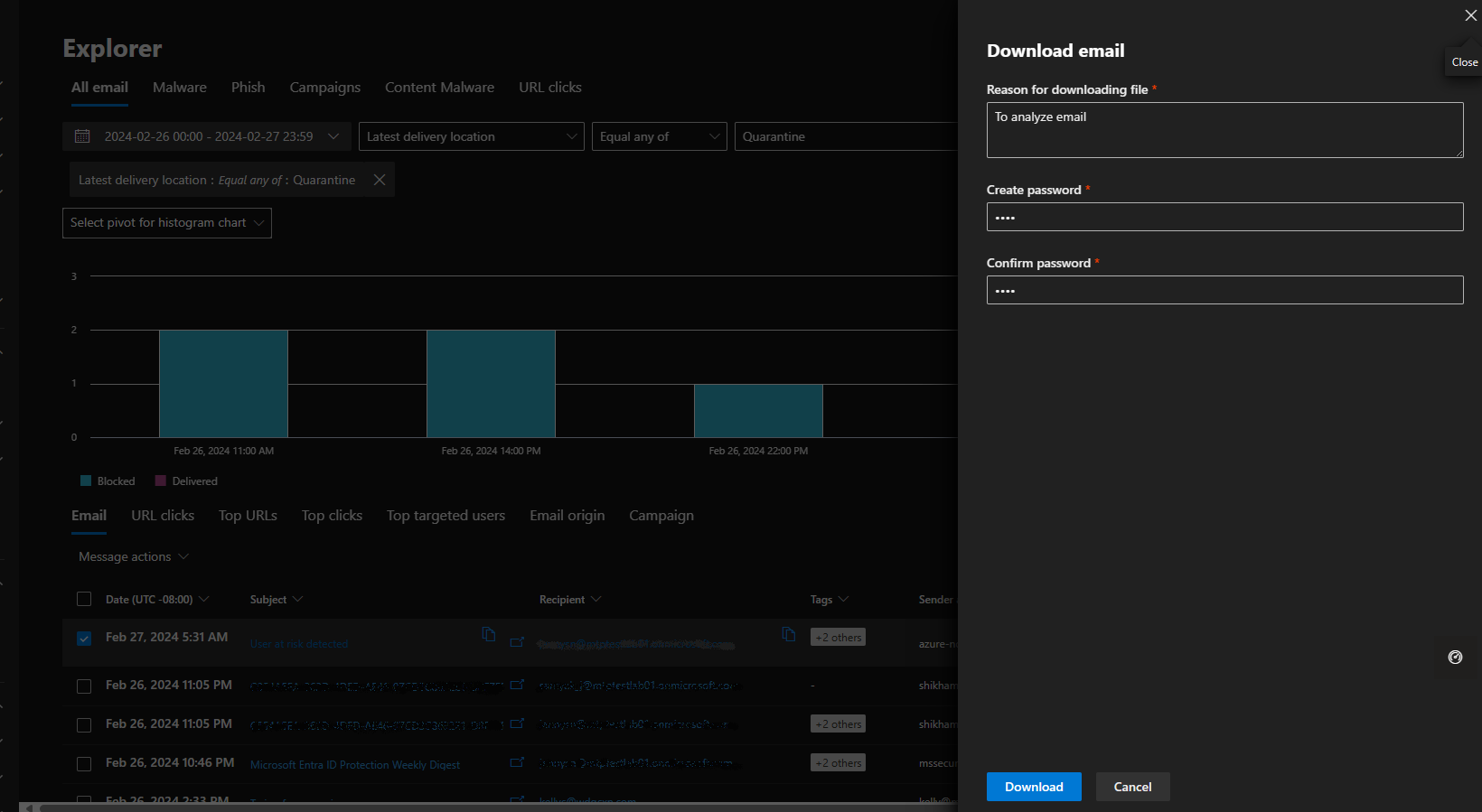
We are introducing password protected downloads of email messages from the Email Entity Summary Panel in Microsoft Defender for Office 365. Today, password protected downloads are available from the Quarantine experience.
[When this will happen:]
General Availability: We will begin rolling out mid-March 2024 and expect to complete by late March 2024.
[How this will affect your organization:]
Today, password protected downloads are available from the Quarantine experience. We are extending this capability to the Email Entity Summary Panel. This functionality only applies to messages that are currently located in the Quarantine folder.
This feature can be used by navigating to Explorer, opening the Email Entity Summary Panel of a message that is located in Quarantine, and then selecting the Download email action.
[What you need to do to prepare:]
If you would like to download an email in Quarantine, you can do so by password protecting the download. This rollout will happen automatically by the specified date with no admin action required.
More information
Details
Services
- Defender XDR
Microsoft tags
- Feature Update
- User Adoption
- Admin Action