MC740504 Microsoft Viva Learning | Easily switch across Viva Learning Teams app and Webapp
Primary service: Viva
ChangePilot summary
- Microsoft Viva Learning is introducing a "Webapp" button in Teams and an "Open in Teams" option in the web app to facilitate easy switching between interfaces.
- Links in Microsoft Viva Learning verticals within SharePoint and Bing@Work will now open in the Viva Learning web app.
- Enhancements are being made to the Copy link, Share, Add to Calendar, and Adaptive card features to include Viva Learning content links for both Teams and the web app.
- The rollout of these features will occur automatically, requiring no action from users or administrators.
- Administrators may want to update training materials and documentation to reflect these new features.
History
Recorded changes
No changes recorded since ChangePilot first saw this post.
Microsoft message
Updated April 15, 2024: We have updated the rollout timeline below. Thank you for your patience.
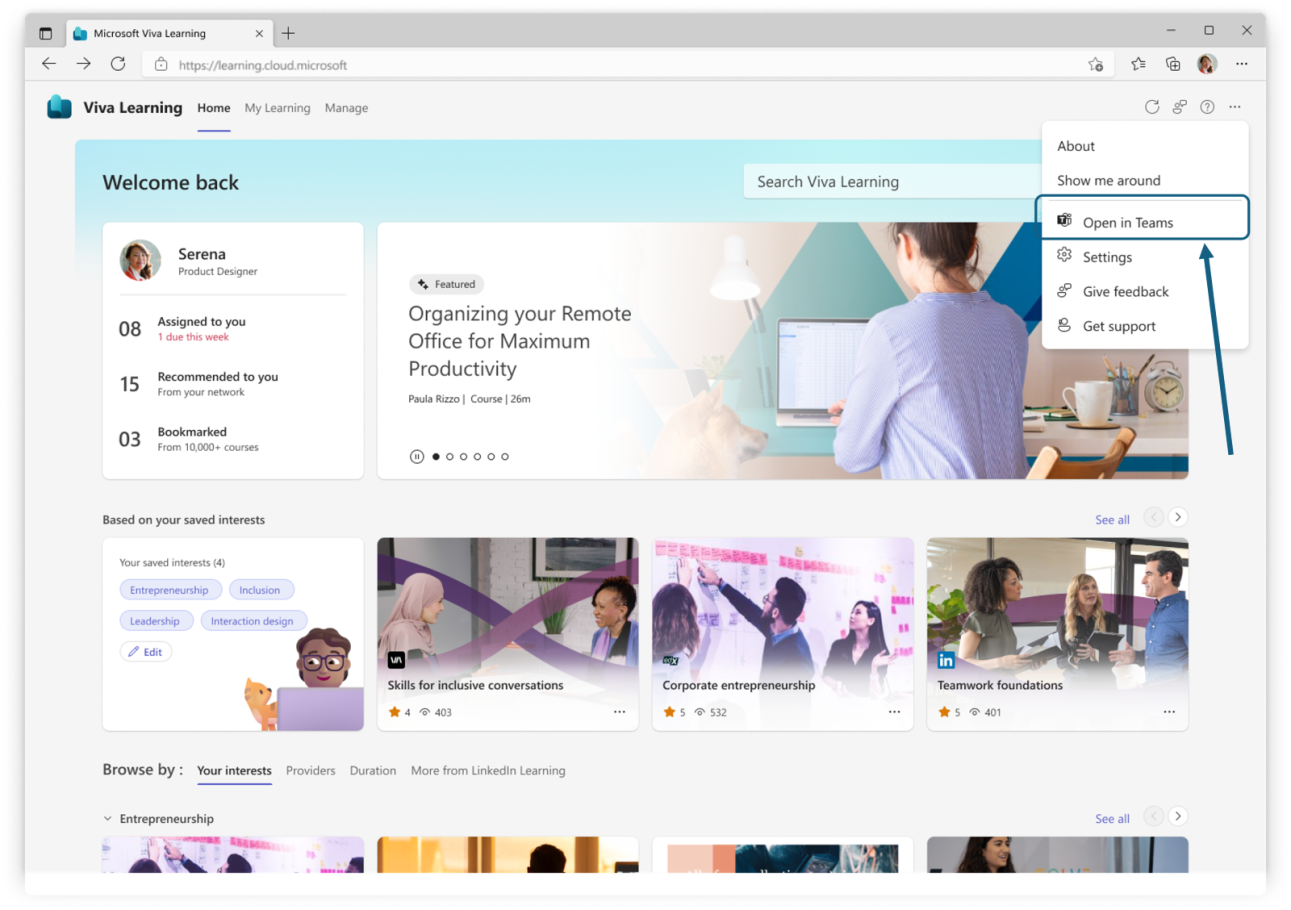
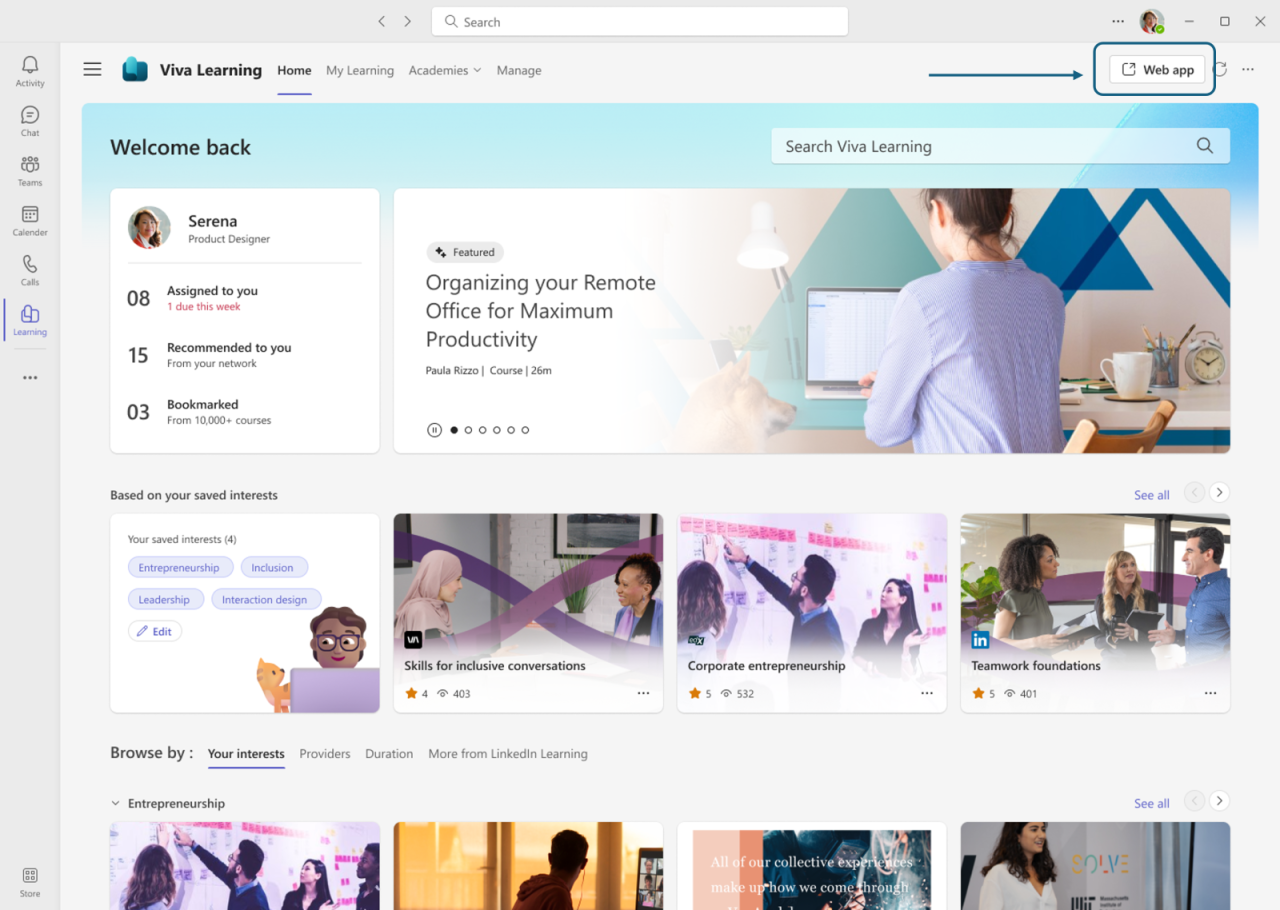
Microsoft Viva Learning is available as an application in Microsoft Teams and also as a standalone Webapp accessible via browser. Now, users will be able to easily switch across these surfaces using the Webapp button in Teams app and the Open in Teams option in Webapp.
This message is associated with Microsoft 365 Roadmap ID 160736
[When this will happen:]
Worldwide: We will begin rolling out late April 2024 (previously early April) and expect to complete by late June 2024 (previously mid-June).
[How this will affect your organization:]
Tenants, admins, and users will see the Webapp button and the Open in Teams option in Webapp.
In the upcoming months, all links in Microsoft Viva Learning verticals in Microsoft SharePoint Bing@Work will open the Viva Learning Webapp. Copy link, Share, Add to Calendar, and Adaptive card features in Viva Learning will be enhanced to have the links of Viva Learning content in Teams app and Webapp.
Open in Teams in Webapp:
Webapp icon in Teams:
[What you need to do to prepare:]
This rollout will happen automatically by the specified date with no action required. You may want to update any relevant documentation as appropriate.
More information
Details
Platforms
- Desktop
Services
- SharePoint
- Teams
- Viva Learning
Microsoft tags
- Updated
- New Feature
- User Adoption