MC732105 Microsoft Viva Engage: Navigation enhancements
Primary service: Viva
ChangePilot summary
- Enhanced navigation for Microsoft Viva Engage across Microsoft Teams, Outlook, and the web to address user feedback and inconsistencies.
- Rollout affects all Viva Engage licensed organizations, with additional module changes for those with Viva Communications and Communities bundle and Viva Suite.
- Navigation realignment focuses on seamless user experience and easier access to modules and features.
- No action required for rollout preparation, but administrators may want to update documentation and notify users.
- Visual aids provided in the form of screenshots to illustrate new versus previous navigation setups.
History
Recorded changes
No changes recorded since ChangePilot first saw this post.
Microsoft message
We're rolling out enhanced navigation for Microsoft Viva Engage. Your valuable feedback pointed out inconsistencies in Viva Engage navigation in Microsoft Teams, integrations with Microsoft Outlook, and Viva Engage for the web, and we listened.
This rollout is for all Viva Engage licensed organizations, but organizations licensed with the Viva Communications and Communities bundle and Viva Suite will see changes to additional modules.
This message is associated with Microsoft 365 Roadmap ID 386905.
[When this will happen:]
General Availability (Worldwide): We will begin rolling out mid-March 2024 and expect to complete by late March 2024.
[How this will affect your organization:]
We realigned the navigation to ensure a seamless experience for all users, and we focused on making modules and features easily accessible.
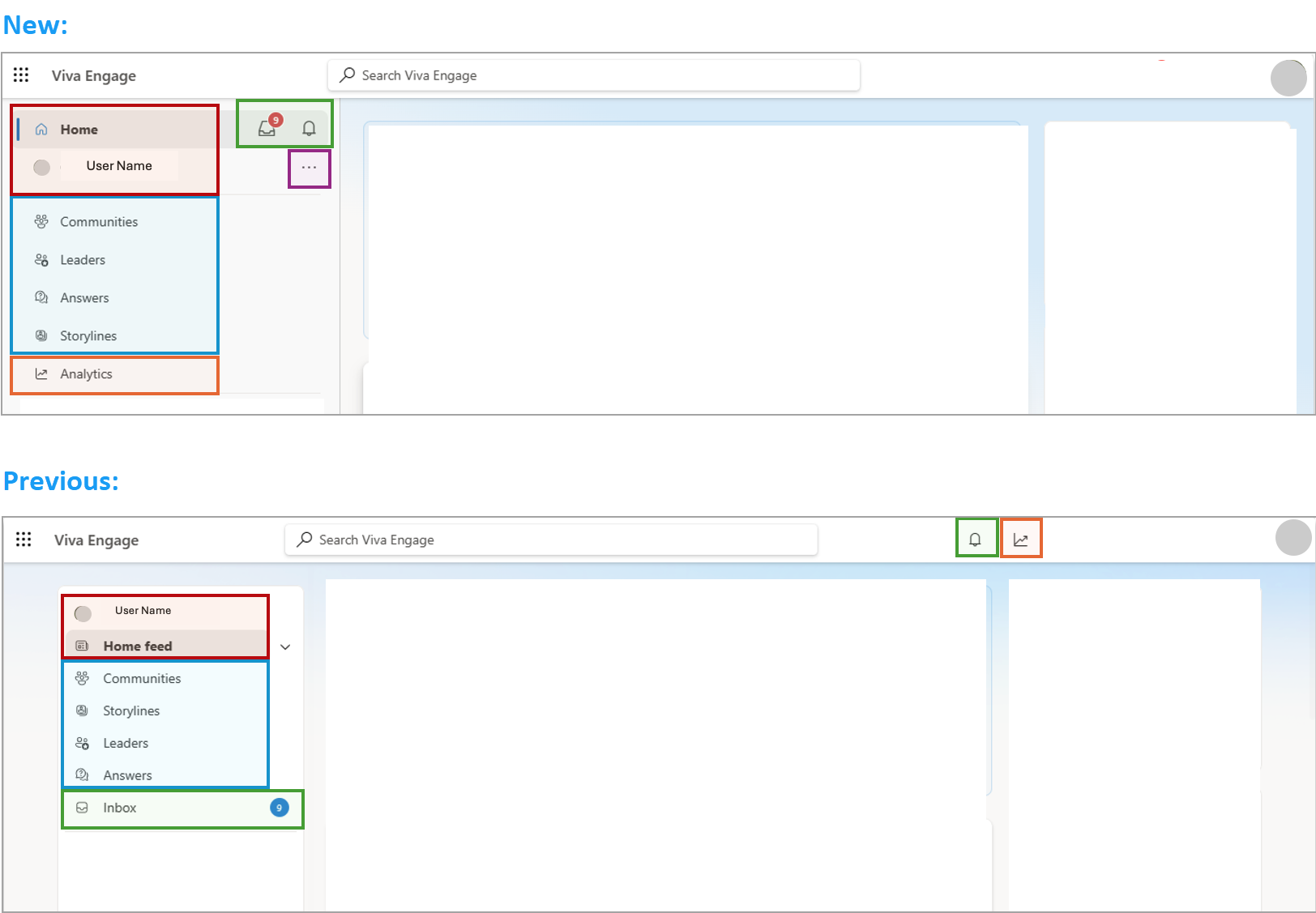
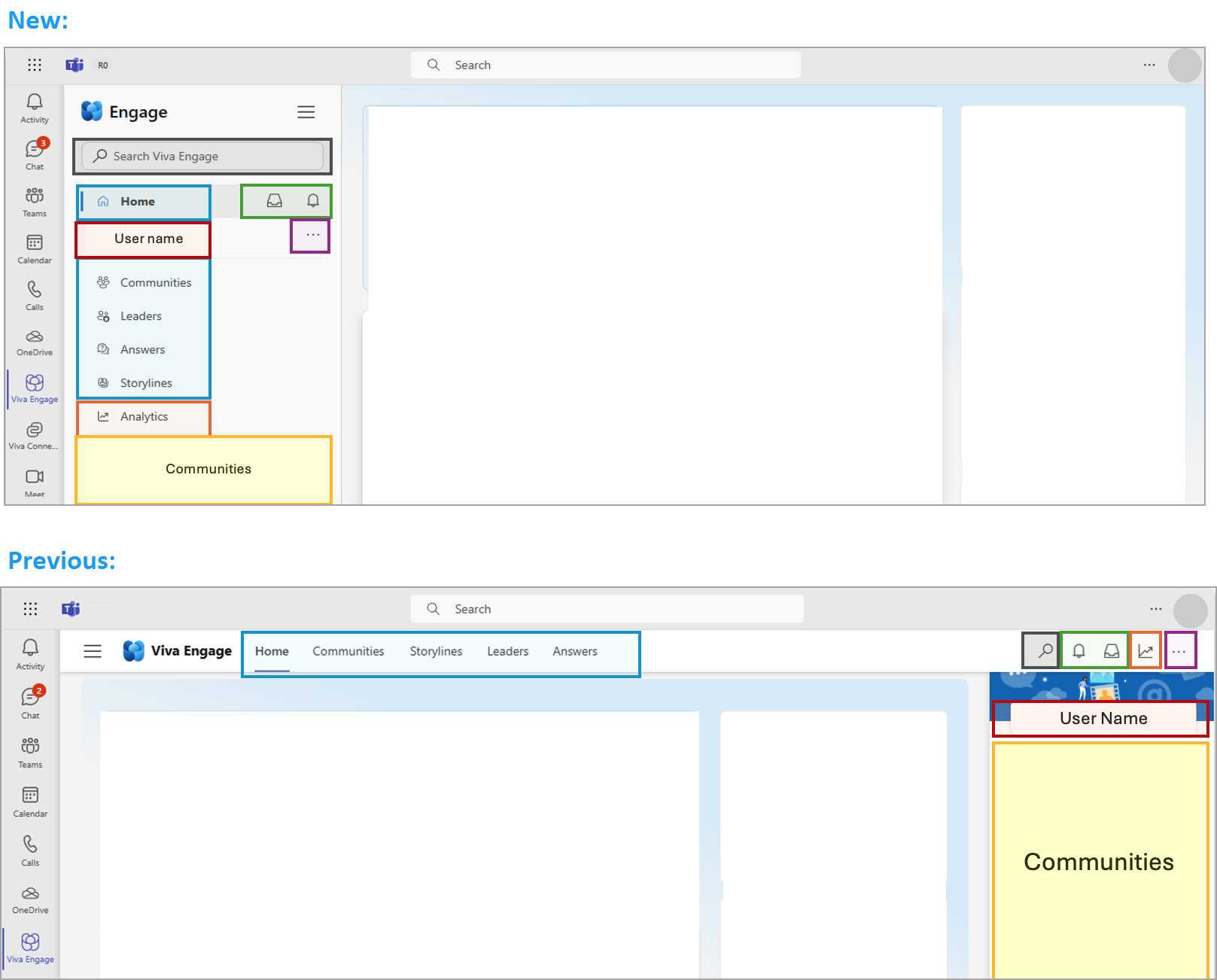
These screenshots show the new module locations (for organizations licensed with the Viva Communications and Communities bundle and Viva Suite) compared to the previous setup for both Viva Engage for the web and integrations with Teams and Outlook. Note: Specific modules may vary based on your Viva Engage licensing, but the core functionality now applies to all licenses universally.
New and previous navigation for Viva Engage for the web:
New and previous navigation for Teams and Outlook:
[What you need to do to prepare:]
No action is needed from you to prepare for this rollout. You may want to notify your users about this change and update any relevant documentation as appropriate.
More information
Details
Platforms
- Web
Services
- Viva
Microsoft tags
- Feature Update
- User Adoption