MC726124 Microsoft Teams: Meeting Options categorization
Primary service: Teams
ChangePilot summary
- Microsoft Teams is introducing categorized Meeting Options to improve clarity and organization for meeting organizers and co-organizers.
- The change is associated with Microsoft 365 Roadmap ID 168523, with rollout starting in early April 2024 for Targeted Release customers.
- No immediate action is required, but staying informed is advised to prepare for the new feature's integration.
- Administrators should consider updating training materials and communicating the changes to their users.
History
Recorded changes
No changes recorded since ChangePilot first saw this post.
Microsoft message
Updated June 6, 2024: We have updated the rollout timeline below. Thank you for your patience.
Meeting Options are a group of settings that organizers and co-organizers set on a per-meeting basis. We are introducing categories within Meeting Options to provide increased clarity within the information architecture of available options and help organizers and co-organizers configure their meetings according to their needs. The categories are available throughout the meeting lifecycle in Microsoft Teams.
This message is associated with Microsoft 365 Roadmap ID: 168523
[When this will happen:]
Targeted Release: We will begin rolling out early April 2024 and expect to complete by late-April 2024.
Standard Release (Worldwide, GCC, GCC High, and DoD): We will begin rolling out late April 2024 and expect to complete by early July 2024 (previously late-May).
[How this will affect your organization:]
Default meeting options are still determined by an org's IT admin, but organizers and co-organizers can override them for a specific meeting.
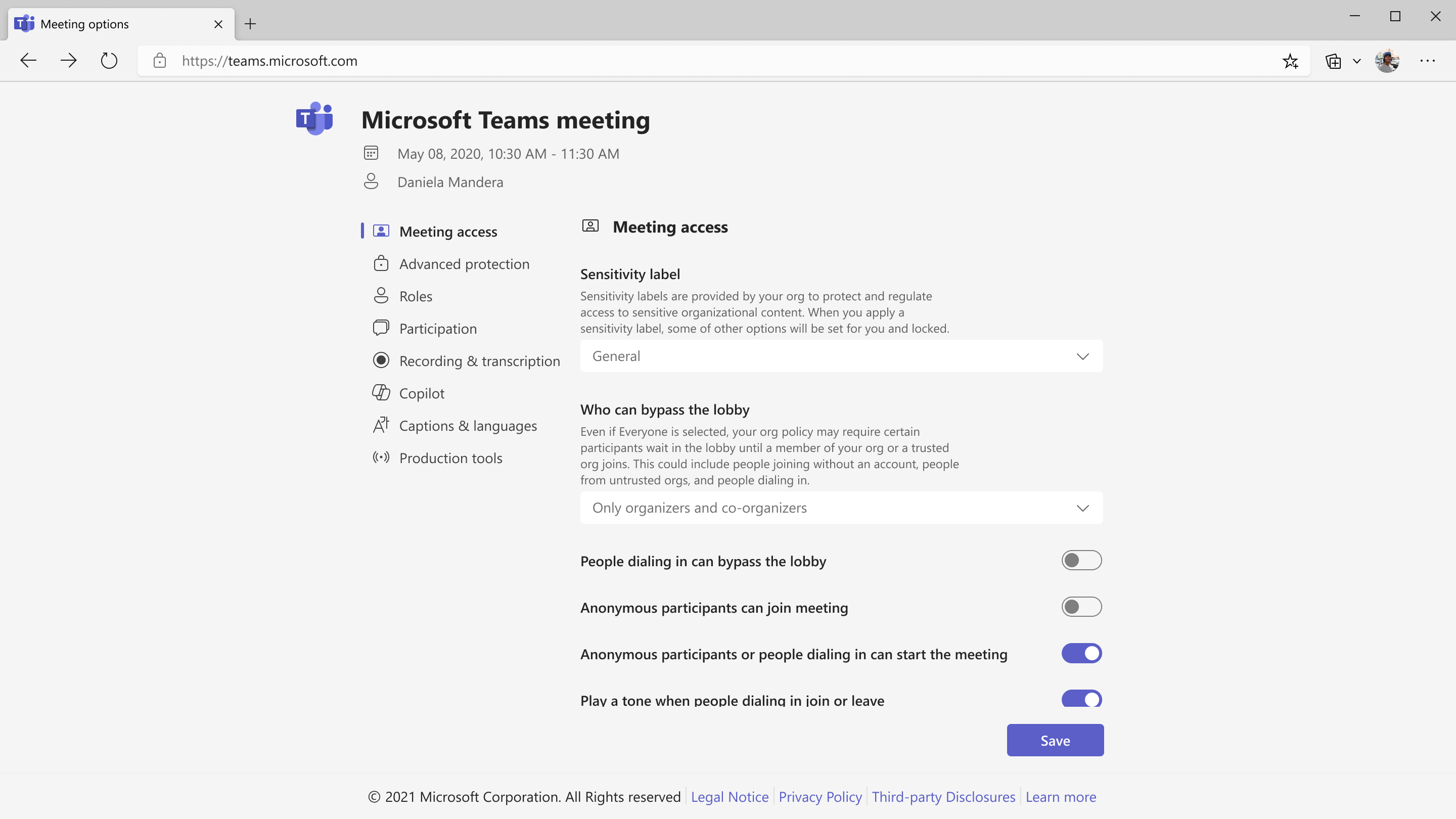
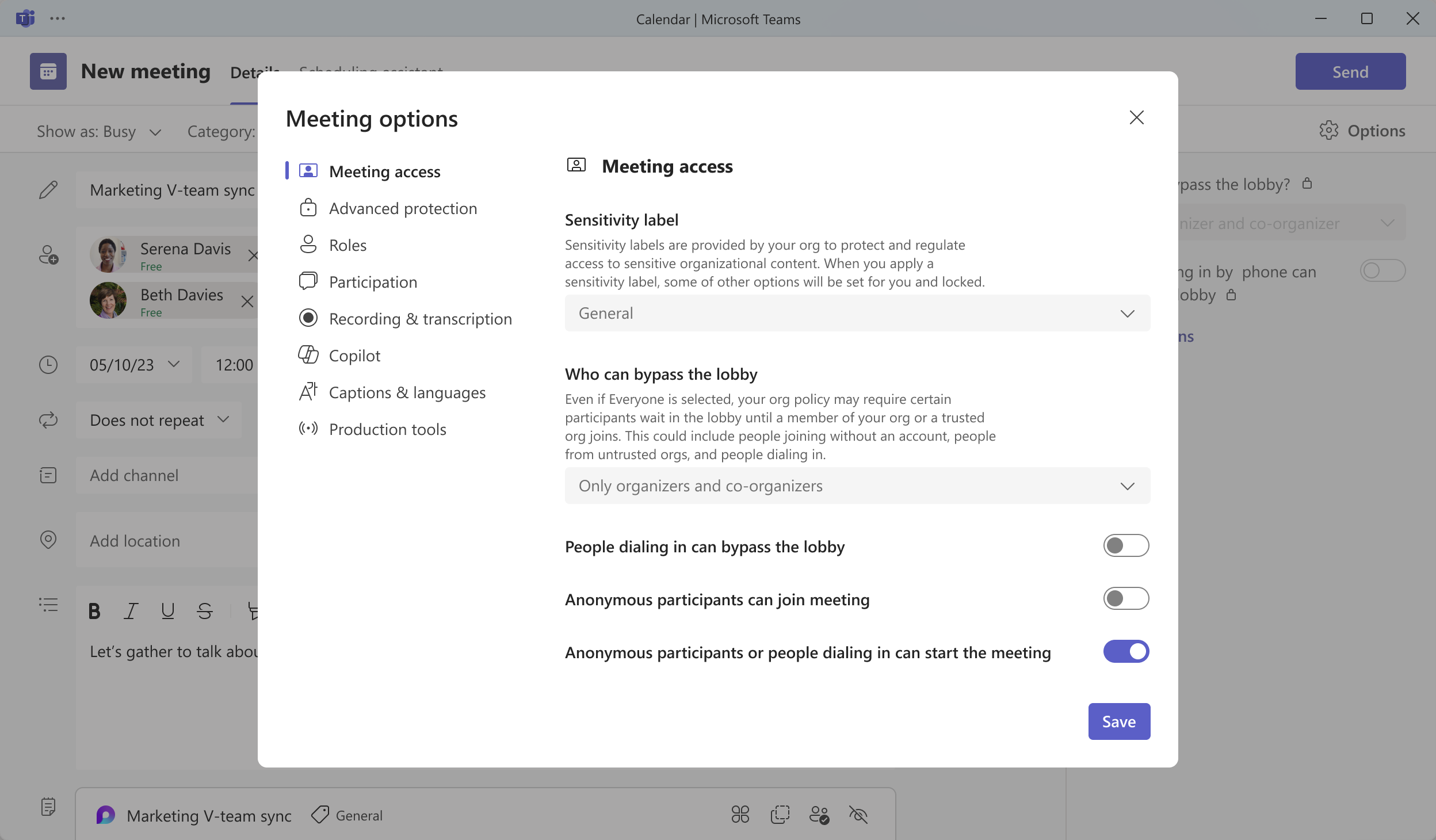
Known limitations:
- The categories are only available in the new Teams client during scheduling and web (excluding Safari).
- The categories are coming to in-meeting Meeting Options later.
[What you need to do to prepare:]
You may consider updating your training and documentation as appropriate.
More information
Details
Platforms
- Desktop
- Mac
- Web
Services
- Teams
Microsoft tags
- Feature Update
- User Adoption
- Admin Action