MC722590 Microsoft Outlook for Mac: New immersive image themes
Primary service: M365 Apps
ChangePilot summary
- New immersive image themes will be added to Outlook for Mac starting April 2024, enhancing user interface customization options.
- The feature is applicable to both commercial and consumer users but does not affect Outlook for the web.
- No administrative action is required for the rollout; however, informing users about the new feature is recommended.
History
Recorded changes
No changes recorded since ChangePilot first saw this post.
Microsoft message
Updated June 14, 2024: We have updated the rollout timeline below. Thank you for your patience.
Note: If your organization does not support Macs, you can ignore this message.
Starting April 2024, Outlook for Mac will offer new immersive image themes. This feature will be available in Outlook for Mac for commercial and consumer users. (This feature is not available on Outlook for the web.)
This message is associated with Microsoft 365 Roadmap ID 189805.
[When this will happen:]
Worldwide, GCC, GCC High, and DoD: We will begin rolling out late March 2024 (previously mid-March) and expect to complete by mid-July 2024 (previously late May) (previously late March).
[How this will affect your organization:]
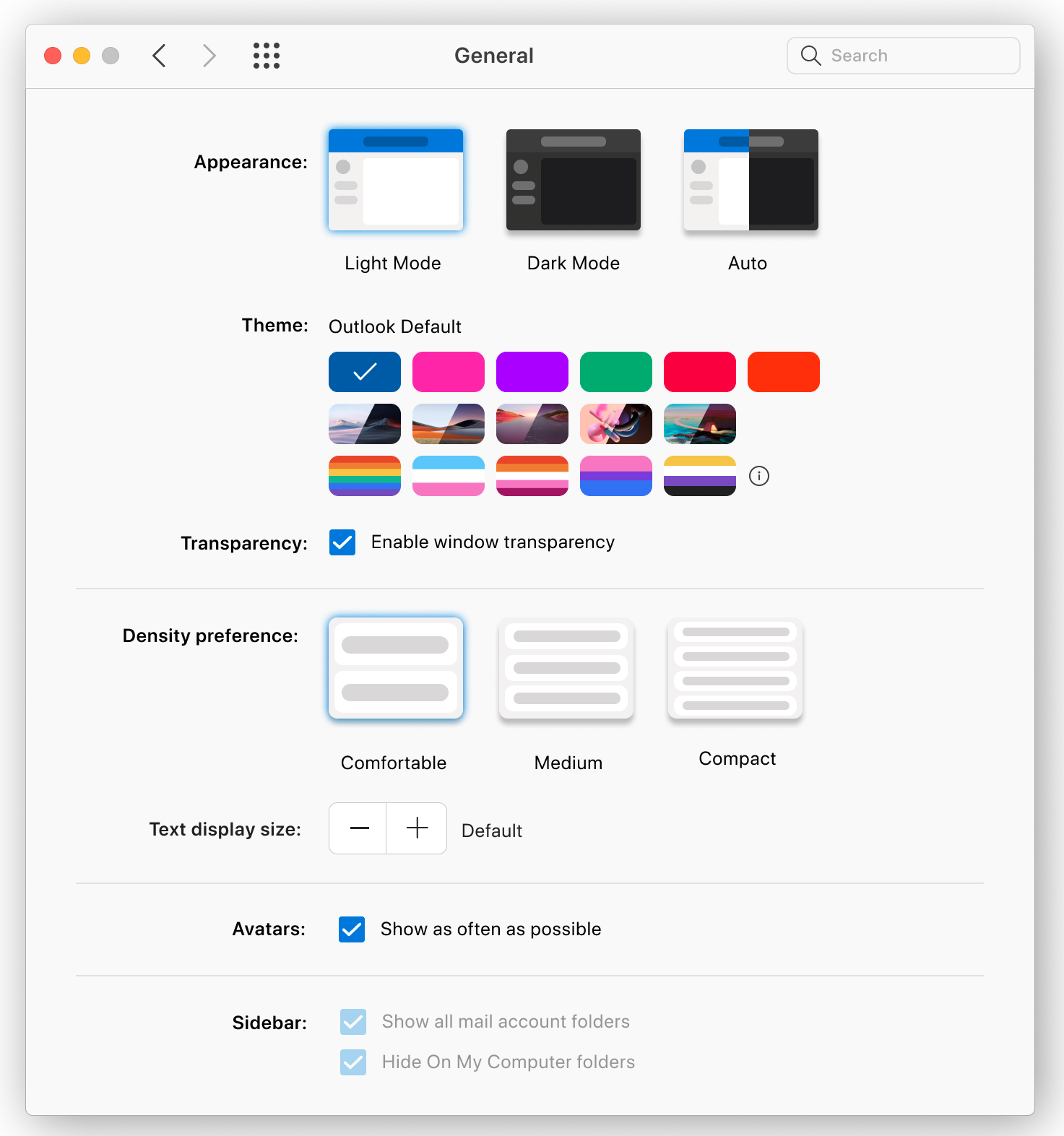
With this change, users will see the new image themes available in Settings > General. If the user opts in, Outlook will apply an immersive image theme to the user’s Outlook for Mac interface.
Select one of the new immersive image Themes:
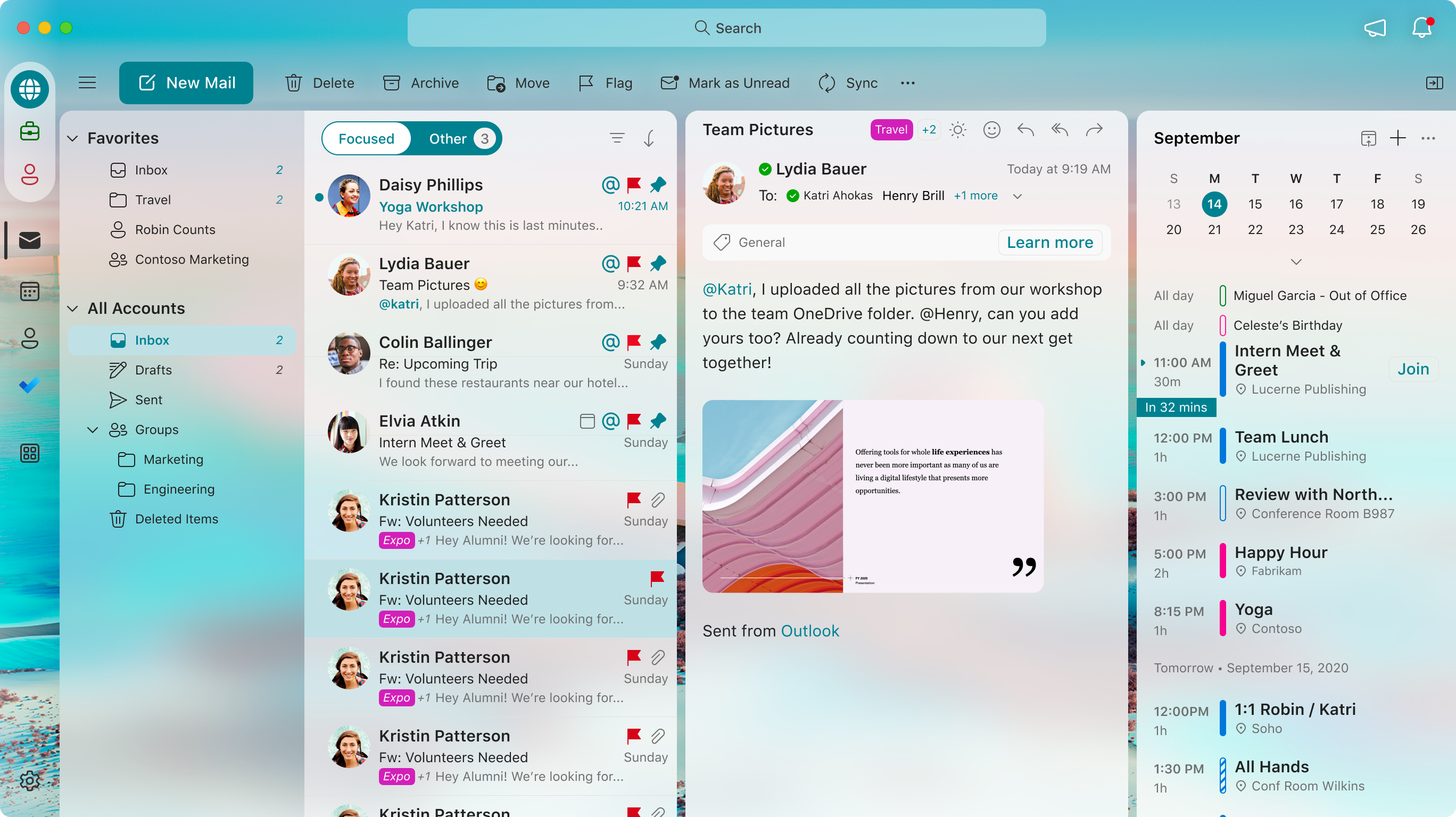
An example of the new theme applied by a user:
[What you need to do to prepare:]
No action is needed from you to prepare for this rollout. You may want to notify your users about this change and update any relevant documentation as appropriate.
More information
Details
Platforms
- Mac
Services
- M365 Apps
Microsoft tags
- New Feature
- User Adoption