MC722585 Microsoft Copilot academy in Viva Learning
Primary service: M365 Copilot
ChangePilot summary
- Microsoft is introducing a new feature called Copilot academy within Viva Learning for users with Microsoft Copilot for Microsoft 365 licenses.
- The rollout will begin and complete in early April 2024, and it will be enabled by default for eligible users.
- Admins can manage the feature by enabling or disabling it in the Viva Learning admin settings under "Manage Academies."
- Users with a paid license for Viva Suite or Viva Learning will have access to structured educational content to enhance their skills with Copilot for Microsoft 365.
History
Recorded changes
No changes recorded since ChangePilot first saw this post.
Microsoft message
Note: If your users do not have a paid license for Viva Suite or Viva Learning, you can ignore this message.
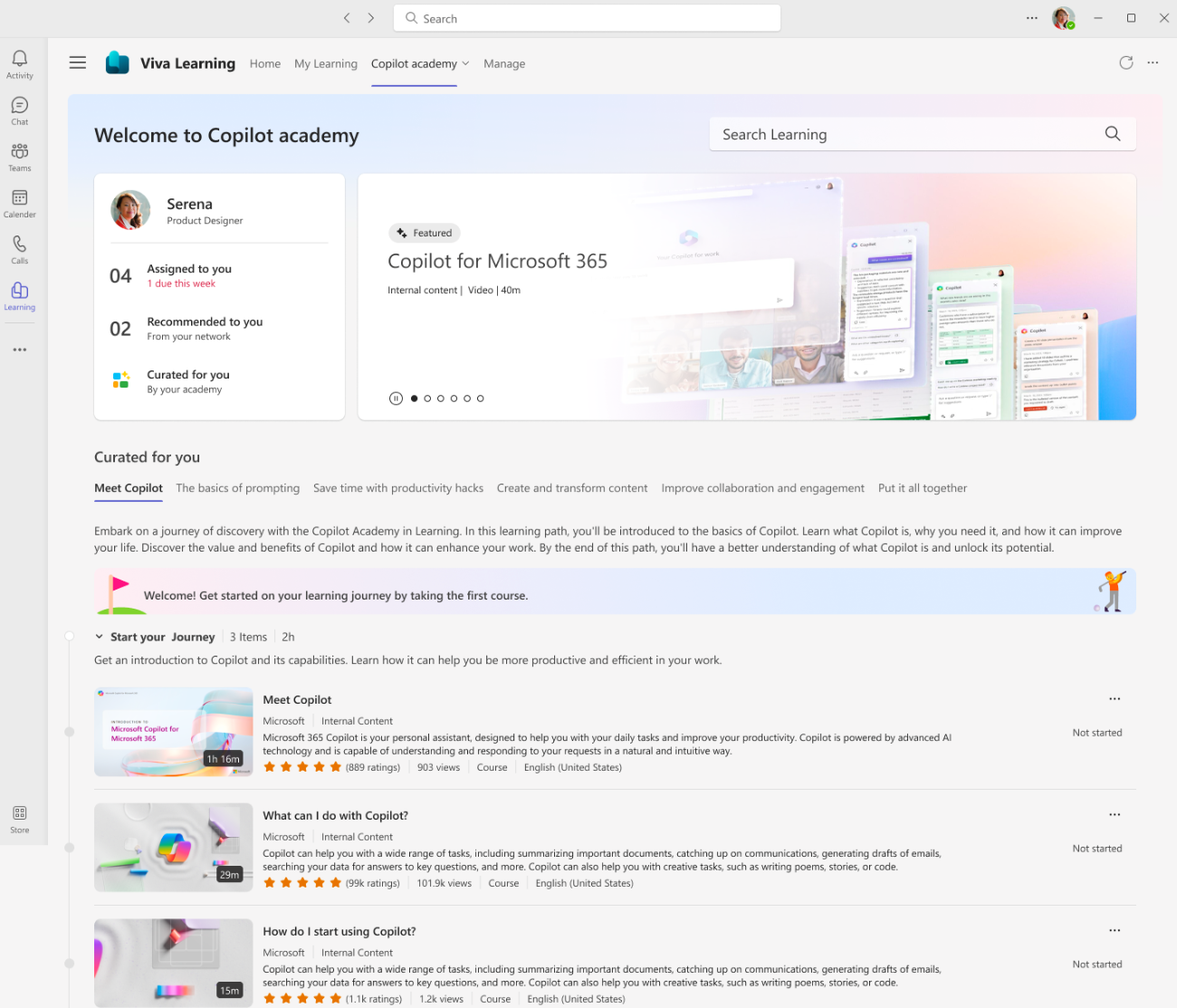
Microsoft Viva Learning is launching Microsoft Copilot academy for tenants with a Microsoft Copilot for Microsoft 365 license. Microsoft Copilot academy is designed to develop user skills associated with Copilot for Microsoft 365 usage. The Copilot academy provides structured educational content in Viva Learning to help users learn about, discover, and use Copilot for Microsoft 365 quickly and effectively.
Worldwide: We will begin rolling out early April 2024 and expect to complete by early April 2024.[How this will affect your organization:]
Copilot academy will be available to users who meet these two criteria:
- Users are provisioned in a tenant that has Copilot for Microsoft 365 licenses.
- Users have been assigned a paid license for Viva Suite or Viva Learning.
Copilot academy will be enabled by default. Admins can disable the academy. Go to Viva Learning > Admin > Manage Academies > toggle to disable or enable Copilot academy.
Toggle to disable and enable the Copilot academy:

[What you need to do to prepare:]
No action is needed from you to prepare for this rollout. You may want to notify your users about the upcoming Copilot academy and encourage them to learn more about Copilot for Microsoft 365. You may also want to update any relevant documentation as appropriate.
More information
Details
Services
- M365 Copilot
Microsoft tags
- New Feature
- User Adoption
- Admin Action