MC720180 AccessedResources field populated in Purview for Meeting Copilot Interactions
Primary service: M365 Copilot
ChangePilot summary
- Microsoft Purview will be updated to include an AccessedResources field for Meeting Copilot Interactions, showing links to resources like meeting recordings in OneDrive and SharePoint Online.
- Administrators should update internal documentation to reflect this change and may need to inform users about the new feature.
- Initially, the feature will support scenarios with both Recording + Transcript options, with plans to support transcript-only scenarios in the future.
History
Recorded changes
No changes recorded since ChangePilot first saw this post.
Microsoft message
Updated May 31, 2024: We have updated the rollout timeline below. Thank you for your patience.
Microsoft Purview users will soon be able to see the AccessedResources field populated in Purview for Meeting Copilot Interactions. The AccessedResources field references files Copilot used in Microsoft 365 services like OneDrive and SharePoint Online to respond to a user’s request.
Meeting Copilot uses the meeting transcript to respond to questions about the meeting. Meeting transcripts are created from the meeting recording, which is stored as an MP4 file in One Drive Share Point. The AccessedResources field contains a link to the meeting recording MP4 file.
[When this will happen:]
General Availability: We will begin rolling out late July 2024 (previously late May) and expect to complete by late August 2024 (previously early June).
[How this will affect your organization:]
Prior to this update, when audit records were generated for Meeting Copilot interactions, the AccessedResources field was empty. As a result of this update, the AccessedResources field will contain a link to the meeting recording MP4 file. To access the transcript through Stream, simply add “?web=1” to the end of the MP4 file link.
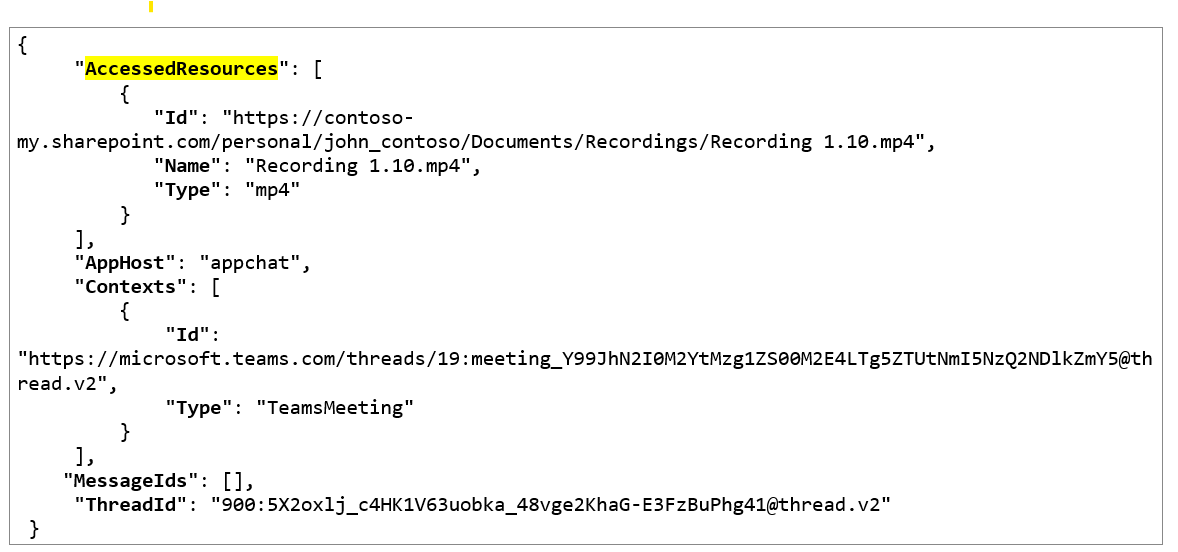
This functionality will be supported when the Recording + Transcript option is selected. Transcript-only scenarios will be supported in the future.
[What you need to do to prepare:]
Admins may want to update internal documentation as appropriate.