MC718761 Microsoft Teams: Meeting recap and meeting artifacts automatically shared in chat after meeting
Primary service: Teams
ChangePilot summary
- Microsoft Teams is introducing a new recap message feature in the meeting chat, linked to Microsoft 365 Roadmap ID 381121.
- The recap message will include links to the meeting recap page, transcript, recording, shared files, and notes or whiteboards used during the meeting.
- Users with access to intelligent recap will receive additional insights such as a list of speakers and suggested tasks.
- No action is required by administrators to implement this change, but they should inform users and update documentation as needed.
History
Recorded changes
No changes recorded since ChangePilot first saw this post.
Microsoft message
Updated May 31, 2024: We have updated the rollout timeline below for GCC organizations. Thank you for your patience.
In Microsoft Teams, we are rolling out a new recap message in the meeting chat.
This message is associated with Microsoft 365 Roadmap ID 381121.
[When this will happen:]
Targeted Release: We will begin rolling out early April 2024 and expect to complete by early April 2024.
Worldwide: We will begin rolling out early April 2024 and expect to complete by late April 2024.
GCC: We will begin rolling out early May 2024 and expect to complete by mid-June 2024 (previously mid-May).
[How this will affect your organization:]
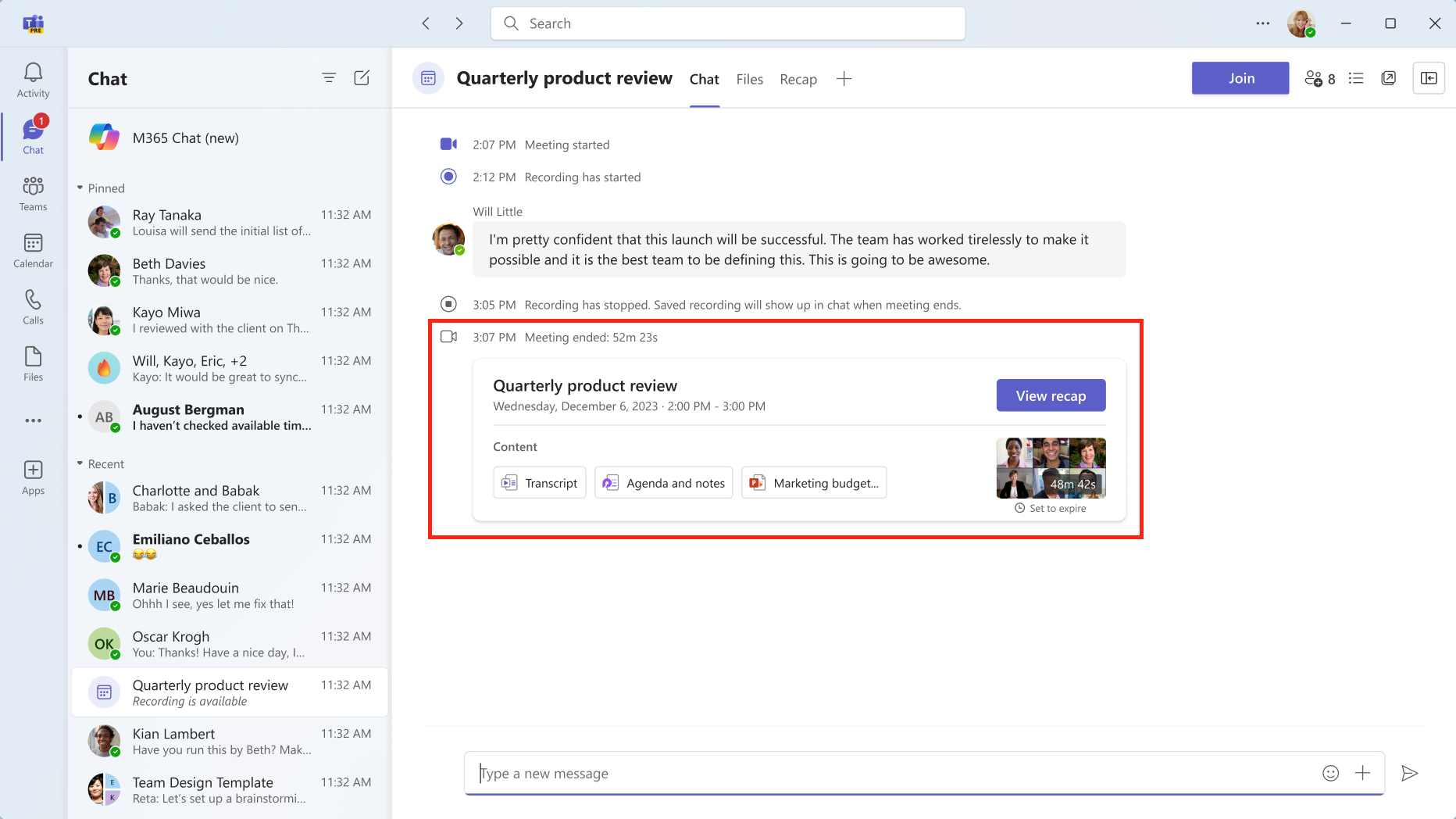
Shortly after a meeting ends, a recap message will appear in the meeting chat with links to the meeting recap page and meeting artifacts such as the transcript, the recording, any files shared in the meeting, and the meeting Collaborative notes and Whiteboard (if used).
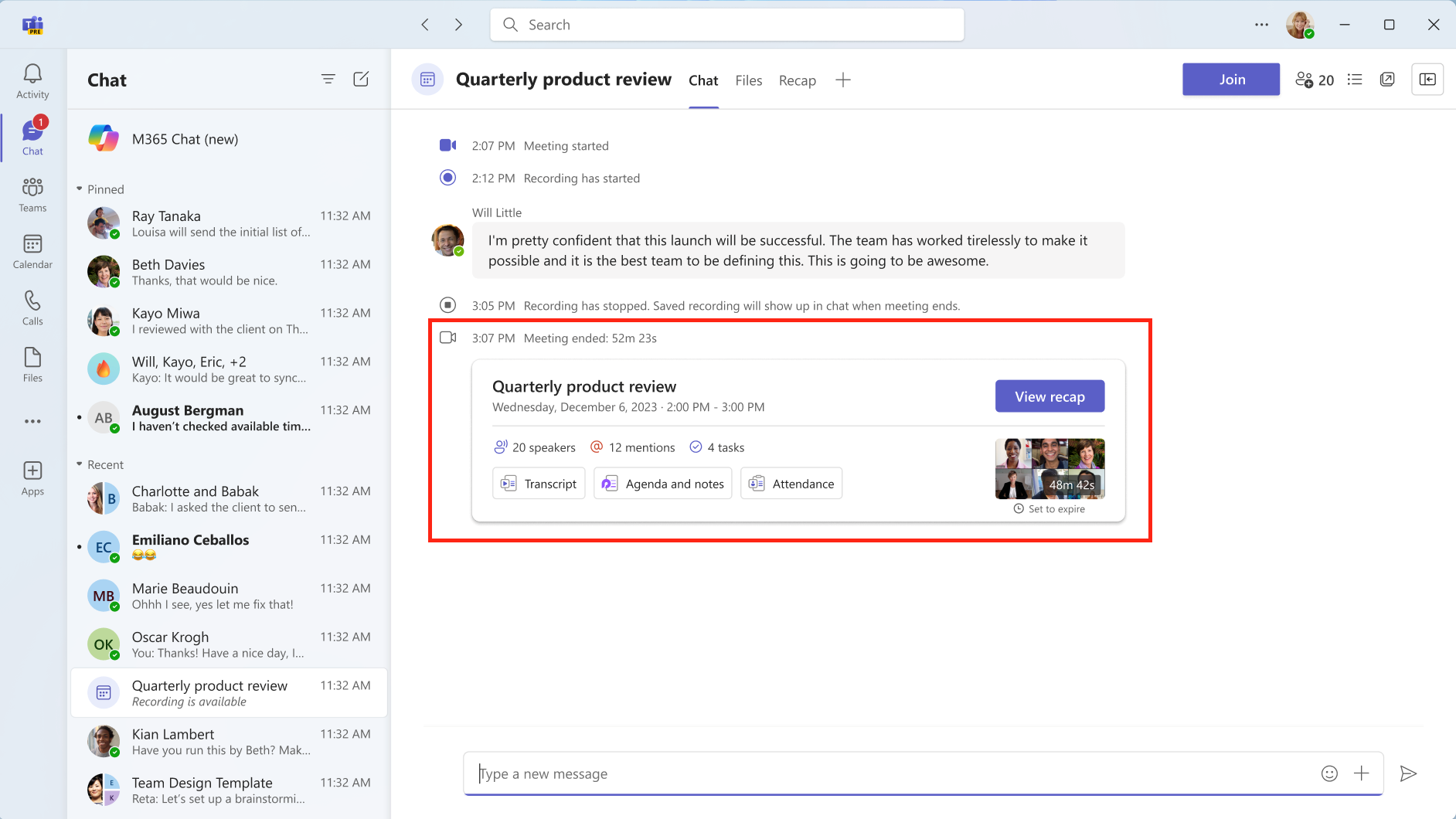
For users with access to intelligent recap, the recap message also will include meeting insights such as the list of speakers, name mentions of users in the meeting, and suggested tasks.
Teams users:
Teams users with access to intelligent recap:
[What you need to do to prepare:]
No action is needed to prepare for this change. You may want to notify your users about this change and update any relevant documentation as appropriate.
More information
- www.microsoft.com/microsoft-365/roadmap?filters=&searchterms=381121
- support.microsoft.com/office/meeting-recap-in-microsoft-teams-c2e3a0fe-504f-4b2c-bf85-504938f110ef#bkmk_intelligent_meeting_recap
- img-prod-cms-rt-microsoft-com.akamaized.net/cms/api/am/imageFileData/RW1hRu2
- img-prod-cms-rt-microsoft-com.akamaized.net/cms/api/am/imageFileData/RW1hTXZ
Details
Platforms
- Desktop
- Mac
Services
- Teams
Microsoft tags
- New Feature
- User Adoption