MC718263 Copilot for Sales plugin in Microsoft Teams meetings
Primary service: M365 Copilot
ChangePilot summary
- Microsoft Teams meetings will feature a new Copilot for Sales plugin, integrating with Microsoft Dynamics 365 Sales for enriched sales data access during meetings.
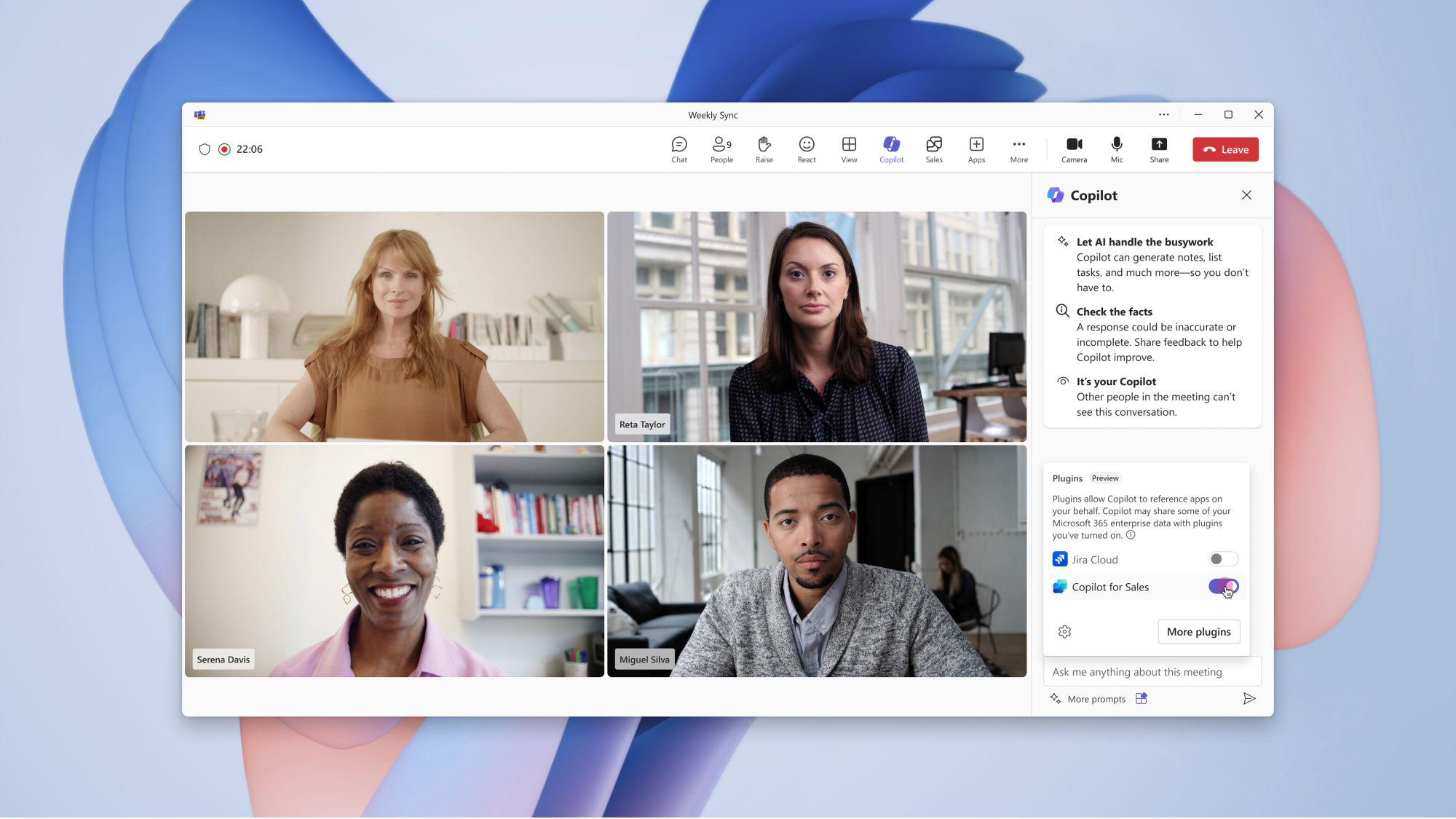
- The plugin is off by default; users can enable it manually to receive sales summaries and real-time competitor insights.
- No administrative process changes are required, but admins should enable the plugin to allow user access to its features.
History
Recorded changes
No changes recorded since ChangePilot first saw this post.
Microsoft message
Updated June 27, 2024: We have updated the rollout timeline below. Thank you for your patience.
In Microsoft Teams meetings, admins can enable the Copilot for Sales plugin in the Preview menu. All plugins are toggled off by default, and users can toggle them on from the plugin menu. When the Copilot for Sales plugin is set to on, Copilot for Microsoft 365 in Microsoft Teams meetings will be able to access Microsoft Dynamics 365 Sales data to get a summary of the sales information for the meeting based on the transcript as well as retrieve brand information for the account from Dynamics 365 Sales if the account name was mentioned.
This message is associated with Microsoft 365 Roadmap ID 373655
[When this will happen:]
We will begin rolling out to all users who have Copilot for Microsoft 365 and a Copilot for Sales license enabled in early June 2024 (previously mid-May) and expect to complete by late June 2024 (previously mid-June).
[How this will affect your organization:]
There is no change to the admin process to enable the Copilot for Sales plugin.
The eligible end-users of the Copilot for Sales plugin will now be able to use Copilot for Microsoft 365 in Microsoft Teams meetings to get information about sales opportunities, brands, and competitors.
Additionally, Copilot for Microsoft 365 in Microsoft Teams meetings will also suggest real-time tips related to brands and competitors from Copilot for Sales at opportune moments. These real-time tips will be supplied by Copilot for Sales based on real-time intelligence in the meeting transcript.


[What you need to do to prepare:]
Admins should enable the Copilot for Sales plugin so that end-users can enjoy the benefits of this feature.
More information
- www.microsoft.com/microsoft-365/roadmap?filters=&searchterms=373655
- img-prod-cms-rt-microsoft-com.akamaized.net/cms/api/am/imageFileData/RW1hRf8?ver=ce17
- img-prod-cms-rt-microsoft-com.akamaized.net/cms/api/am/imageFileData/RW1hYUd?ver=0da6
- img-prod-cms-rt-microsoft-com.akamaized.net/cms/api/am/imageFileData/RW1hTIw?ver=79f7
- img-prod-cms-rt-microsoft-com.akamaized.net/cms/api/am/imageFileData/RW1hYU6?ver=87b3
- img-prod-cms-rt-microsoft-com.akamaized.net/cms/api/am/imageFileData/RW1hTIa?ver=4ede
Details
Platforms
- Desktop
- Mac
Services
- M365 Copilot
Microsoft tags
- New Feature
- User Adoption