MC714514 Microsoft Viva Engage: New option to close voting in polls
Primary service: Viva
ChangePilot summary
- Microsoft Viva Engage is introducing a feature update that allows poll creators and admins to close voting in polls.
- The change will have a user impact as it alters the way users interact with polls. Once a poll is closed, users will not be able to vote.
- The change will also have an admin impact, potentially requiring IT administrators to provide support or training to users on how to use this new feature.
History
Recorded changes
No changes recorded since ChangePilot first saw this post.
Microsoft message
Microsoft Viva Engage will offer the option for poll creators and admins to close voting in polls. Once closed, users cannot vote in the poll.
[When this will happen:]
Standard Release: We will begin rolling out in mid-February 2024 and expect to complete by late March 2024.
[How this will affect your organization:]
Users who create polls in Microsoft Viva Engage will now have the option to close voting on polls using the Overflow menu in the top right of the conversation card. The Close Poll option is available on Microsoft Viva Engage web, Microsoft Teams and Microsoft Outlook apps, and all mobile surfaces (iOS and Android apps included).
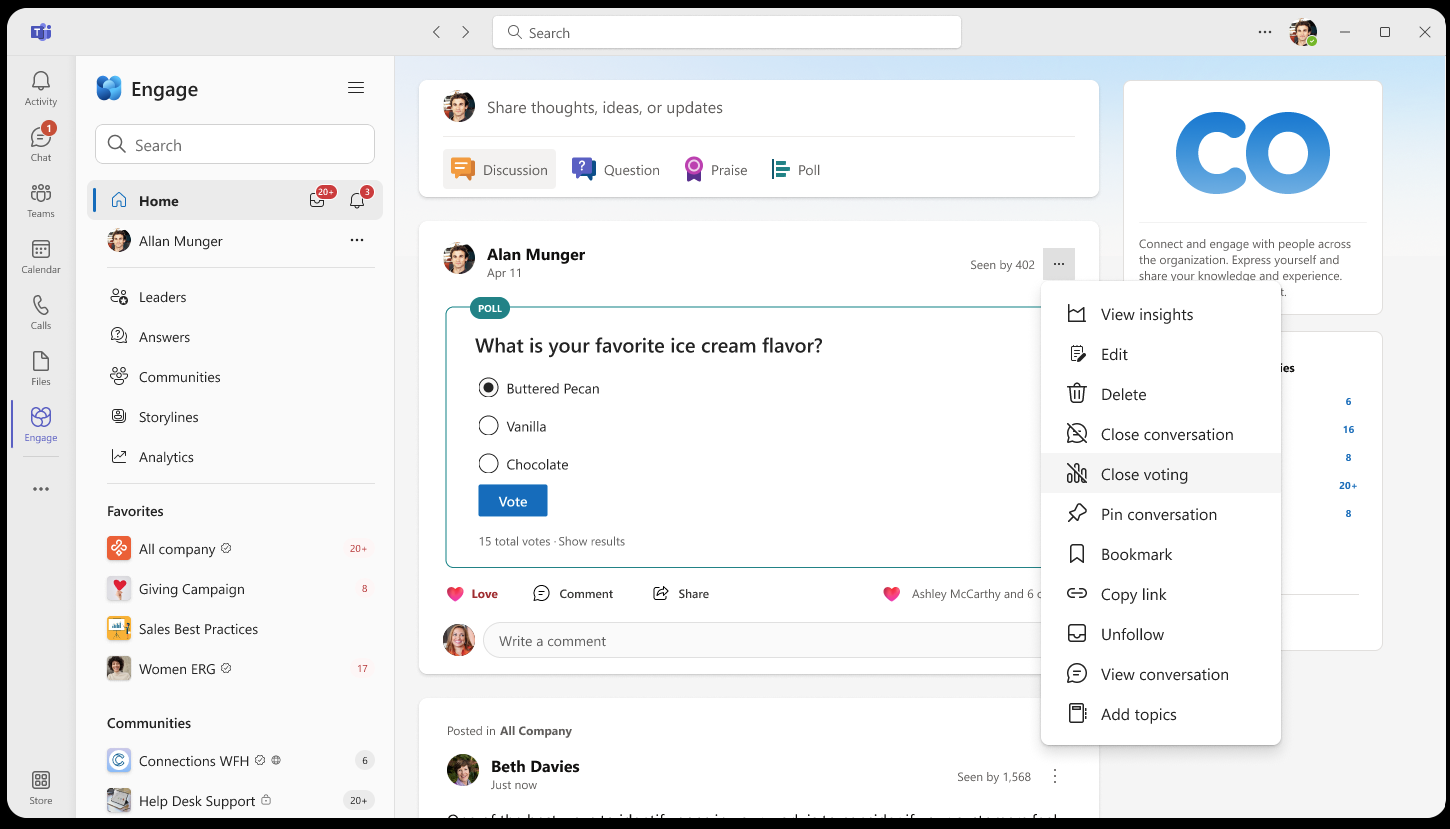
All users will see who closed the poll and the date. A system message shows this information in the conversation card.

Polls cannot be set to close on a certain day or time. Closure happens immediately after the user selects the option to close voting. Creators, community admins, and Engage admins can reopen voting on a closed poll at any time.

[What you need to do to prepare:]
There is no action needed to prepare for this change. You may want to notify your users about this change and update any relevant documentation as appropriate.
Details
Services
- Viva
Microsoft tags
- Feature Update
- User Adoption
- Admin Impact