MC712149 Viva Engage: New Articles feature
Primary service: Viva
ChangePilot summary
- Microsoft is introducing a new feature called "Articles" for Microsoft Viva Suite and Employee Communications and Communities customers in Viva Engage.
- This feature allows users to add rich media to a post, create longer-form posts, and use Viva Engage to blog.
- "Articles" can be viewed on any device and provide a simple way for leaders and employees to share their perspectives, insights, and knowledge with the organization.
- No immediate action is needed from administrators, but they may want to notify users about this change and update any relevant documentation.
History
Recorded changes
No changes recorded since ChangePilot first saw this post.
Microsoft message
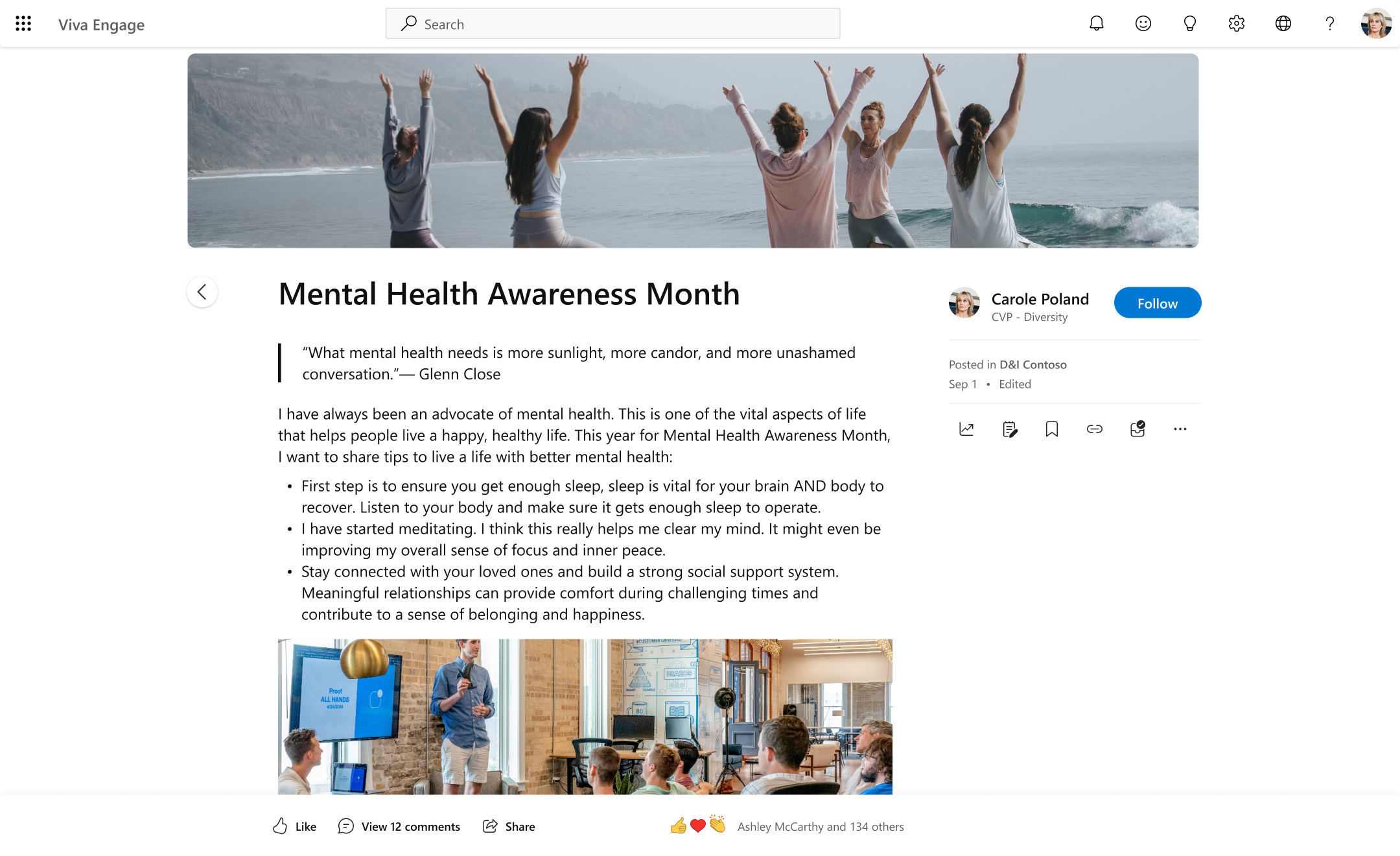
Articles are a new post type for Microsoft Viva Suite and Employee Communications and Communities customers in Viva Engage. Articles provides the flexibility to add rich media to a post, create longer-form posts, and use Viva Engage to blog. Corporate communicators can now enjoy the flexibility and simplicity of content creation directly in Viva Engage, with control over formatting and design. Articles can be viewed on any device.
Articles provide a simple way for leaders and employees to share their perspectives, insights, and knowledge with the organization, fostering a sense of connection and pride. Viva Engage also provides conversation and audience analytics for Articles, helping communicators and leaders understand what content resonates with employees and improve their communication strategies.
This message is associated with Microsoft 365 Roadmap ID 177407.
[When this will happen:]
We will begin rolling out mid-February 2024 and expect to complete by early March 2024.
[How this will affect your organization:]
Employees can view, react, and respond to articles as part of your existing Microsoft 365 license. To create an article, the employee must be licensed for Viva suite or Employee Communications and Communities (C&C).
[What you need to do to prepare:]
No action is needed to prepare for this change. You may want to notify your users about this change and update any relevant documentation as appropriate.
More information
Details
Platforms
- Web
Services
- Viva
Microsoft tags
- New Feature
- User Adoption