MC711335 Microsoft Defender for Office 365: Quarantine End User Allow and Block list management
Primary service: Defender
ChangePilot summary
- Microsoft is updating the way users allow and block emails in Exchange Online in Microsoft Defender for Office 365.
- Users will be able to block emails from unwanted senders with one click, preventing those emails from showing up in their default quarantine view and in their quarantine notifications.
- If no admin overrides exist, users will also be able to allow emails from trusted senders, preventing future emails from those senders from going into quarantine.
- Users can now review any admin override reasons that lead to quarantined emails.
History
Recorded changes
No changes recorded since ChangePilot first saw this post.
Microsoft message
Updated June 27, 2024: We have updated the rollout timeline below. Thank you for your patience.
In Microsoft Defender for Office 365, we are updating the way end users allow and block emails in Exchange Online.
This message is associated with Microsoft 365 Roadmap ID 380185.
[When this will happen:]
Worldwide: We will begin rolling out late April 2024 (previously late March) and expect to complete by mid-June 2024 (previously mid-May).
GCC, GCC High and DoD: We will begin rolling out mid-Mary 2024 (previously late April) and expect to complete by late June 2024 (previously mid-June).
[How this will affect your organization:]
With one click, end users will block emails from unwanted senders and prevent those emails from showing up in their default quarantine view and in their quarantine notifications. If no admin overrides exist, end users will also be able to allow emails from trusted senders and prevent future emails from those senders from going into quarantine. End users can now review admin any override reasons that lead to quarantined emails.
Figure 1: Allow sender action:
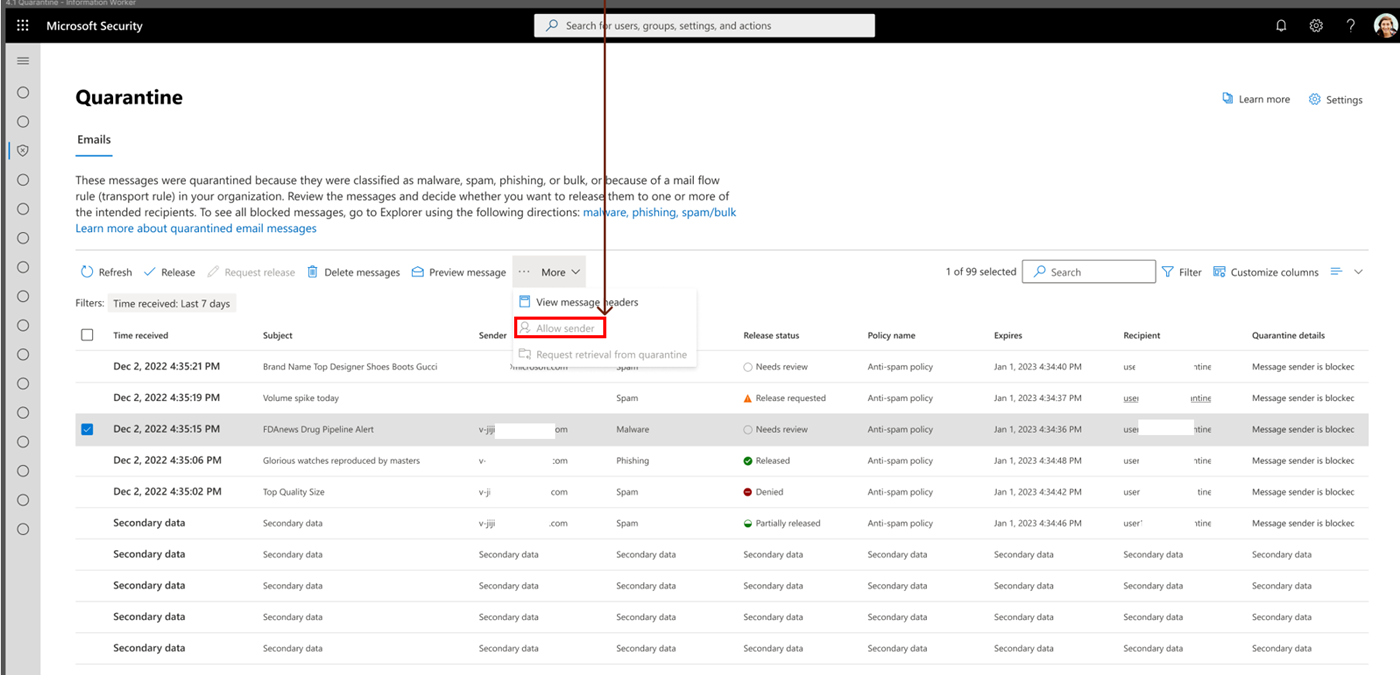
Figure 2: Review admin Override reason:
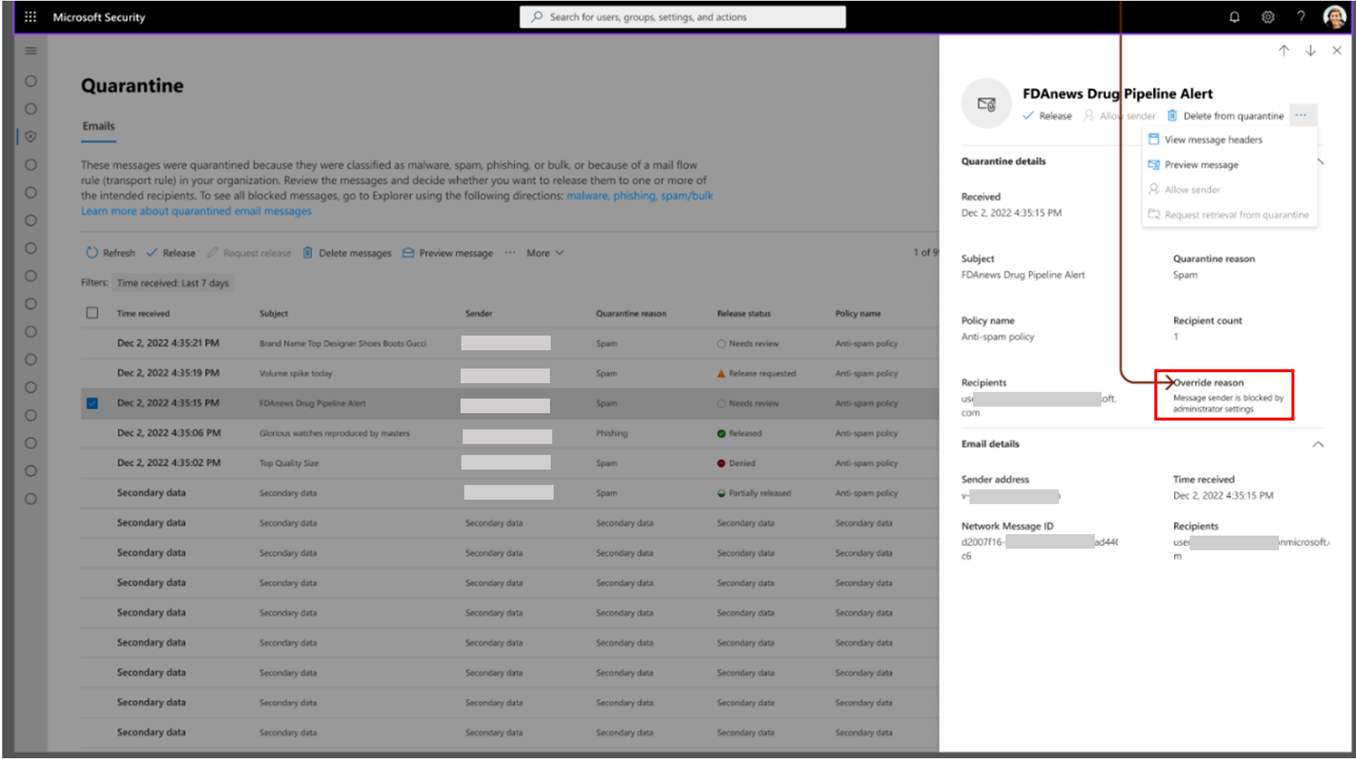
Figure 3: Undo Block sender:
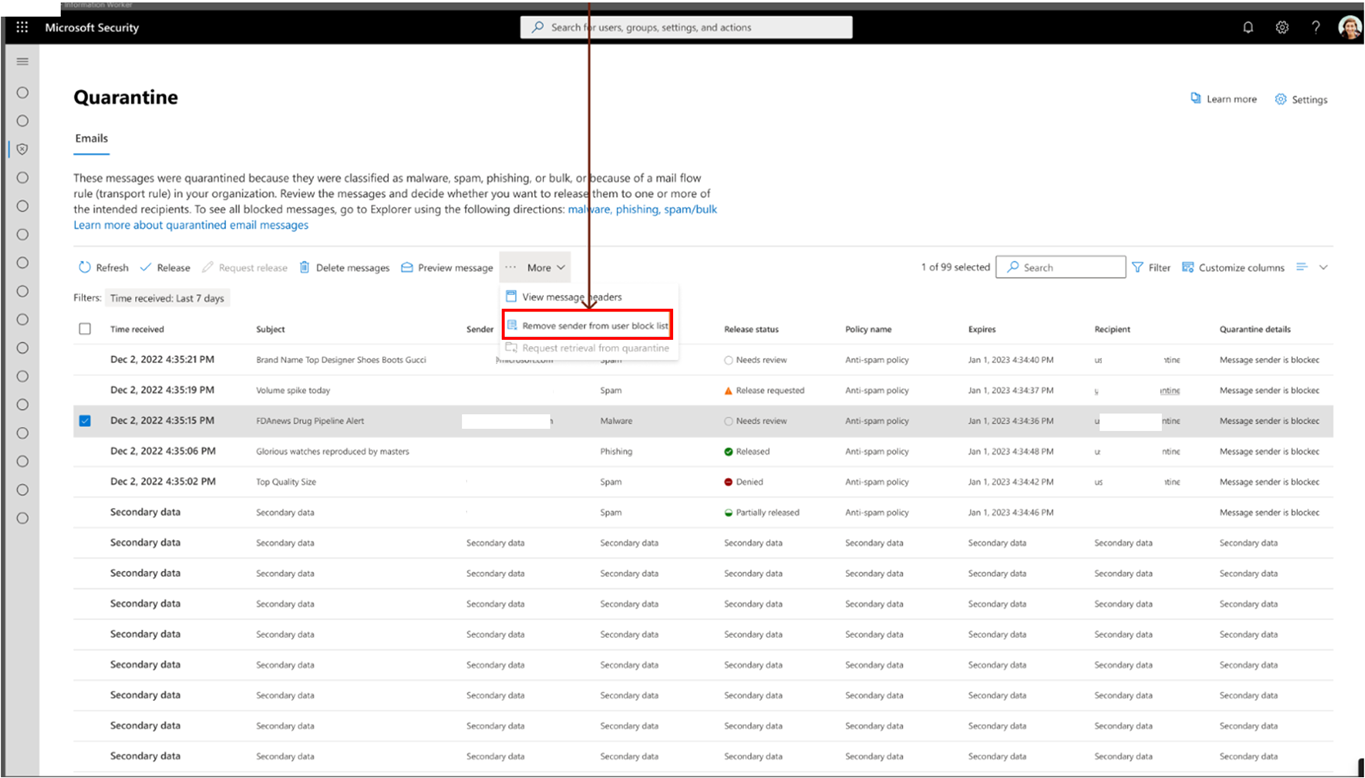
Figure 4: Allow sender in Quarantine policy:
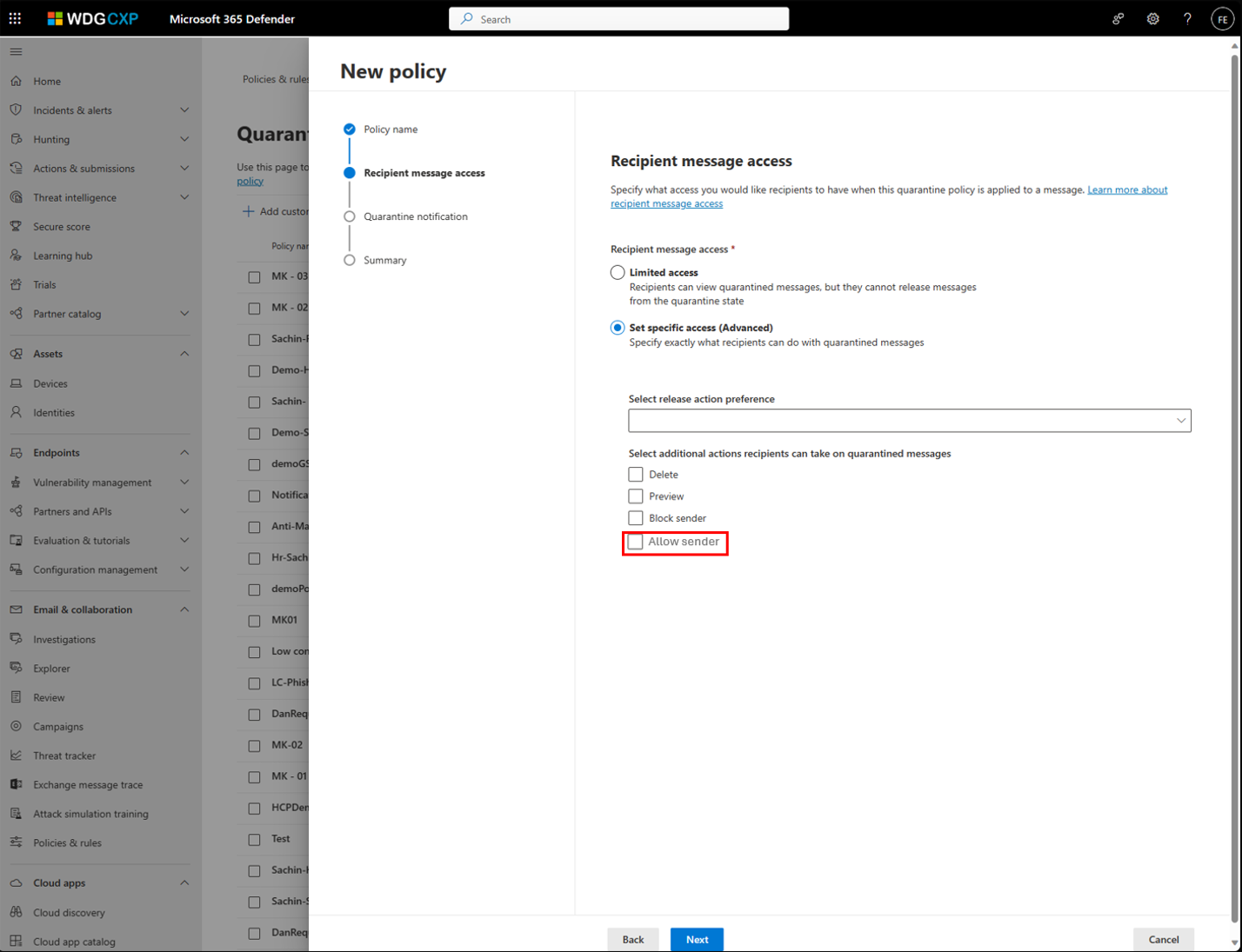
Figure 5: Block sender action eliminated from default Quarantine policies:
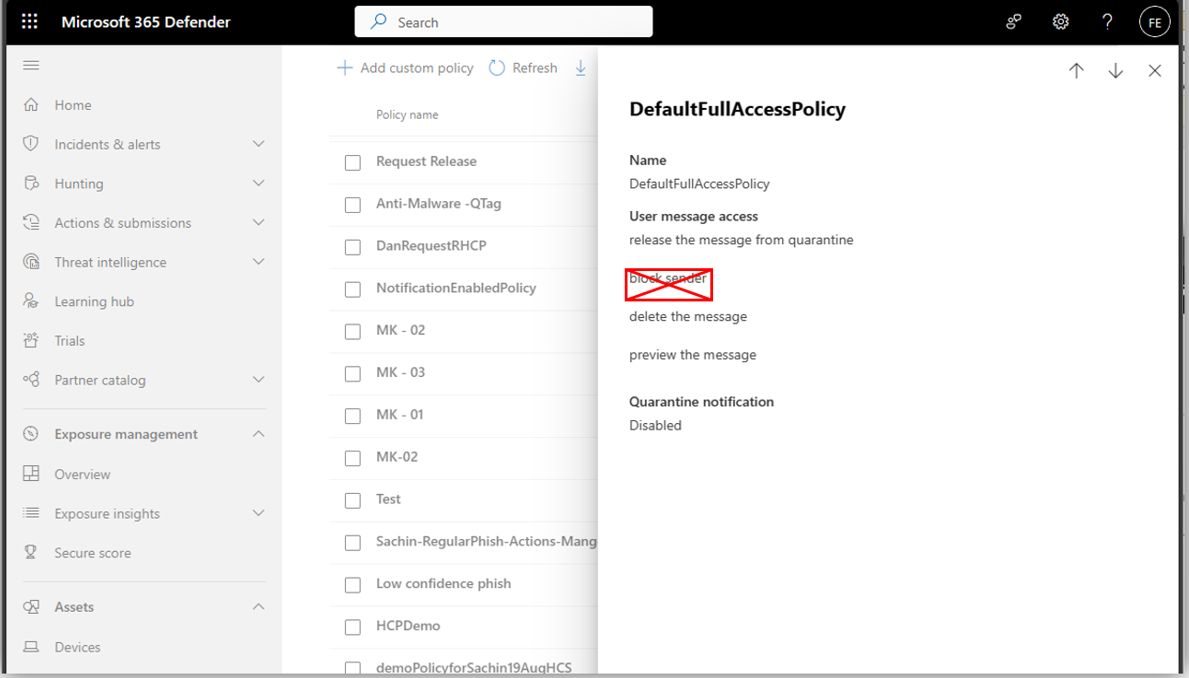
Figure 6: How to include or exclude messages from blocked sender in Quarantine notification:
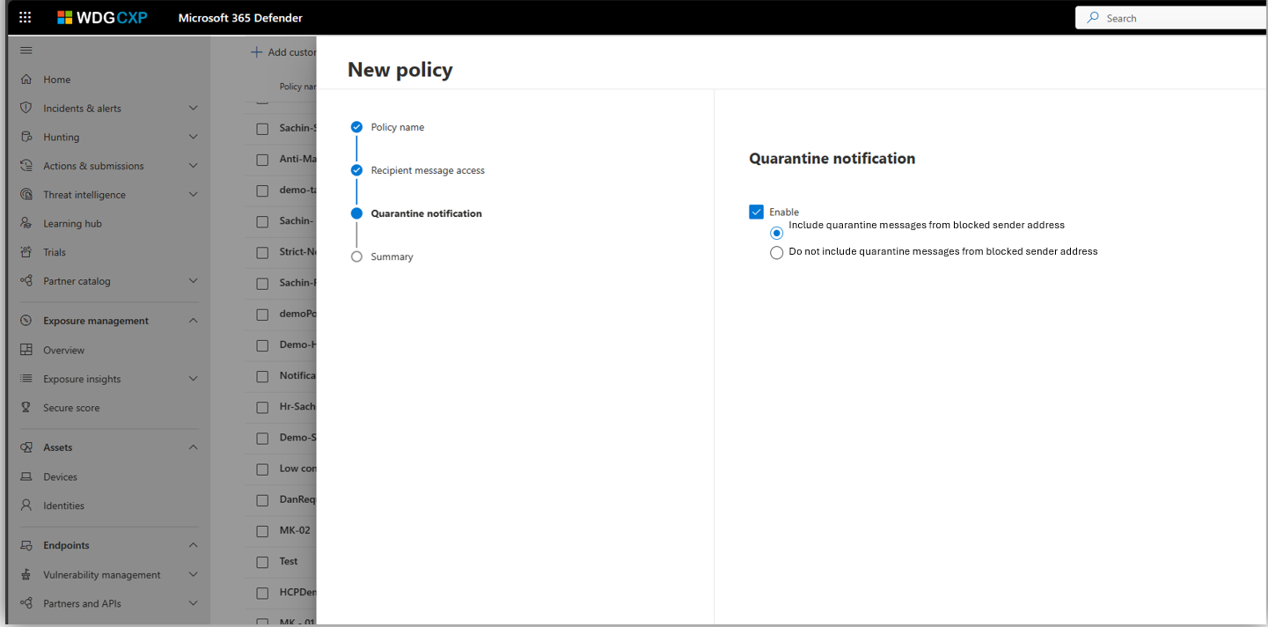
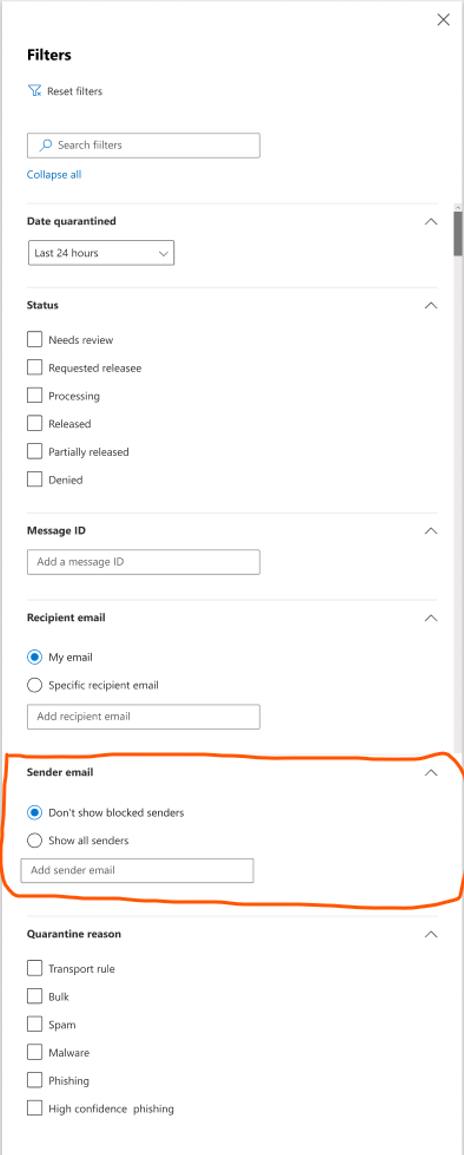
Figure 7: Quarantined messages from blocked senders are excluded from Quarantine view by default:
[What you need to do to prepare:]
No action is needed to prepare for this change. You may want to notify your users about this change and update any relevant documentation as appropriate.
More information
- img-prod-cms-rt-microsoft-com.akamaized.net/cms/api/am/imageFileData/RW1h32a?ver=
- img-prod-cms-rt-microsoft-com.akamaized.net/cms/api/am/imageFileData/RW1h8hc?ver=037e
- img-prod-cms-rt-microsoft-com.akamaized.net/cms/api/am/imageFileData/RW1haKy?ver=8454
- img-prod-cms-rt-microsoft-com.akamaized.net/cms/api/am/imageFileData/RW1hamX?ver=d7a9
- img-prod-cms-rt-microsoft-com.akamaized.net/cms/api/am/imageFileData/RW1han0?ver=11cd
- img-prod-cms-rt-microsoft-com.akamaized.net/cms/api/am/imageFileData/RW1hd76?ver=995a
- img-prod-cms-rt-microsoft-com.akamaized.net/cms/api/am/imageFileData/RW1hgaE?ver=94c2
- www.microsoft.com/microsoft-365/roadmap?filters=&
Details
Platforms
- Web
Services
- Defender
- Exchange
Microsoft tags
- Updated
- Feature Update
- User Adoption
- Admin Action