MC710215 Microsoft SharePoint news for email now supports custom template tab settings and wider posts
Primary service: SharePoint
ChangePilot summary
- ""News for email"" is a new feature update allowing SharePoint News posts to be converted into email formats for Outlook for Windows, enhancing user engagement and read tracking.
- Rollout begins mid-January 2024 for Targeted Release and early February 2024 for Standard Release and Government Clouds, with completion expected by mid-February 2024.
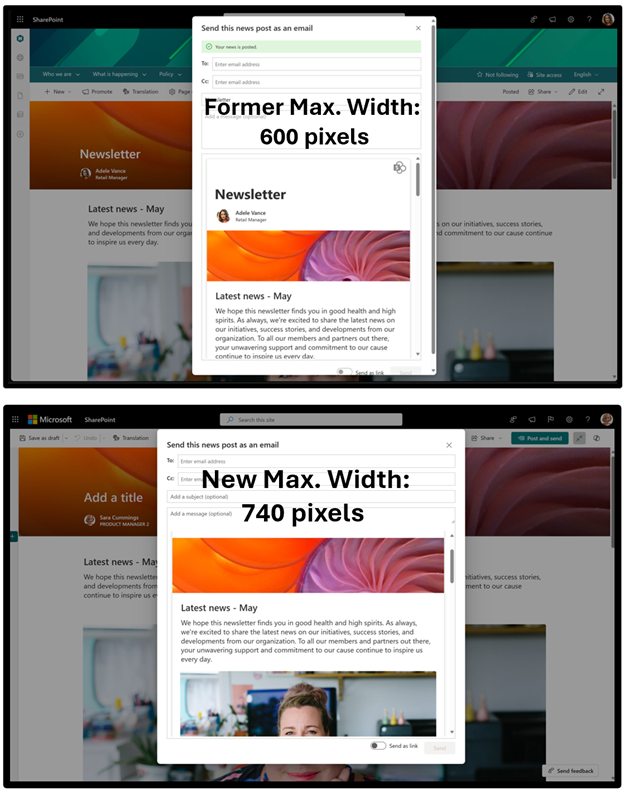
- SharePoint News will display wider in Outlook for Windows (up to 740 pixels) for improved readability, with a responsive design for smaller screens.
- Administrators can prioritize custom templates in SharePoint by setting them as the default, which will appear before Microsoft's built-in templates.
History
Recorded changes
No changes recorded since ChangePilot first saw this post.
Microsoft message
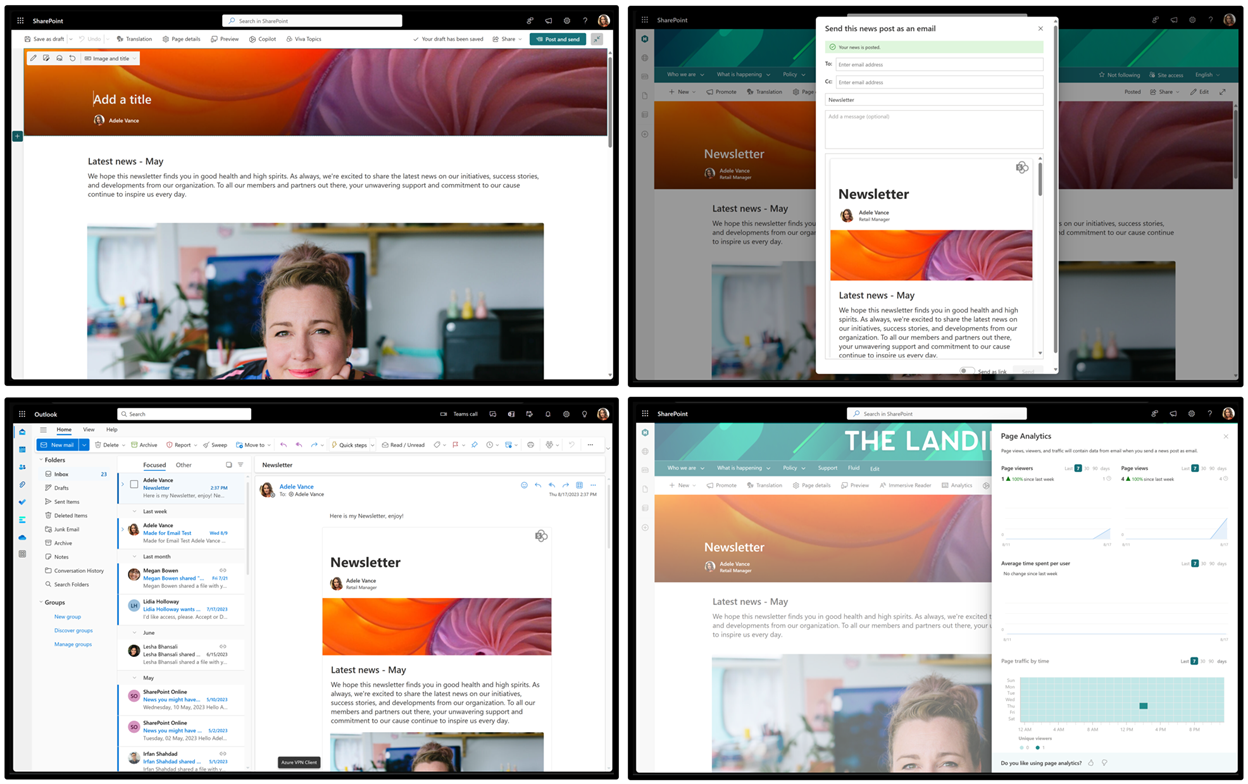
News for email is a new type of News template that authors can use to convert SharePoint News posts into distributions for Microsoft Outlook for Windows email inboxes. You can now engage your audience directly in their Outlook for Windows inbox and track their mail reads.
[When this will happen:]
Targeted Release: We will begin rolling out mid-January 2024 and expect to complete by early February 2024.
Standard Release, GCC, GCC High, DoD, USSec, and USNat: We will begin rolling out early February 2024 and expect to complete by mid-February 2024.
[How this will affect your organization:]
SharePoint News posts recipients may see wider widths when they open Made for email news on a wider desktop view in Outlook for Windows. Site admins can now make the Saved on this site template picker tab open first when they set a custom template as the site default.
Custom template picker tab settings
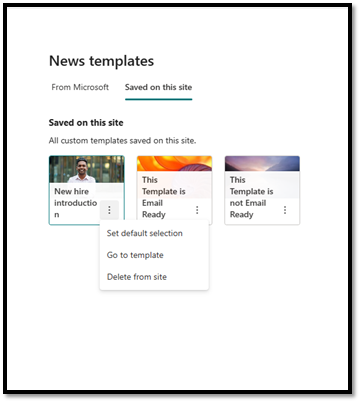
When you set a custom template as your site default, the Saved on this site tab will open first in the News template picker, and your templates will appear before the built-in templates from Microsoft. Follow these steps:
- Identify your primary template under Saved on this site.
- Expand the associated ellipsis (three dot) menu.
- Select Set default selection.
To undo this change, set a Microsoft built-in template as your default.
Wider messages on Microsoft Outlook for Windows
When you open a Made for email news post in your Outlook for Windows inbox, the post will now be wider (up to 740 pixels) when space is available, for a more legible view. The Send time preview will show the 740-pixel view. On mobile devices or when space is not available, posts will revert to 600 pixels wide.
[What you need to do to prepare:]
Learn more about this update: Introducing new SharePoint news for email feature and SharePoint News for Email templates.
No action is needed to prepare for this change. You may want to notify your users about this change and update any relevant documentation as appropriate.
More information
Details
Services
- SharePoint
Microsoft tags
- Feature Update
- User Impact
- Admin Impact