MC709981 Adding matched attachment details in Activity Explorer for Data Loss Prevention rules in Exchange
Primary service: M365
ChangePilot summary
- Microsoft 365 is introducing new fields in Microsoft Exchange to enhance Data Loss Prevention (DLP) by providing detailed information about email attachments that trigger DLP rules.
- The update is associated with Microsoft 365 Roadmap ID 369015 and will be visible in Activity Explorer, DLP Alerts, and Microsoft Theft Protection (MTP) Alerts.
- Rollout phases include a Preview in mid-February 2024, with completion in late February 2024, and a Standard Release starting in late February 2024, expected to finish by late March 2024.
- No preparation is needed for this update, but administrators may choose to notify users and update documentation as needed.
History
Recorded changes
No changes recorded since ChangePilot first saw this post.
Microsoft message
Updated August 26, 2024: To ensure the optimal experience for our customers, we have decided not to proceed with the rollout at this time. We will communicate via Message center when we are ready to proceed. Thank you for your patience.
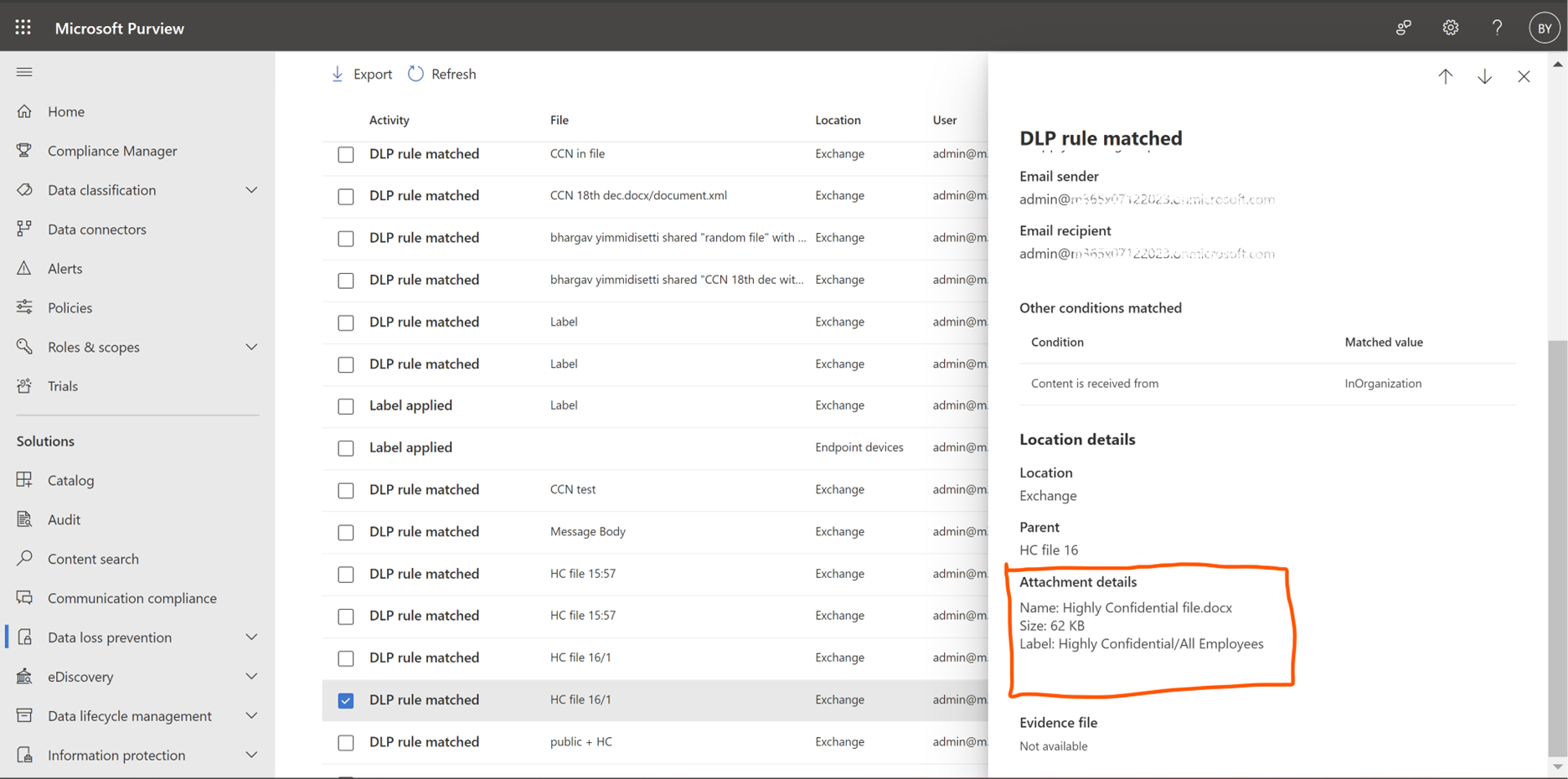
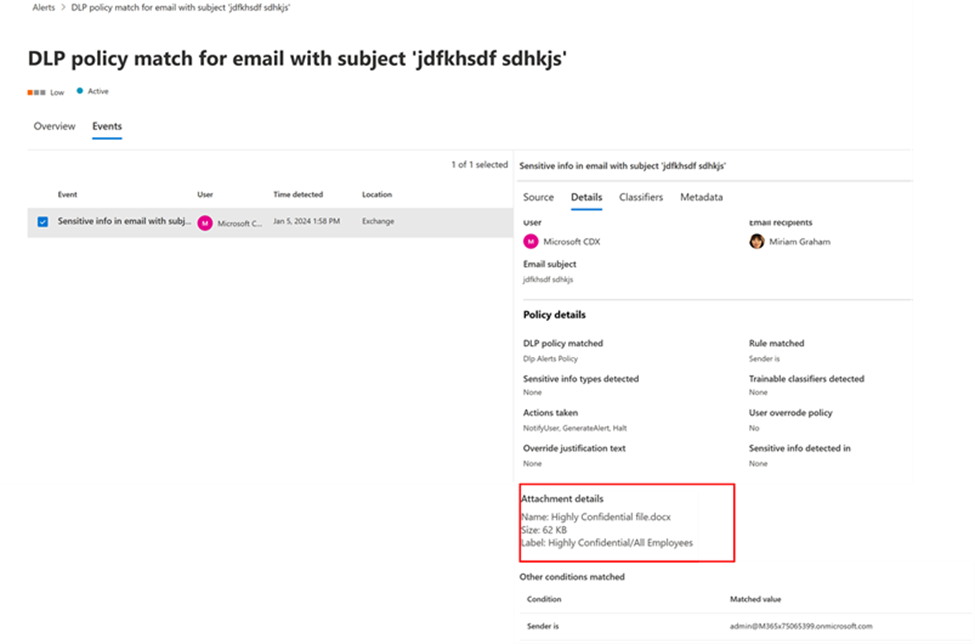
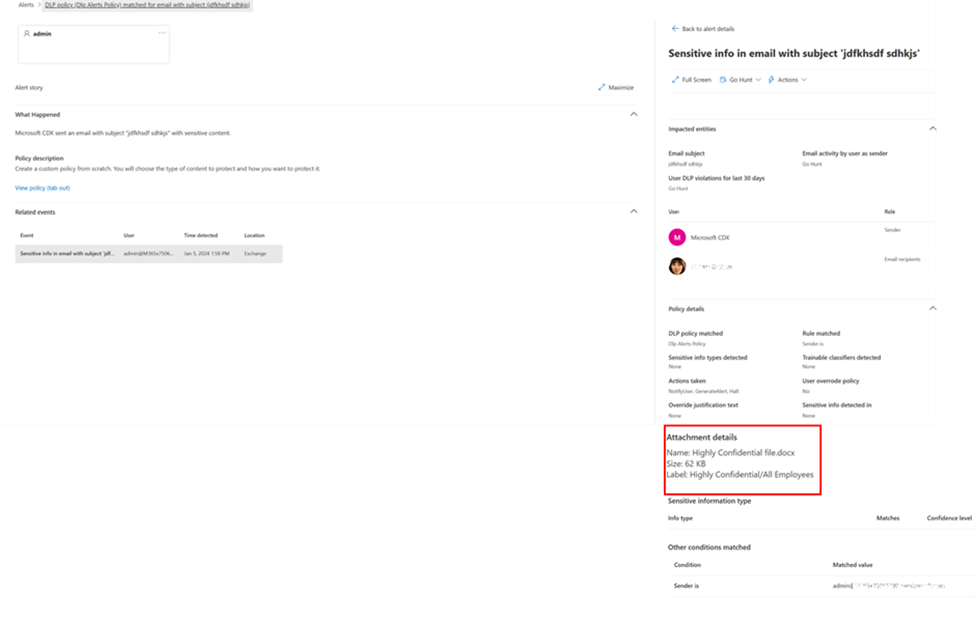
We are adding new fields in Microsoft Exchange to help prevent data loss. With these updates, admins can see more details about the attachments that are present in the email that violated the Data Loss Prevention (DLP) rules, including name, size, and labels. There will be new fields for the attachments that are in emails when they match a DLP rule that will be displayed in Activity Explorer, DLP Alerts, and Microsoft Theft Protection (MTP) Alerts. With these updates, you can get better insights into the violation that has occurred even before you start getting into the finer details of the issue.
This message is associated with Microsoft 365 Roadmap ID 369015
[When this will happen:]
We will communicate via Message center when we are ready to proceed.
[How this will affect your organization:]
You will see more details about the attachments that are present in emails when violations occur.
Activity Explorer:
DLP Alerts:
MTP Alerts:
[What you need to do to prepare:]
There is no action needed to prepare for this change. You may want to notify your users about this change and update any relevant documentation as appropriate.
More information
- www.microsoft.com/microsoft-365/roadmap?filters=&searchterms=369015
- img-prod-cms-rt-microsoft-com.akamaized.net/cms/api/am/imageFileData/RW1hbzV?ver=f867
- img-prod-cms-rt-microsoft-com.akamaized.net/cms/api/am/imageFileData/RW1h6nV?ver=fb08
- img-prod-cms-rt-microsoft-com.akamaized.net/cms/api/am/imageFileData/RW1h6nY?ver=59f1
Details
Platforms
- Web
Services
- M365
- M365
Microsoft tags
- New Feature
- Admin Impact
- Governace