MC709662 Announcing Updated Settings in Microsoft Outlook for Android
Primary service: M365 Apps
ChangePilot summary
- The Outlook for Android Settings page is being reorganized to improve the efficiency of locating settings (Microsoft 365 Roadmap ID 185387).
- Notable changes include moving ""Help & Feedback"" to the bottom and merging storage accounts with associated mail accounts in the account list.
- The rollout will commence in mid-February 2024 and is expected to conclude by the end of that month.
- No action is required from administrators, but they should inform users and update documentation as necessary.
History
Recorded changes
No changes recorded since ChangePilot first saw this post.
Microsoft message
Updated March 20, 2024: We have updated the rollout timeline below. Thank you for your patience.
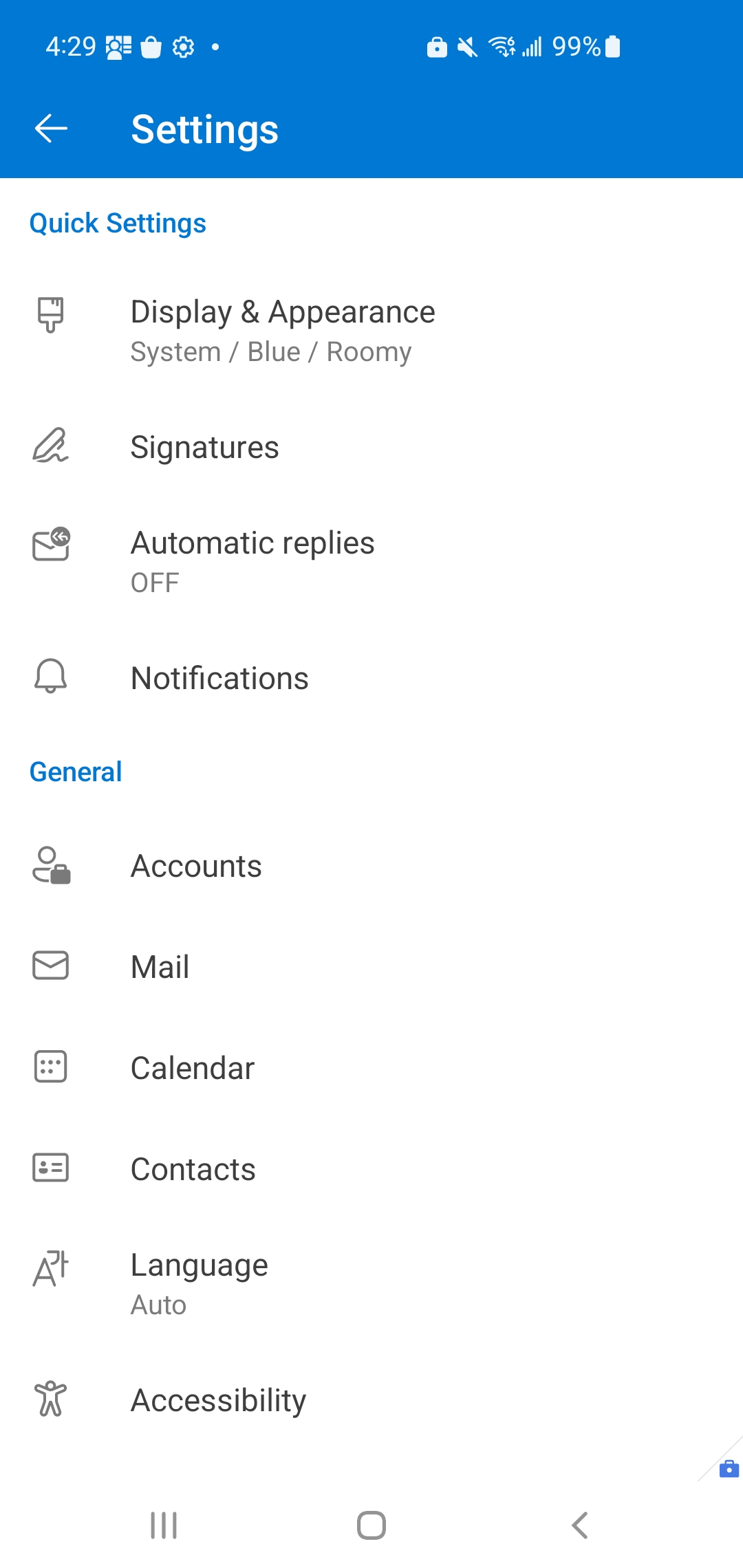
The Outlook for Android Settings page is being updated so that you can find the settings you need more efficiently.
This message is associated with Microsoft 365 Roadmap ID 185387
[When this will happen:]
Standard Release: We will begin rolling out in mid-February 2024 and expect to complete by the late March 2024 (previously late February).
[How this will affect your organization:]
With this update, only the placement of various settings within the Settings page will change. However, there will be no changes to the functionality of these settings.
Notable changes include:
- Help & Feedback is moving from the top of the Settings page to the bottom.
- You will now have to select Accounts on the top-level Settings page to see all of your accounts. In that account list, storage accounts have been merged with their associated mail account. So, if you have both your Microsoft 365 email account and your OneDrive account connected to the Outlook app, you will now just see one entry in the account list that includes both the email and storage account settings.
[What you need to do to prepare:]
There is no action needed to prepare for this change. You may want to notify your users about this change and update any relevant documentation as appropriate.
More information
Details
Platforms
- Android
Services
- M365 Apps
Microsoft tags
- New Feature
- Admin Impact