MC697806 Viva Insights Feature Admin Controls: Reflection
Primary service: Viva
ChangePilot summary
- New capabilities for admins in Viva Insights are being introduced, allowing them to disable the Reflection feature for their tenant, individual users, or AAD groups and M365 Groups.
- The changes will start to roll out in December 2023 and will be available worldwide by early February 2024.
- Admins can configure access at the tenant level, group level, or at the user level, offering more flexibility.
- Admins can use Powershell cmdlets to add, view, delete, and update access policies for specific features in Viva.
- Organizations need to review and assess the impact of these changes and decide if they want to create a policy to configure access to the Reflection feature in Viva Insights.
History
Recorded changes
No changes recorded since ChangePilot first saw this post.
Microsoft message
We have added new capabilities for admins in Viva Insights: Admins can disable the Reflection feature for their tenant, individual users, or AAD groups and M365 Groups.
[When this will happen:]
These changes will start to roll out in December 2023 and will be available worldwide by early February 2024.
[How this will affect your organization:]
A new capability for admins offers more flexibility to manage user access to specific Insights features: to start with, Insights Admins can configure access to the Reflection feature. They can configure access at the tenant level, group level (using AAD groups or M365 Groups), or at the user level, for maximum flexibility.
View our support content to learn more about the Reflection feature.
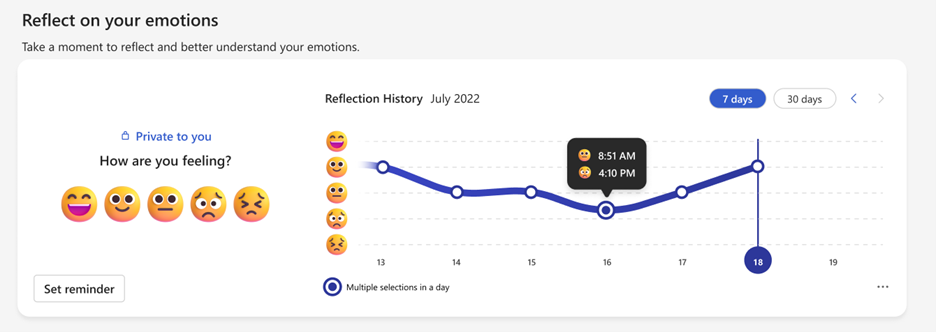
Admins will now have the ability to configure access to this feature using a Powershell cmdlet. Use the Add-VivaModuleFeaturePolicy cmdlet to add a new access policy for a specific feature in Viva – in this case, Reflection. The attributes of the policy are defined using the various parameters of the cmdlet. Policies are used to restrict or grant access to the specified feature for specific users, groups, or the entire tenant.

For more information about the Powershell cmdlets and detailed instructions on how to set a policy, visit Control access to features in Viva
- Add-VivaModuleFeaturePolicy - Use this cmdlet to add a new access policy for a specific feature in Viva.
- Get-VivaModuleFeaturePolicy - Use this cmdlet to view the access policies for a specified feature in a Viva module.
- Remove-VivaModuleFeaturePolicy - Use this cmdlet to delete an access policy for a feature in a Viva module.
- Update-VivaModuleFeaturePolicy - Use this cmdlet to update an access policy for a feature in a Viva module.
[What you need to do to prepare:]
Review and assess the impact on your organization. Determine if you want to create a policy to configure access to the Reflection feature in Viva Insights.
More information
Details
Services
- VivaInsights
Microsoft tags
- Feature Update
- Admin Impact