MC692024 Introducing Staged Rollout feature for Graph Connectors
Primary service: Graph
ChangePilot summary
- Introduction of a new feature, Staged Rollout, for Microsoft Graph connectors in Microsoft 365.
- Staged Rollout allows gradual introduction of connectors to a select group of users, with the ability to monitor performance and adjust settings.
- Rollout begins mid-November and completes by end of November 2023.
- New 'Staged Rollout' column in the 'Display all connections' section and an additional 'Publish to limited users' option when creating a new connection.
- Users can add up to 100 users and 15 Microsoft 365 groups to a staged rollout.
History
Recorded changes
No changes recorded since ChangePilot first saw this post.
Microsoft message
Staged rollout is a feature that allows you to gradually introduce Microsoft Graph connectors to a select group of users in your production environment. You can use it to deploy an existing or new connection to a limited set of users, monitor the performance, and adjust settings as needed. You can expand or shrink the scope of the rollout at any time. When you're ready, you can end the staged rollout and deploy the connection to the entire organization (or to all applicable users).
This message is associated with Microsoft 365 Roadmap ID 181514
[When this will happen:]
Standard Release: We will begin rolling out mid-November and expect to complete by end of November 2023.
[How this will affect your organization:]
- The 'Display all connections' section in the Data Sources tab, under the Search and Intelligence portal, will have a column 'Staged Rollout'. You can use the link under this column to add or edit staged rollout settings to existing connections.
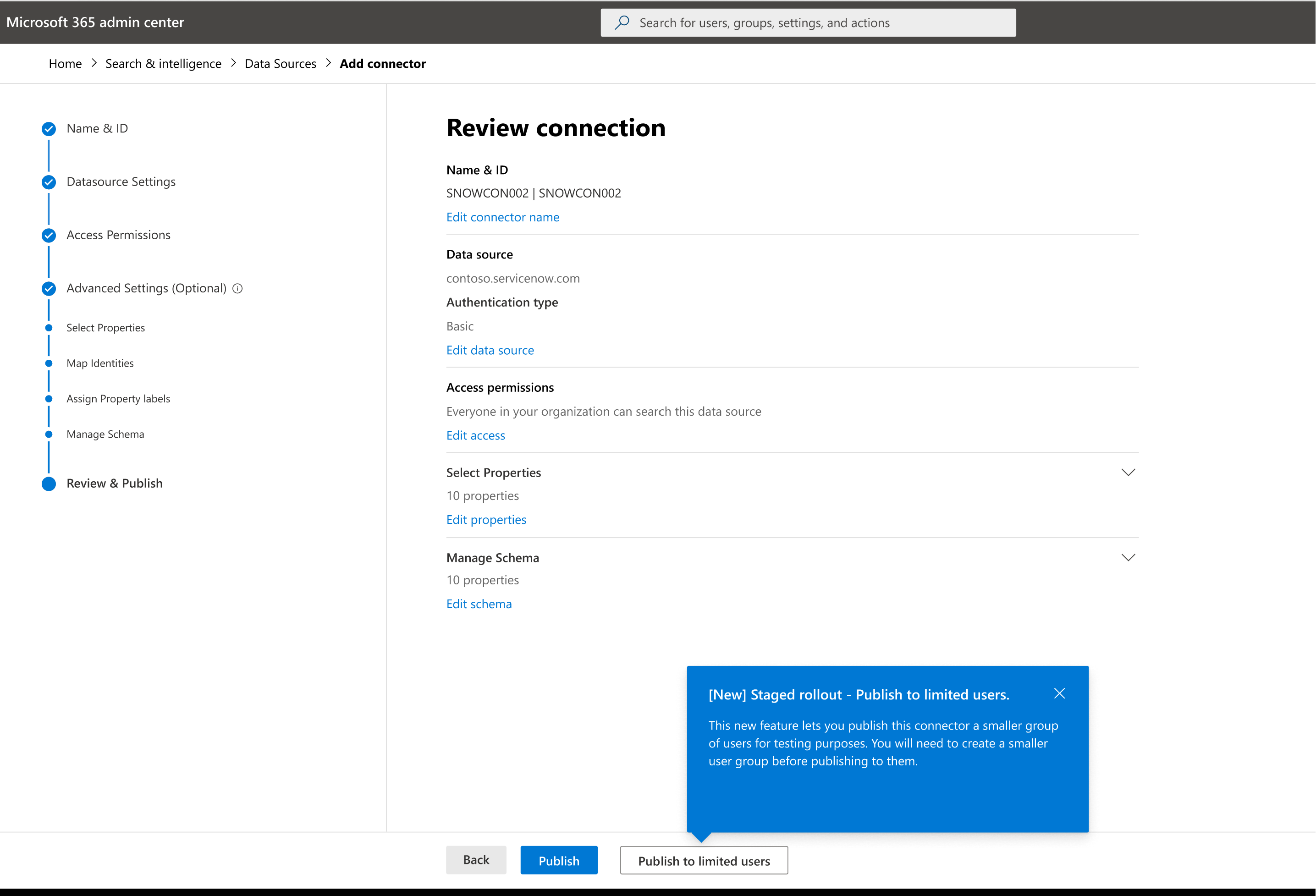
- While creating a new connection, there will be an additional CTA along with the 'Publish' button - 'Publish to limited users'. You can use this button to add staged rollout settings to new connections.
- You can add up to 100 users and 15 Microsoft 365 groups to a staged rollout.
[What you need to do to prepare:]
To learn more about the Staged rollout feature for Microsoft Graph Connectors and the steps to add it to a connection, you can go through our documentation.
More information
Details
Platforms
- Web
Services
- Graph
Microsoft tags
- New Feature
- User Impact