MC692023 Profile Card in Teams Mobile
Primary service: Teams
ChangePilot summary
- Microsoft 365 is introducing new Profile Cards in Teams Mobile.
- Rollout will begin in late November 2023 for Targeted Release and early January 2024 for Standard Release.
- Users can tap on a name or picture in Teams mobile to view related information on a profile card.
- The new profile card will help users contact and contextualize others, and express themselves through setting pronouns and profile picture.
- Organizations may need to update their training and documentation to prepare for this change.
History
Recorded changes
No changes recorded since ChangePilot first saw this post.
Microsoft message
Updated May 8, 2024: We have updated the rollout timeline below. Thank you for your patience.
Introducing new Profile Cards in Teams Mobile.
[When this will happen:]
Targeted Release: We will begin rolling out in late November 2023 and complete by late December 2023.
General Availability: We will begin rolling out to production in early January 2024 and expect to complete by late June 2024 (previously late April).
[How this will affect your organization:]
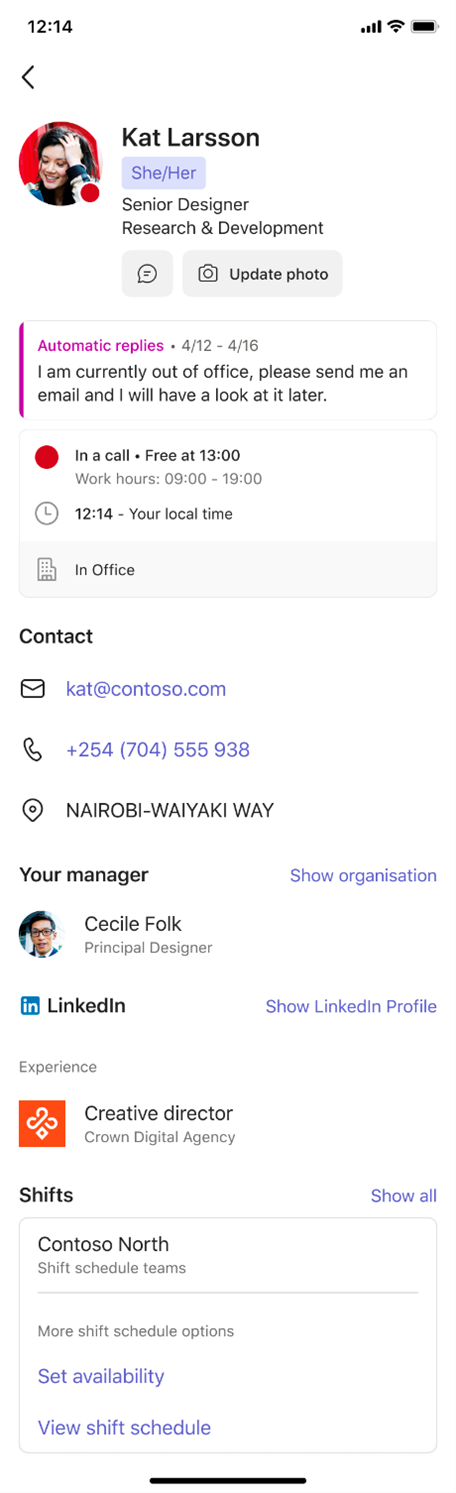
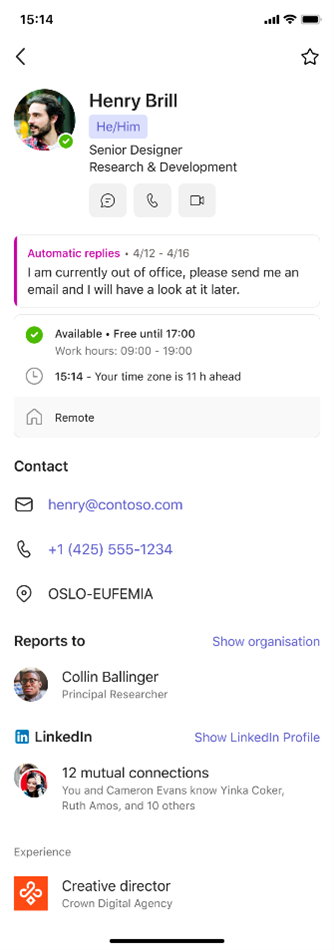
When you tap on someone’s name or picture in Teams mobile, you can find information related to them on their profile card. To see your own profile card, select your own name or profile picture.
This new profile card in Teams mobile has fresh experiences to help users contact and contextualize other users, as well as express themselves through setting their pronouns and profile picture.
Me card:
User card:
[What you need to do to prepare:]
You may consider updating your training and documentation as appropriate.
More information
Details
Services
- Teams
Microsoft tags
- Feature Update
- User Impact