MC687791 Custom Backgrounds for Announcement Posts in Channels
Primary service: Teams
ChangePilot summary
- Microsoft Teams is introducing a new feature for creating custom backgrounds for Announcement posts using the generative AI power of Microsoft Designer.
- The feature will initially be available for Microsoft Teams Desktop and Web for Channels 2.0 in English ??? US markets only.
- Non-US tenants may experience a temporary loss in the ability to upload an image, with the ability to upload images to be restored in early 2024.
- The rollout of this feature will begin in early November 2023 for Targeted Release and late November 2023 for Standard Release.
- Organizations are advised to notify their users about this new capability and provide additional training or documentation as necessary.
History
Recorded changes
No changes recorded since ChangePilot first saw this post.
Microsoft message
Updated March 11, 2024: We are not releasing this feature to GCC, GCC-H and DoD at this time and apologize for any inconvenience. We will communicate via Message center with a new timeline when available.
Microsoft Teams users will soon be able to create custom backgrounds for their Announcement posts with the generative AI power of Microsoft Designer. As part of the advanced Teams Premium capabilities, users will have access to DALL-E, a text to image generator, which they can use for their backgrounds. This release of Custom Backgrounds for Announcement Posts will be rolling out across Microsoft Teams Desktop and Web for Channels 2.0 in English – US markets only. Non-US tenants may have noticed a temporary loss in the ability to upload an image. For tenants who do not have access to Designer, the ability to upload image will be made available again in early March 2024. In parallel, the team is working to release a globally compliant and localized Designer integration in the first half of CY24.
Note: Non-US tenants may notice a temporary loss in the ability to upload an image. For tenants who do not have access to Designer, the ability to upload image will be made available again in early 2024, while the team works on Designer support for more languages.
This message is associated with Microsoft 365 Roadmap ID 183785
[When this will happen:]
Targeted Release: We will begin rolling out early November and expect to complete by mid-November 2023.
Worldwide: We will begin rolling out late November and expect to complete by mid-January 2024 (previously early December).
[How this will affect your organization:]
Before, in Channels 1.0, users struggled to "find the right picture," to "find images that work correctly with banner sizing so it takes ages," etc.
Now, whether users have their own image or an idea in mind, or absolutely nothing at all, they can create rich, engaging backgrounds for their announcement posts through the generative AI power of Microsoft Designer. A few clicks is all it takes--let the imagination run wild!
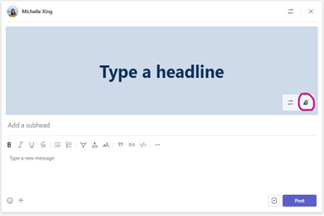
You can find the entry point icon to the Designer integration at the bottom right corner of the announcement.
The Designer Mini Dialog is where all the magic happens. You can write a description, upload an image, generate an image using DALL-E, or click one of the examples we have provided for you to start.
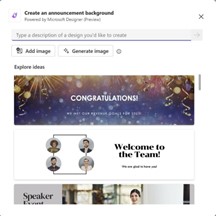
When you click on “Generate image,” you’ll be able to create an image from a text description to include in your announcement background.

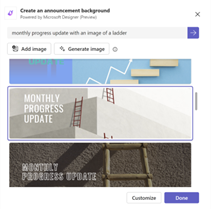
Once you have selected a background you like, you’ll see the option to press “Customize” or “Done.” “Done” inserts the background into your Announcement while “Customize” launches the Microsoft Designer App where you can further customize your background.
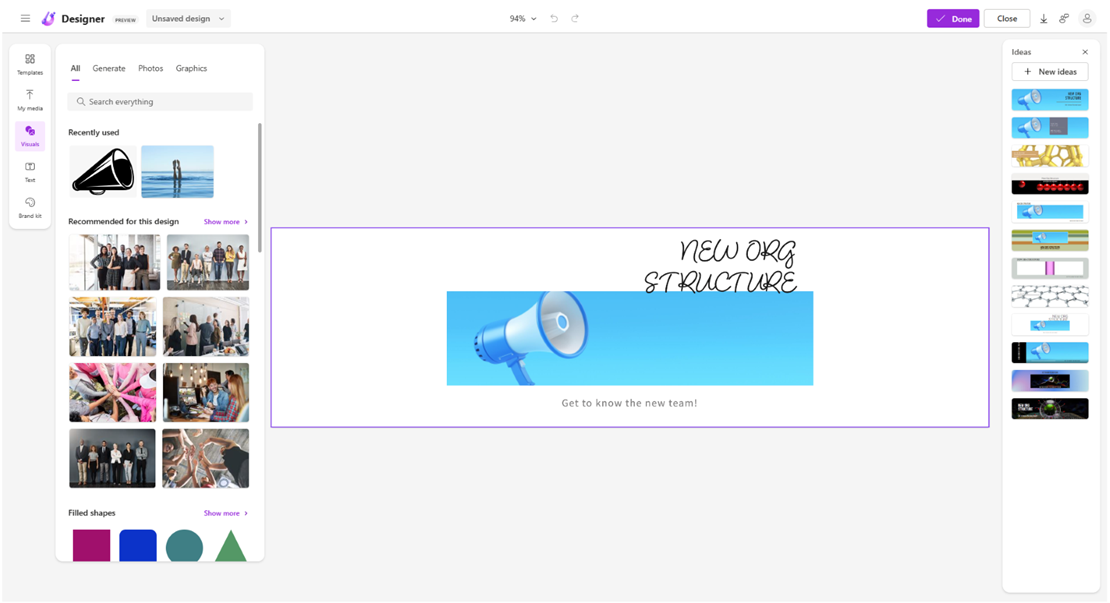
The Designer App provides flexibility and endless power for you to create exactly what you want.
[What you need to do to prepare:]
You may want to notify your users about this new capability to better express themselves and engage their audience in their Announcements. Additionally, due to the inevitable generative AI learning curve, you may want to provide additional training/documentation as you see fit. You can also lead by example and show your users what’s possible.
While we work on making a policy setting available to tenants, this feature will be enabled by default (except in EDU). If there are concerns, please contact support.
We can't wait to see what announcement backgrounds you and your team come up with.
More information
Details
Platforms
- Android
- Desktop
- iOS
- Mac
- Web
Services
- Teams
Microsoft tags
- Updated
- New Feature
- User Impact