MC686281 New Gallery in Teams Meetings
Primary service: Teams
ChangePilot summary
- Introduction of a revamped gallery in Microsoft Teams meetings and calls, set as the default view.
- Rollout begins in early January 2024, with completion expected by early February 2024.
- New features include a 16:9 aspect ratio for participant tiles, an audio-video mixed gallery, larger display for meeting rooms, and inclusion of user's own tile next to other participants.
- Users can customize the gallery, including changing the gallery size, placement of their own tile, prioritizing videos, and resizing the meeting room tile.
- Organizations are advised to notify their users about this change and update any training documentation as necessary.
History
Recorded changes
No changes recorded since ChangePilot first saw this post.
Microsoft message
Updated June 6, 2024: We have updated the rollout timeline below. Thank you for your patience.
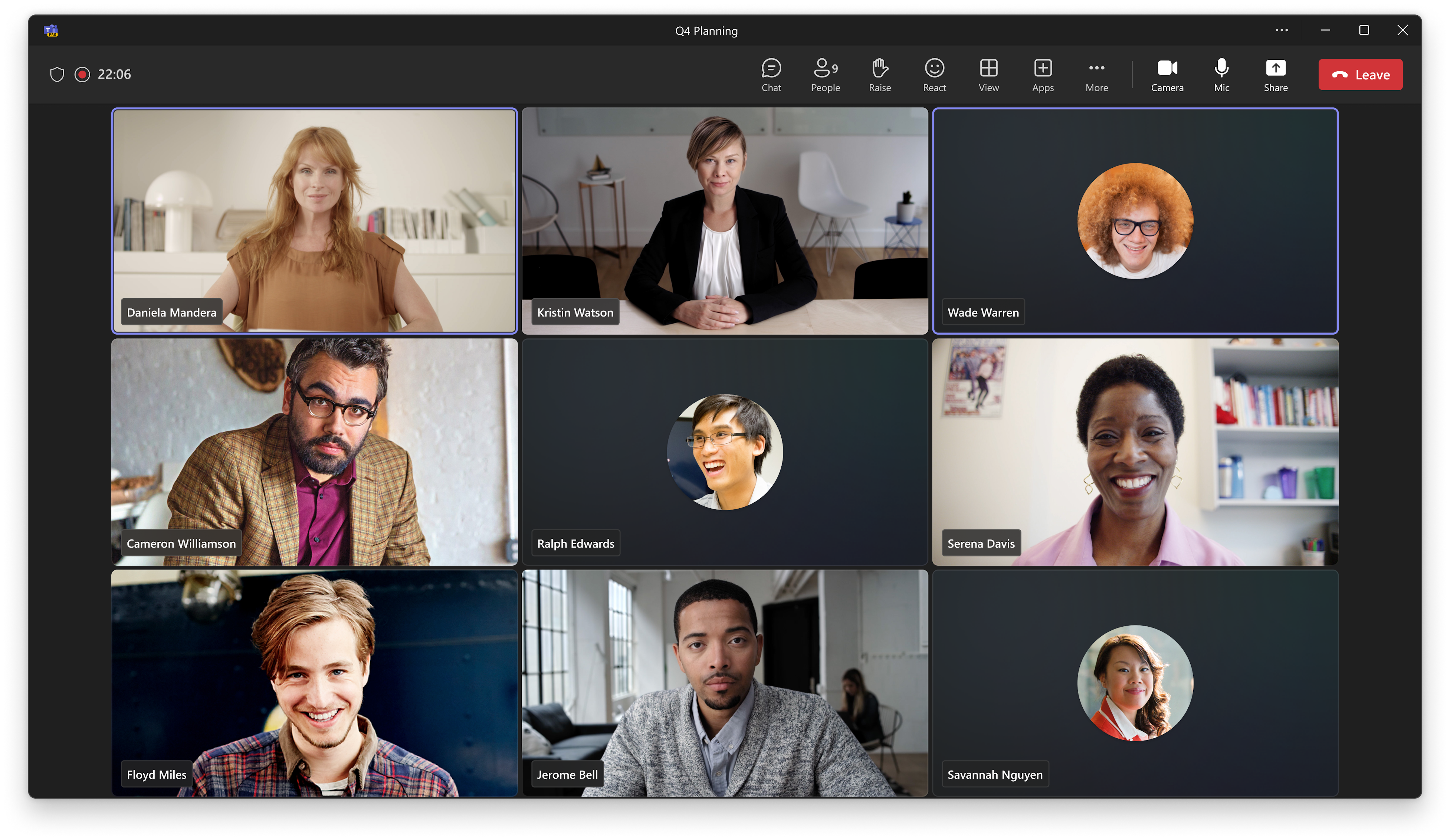
We are introducing a revamped version of the gallery in Teams meetings and calls. The new gallery will be the default view when users join their meetings, so that they can use it without the need of taking an action.
This message is associated with Microsoft 365 Roadmap ID 118467
[When this will happen:]
Targeted Release: We will begin rolling out late January 2024 (previously early January) and expect to complete by early February 2024 (previously mid-January).
Production and GCC: We will begin rolling out early July 2024 (previously mid-June) and expect to complete by mid-July 2024 (previously late February).
GCC High: We will begin rolling mid-July 2024 (previously late February) and expect to complete by late July 2024 (previously early March).
DoD: We will begin rolling out mid-July 2024 (previously late February) and expect to complete by late July 2024 (previously early March).
[How this will affect your organization:]
This new version introduces a series of changes to help users in their meetings:
- 16:9 aspect ratio participant tiles for more predictability. A consistent aspect ratio maintains a more predictable experience when users turn their videos on or off. It also provides more visibility into users' body language and hand gestures.
- An audio-video mixed gallery for a more inclusive representation. Audio and video users share now the same space by default.
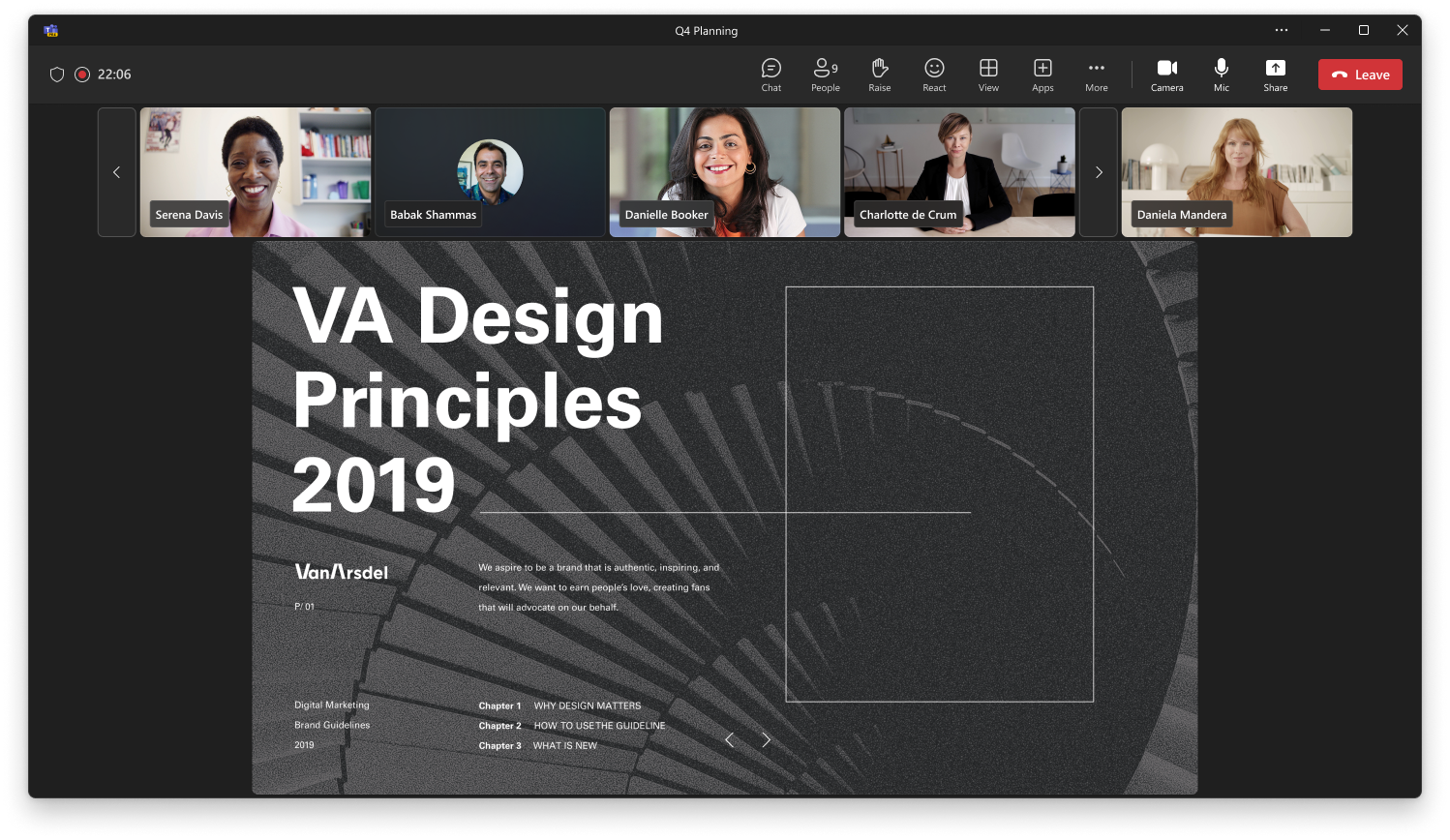
- Meeting rooms are displayed larger than individual participants. In certain meeting sizes, we display Microsoft Teams Rooms video in a larger size than the rest of the participants to give an equivalent weight to participants joining from a meeting room. Non-Teams rooms joining Teams meeting via Direct Guest Join will remain the same tile size as today.
- You appear next to the rest of the participants. Your own tile will now be included next to the rest of the participants.
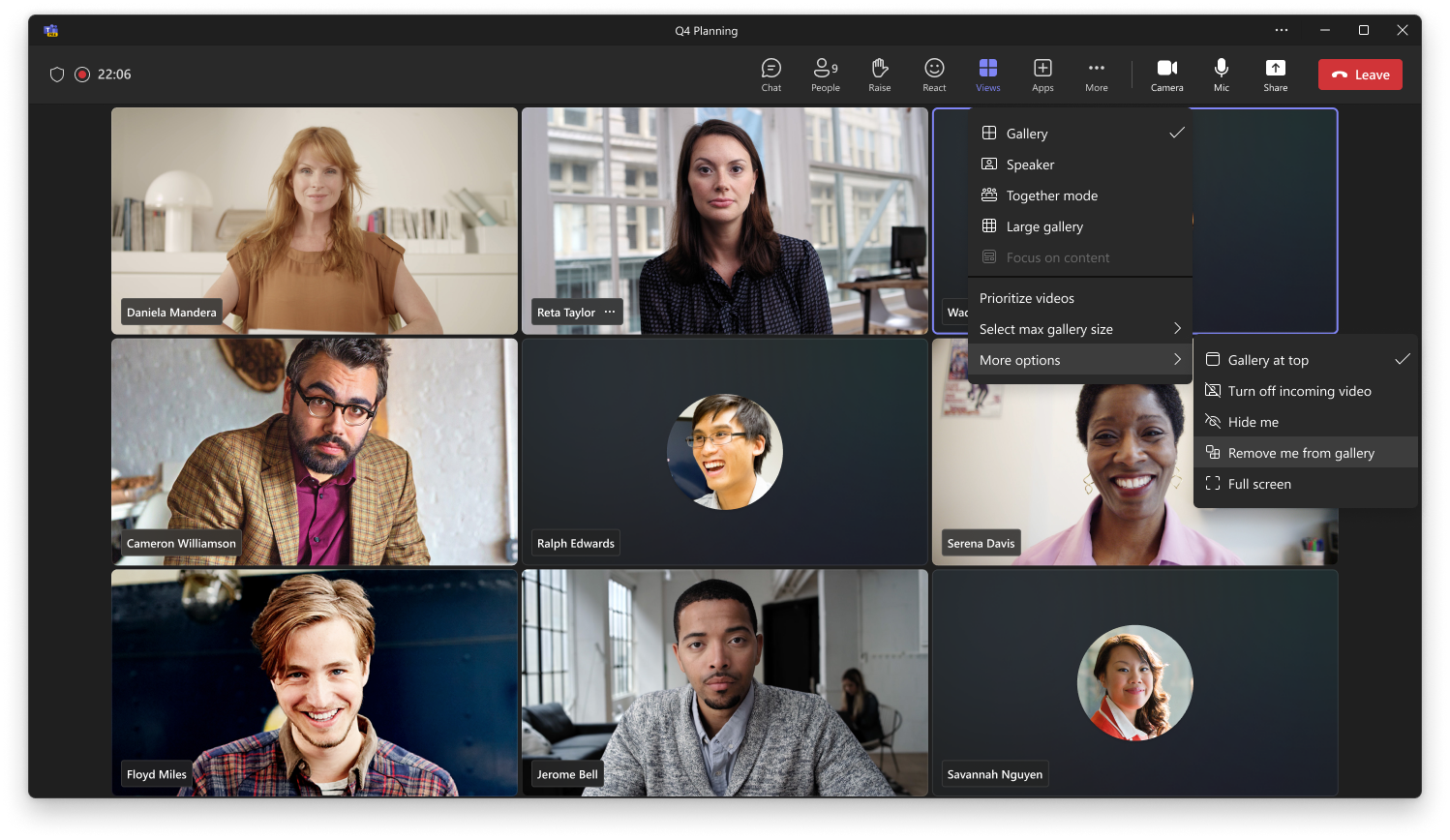
- Customization of the gallery. Users can adapt the gallery to their needs or preferences. The customization options include:
- Gallery size: Users can choose the maximum number of tiles that will be represented per page. The entry point for this action is available through the meeting toolbar: "View" > "Change gallery size".
- Placement of your own tile: For users who prefer to keep themselves separated from the rest of the participants. If chosen, the self-tile will be placed in an area separate from the rest of the participants. The entry point for this action is available through the meeting toolbar: "View" > "More options" > "Remove me from gallery".
- Prioritizing videos: For users who want to give a higher weight to participants with their video on. If chosen, video participants will be displayed more prominently than audio participants. The entry point for this action is available through the meeting toolbar: "View" > "Prioritize video".
- Meeting room tile size: Users can decide if they want to resize the meeting room tile to the same size as the rest of the participants. The entry point for this action is available in the contextual menu of the room tile.
[What you need to do to prepare:]
Please notify your users about this change and update any training documentation, as appropriate.
More information
Details
Platforms
- Desktop
Services
- Teams
Microsoft tags
- Updated
- New Feature
- User Impact
- Admin Impact