MC1562278 Expanded Markdown support in the compose box
Primary service: Teams
ChangePilot summary
- Microsoft Teams is updating the compose experience to support expanded Markdown formatting in chats and channels.
- Users will be able to keep Markdown syntax visible while editing, preview the rendered message before sending, and switch between Markdown and rich text.
- The change affects Teams users on Windows, Mac, and web clients.
- No admin configuration or tenant preparation is required for this rollout.
What it means for you
What admins need to do
No tenant configuration is needed. IT should inform Teams users and the helpdesk about the new compose behavior, update any internal messaging or training materials that reference the old Markdown experience, and be ready to answer questions about the Markdown toolbar, preview option, and switching back to rich text.
Impact on users
Users composing messages in Teams chats and channels will see a new Markdown experience. Markdown syntax will stay visible while they type, they can use a Markdown toolbar to insert formatting, preview the final message before sending, and switch back to rich text if preferred.
If you miss it
If this change is not communicated, users may be surprised when the compose box behaves differently and may think formatting is broken because Markdown no longer renders live as they type. The business impact is low, but helpdesk volume could increase as users learn the new compose workflow.
- Admin controls available
- No
History
Recorded changes
No changes recorded since ChangePilot first saw this post.
Microsoft message
[What and why]
Microsoft Teams is introducing an updated Markdown compose experience with expanded formatting support. Users can write and edit with Markdown syntax intact, without formatting automatically rendering as they type. A dedicated Markdown toolbar helps users insert formatting syntax, preview the rendered message before sending, and switch between Markdown and rich text.
[Rollout schedule]
- General Availability (Worldwide, GCC, GCC High, DoD): Beginning in early December 2026 and expected to complete by mid-December 2026
[Impact on your organization]
Who is affected
- Microsoft Teams users who compose messages in chats and channels on supported platforms
Platforms and services
- Microsoft Teams for Windows, Mac, and web
What will happen
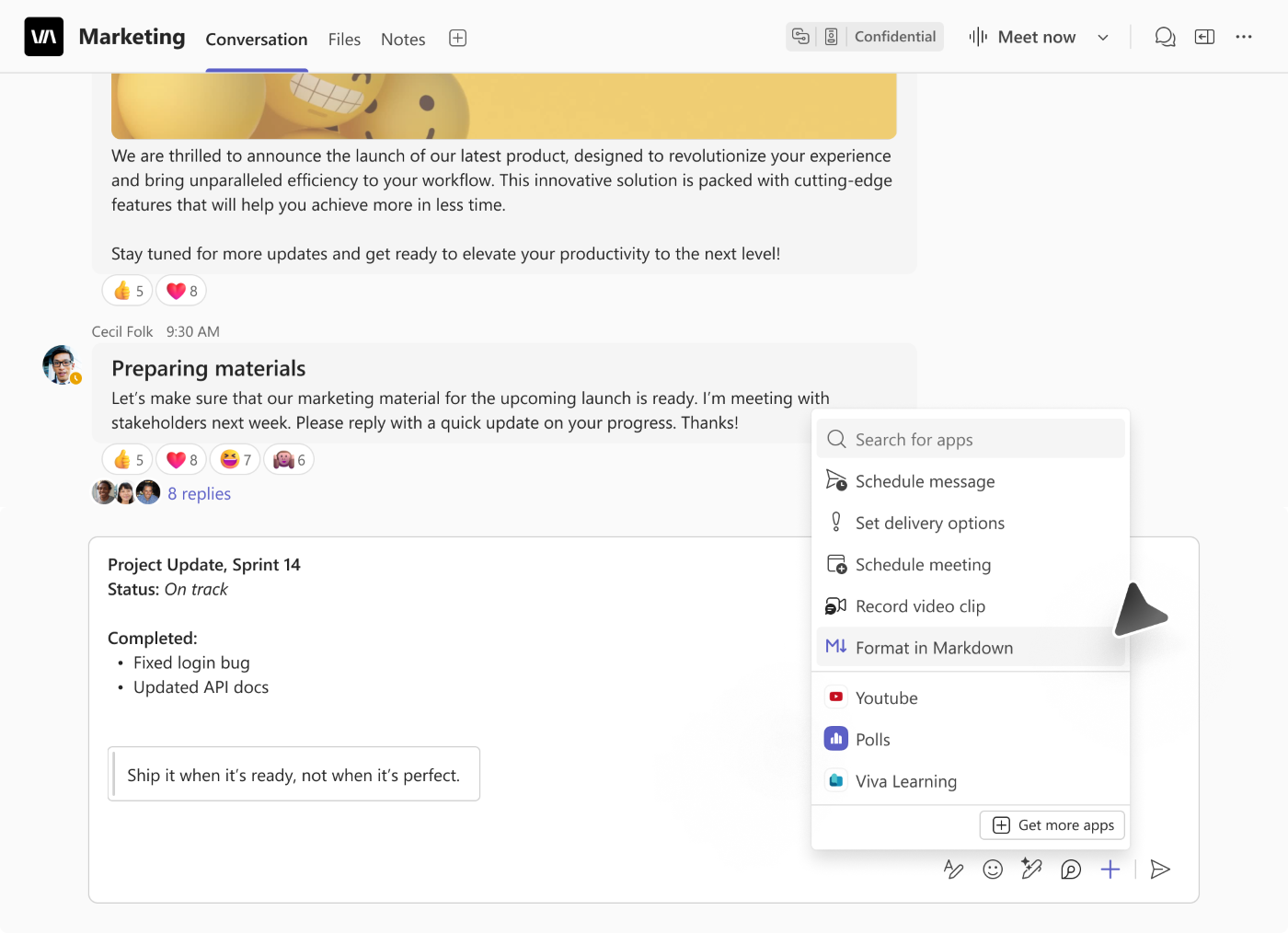
Users will be able to select Format in Markdown from the compose box’s Actions and apps (+) menu (Screenshot 1).
The updated experience includes:
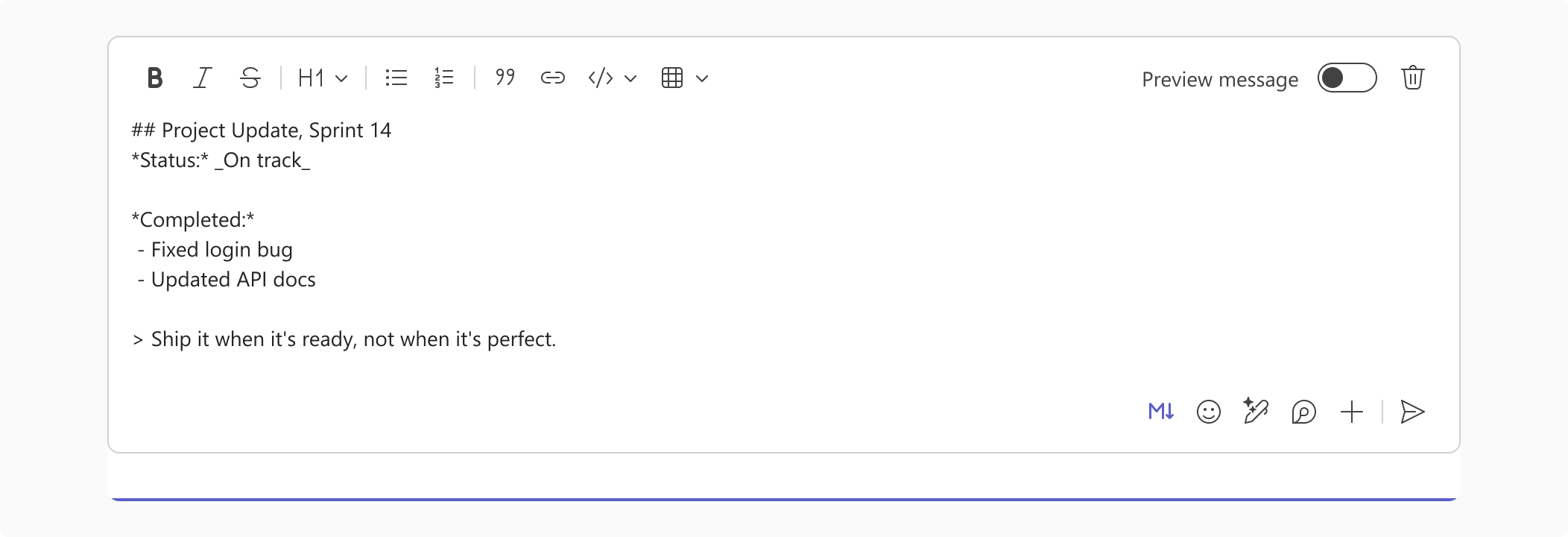
- Markdown authoring without live rendering: Syntax remains visible and editable while users write.
- A dedicated Markdown toolbar: Users can insert syntax for formatting (Screenshot 2).
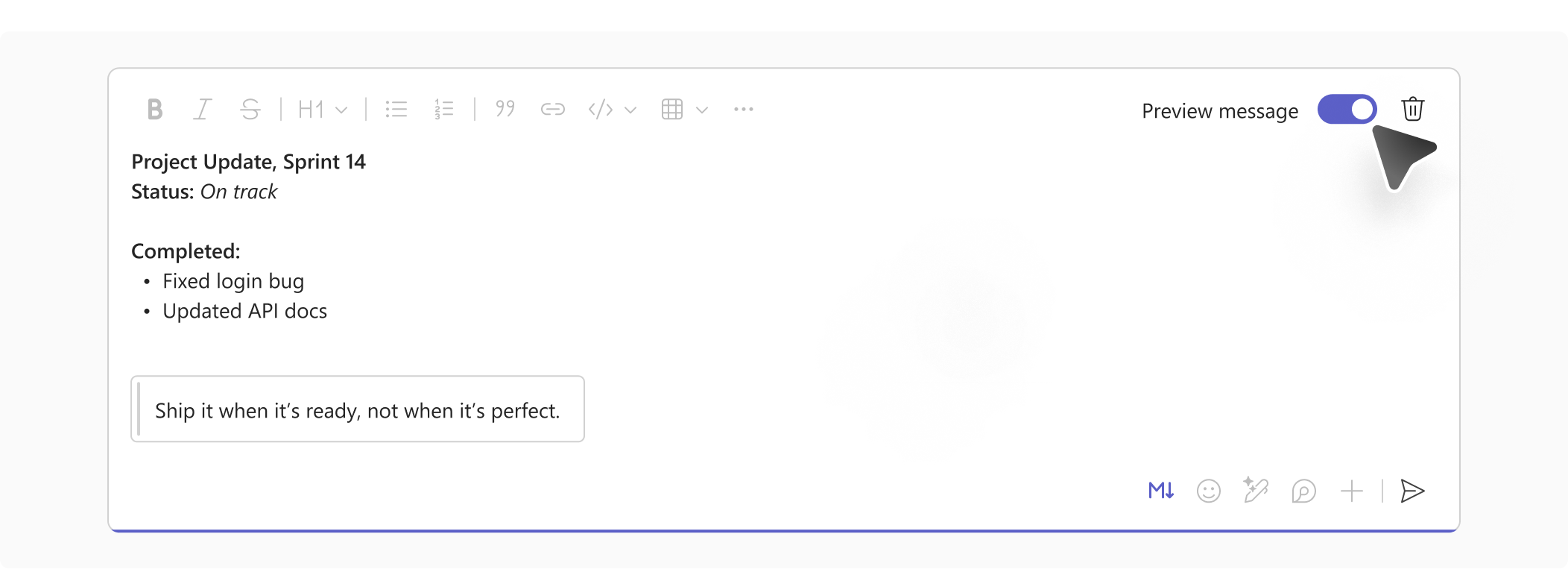
- Message preview: Users can turn on Preview message to see the rendered formatting before sending (Screenshot 3).
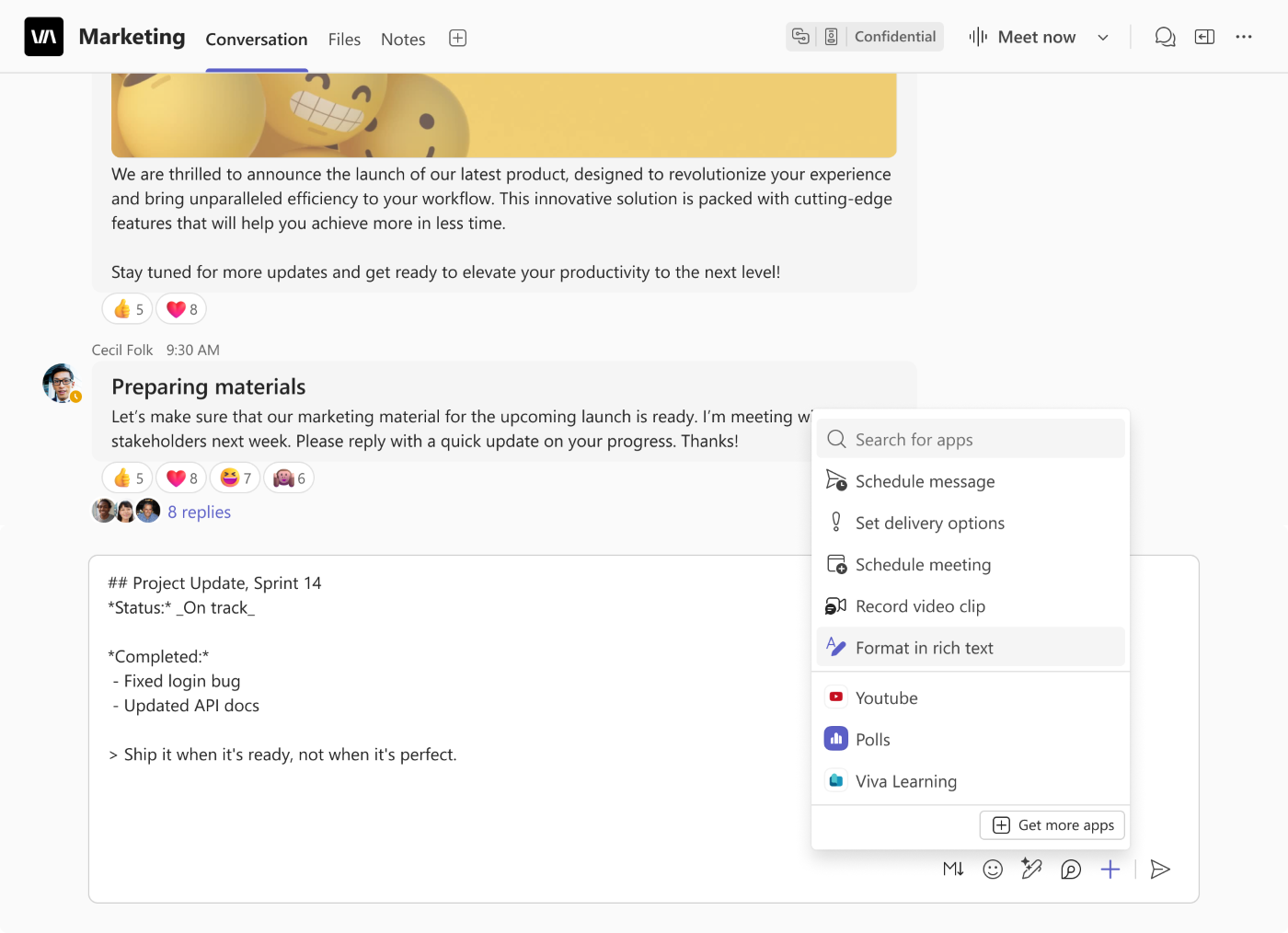
- Switching between compose modes: Users can select Format in rich text from the same menu to return to rich text authoring (Screenshot 4).
Teams will remember the user’s selected compose mode and apply it across chats and channels until the user switches modes.
Learn more
[Action required and recommendations]
No admin action is required to prepare for this feature.
[Compliance considerations]
No compliance considerations identified. Review as appropriate for your organization.
More information
Details
In weekly changes
Platforms
- Desktop
- Mac
- Web
Services
- Mac
- Teams
Category
- Stay informed
Microsoft tags
- Admin Action
- Feature Update
- User Adoption
- Highlighted