MC1558041 Microsoft OneDrive for iPad: Presentation mode for PDFs
Primary service: OneDrive
ChangePilot summary
- Microsoft OneDrive for iPad is getting a new Presentation mode in the PDF viewer for users who present PDFs from the app.
- The feature provides a focused, view-only presentation experience and disables free scrolling/swiping between pages to reduce accidental page changes.
- It is enabled by default for all OneDrive for Business customers, with no tenant setting or admin control to turn it off.
- This applies to iPad only; it is not available on iPhone.
- IT should brief helpdesk/support and update user guidance for presenting PDFs from OneDrive on iPad.
What it means for you
What admins need to do
No configuration is needed. Update internal help content and inform the service desk so they can answer questions from iPad users who present PDFs in OneDrive. If you maintain end-user training for mobile productivity, add a note that presentation mode is available directly in the OneDrive PDF viewer on iPad.
Impact on users
Users opening PDFs in OneDrive on an iPad will see a Presentation button in the PDF viewer. Selecting it switches to a view-only presentation experience that prevents accidental page changes while presenting and keeps the file in OneDrive.
If you miss it
If IT does nothing, the feature will still appear automatically for iPad users. The main impact is likely confusion or support questions if users are not aware of the new Presentation button or expect the old PDF interaction behavior. There is no expected compliance or service disruption risk.
- Admin controls available
- No
History
Recorded changes
No changes recorded since ChangePilot first saw this post.
Microsoft message
[What and why]
We are introducing presentation mode in the Microsoft OneDrive app for iPad. Users can select a new Presentation button in the PDF viewer to enter a focused, view-only experience that prevents free gesture scrolling between pages, reducing accidental page changes while presenting without requiring users to move the file to another app. This update is based on customer feedback requesting a presentation experience directly in the OneDrive PDF viewer. This feature is not available on iPhone.
[Rollout schedule]
- General Availability (Worldwide): Rollout will begin in early December 2026 and is expected to complete by late December 2026.
[Impact on your organization]
Who is affected
- Users who open and present PDF files in the OneDrive app for iPad.
Platforms and services
- Microsoft OneDrive for iPad
What will happen
- Users can select the Presentation button in the OneDrive PDF viewer to enter presentation mode.
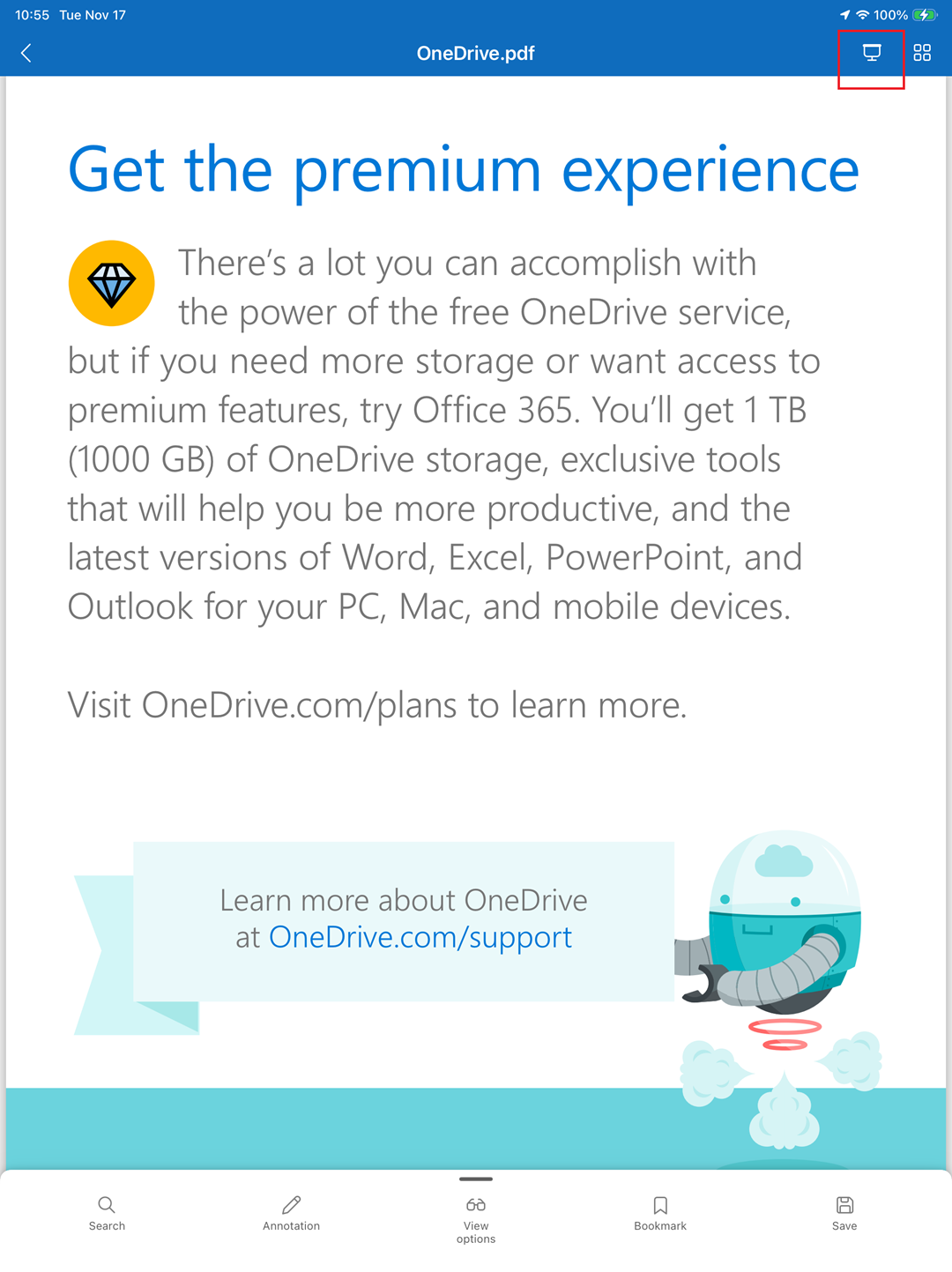
- Presentation mode supports all PDFs, displays them in a view-only experience without editing controls, and does not intentionally change them or create a new copy.
- Free scrolling or swiping between pages is disabled in presentation mode, preventing accidental page changes. Users can switch pages only by selecting the on-screen navigation buttons.
- The feature is enabled by default for all OneDrive for Business customers.
- No admin control or tenant configuration is available for this feature.
- Presentation mode changes how a PDF is displayed during a presentation and does not intentionally change file storage, permissions, sharing, retention, or audit behavior. Existing OneDrive access permissions and protections applied to the PDF continue to apply.
[Action required and recommendations]
No administrative action is required before rollout. We recommend that you inform helpdesk and support teams about the new presentation experience and update internal user guidance for presenting PDFs from the OneDrive app for iPad.
[Compliance considerations]
No compliance considerations identified. Review as appropriate for your organization.
Details
In weekly changes
Platforms
- iOS
Services
- OneDrive
Category
- Stay informed
Microsoft tags
- Feature Update
- New Feature
- User Adoption