MC1556098 Microsoft Teams Mobile: Introducing shared call history in the Queues app
Primary service: Teams
ChangePilot summary
- Microsoft Teams mobile is gaining shared call history in the Queues app for authorized call queue representatives and supervisors.
- Users with access can see queue-wide missed, answered, outgoing, and voicemail calls, and can filter by resolution status.
- Missed calls are automatically marked Unresolved, and authorized users can update statuses to In progress or Resolved so the whole queue can track follow-up ownership.
- The mobile experience uses the same admin settings as the desktop shared call history feature; users without shared call history enabled will continue to see only personal call history.
- No new admin configuration is required if shared call history is already enabled, but IT should inform affected users about the mobile workflow.
What it means for you
What admins need to do
If your organization uses Teams call queues, notify representatives and supervisors that shared call history is now available in the mobile Queues app. Update any internal guidance so users know how to filter calls and change missed-call status to Unresolved, In progress, or Resolved. If shared call history is not yet enabled, review the existing Teams admin center configuration and enable it only if the feature is needed for your queues.
Impact on users
Authorized queue members using Teams mobile will be able to view the shared queue call history instead of only their own calls. They can review missed, answered, outgoing, and voicemail calls, filter by status, and update missed calls so teammates can see follow-up progress. Users without shared call history access will continue to see only personal call history.
If you miss it
If IT does nothing, eligible users will still receive the feature when shared call history is enabled, but they may not know it exists or how to use the status workflow effectively. That can lead to duplicate callbacks, slower follow-up, and confusion about who is handling missed queue calls. There is no major technical risk, but the business may miss some of the coordination benefits this mobile update is meant to provide.
- Admin controls available
- Yes
- Licences affected
- Teams Premium
History
Recorded changes
No changes recorded since ChangePilot first saw this post.
Microsoft message
[What and why]
We are introducing shared call history in the Queues app on Microsoft Teams mobile, allowing authorized call queue representatives to view calls handled across their queue. This includes missed, answered, outgoing, and voicemail calls. By extending the existing desktop experience to mobile, we are helping teams coordinate customer follow-ups, avoid duplicate callbacks, and manage calls more efficiently while working away from their desks.
[Rollout schedule]
- General Availability (Worldwide): Rollout will begin in early December 2026 and is expected to complete by mid-December 2026.
[Impact on your organization]
Who is affected
- Representatives and supervisors with access to shared call history in the Queues app, which is included with a Teams Premium license.
Platforms and services
- Microsoft Teams mobile, Queues app
What will happen
- Authorized representatives can view shared call history across their call queue, including missed, answered, outgoing, and voicemail calls. Shared call history on mobile uses the same administrative settings as the desktop experience.
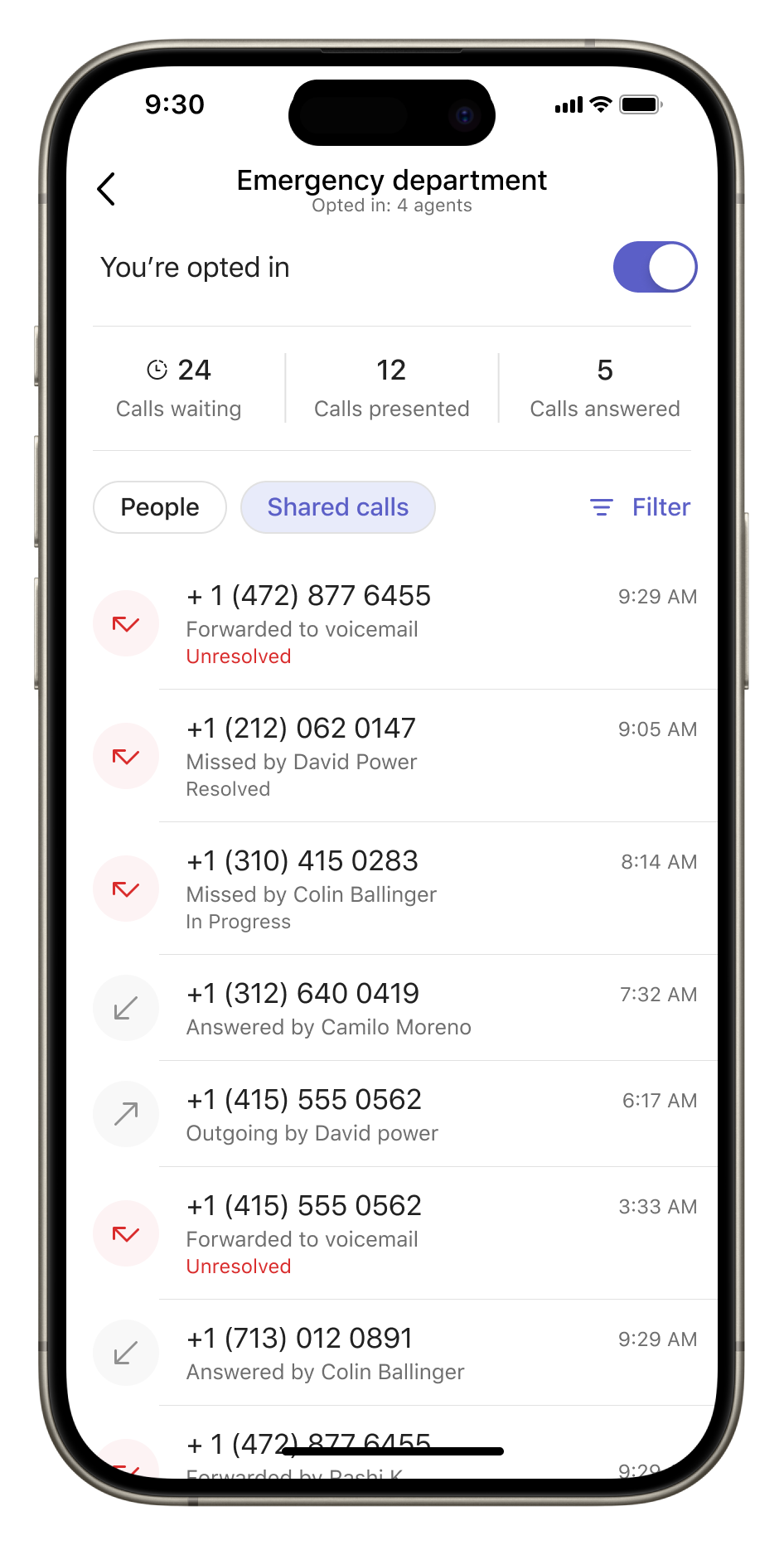
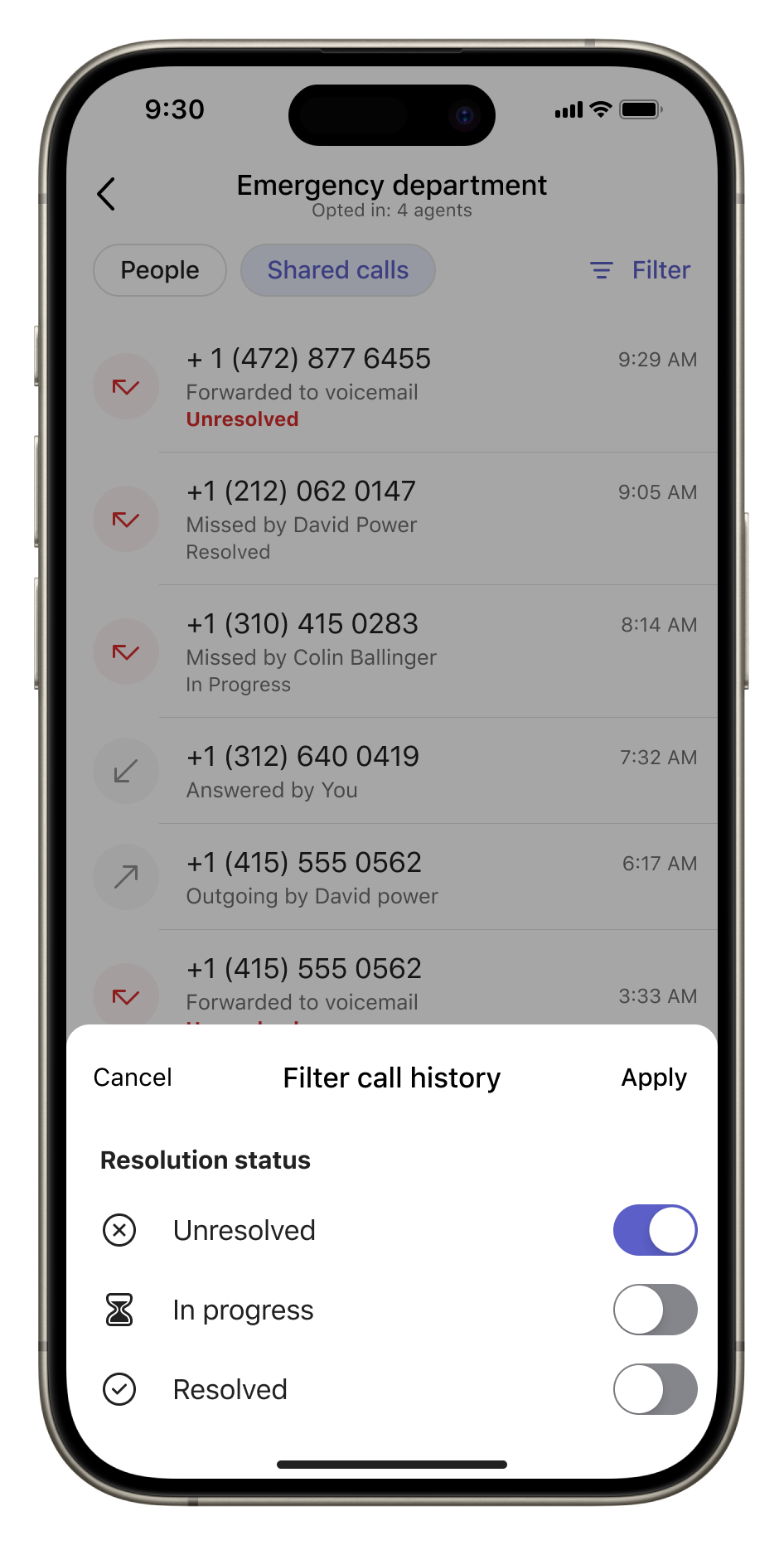
- Users can filter call history by resolution status to identify calls that need attention.
- Users can tap a call to view details, including the caller, call type, time, voicemail or forwarding information, and a timeline of the call's progression through the queue.
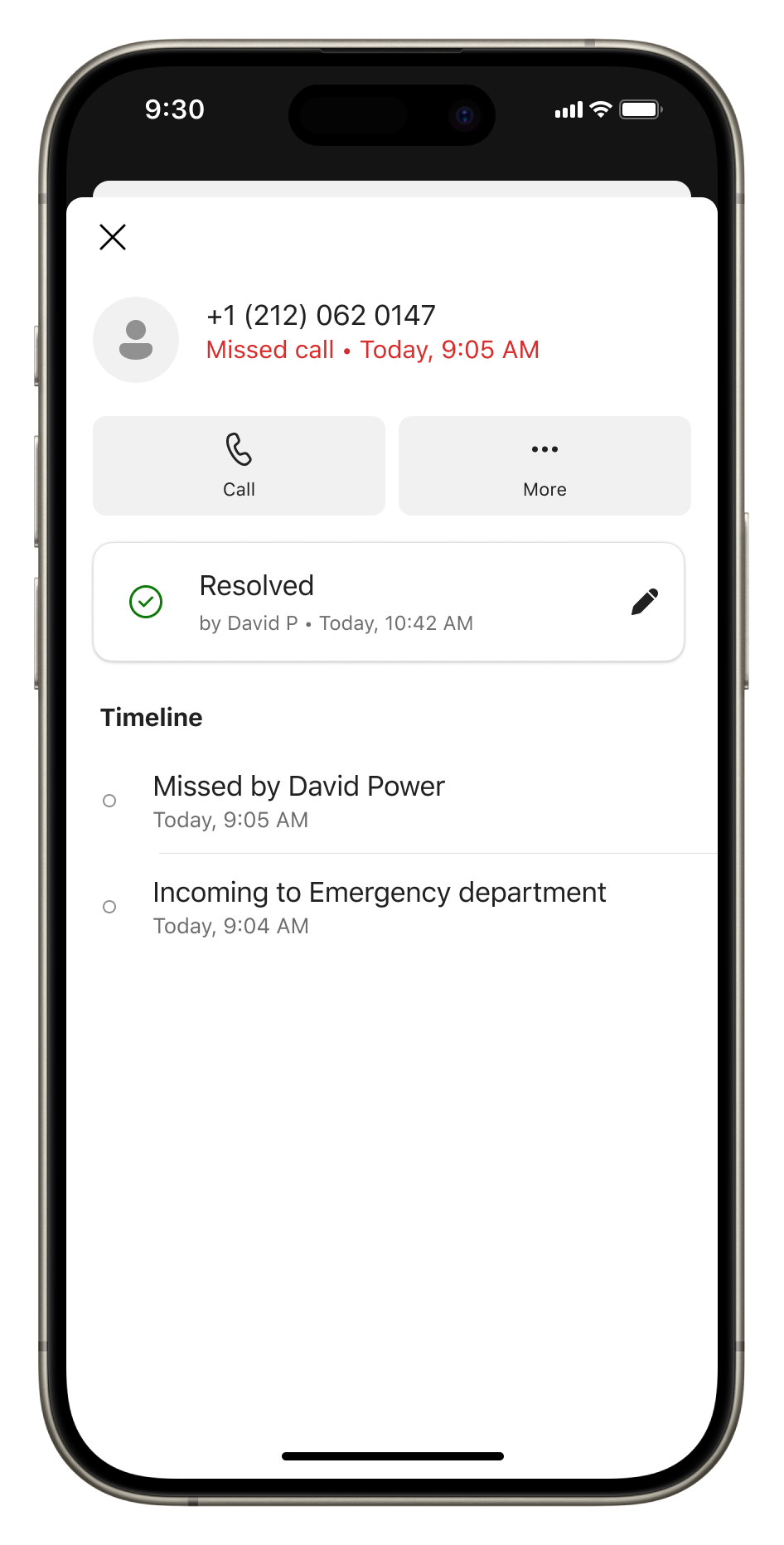
- The system automatically marks missed calls as Unresolved, allowing representatives to identify customers who need follow-up.
- Users can change missed call statuses to In progress or Resolved. All queue members with access to shared call history can see the updated status, who made the change, and when.
- Users without shared call history enabled will continue to see only their personal call history.
[Action required and recommendations]
No new administrative action is required for this rollout. We recommend that you inform call queue representatives about the new mobile experience, particularly how to update missed call statuses to avoid duplicate follow-ups.
- If your organization already uses shared call history, eligible users will automatically receive the mobile experience.
- If shared call history is not enabled, you can enable it in the Teams admin center by creating a Shared Call History template and assigning it to your call queues. You can grant access to all queue members or restrict access to authorized users.
[Learn more]
[Compliance considerations]
No compliance considerations identified. Review as appropriate for your organization.
More information
Details
In weekly changes
Platforms
- Android
- iOS
Services
- Teams
- Teams UC
Category
- Stay informed
Microsoft tags
- Admin Action
- New Feature
- User Adoption
- Highlighted