MC1548004 Microsoft 365 Copilot Chat: Filter responses by content source
Primary service: M365 Copilot
ChangePilot summary
- Microsoft 365 Copilot Chat is getting content source filters so users can scope a prompt to specific Microsoft 365 or connected third-party sources.
- The change is available to users licensed for Microsoft 365 Copilot and appears directly in the Copilot Chat prompt area.
- If no source is selected, Copilot behavior remains unchanged; selected sources only affect retrieval for that prompt and do not change access permissions or compliance boundaries.
- The feature is enabled by default, so admins should review Graph connector display names and verify connector health/search permissions so the right sources appear for users.
What it means for you
What admins need to do
Review the published Graph connectors in your tenant to ensure source names are clear and recognizable to users. Verify connector health, search permissions, and publication state so expected sources appear in Copilot Chat. If needed, brief helpdesk and user-facing support teams on how source selection works and that it applies only to the current prompt.
Impact on users
Licensed Microsoft 365 Copilot users will see a source selector in Copilot Chat and can limit a prompt to one or more chosen sources. Responses will be grounded only in those sources, while citations continue to reflect the selected content. If no source is selected, the experience stays the same.
If you miss it
If IT does not review connector naming and availability, users may see unclear or missing source options in Copilot Chat, which can reduce trust in the results or make the feature harder to use. There is no security or compliance change, but the organization could miss the opportunity to guide users toward the right content sources and troubleshoot connector issues before users encounter them.
- Admin controls available
- Yes
- Licences affected
- Copilot
History
Recorded changes
No changes recorded since ChangePilot first saw this post.
Microsoft message
[What and why]
We're introducing content source filters in Microsoft 365 Copilot Chat. This feature allows users to scope a prompt to specific content sources so that Copilot grounds its response only in the sources they select. This helps users focus responses on the most relevant Microsoft 365 content, as well as connected or available third-party sources, while maintaining existing permission and access controls.
[Rollout schedule]
- General Availability (Worldwide): Rollout will begin in mid-November 2026 and is expected to complete by mid-November 2026.
[Impact on your organization]
Who is affected
- Users licensed for Microsoft 365 Copilot.
Platforms and services
- Microsoft 365 Copilot Chat
What will happen
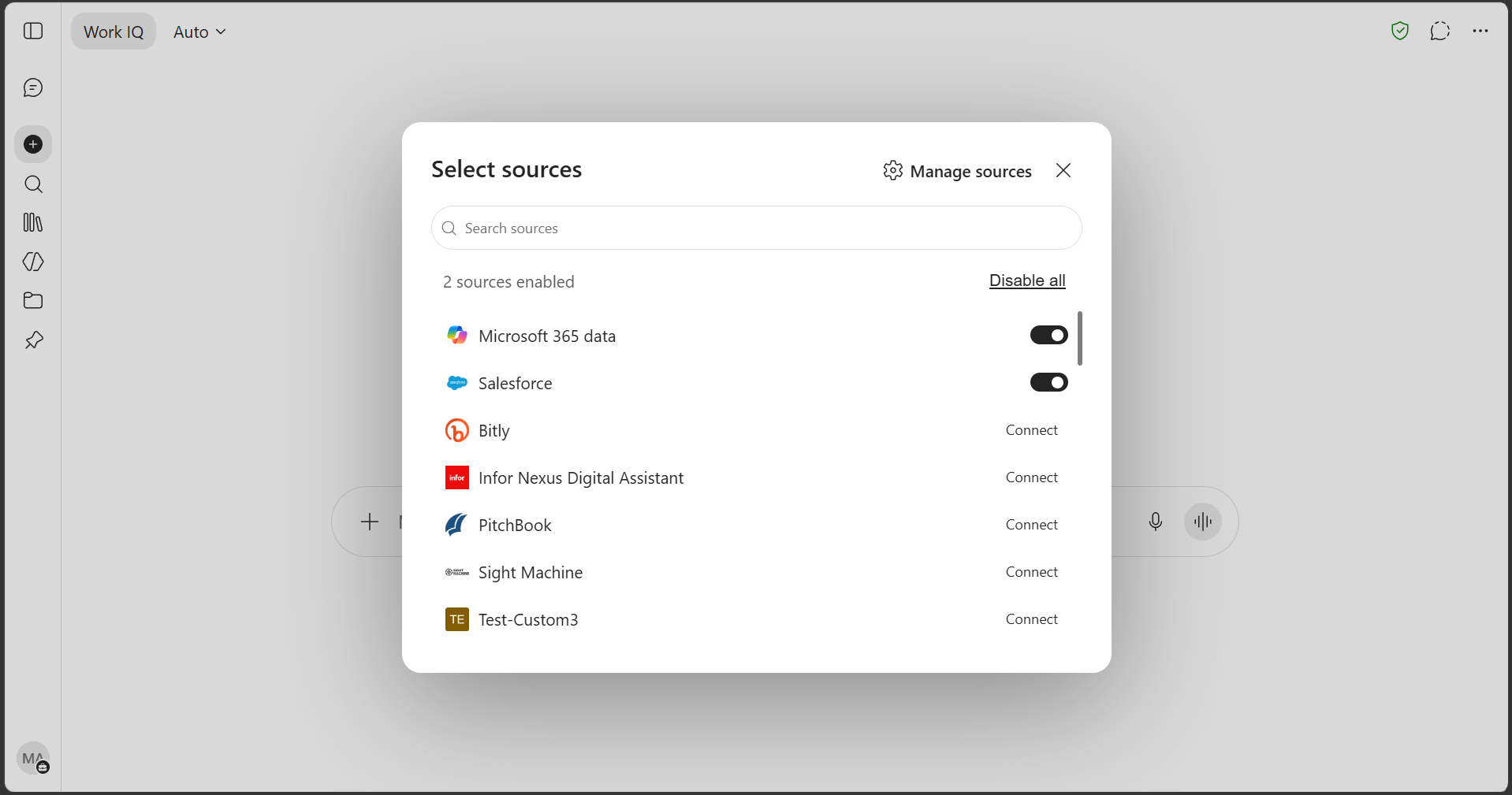
- Users will see a source selection control in the Copilot Chat prompt area.
- Users can select one or more available content sources to limit retrieval and grounding for a specific prompt to those sources.
- Available sources reflect the content sources enabled in your tenant, including Graph connectors and federated connectors available to users.
- This feature changes where Copilot retrieves information for a prompt and does not change what content a user is permitted to access. Data access, compliance boundaries, and tenant data handling remain unchanged.
- If no source is selected, Copilot Chat behavior remains unchanged and will use its default orchestration across available sources.
- Responses will continue to include citations that reflect the selected sources.
- Source selection applies only to the current prompt and does not persist across sessions.
- This feature is enabled by default for users with a Microsoft 365 Copilot license.
Copilot source selection
[Action required and recommendations]
No action is required. We recommend that you:
- Review the display names of published Graph connectors, ensuring that they are clear and recognizable, as these names will appear in the source selection experience for users.
- Verify the health and search permissions of connectors that should be available to users. Connectors in an error or unpublished state will not appear.
[Learn more]
[Compliance considerations]
No compliance considerations identified. Review as appropriate for your organization.
More information
Details
In weekly changes
Platforms
- Web
Services
- Graph
- M365 Copilot
Category
- Stay informed
Microsoft tags
- Admin Action
- Feature Update
- New Feature
- User Adoption
- Highlighted