MC1540351 Automatically add tag members to channels with Workflows
Primary service: Teams
ChangePilot summary
- Microsoft Teams is adding a new Workflows template, "Join member to channel when user is added to tag," to automatically add users to selected channels when they are added to a team tag.
- The change affects Teams users who are members of configured tags and team owners who choose to set up the workflow.
- This is optional and does not change behavior unless a team owner configures the workflow.
- IT should review Power Automate and Workflows governance/policies to confirm the template is allowed in the tenant.
Latest update: Description updated - We have clarified the supported channel types and updated the rollout timeline Standard Start: mid-March 2027 (previously mid-December 2026) Standard End: end March 2027 (previously mid-December 2026)
What it means for you
What admins need to do
Review your tenant’s Power Automate and Workflows governance to ensure this template is permitted, and update internal guidance for team owners if your organization wants to allow it. If you support Teams adoption, brief helpdesk/support staff so they understand that the new behavior only occurs when someone configures the workflow.
Impact on users
If a team owner configures the workflow, users added to a team tag can be automatically added to selected channels, giving them quicker access to relevant conversations without manual channel membership updates. If the workflow is not configured, nothing changes for end users.
If you miss it
If IT does nothing, there is no direct disruption because the feature is optional and does not run by default. The main risk is missed opportunity: teams that could benefit from automated channel enrollment will continue using manual processes, which can slow onboarding to relevant channels and increase support questions from users expecting access to appear automatically.
- Admin controls available
- Yes
History
Recorded changes
-
- Description updated - We have clarified the supported channel types and updated the rollout timeline
- Standard Start: mid-March 2027 (previously mid-December 2026)
- Standard End: end March 2027 (previously mid-December 2026)
Microsoft message
Updated November 18, 2026: We have clarified the supported channel types and updated the rollout timeline. Thank you for your patience.
[What and why]
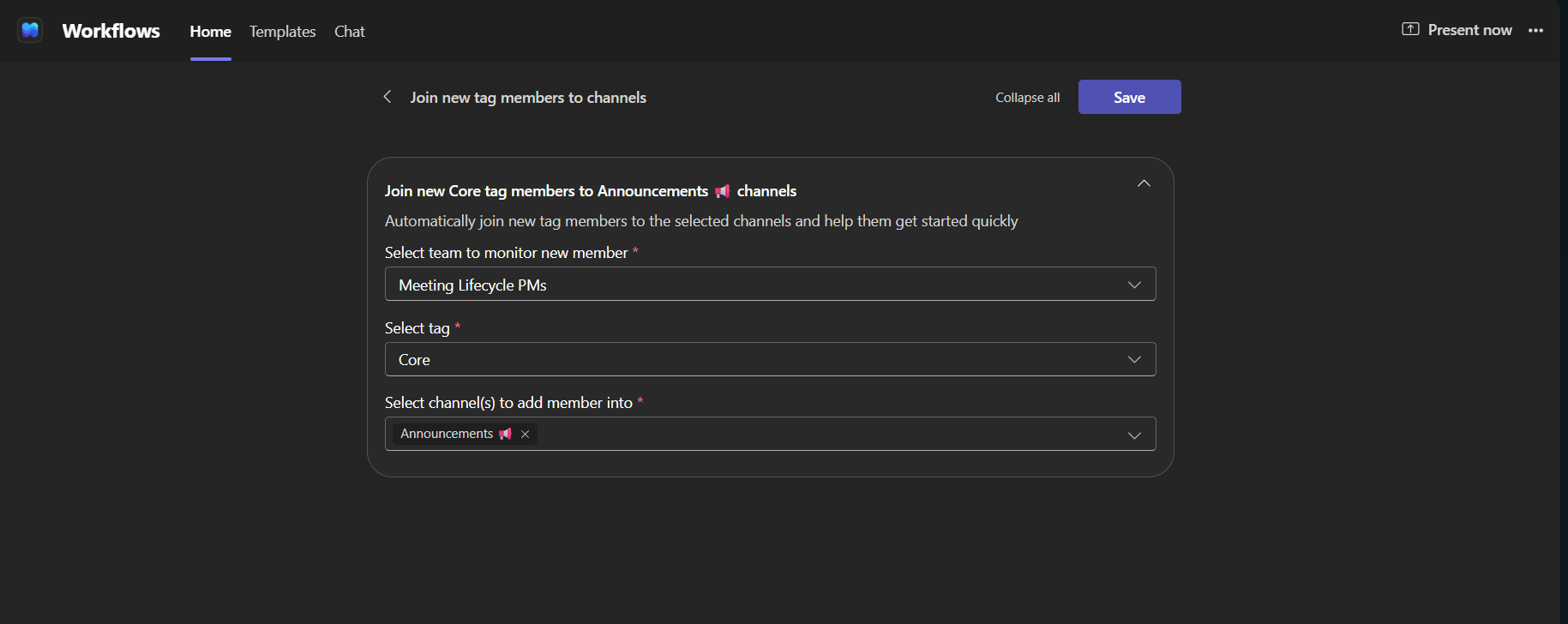
We are introducing the Join member to channel when user is added to tag template in the Workflows app to automatically add users to selected channels when they are added to a team tag. Once configured, the workflow runs whenever a user is added to the tag, eliminating the need to add members to each channel manually. This is especially useful for location-based or project-based groups where tags correspond to specific sites, regions, or projects, helping new members access relevant channels promptly.
This applies to channels that all team members can access by default: standard channels and shared channels that are shared with everyone on the team.
[Rollout schedule]
- Targeted Release (R3.6): Rollout will proceed gradually from November 2026 through January 2027.
- General Availability (Worldwide): Rollout will begin in mid-March 2027 (previously mid-December 2026) and is expected to complete by end of March 2027 (previously mid-December 2026).
[Impact on your organization]
Who is affected
- Microsoft Teams users who are added to team tags associated with configured workflows.
- Team owners who choose to configure the workflow.
Platforms and services
- Microsoft Teams
- Workflows app
- Power Automate
What will happen
- The Join member to channel when user is added to tag template will be available in the Workflows app.
- When configured, the workflow will automatically add users to selected channels when they are added to a team tag.
- Nothing changes by default. The template is optional and does not run until someone in a team configures it.
Joining new tag members to channels
[Action required and recommendations]
No action is required. If your organization plans to use this template, we recommend reviewing your Power Automate and Workflows policies to confirm that it is permitted. Team owners can configure the workflow at any time if desired.
[Compliance considerations]
No compliance considerations identified. Review as appropriate for your organization.
Details
In weekly changes
Platforms
- Android
- Desktop
- Mac
- Web
Services
- Power Automate
- Teams
Category
- Stay informed
Microsoft tags
- Admin Action
- Feature Update
- New Feature
- User Adoption
- Highlighted