MC1540349 Decline incoming mobile calls with a message
Primary service: Teams
ChangePilot summary
- Microsoft Teams mobile will add a new Message option on eligible incoming call screens, letting users decline a call and send a predefined or custom chat message to the caller.
- The change applies to Teams mobile users on Android and iOS who receive eligible Teams-to-Teams calls with an associated chat thread.
- PSTN, anonymous, and interoperability calls are not supported for this messaging behavior.
- No admin configuration is required before rollout, but IT should brief the help desk and inform users who frequently handle calls on mobile.
- Existing accept/decline call actions are unchanged.
What it means for you
What admins need to do
Update help desk guidance and user communications so support teams can explain the new Message option on incoming Teams mobile calls. No configuration is needed, but it is worth briefing mobile users who frequently receive Teams calls so they understand the feature, when it appears, and that it only works for eligible Teams-to-Teams calls with an existing chat thread.
Impact on users
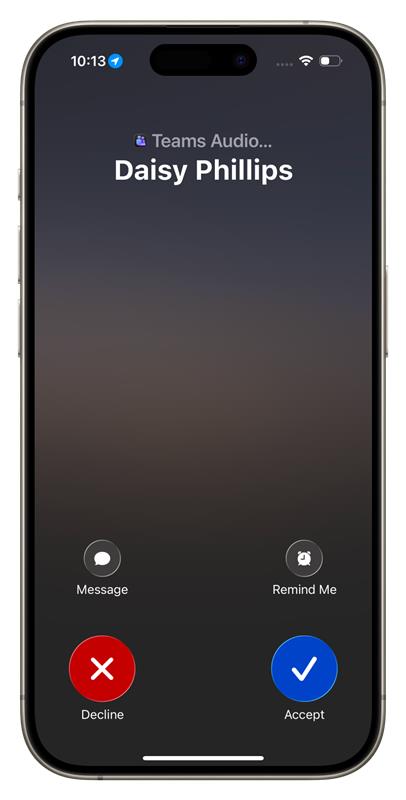
When an eligible Teams call comes in on mobile, users will see a new Message option alongside accept and decline. They can decline the call and send a preset reply or type a custom message in the related Teams chat instead of answering the call.
If you miss it
If IT does not communicate this change, users may be surprised by the new call-screen option and help desk tickets may increase when people notice the Message button. There is no security or licensing risk, but support teams may need to explain that the feature only works for eligible Teams-to-Teams calls and not PSTN, anonymous, or interoperability calls.
- Admin controls available
- No
History
Recorded changes
No changes recorded since ChangePilot first saw this post.
Microsoft message
[What and why]
Microsoft Teams mobile users will be able to decline an incoming Teams call and send a message to the caller at the same time. This gives users a faster way to communicate their availability without answering the call or separately navigating to chat.
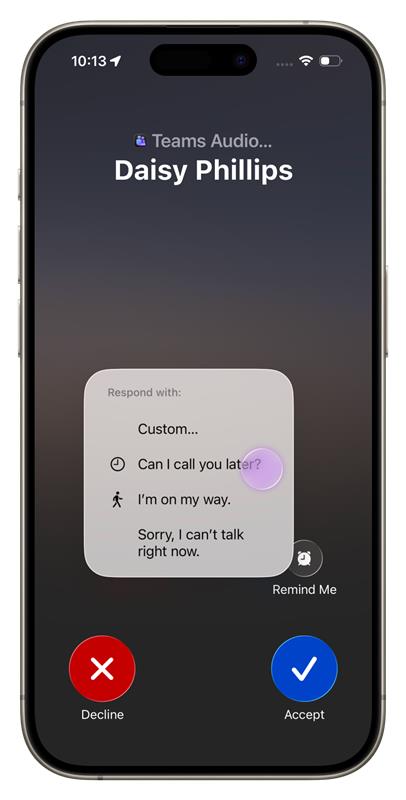
From the incoming call screen, users can select Message and choose a predefined response or select Custom to compose a personalized response in the relevant Teams chat.
[Rollout schedule]
- General Availability (Worldwide, GCC, GCC High, DoD): We will begin rolling out in early December 2026 and expect to complete by mid-December 2026.
[Impact on your organization]
Who is affected
- Microsoft Teams mobile users who receive eligible Teams-to-Teams calls and have an associated Teams chat available for the response
Platforms and services
- Microsoft Teams mobile
What will happen
Once this feature is available:
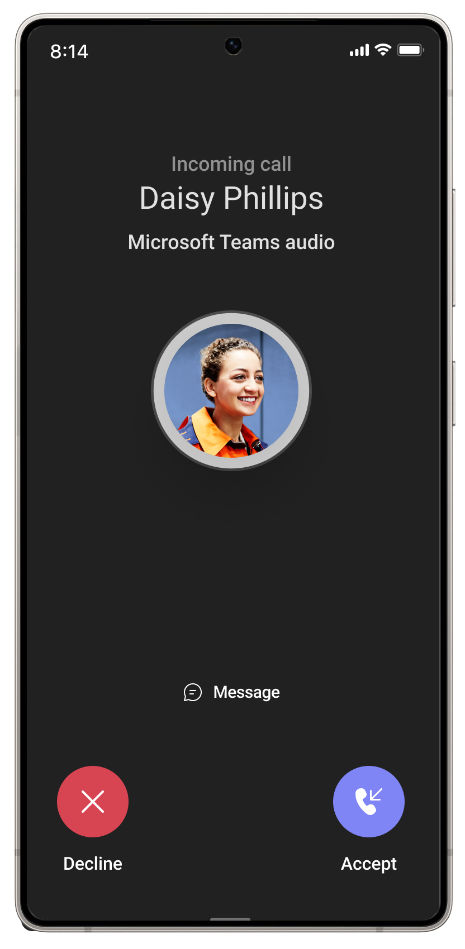
- Users will see a new Message option on the incoming call screen.
- Users can choose a predefined response, such as “Can I call you later?”, “I’m on my way.”, or “Sorry, I can’t talk right now.”
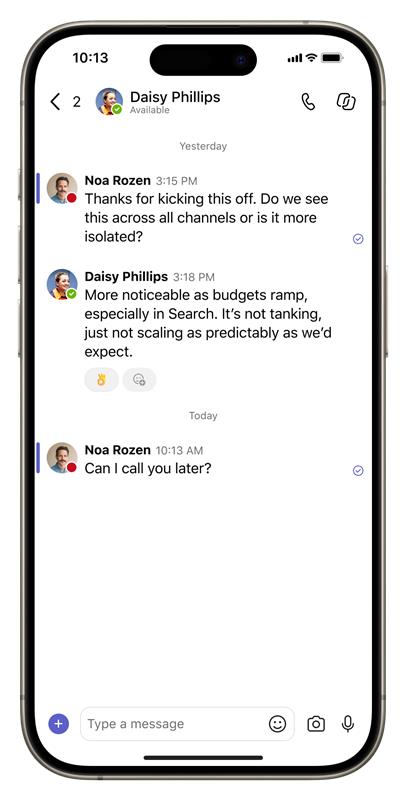
- Selecting a predefined response will decline the call and immediately send the selected message to the caller in Teams chat.
- Users can select Custom to decline the call and open the relevant Teams chat to compose a personalized response.
- The response will appear in Teams chat so users can continue the conversation after the call is declined.
- This capability will not apply to PSTN, anonymous, or interoperability calls where there is no corresponding Teams chat to receive the message.
- Existing options to accept or decline an incoming call will not change.
- The feature will become available automatically as it rolls out to eligible users.
iOS experience
Screenshot 1 - IOS view 1:
Screenshot 2 - IOS view 2:
Screenshot 3 - IOS view 3:
Android experience
Screenshot 4 - Android view 1:
Screenshot 5 - Android view 2:
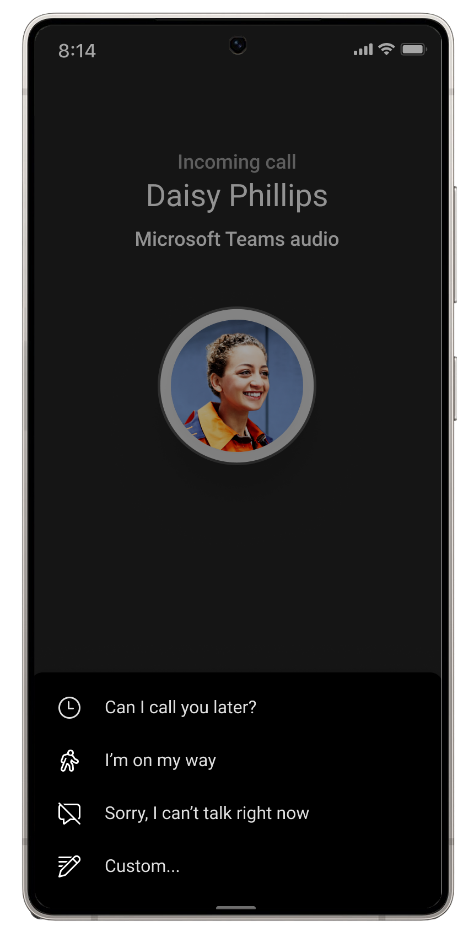
Screenshot 6 - Android view 3:
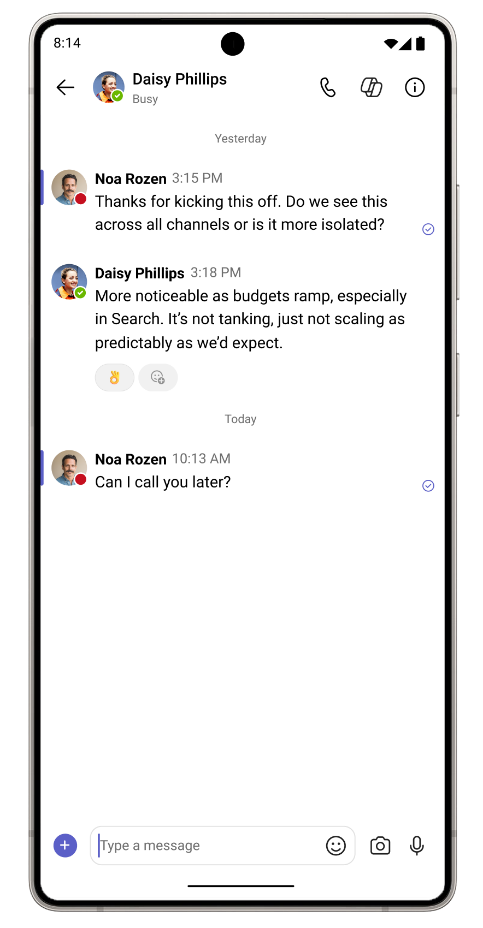
[Action required and recommendations]
No admin action is required before rollout.
We recommend informing your help desk and users about the new Message option, particularly users who frequently handle Teams calls from their mobile devices.
[Compliance considerations]
This change provides a new way for users to communicate by allowing a user declining an eligible Teams call to send a predefined or custom message to the caller through Teams chat. Review this change as appropriate for your organization.
Details
In weekly changes
Platforms
- Android
- iOS
Services
- Teams
Category
- Stay informed
Microsoft tags
- Admin Action
- New Feature
- User Adoption