MC1539003 Improved shared message experience
Primary service: Viva
ChangePilot summary
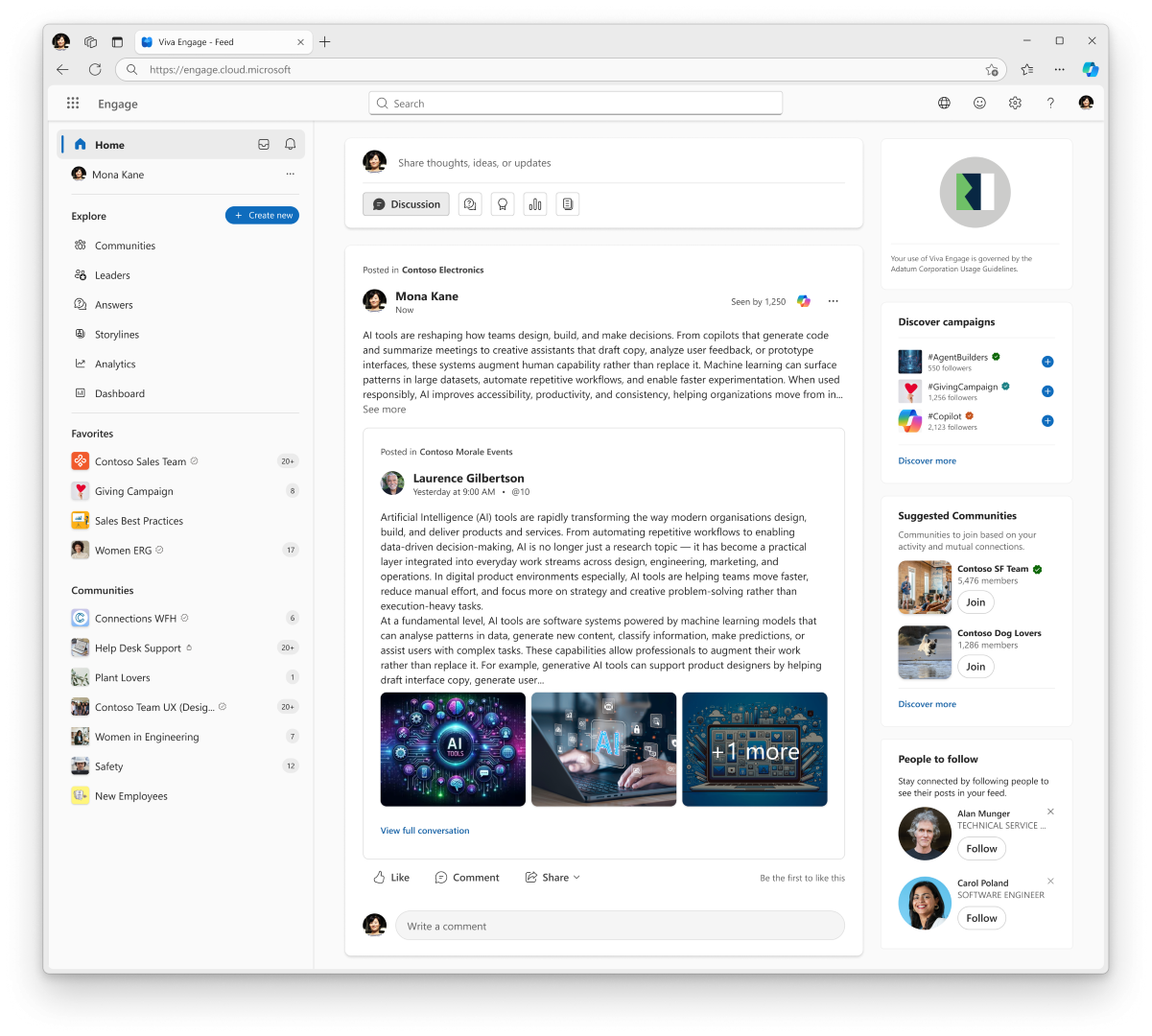
- Microsoft Viva Engage shared messages will show richer previews of the original post, including formatted text, images, videos, and attachments.
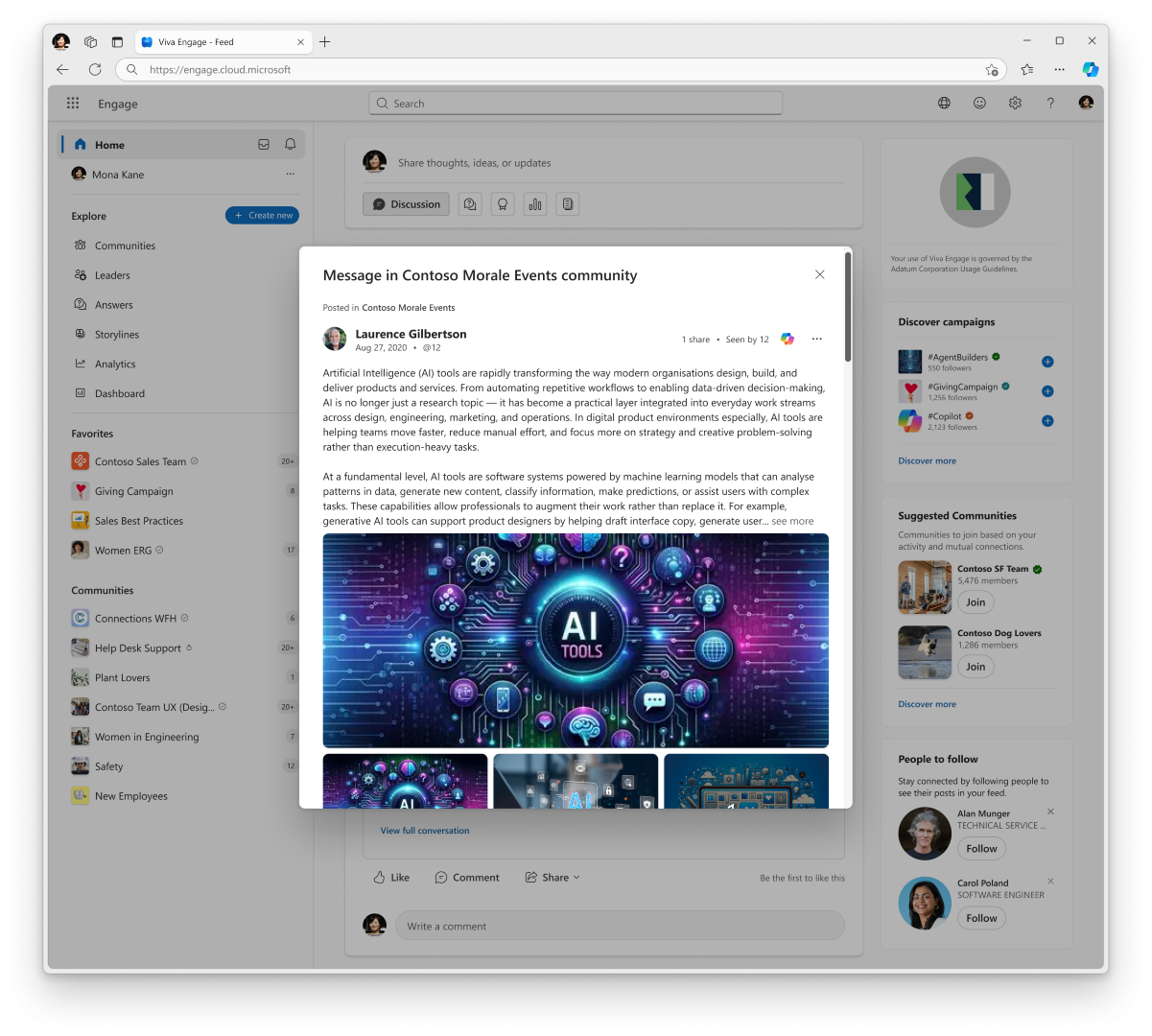
- On Viva Engage web, users can open the full conversation in a dialog, including replies and reactions, without losing their place in the feed.
- The change affects users who view or interact with shared messages in Viva Engage; sharing workflows themselves are unchanged.
- No admin configuration changes are required, but IT should inform users and update training/help content if it shows shared message behavior.
What it means for you
What admins need to do
Notify Viva Engage users that shared posts will display richer previews and that web users can open conversations in a dialog without losing their place in the feed. Update helpdesk guidance, training decks, and screenshots that show the old shared-message layout. No configuration changes are needed.
Impact on users
Users will see shared messages with more of the original content visible, including text formatting, images, videos, and attachments. On the web, they can open the full conversation, read replies and reactions, and respond without leaving their current feed position.
If you miss it
If IT does nothing, the change will still roll out and users may be surprised by the new appearance and dialog behavior of shared messages. The main risk is confusion or helpdesk questions, especially if internal training materials or screenshots still show the old experience. Operational impact is otherwise low.
- Admin controls available
- No
History
Recorded changes
No changes recorded since ChangePilot first saw this post.
Microsoft message
[What and why]
We are improving the shared message experience in Microsoft Viva Engage to make it easier for users to discover, read, and participate in conversations shared by their colleagues. Shared messages will display richer previews of the original post, including formatted text, images, videos, and attachments. On Viva Engage web surfaces, users will be able to open and interact with the full conversation without losing their place in the feed.
[Rollout schedule]
- General Availability (Worldwide): Rollout will begin in mid-November 2026 and is expected to complete by late November 2026.
[Impact on your organization]
Who is affected
- Users who view and interact with shared messages in Microsoft Viva Engage.
Platforms and services
- Microsoft Viva Engage, with the conversation dialog experience available on web surfaces.
What will happen
- Shared messages will display more of the original content, including formatted text, images, videos, and attachments.
- Users can select a shared message or View full conversation to open the original conversation in a dialog, including replies and reactions.
- Users can react, reply, and share from the conversation dialog without losing their place in the feed.
- Shared message previews will reflect changes to the original post, including edits.
- Users will continue to discover and share messages as they do today. This update focuses on improving how recipients experience shared content.
Updated Viva Engage feed experience
[Action required and recommendations]
No changes to existing sharing workflows are required. We recommend informing users about the improved shared message experience and updating any existing training or support materials that demonstrate how shared messages appear in Viva Engage.
[Compliance considerations]
No compliance considerations identified. Review as appropriate for your organization.
Details
In weekly changes
Platforms
- Web
- Desktop
Services
- Viva
Category
- Stay informed
Microsoft tags
- Feature Update
- User Adoption