MC1536058 What's happening across your organization in Activity notifications
Primary service: Teams
ChangePilot summary
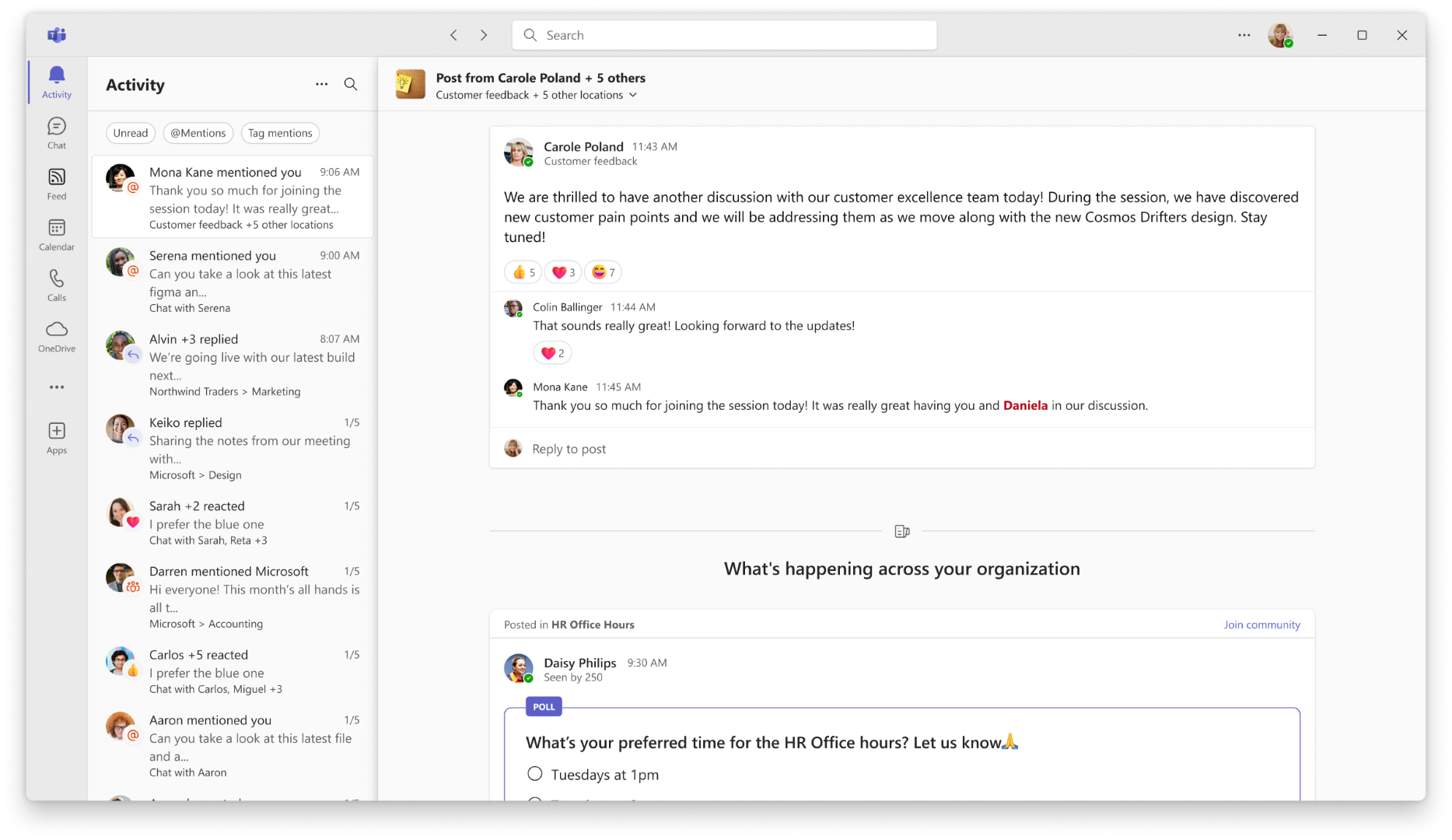
- Microsoft Teams Activity feed will gain a new "What's happening across your organization" section beneath community and storyline notifications.
- The section surfaces relevant posts beyond a user’s existing communities, including content from leaders and official communities.
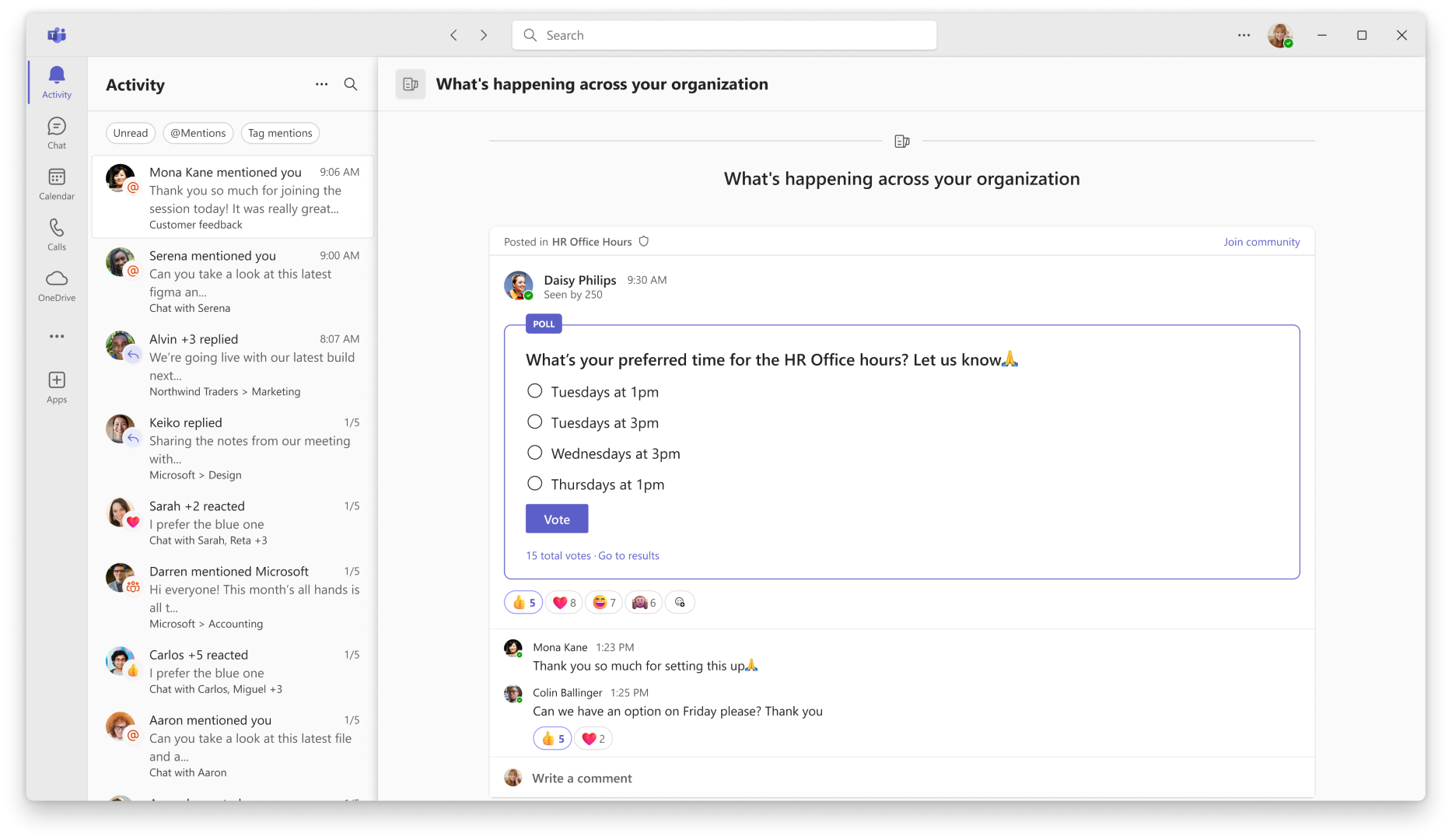
- Users can join communities and follow colleagues or leaders directly from the notification experience.
- IT should verify that Communities and Storylines are enabled in the Teams admin center if the organization wants this experience available.
- Affected users are those licensed for Microsoft Teams and Viva Engage.
What it means for you
What admins need to do
Review whether Communities and Storylines are enabled in the Teams admin center for the relevant Teams messaging policies, especially the Global policy or any custom policies in use. If your organization wants users to access the new organizational discovery experience, confirm the settings are turned on and update any internal guidance or helpdesk notes so users know how to join communities or follow leaders from Teams.
Impact on users
Users will see a new section in the Teams Activity feed that highlights posts from across the organization, including leaders and official communities. From that feed experience, they can discover new communities, join them, and follow colleagues or leaders without leaving Teams.
If you miss it
If IT does not review the Teams messaging settings, the new discovery experience may not be available to users, or users may encounter it without prior communication. The business impact is mostly missed adoption and reduced visibility of organizational content rather than a service outage or compliance issue.
- Admin controls available
- Yes
History
Recorded changes
No changes recorded since ChangePilot first saw this post.
Microsoft message
[What and why]
We are adding a new What's happening across your organization section beneath community and storyline notifications in the Microsoft Teams Activity feed. The section helps users discover relevant content beyond their immediate communities, including posts from leaders and official communities, and provides ways to join communities or follow colleagues directly from the notification experience.
[Rollout schedule]
- Public Preview (Worldwide): Rollout will begin in early November 2026 and is expected to complete by early December 2026.
- General Availability (Worldwide): Rollout will begin in early December 2026 and is expected to complete by mid-December 2026.
[Impact on your organization]
Who is affected
- All users licensed for Microsoft Teams and Viva Engage.
Platforms and services
- Microsoft Teams
- Teams Activity feed
- Communities and storylines
What will happen
- When users open the Teams Activity feed, they will see a new What's happening across your organization section beneath community and storyline notifications.
- Each notification can surface up to five relevant posts in a scrollable view.
- Users can discover relevant community and storyline posts beyond the communities they already belong to.
- Posts from leaders and official communities can appear in this section.
- Users can join communities, including official communities, from the notification experience.
- Users can follow colleagues and leaders from the notification experience.
Updated Teams activity feed experience
[Action required and recommendations]
If this is an experience that your network might benefit from, we recommend that you verify that Communities and Storylines are enabled in the Teams admin center.
To enable Communities in Teams:
- Go to the Teams admin center.
- Select Settings & policies.
- Choose Global (Org-wide default) or a custom policy.
- Open Messaging settings.
- Set Communities to On.
- Save your changes.
To enable Storylines in Teams:
- Go to the Teams admin center.
- Select Settings & policies.
- Choose Global (Org-wide default) or a custom policy.
- Open Messaging settings.
- Set Storylines to On.
- Save your changes.
[Learn more]
- Getting started with Viva Engage Communities in Microsoft Teams | Microsoft Support
- Manage Viva Engage experiences in Microsoft Teams - Microsoft Teams | Microsoft Learn
[Compliance considerations]
No compliance considerations identified. Review as appropriate for your organization.
More information
Details
In weekly changes
Services
- Teams
- Viva
Category
- Stay informed
Microsoft tags
- Admin Action
- New Feature
- User Adoption