MC1535647 Microsoft Copilot app: Updates to Home and navigation
Primary service: M365 Copilot
ChangePilot summary
- Microsoft Copilot app Home is expanding with Projects and Workspaces in the navigation experience.
- Projects gives users a dedicated area to organize related chats, Copilot tasks, files, instructions, and outputs in one context-aware space.
- Copilot Notebooks is being renamed to Workspaces; existing notebooks will convert and keep their content.
- The change affects Copilot app users on web, desktop, and mobile, with some capabilities depending on Microsoft 365 Copilot licensing and usage-based billing setup.
- Review spending policy and billing configuration for users who have Cowork access.
Latest update: Added - Refer to MC1559638 for details on Copilot Workspaces.
What it means for you
What admins need to do
Review which users are included in any spending policy that grants Cowork access and confirm the intended usage-based billing configuration. Update internal guidance for helpdesk and licensed-user communications so they can explain the new Home experience, Projects, and the Notebook-to-Workspace rename, including any license-dependent limitations.
Impact on users
Users of the Microsoft Copilot app will see Home as the entry point with Projects and Workspaces available in the left navigation. Existing notebooks will appear as workspaces with their content preserved, and users with the right licensing will be able to use Cowork-related capabilities and project-based organization features.
If you miss it
If IT does not review billing and access configuration, users may receive Copilot Cowork access or project capabilities outside the intended spend policy, potentially creating unexpected costs or inconsistent access. Users may also be confused by the Home, Projects, and Workspaces changes if helpdesk and communications are not prepared, leading to support volume and adoption friction.
- Admin controls available
- Yes
- Licences affected
- Copilot
History
Recorded changes
- Added - Refer to MC1559638 for details on Copilot Workspaces.
- Copilot Workspaces will rollout to standard release in December 2026, and deferred release by January 2027.
- Workspaces timeline has been updated - This change will roll out to all users with access to Copilot Notebooks first in the Frontier program. Workspaces will rollout to standard release by January 2027, and deferred release by February 2027. Access to individual capabilities in Copilot Workspaces will vary by license.
Microsoft message
Updated November 20, 2026: Copilot Workspaces will roll out to standard release in December 2026, and deferred release by January 2027. Thank you for your patience. Refer to MC1559638 for details on Copilot Workspaces.
[What and why]
In MC1479277 about updates to the Microsoft Copilot app, we introduced Home as the new starting point that brings Chat and Cowork together, so users can get chat assistance and delegate multi-step tasks in one view. This post builds on that announcement with worldwide rollout timing and the addition of Projects and Workspaces to the Home experience.
[Rollout schedule]
- Standard release begins late October 2026
- Deferred release begins late November 2026
[Impact on your organization]
Who is affected
- Users of the Microsoft Copilot app. Access to Cowork and Cowork-related capabilities depends on Microsoft 365 Copilot licensing and your organization’s usage-based billing configuration.
Platforms and services
- Microsoft Copilot web, desktop, and mobile app.
What will happen
Projects:
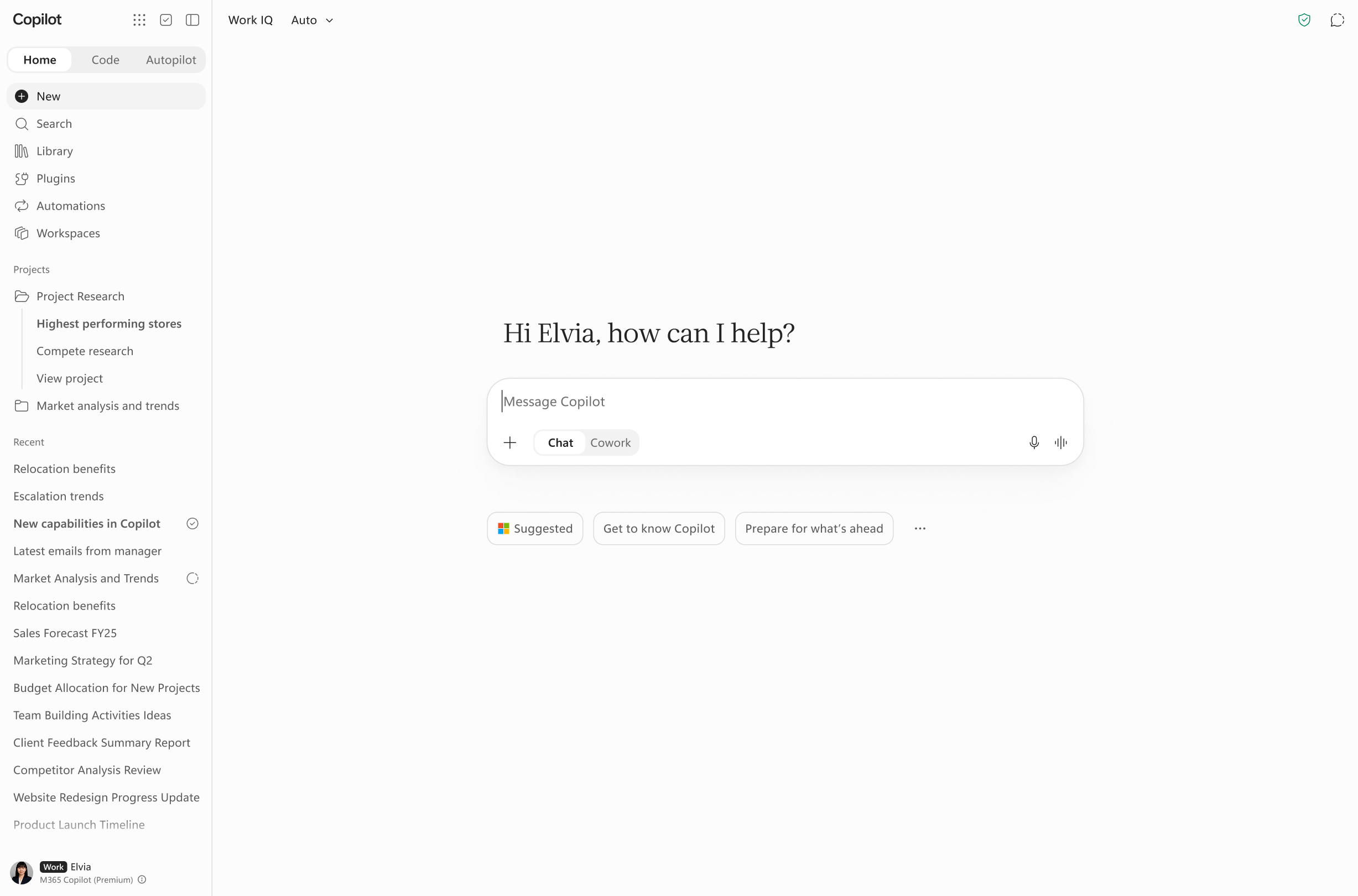
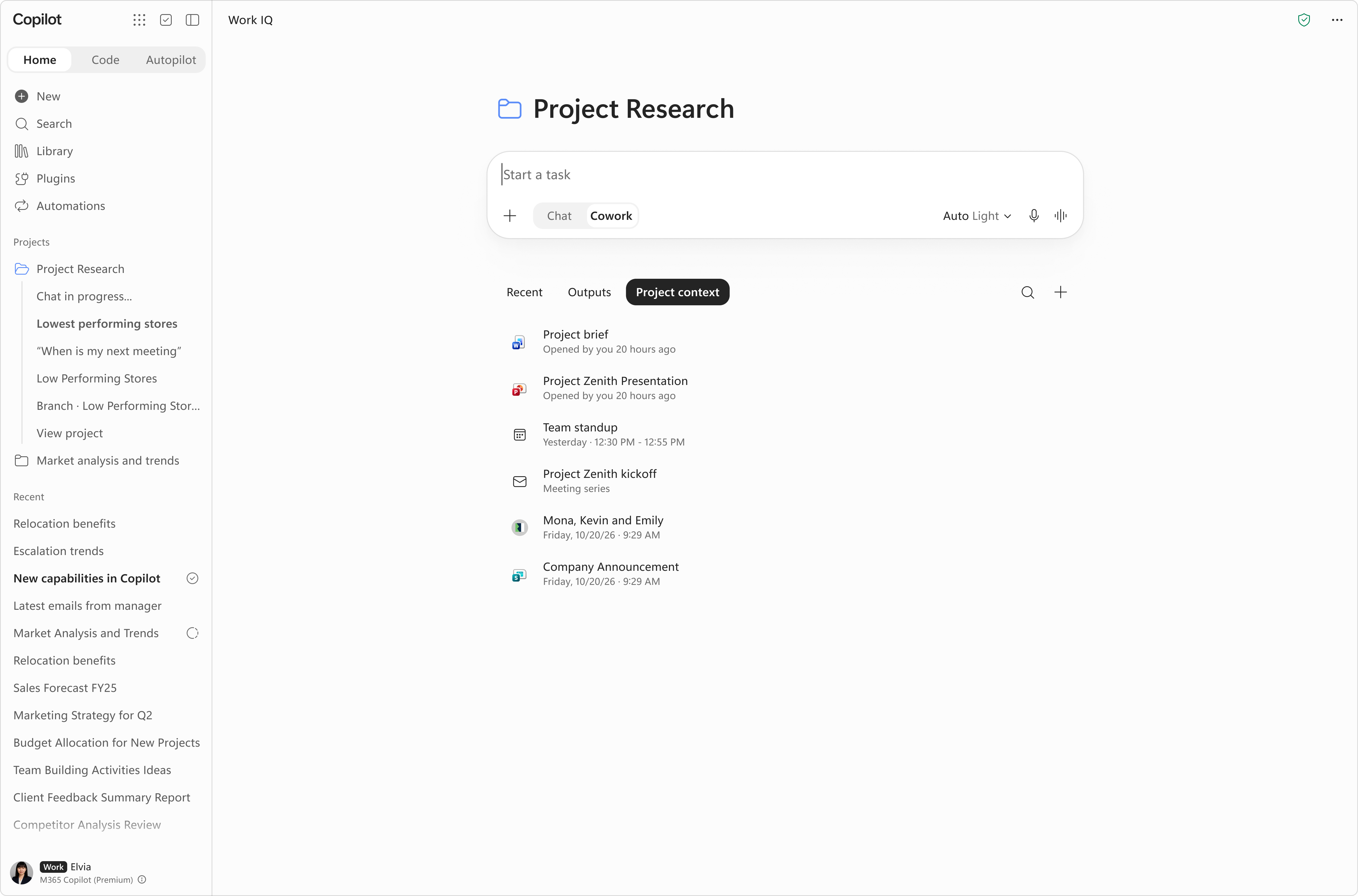
- In addition to what was communicated in MC1479277, Projects provides a dedicated space in Home for organizing related chats, Cowork tasks, and everything they share: files, instructions, and outputs. From there they can create a new project, add files and context, and start chats or Cowork tasks inside it. Responses are grounded in the project's context first, then in the user's broader Microsoft 365 work context. Projects are accessible from the Home navigation pane.
- Projects doesn't store content itself, and files stay in OneDrive under the same permissions, sensitivity labels and retention policies you already use. Word, Excel and PowerPoint files that Copilot creates are saved to the user's OneDrive.
- Projects are available on Windows, Mac, & Web apps across tier 1 languages. It is coming soon to mobile apps.
Workspaces:
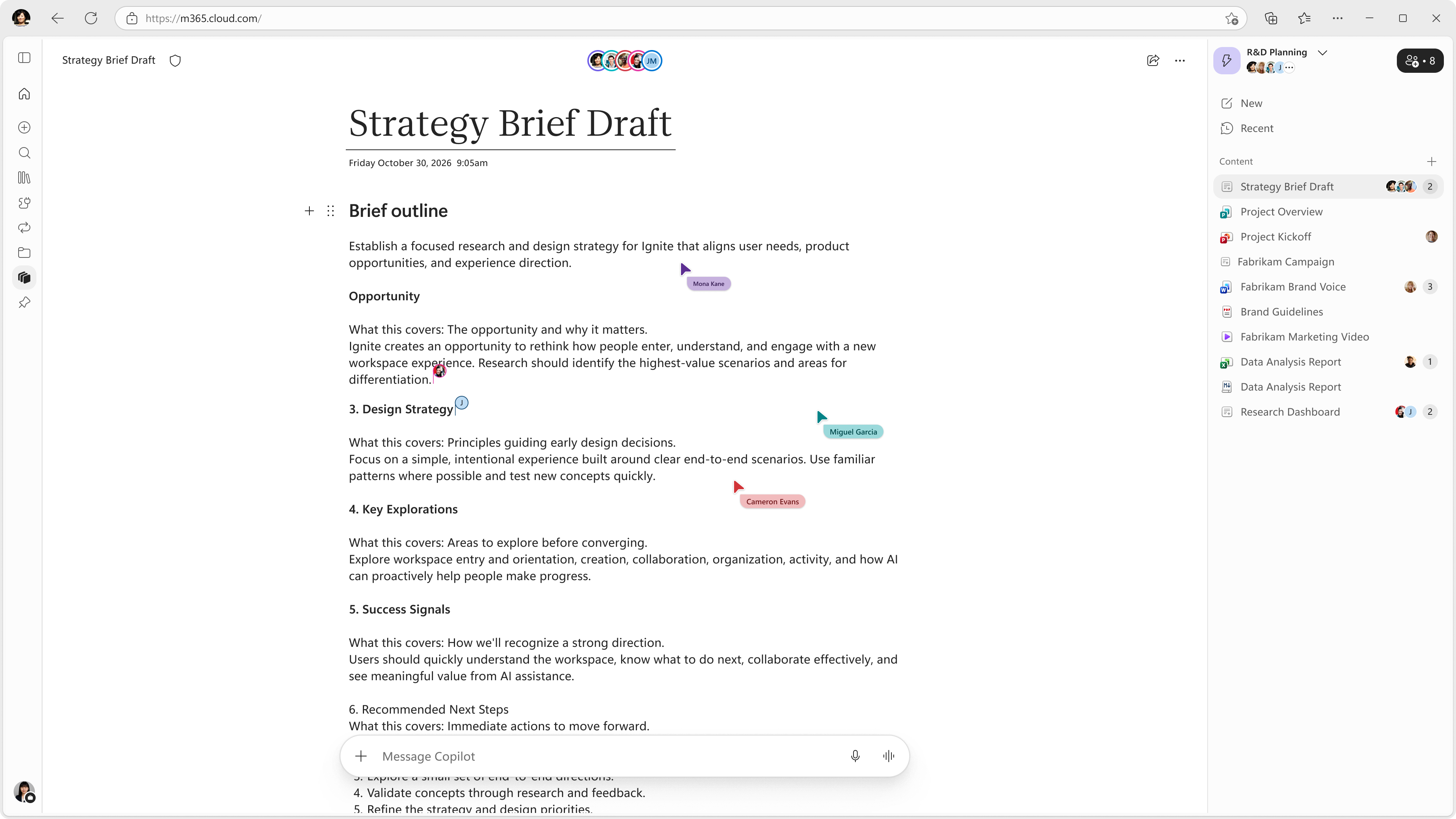
- Users will see "Notebooks" become "Workspaces" in the left navigation of the Copilot app as Copilot Notebooks evolves into Copilot Workspaces. Workspaces give teams a shared space to bring together context, team members, and working files to work alongside Copilot on an ongoing workstream.
- Existing notebooks will convert into “workspaces,” retaining all previously added or made content. Read FAQs on our Support Page.
- This change will roll out to all users with access to Copilot Notebooks first in the Frontier program. Copilot Workspaces will rollout to standard release in December 2026, and deferred release by January 2027. Access to individual capabilities in Copilot Workspaces will vary by license.
[Action required and recommendations]
- Review which users are included in a spending policy that grants Cowork access and confirm your intended usage-based billing configuration.
More information
Details
In weekly changes
Platforms
- Web
- Desktop
- Mobile
- Windows
- Mac
Services
- Excel
- M365 Copilot
- OneDrive
- PowerPoint
- Word
Category
- Stay informed
Microsoft tags
- Admin Action
- Deferred Feature
- Feature Update
- User Adoption
- Highlighted
Related changes
- MC1479277 New ways to work across Microsoft Copilot and Microsoft 365 Message Center · M365 Copilot · Admin Medium
- MC1559638 New capabilities in Copilot Workspaces Message Center · M365 Copilot · Admin Low