MC1530948 Microsoft Purview | Information Protection: Auto-labeling support for legacy Microsoft Office file formats
Primary service: Purview
ChangePilot summary
- Microsoft Purview service-side auto-labeling will expand to support legacy Office file formats (.doc, .xls, .ppt) stored in SharePoint and OneDrive.
- The new support applies to both simulation and enforcement modes, so existing sensitivity label policies can now evaluate these older file types.
- Organizations already using auto-labeling policies should review which policies and locations should include legacy Office files.
- Existing policies need a small edit and a rerun to restart the crawl before they can evaluate legacy Office files; newly created policies do not need this extra step.
What it means for you
What admins need to do
Review existing Microsoft Purview auto-labeling policies that scope SharePoint and OneDrive, identify where legacy Office files should be included, make a small policy edit to force a rerun of the crawl, and validate the policy in simulation before enabling enforcement. Update internal runbooks and brief helpdesk/support teams so they understand that older .doc, .xls, and .ppt files may now be labeled automatically.
Impact on users
If your organization updates and reruns the relevant auto-labeling policies, users should see no disruptive change beyond older Word, Excel, and PowerPoint files being evaluated for sensitivity labels. If policies are not updated, those legacy file formats may continue to be missed by auto-labeling.
If you miss it
If this change is missed, existing auto-labeling policies will not evaluate legacy .doc, .xls, and .ppt files until an admin edits and reruns them. That can leave older documents unlabeled, creating compliance and data protection gaps and reducing the effectiveness of sensitivity labeling in SharePoint and OneDrive. IT may also receive support questions when users expect older files to be covered but they are not.
- Admin controls available
- Yes
History
Recorded changes
No changes recorded since ChangePilot first saw this post.
Microsoft message
[What and why]
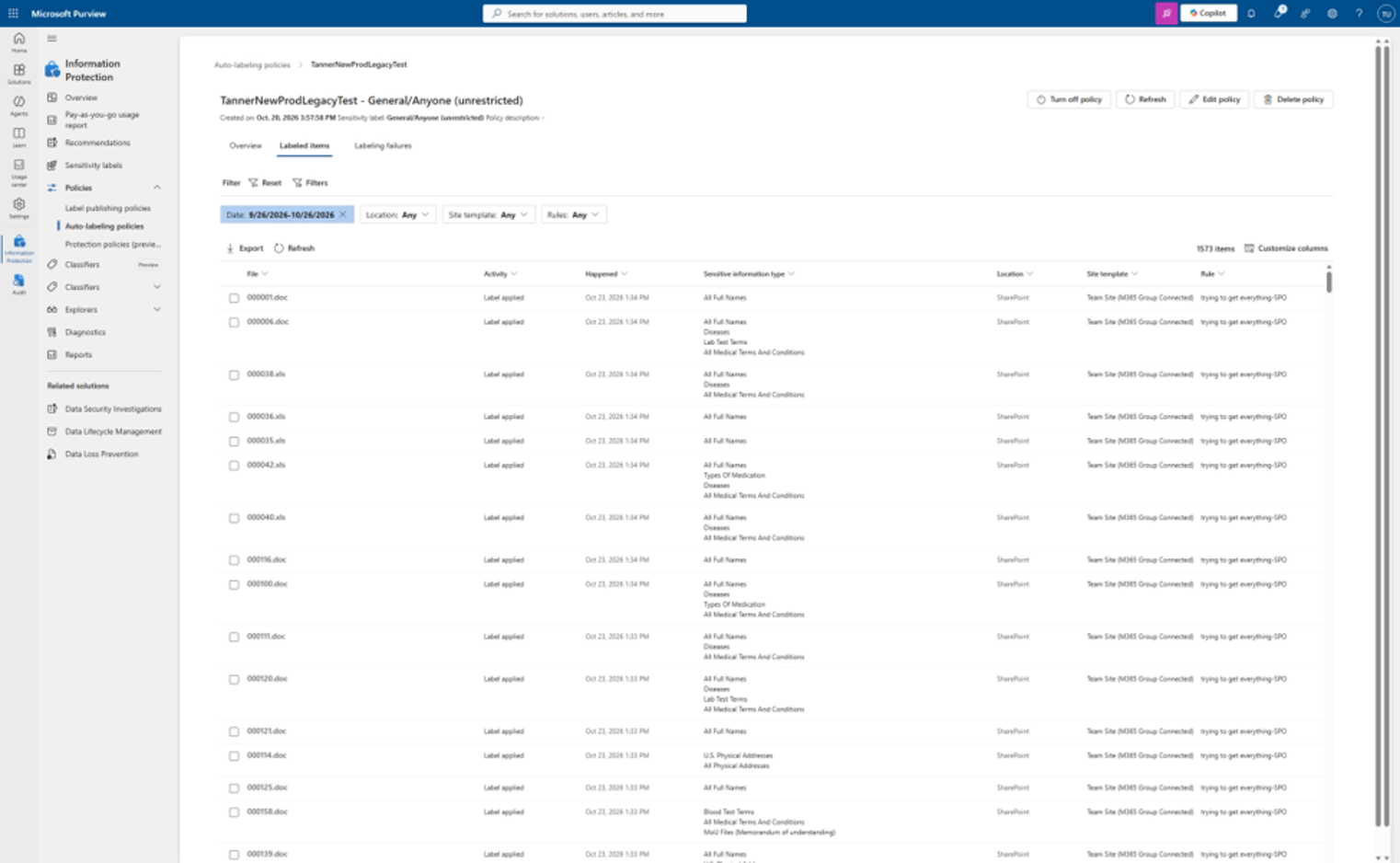
Microsoft Purview service-side auto-labeling is adding support for legacy Microsoft Office file formats, including Word (.doc), Excel (.xls), and PowerPoint (.ppt). Organizations can automatically evaluate and apply sensitivity labels to these files in SharePoint and OneDrive. These legacy file formats will be supported in both simulation and enforcement.
[Rollout schedule]
- Public Preview: Beginning in early November 2026 and expected to complete by mid-November 2026
- General Availability: Beginning in late November 2026 and expected to complete by late November 2026
[Impact on your organization]
Who is affected
- Organizations using Microsoft Purview service-side auto-labeling policies for files stored in SharePoint and OneDrive
Platforms and services
- Microsoft Purview
- SharePoint
- OneDrive
- Microsoft Word (.doc)
- Microsoft Excel (.xls)
- Microsoft PowerPoint (.ppt)
What will happen
- Service-side auto-labeling will support legacy Word (.doc), Excel (.xls), and PowerPoint (.ppt) files stored in SharePoint and OneDrive.
- New auto-labeling policies will automatically support these file formats.
- Existing auto-labeling policies require a small policy edit and another policy run to restart the crawl and evaluate legacy Office files.
- For example, an admin can add or remove a comment in the policy, save the change, and then run the policy again.
- These file formats will be supported in both simulation and enforcement.
[Action required and recommendations]
If you want existing auto-labeling policies to evaluate legacy Office files:
- Review your sensitivity labels and auto-labeling policies, including the SharePoint and OneDrive locations in scope.
- Identify the policies for which you want to extend coverage to legacy Office files.
- Make a small edit to each existing policy, such as adding or removing a policy comment, and save the change.
- Run the policy again to restart the crawl so that it can evaluate the newly supported file formats.
- Before enabling a new or updated policy, run it in simulation mode and review the results to confirm that it identifies the intended content.
New policies do not require the additional edit and policy run.
Learn more
- Auto-labeling policies | Microsoft Purview
- Automatically apply a sensitivity label to Microsoft 365 data | Microsoft Learn
[Compliance considerations]
| Question | Answer |
| Does the change alter how existing customer data is processed, stored, or accessed? | Yes. The change expands the files that auto-labeling policies can evaluate and label to include legacy .doc, .xls, and .ppt files in SharePoint and OneDrive, according to the request. |
| Does the change include an admin control? | Yes. Admins manage the capability through Microsoft Purview auto-labeling policies. Microsoft Learn identifies the Microsoft Purview portal's Information Protection > Policies > Auto-labeling policies surface for service-side auto-labeling. |
More information
Details
In weekly changes
Platforms
- Web
Services
- Excel
- OneDrive
- PowerPoint
- Purview
- SharePoint
- Word
Category
- Stay informed
Microsoft tags
- Admin Action
- New Feature
- User Adoption